
Business Holiday Card From Team Photo or Office Picture
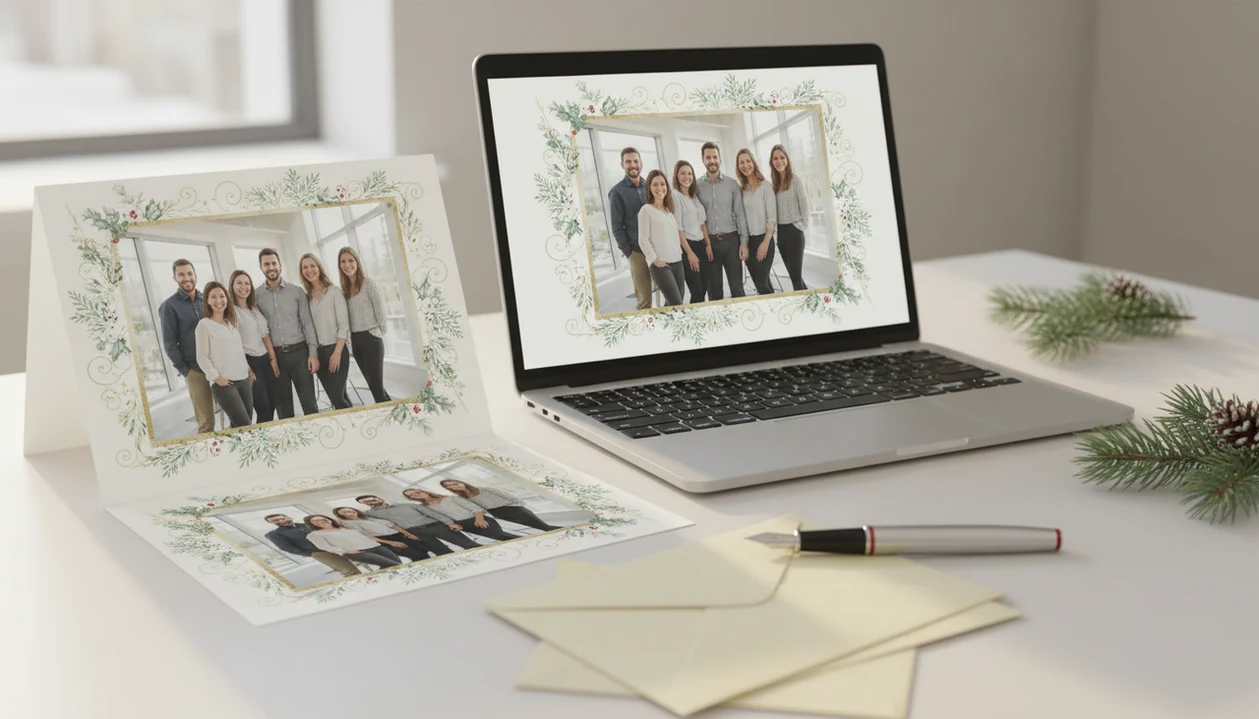
To make a business holiday card from team photo, choose a clear staff or office picture, apply a polished holiday card style, add inclusive client-safe wording, then export both print-ready and email-friendly versions. The best cards feel personal without becoming sales-heavy: real faces, simple branding, and a warm seasonal message.
Definition: A business holiday card from a team photo is a company holiday greeting that uses an actual staff, office, or group photo instead of stock artwork to thank clients, partners, and vendors.
TL;DR
- Start with a high-resolution, well-lit team photo before choosing templates, AI styling, logos, or wording.
- Use inclusive phrases like “Happy holidays” or “Season’s greetings” for broad business audiences.
- Create both a print version and a smaller digital version so the same card can work by mail, email, and social media.
Business Holiday Card From Team Photo: What It Is
A business holiday card from a team photo is a client-facing seasonal greeting built around real staff, a workplace group, or an office picture instead of stock snowflakes or generic graphics. It puts actual people in front of the brand.
The audience is usually clients, partners, vendors, employees, referral contacts, and local business relationships. People may search for the same idea as a team photo holiday card, an office Christmas card, or a business Christmas card with staff picture.
The card is not just decoration. It is a small relationship signal. A client who has only exchanged invoices and email threads can finally see the team behind the work. That matters, especially when the photo feels calm and current, not like a rushed lobby snapshot taken under yellow ceiling lights.
Team Photo Holiday Card Trust Signals for Client Relationships
A team photo holiday card works because real faces make a company feel easier to recognize and remember. It should support a relationship, not pretend to close a sale.
- Real people reduce distance. A staff photo helps clients connect names, faces, and services, especially after a year of calls and shared documents.
- Human communication feels warmer. Pew Research Center has found that public trust is tied to whether institutions are seen as acting ethically and transparently, which supports showing real employees instead of anonymous branding: https://www.pewresearch.org/politics/2019/07/22/trust-and-distrust-in-america/
- Experience matters in B2B. Gartner reports that customer experience can outweigh brand and price in loyalty decisions, so small relationship touchpoints can affect how a supplier is remembered: https://www.gartner.com/en/customer-service-support/insights/customer-experience
- The message should not sell. A holiday card is the wrong place for a discount block, a hard CTA, or a long company update.
- Small businesses can stand out. A local contractor, clinic, studio, or agency can look more familiar with one good team photo than with another polished stock template.
A fridge magnet holding the proof tells you fast: warm beats loud.
Team Photo Holiday Card Requirements Before You Start
Start with the assets before you open a template. A clean production folder prevents the “final-final-card.pdf” problem at 9:47 p.m.
- Team photo. Use a sharp, well-lit, high-resolution image with space above heads and around shoulders. Faces too close to the edge may be cropped in print.
- Brand files. Prepare a logo file, brand colors, approved fonts if available, and any short company descriptor.
- Recipient details. Confirm the client mailing list, email list, signer names, and preferred greeting line before design review.
- Photo style. Choose a posed office photo when you need everyone visible. Use a candid only if faces are clear and the scene still feels professional.
- Approvals. Get employee consent and internal sign-off before using faces on a client-facing card.
Plan early enough for design review, printing, envelopes, addressing, and the mailing window. A business Christmas card app can help, but it cannot fix missing approvals.
Business Holiday Card From Team Photo Production Workflow
A team photo card works by turning one source image into several controlled outputs: a card layout, a print file, and a digital version. The basic workflow is upload the photo, crop it to the card ratio, apply a professional or festive style, add wording and branding, then export the needed formats.
AI styling can adjust color harmony, soften background clutter, and add a seasonal mood. It should not replace the team identity. If the original photo shows the staff in a storefront, the finished card should still feel like that business, not a fake winter catalog scene.
Print output needs higher resolution, bleed margins, and type that stays readable after trimming. Email output needs smaller file size and clear text on a phone screen. a Christmas card app can fit this middle step because it turns one photo into printable Christmas cards and holiday greetings for families, couples, and small businesses.
Team Photo Holiday Card Maker Steps
Use a team photo holiday card maker as a production checklist, not just a design toy. The goal is one approved card that can survive print, email, and the boss’s last-minute typo check.
- Choose or take the team photo with clear faces, even lighting, and enough space for crop marks.
- Upload the image and choose a business-safe layout with readable type, modest branding, and room for a short greeting.
- Apply AI festive styling or professional enhancements carefully so colors improve without making people look artificial.
- Add the logo, names, message, and company details only after the photo crop is locked.
- Export print and digital versions after proofing names, dates, logo placement, spelling, crop, and file format.
A useful maker should give you practical export choices, editable wording, and a proofing moment before anyone clicks send—not just a pretty filter.
Office Christmas Card Photo Setup for Staff Pictures
“How should we take an office Christmas card photo?” Use bright natural light or soft indoor lighting, arrange people so every face is visible, and keep the background professional.
A lobby, conference room, storefront, studio wall, or branded backdrop can all work. Avoid harsh backlighting from windows, cluttered desks, visible private information, and props that steal attention from the people. One garland is fine. A table full of novelty mugs usually is not.
Arrange the group by height and visibility, not job title. Put shorter people in front, taller people behind, and check the crop before anyone leaves. Coordinated outfits look better than identical outfits; brand colors can show up in a scarf, sweater, tie, or wall accent.
Watch the corners. We have seen a good team picture lose polish because a dog leash, exit sign, or whiteboard with client notes sat in the frame.
Client-Safe Wording for a Business Holiday Card
Client-safe wording is short, inclusive, grateful, and free of sales language. “Season’s greetings,” “Happy holidays,” and “Warm wishes for the new year” work well for broad business audiences.
“Merry Christmas” can fit if your business knows the audience expects Christmas-specific language, such as a church vendor list or a clearly Christmas-focused local event. For mixed client lists, broader wording is safer because customers, vendors, and partners may observe different traditions or none at all. Pew has reported that Christmas celebration is widespread in the U.S., but business lists are still diverse.
Avoid promotional copy, discounts, product launches, and long year-in-review paragraphs. Keep it warm. Done.
Short client holiday message examples
- “Season’s greetings from our team to yours. Thank you for your trust and partnership this year.”
- “Happy holidays, and warm wishes for a healthy, successful new year.”
- “With appreciation from all of us, thank you for being part of our year.”
For smaller teams comparing tools, a Christmas card app for small business should make wording easy to edit before export.
Print and Email Exports for Team Photo Holiday Cards
Create separate print and email exports from the same approved design. A file that looks crisp at a CVS photo kiosk may be too large for email, while a compressed email image may print soft.
| Export type | What to check | Practical note |
|---|---|---|
| Printed card | High-resolution file, trim size, bleed area, readable type, proof copy | Order one proof or print a test before mailing the full batch. |
| Email greeting | Smaller file size, mobile readability, alt text, concise subject line | Send a test to yourself and open it on a phone. |
| Social post | Square or vertical crop, consistent message, safe logo placement | Reuse the same team photo so clients recognize the greeting. |
Many small businesses use email and social media as customer contact channels, according to small business marketing survey references. Still, mailed cards can feel more personal for high-value accounts. If print vendors are on your shortlist, the Shutterfly vs Walmart Christmas cards comparison may help you think through output choices.
Business Holiday Card From Team Photo Mistakes
Most weak business holiday cards fail before the wording stage. The photo, crop, and export choices do the damage.
- Low-resolution photos print poorly. A tiny web image may look fine on a laptop and still blur on cardstock.
- Bad lighting makes faces look tired. Yellow office light, harsh flash, and deep shadows are hard to polish later.
- Clutter distracts from the team. Desks, cables, private paperwork, and awkward seasonal props make the card feel rushed.
- Over-branding changes the tone. Oversized logos, dense copy, and promotional language turn a greeting into an ad.
- Late ordering narrows options. Rushing can mean fewer paper choices, weak proofing, or missed mailing windows.
Quick proofing checklist: names, logo, date, spelling, crop, export format, signer line, mailing list, and print size. The pocket check is real; someone always spots one more typo after export.
Limitations
A team photo holiday card is useful, but it cannot solve every relationship or production problem.
- A holiday card cannot repair weak client relationships by itself.
- A badly lit or low-resolution original photo may still print poorly after editing.
- Some employees may not want their photo used, so consent and alternatives matter.
- Some clients may ignore mailed cards or prefer less inbox clutter.
- Measuring ROI can be difficult because holiday cards often support brand warmth rather than direct conversions.
- Team composition can change between photo day and mailing date, making the card feel outdated.
- Heavy religious wording may not fit every business audience.
- AI styling can make a background cleaner, but it may also over-smooth faces or shift brand colors.
If your team is choosing between broad design platforms, the Canva vs Adobe Express Christmas cards comparison is worth reviewing before you commit.
FAQ
What is a team photo holiday card?
A team photo holiday card is a business holiday greeting that features real employees, staff, or an office group photo. It is usually sent to clients, vendors, partners, and local contacts.
Is a staff photo professional enough for a business holiday card?
Yes, a staff photo can look professional if it is sharp, well-lit, well-cropped, and approved for client use. It feels unprofessional when faces are blurry, lighting is harsh, or the background is cluttered.
What should a business holiday card say to clients?
A business holiday card should thank clients and share brief seasonal wishes. Good wording includes “Season’s greetings,” “Happy holidays,” or “Warm wishes for the new year.”
Should businesses say Merry Christmas on client holiday cards?
“Merry Christmas” fits when the audience is known and Christmas-specific wording is appropriate. For broad client lists, “Happy holidays” or “Season’s greetings” is usually safer.
Can AI improve office photos for holiday cards?
Yes, AI can improve lighting, color balance, background polish, and festive styling. It should preserve real employee identity and avoid making the team look artificial.
What photo size is best for a printed team holiday card?
Printed team holiday cards need a high-resolution image with extra space for cropping and bleed. Avoid screenshots, small web images, or photos where faces sit against the edge.
Should a company logo be on a holiday card?
A company logo can be included, but it should be subtle. The card should feel like a warm greeting, not a promotional flyer.
Can business holiday cards be emailed instead of printed?
Yes, business holiday cards can be emailed as digital greetings. Email versions should use smaller files, mobile-readable text, alt text, and a concise subject line.
What a Business Holiday Card From a Team Photo Should Never Sell or Imply
A business holiday card built around a team photo should never act like a sales flyer or imply employee, client, or company commitments that have not been approved. Keep prices, discounts, product launches, lead-generation requests, and urgent calls to action out of the greeting. The photo also should not suggest that every pictured employee personally endorses religious language, that everyone shown still holds the same role, or that the group represents the company’s full workforce or diversity. Avoid captions that name a client relationship without permission or make performance promises. There is no universal wording rule that covers every workplace and audience, so legal, HR, and account-team review may be necessary. Use the team image to express thanks and seasonal goodwill, with any commercial message sent separately.
A Team Photo Holiday Card Is a Greeting, Not a Sales Pitch
A team photo holiday card should use relationship-greeting language, not sales-pitch language. In a relationship greeting, the staff image and message thank recipients, recognize the year, and offer seasonal wishes. A sales pitch instead asks for action through discounts, product claims, booking prompts, referral requests, or deadline pressure. Those elements make the team portrait feel like an advertisement and can undercut the personal purpose of showing the people behind the business. Keep promotional offers in a separate campaign. On the card, use one brief expression of thanks, one inclusive holiday wish, and a simple company sign-off. Even a subtle call to schedule a January meeting shifts the message toward selling; if follow-up is necessary, send it independently after the holiday greeting.