
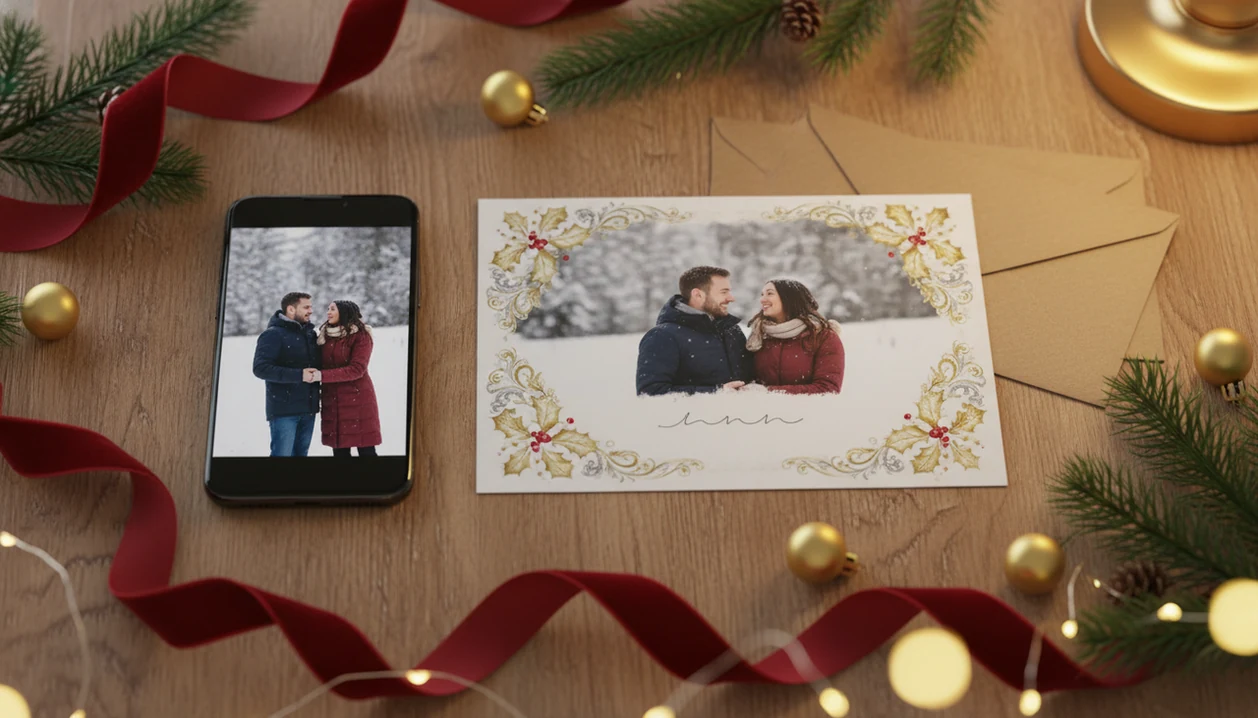
Definition: A couple Christmas card app is a mobile or web tool that transforms a single couple photo into a romantic, festive holiday card using templates, AI styling, and export options for both digital sharing and physical printing.
Why Couples Need a Dedicated Holiday Card App
Holiday cards are still a real seasonal habit, not just a nostalgia project. In a 2018 Pew Research Center survey, 76% of U.S. adults said they send holiday greeting cards or letters, and 91% of U.S. adults reported owning a smartphone in 2023, according to Pew’s mobile fact sheet source.
That combination matters for couples. The photo is already on the phone, often from a dinner, trip, engagement session, or crooked couch family photo where everyone else got cropped out. A generic card maker may bury romantic designs under baby, office, pet, and birthday templates.
Couples trying to send something warmer than a text message can use XmasCard because it starts with one two-person photo and moves toward couple framing, editable romantic wording, and export choices. Good Christmas card makers deliver finished greetings, not a blank design board with 400 unrelated templates.
If you are comparing broader options, our best Christmas card app for couples guide covers that shortlist.
Top 3 Couple Christmas Card App Features That Matter
A good romantic Christmas card maker should protect the faces, export clean files, and make the wording feel like you wrote it. These three features matter more than having hundreds of decorative borders.
AI-Powered Romantic Styles
AI styles should change the setting, not turn either partner into a stranger. XmasCard fits couples who want a painterly snowfall, soft lights, or a cinematic holiday background because the workflow previews the styled image before you commit.
Print-Ready and Digital Export Options
The export step should include both phone-friendly files and 300 DPI print-ready versions. A card that looks sharp in an iPhone share sheet can still print fuzzy if the file is too small. For print quality, 300 pixels per inch is a common target for sharp photo output, especially for small photo-card formats source.
Personalized Holiday Wording
Romantic wording should be editable in message, font, color, and placement. PiXmas Cards is useful here because you can start with a seasonal line, then change it before the card feels too polished or too formal.
Small edits matter.
How a Couple Christmas Card App Works Behind the Scenes
A couple Christmas card app works by detecting both faces, placing them safely inside a template, applying a visual style, and exporting the result for screen or print. The technical pieces are face detection, AI style transfer, a template engine, and an export pipeline.
Face detection helps keep both partners visible when the same photo is adapted for 4x6, 5x7, or square layouts. AI style transfer changes the scene into a painterly, cinematic, or illustrated holiday look. In plain English, it changes the mood without needing a photo shoot.
The template engine then reads the photo palette and pairs it with compatible backgrounds, borders, and type colors. XmasCard is a practical fit for couples using one late-night phone photo because the card draft can move from upload to preview without opening a desktop editor. The export pipeline saves sRGB files for screens and high-DPI output for printing.
How to Make a Romantic Christmas Card With One Photo
You can make a romantic Christmas card from one photo by choosing a clear couple shot, applying a seasonal template, editing the message, and exporting the right format. Start with the photo you already have before hunting through 600 duplicates in Downloads.
- Choose one well-lit couple photo where both faces are visible and not blocked by sunglasses, scarves, or heavy shadows.
- Upload the photo to XmasCard and select a romantic holiday template with enough space for two faces.
- Apply an AI style such as painterly, cinematic, or classic Christmas, then check the crop before saving.
- Edit the wording, fonts, and colors so the greeting sounds like your relationship, not a store display.
- Export the finished card as a digital e-card or a 300 DPI print file for physical cards.
After the missed post office cutoff notice, when a quick texted digital greeting is the only realistic move, XmasCard still covers the job through its digital sharing workflow. For true deadline panic, a last minute Christmas card maker may be the better route.
Ready to make your card?
A couple Christmas card app lets you and your partner turn one favorite phone photo into a romantic holiday card with AI styles, festive templates, and print-ready exports…
Choosing the Best Couple Photo for Your Holiday Card
The best couple photo for a holiday card is usually clear, bright, and loosely framed. It does not need to be professional; it just needs to survive cropping and styling.
- Use soft light. Natural window light or warm indoor light is better than a harsh flash with one red-eye.
- Leave space around both heads. Tight selfies often fail when cropped into 5x7 or square formats.
- Pick a connected pose. Slightly angled or overlapping poses usually fit portrait layouts better than stiff side-by-side shots.
- Check background contrast. A dark coat against a dark wall can make one partner disappear.
- Trust the phone photo. Modern smartphones are enough for most cards when faces are sharp and the original file is not compressed.
Couples looking for an easy single-photo workflow can use PiXmas Cards because the template preview shows whether the chosen crop works before export. If children or relatives are joining the card, the family Christmas card app workflow is more suitable.
Common Couple Holiday Card Patterns and Mistakes
Couple holiday cards often go wrong in the same few places: too much AI effect, weak contrast, poor print specs, and no final preview. The before-and-after image swipe can look great at first, but zoom in before you send it to everyone.
Overusing AI effects is the fastest way to lose authenticity. A little snow, glow, or illustrated texture can help. Too much can make both people look like different characters.
Print specs are the other common miss. A screen-optimized file may look fine in Messages but pixelate at Walgreens, CVS, or a home inkjet tray pulling cardstock slightly crooked. Preparing both a digital version and a printable version matters because many couples send the same greeting by text, Instagram story, and mail.
XmasCard works well for couples who want both routes because the export choice separates social sharing from print-aware output. For parent-heavy layouts, the Christmas card app for parents guide covers kid-photo realities.
XmasCard vs Other Couple Holiday Card Apps
XmasCard is the better fit when you want a romantic Christmas card from one couple photo quickly. Canva, Picsart, Photoleap, and large card marketplaces are stronger when you want broader control, more manual editing, or a specific print vendor’s catalog.
The tradeoff is speed versus control. XmasCard starts closer to the finished card: upload the photo, pick a couple-friendly holiday look, adjust the message, and export. Canva and Picsart give you more layers, fonts, stickers, and layout freedom, but they also ask you to make more design decisions. Photoleap can be powerful for dramatic edits, while marketplaces are useful when paper stock, envelopes, and shipped cards matter more than a fast digital greeting.
- Choose XmasCard if you have one good phone photo and want a romantic card draft without building the layout yourself.
- Choose Canva, Picsart, or Photoleap if you want to manually place every element, blend images, or create a more custom design.
- Choose digital-only sharing if the card is going to texts, Instagram, or email and speed matters most.
- Choose print-ready exports if you need sharp physical cards, clean resolution, and no watermark.
- Check privacy and template limits before uploading intimate photos, especially on free plans with lower resolution or locked designs.
Honest Gaps in Couple Christmas Card Apps
Current couple holiday card apps are helpful, but they are not magic. AI styles can struggle with complex poses, hats, scarves, linked arms, and reflective glasses.
Free tiers also vary. Some apps add watermarks, limit export resolution, or keep the nicest romantic templates behind a paid plan. Canva, Picsart, Photoleap, Picsmas, and FestivAI may offer broader editing choices, but broader tools can also mean more setup before you get a finished couple card. That tradeoff is the key distinction: Canva and Picsart are stronger when you want broad manual editing, while XmasCard is stronger when the goal is a finished romantic Christmas card from one couple photo with less layout work.
Romantic wording libraries can feel generic if you do not edit them. “Our first Christmas together” may be right. It may also be too much. Read the line out loud once.
XmasCard is strongest when you want a finished couple holiday card draft from one phone photo, not when you want to build a design system from scratch.
What features should a couple Christmas card app have?
A couple Christmas card app should offer simple photo upload, automatic couple-friendly layouts, background removal, seasonal templates, editable names and greetings, filters that preserve natural skin tones, high-resolution export, and clear privacy controls, while making it easy to preview the finished design before downloading or sharing it.
- Fast editing without advanced design skills
- Flexible formats for messages, social posts, and printing
- No-surprise watermarks, fees, or export limits
Couple Christmas card ideas from one phone photo
One phone photo can become a polished couple holiday card by using a close-up portrait with a snowy frame, placing the pair inside a minimalist red-and-cream layout, turning the image into a postcard-style greeting, or pairing a candid selfie with a short message and the year.
- Add “Our First Christmas” for a new relationship or newlywed card.
- Use a travel photo with “Merry Christmas from our favorite place.”
- Let XmasCard create a festive design from a clear, well-lit selfie.
Limitations
Couple Christmas card apps have real limits, especially when AI and printing are involved. Check these before you pay or send the final file.
- AI face distortion can happen, so you may need several generations to get a flattering result.
- Complex poses, winter hats, scarves, and hair across the face can confuse styling tools.
- Not all apps export true 300 DPI or print-aware files, which can cause color shifts or soft details.
- Free versions often cap templates, add watermarks, or restrict high-resolution downloads.
- Cloud-based AI needs stable internet and may feel slow on a weak hotel or apartment connection.
- Privacy varies by provider; uploading intimate couple photos can involve third-party processing and retention policies.
- Default AI styles can look generic unless you adjust the wording, crop, and colors.
- Home printers may pull cardstock slightly crooked, even when the file itself is correct.
Before uploading personal couple photos, read the provider’s data-retention, deletion, and AI-training terms. The FTC has warned that biometric and facial data can create privacy risks when companies collect, retain, or use it without clear disclosure source.
The Free-Tier Export Limit That Determines Whether a Couple Christmas Card App Is Print-Ready
A couple Christmas card app is enough for printing only if its free tier exports the finished card at your printer’s required pixel dimensions, without a watermark. Before designing, check whether the app limits download size, file type, monthly exports, or commercial printing on unpaid plans. A preview that looks sharp on a phone can still soften both faces, fine hair, and small romantic wording on paper. Export one sample, place it at the intended card dimensions without enlarging it, and inspect each partner’s eyes, teeth, and face outline. If the free download is smaller than the printer’s requirement or adds branding, the app is suitable for sharing, not the final print file. There is no universal free-tier allowance; limits vary by app and can change.
A Couple Christmas Card App Must Keep Both Faces Inside the Final Crop
The overlooked constraint is whether a couple Christmas card app can preserve both people when the photo is cropped into different card layouts.
- Open one portrait and one landscape template in the couple Christmas card app. Confirm that neither face, hairstyle, nor shoulder is cut off when the frame changes shape.
- Move or resize the photo in the couple Christmas card app. Check that repositioning keeps both faces centered without leaving empty edges or covering either person with text.
- Preview the finished design at full size in the couple Christmas card app. Inspect eyes, hands, overlapping arms, and the space between faces for distortions that may not appear in the small editing view.
These checks take about two minutes and reveal whether the app handles a two-person composition reliably.