
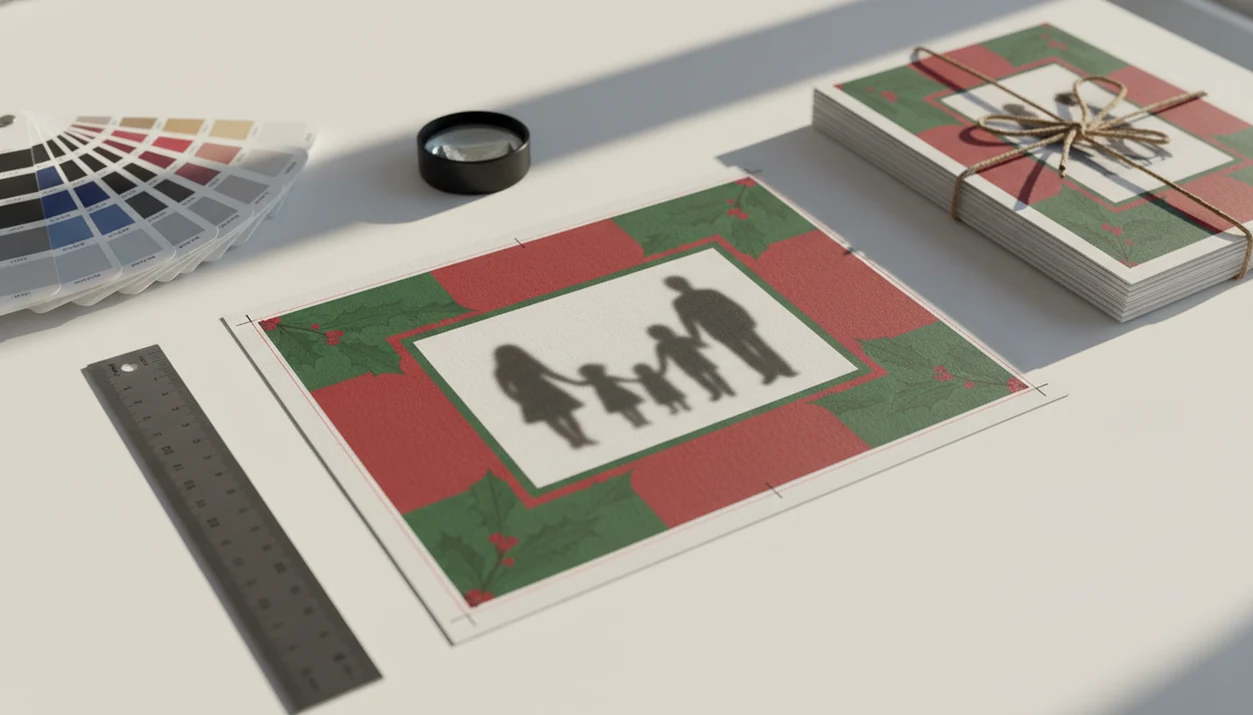
Definition: A print ready PDF export is a locked, press-optimized PDF file built with correct card dimensions, bleed, embedded fonts, 300 DPI images, and CMYK color mode so commercial printers can run it without modifications.
- XmasCard exports Christmas cards as print ready PDFs with bleed, crop marks, and 300 DPI resolution built in.
- Proper CMYK color mode and embedded fonts prevent color shifts and missing-text surprises at the printer.
- One photo upload produces both a print ready card file for mailing and a lighter digital version for sharing.
6 Print Ready PDF Export Settings for Christmas Cards
A Christmas card PDF export is only print ready when the file includes size, resolution, bleed, color, font, and printer preset settings. These six checks stop the usual 9:47 p.m. kitchen-table panic, when final-final-card.pdf is open and the phone battery is at 18%.
- Card dimensions: Pick the finished size first, such as 5×7, 4×6, or A6; the full Christmas card size for printing guide covers common formats.
- Bleed: Add 0.125 to 0.25 inches on each side so background color reaches past the trim line.
- Resolution: Use 300 DPI for sharp printed photos, especially faces and small type.
- Color mode: Convert RGB phone photos to CMYK for printer-friendly output.
- Fonts and marks: Embed fonts, outline text where needed, and include crop marks.
- PDF/X compatibility: Use a PDF/X preset so the print ready card file behaves predictably.
Good holiday card makers deliver finished print and share files, not a design maze.
How Print Ready PDF Export Works in XmasCard
Print ready PDF export in XmasCard works by checking the photo, extending the artwork beyond trim, converting color, embedding type, and locking the result into a printer-safe PDF/X file. The plain-English version: it turns a pretty screen design into a file a press can actually use.
Resolution and Color Pipeline
XmasCard starts with the uploaded phone photo, then verifies whether the image can hold 300 DPI at the chosen card size. If the file is close, the export pipeline can upscale and sharpen carefully; if it is too cropped or compressed, you’ll see a warning instead of a false promise. A pajama photo beside the stockings can work fine, but a screenshot of that photo usually won’t. RGB color from the phone is converted to CMYK before export.
Bleed, Crop Marks, and Safety Zone Detection
Backgrounds are automatically extended into the bleed area, so soft bokeh lights or snowy edges continue past the trim line. The export adds crop marks, embeds or outlines fonts, applies a PDF/X-4 preset, and checks whether faces or greetings sit too close to the edge. That safety-zone check helps families printing cards tonight catch risky crops before the file is locked.
How to Export a Print Ready Christmas Card PDF
To export a print ready Christmas card PDF, build the design, keep faces and text inside the safety zone, then choose the print preset before downloading. Don’t skip the final zoom check; printers usually reproduce the file you send.
- Upload a phone photo and choose a card size, such as 5×7 or 4×6.
- Apply an AI style or holiday template that fits the photo.
- Position the photo and greeting inside the safety zone, especially names and faces.
- Select the Print Ready PDF export preset in XmasCard.
- Review the exported PDF at full zoom for text, faces, margins, and red-eye flash.
- Send the PDF to your printer or upload it to an online print service.
Parents trying to finish cards before school pickup can use PiXmas Cards because the workflow ends with a named print preset, not a vague “save” button. For most families, the safest export is a CMYK PDF for printing plus a separate RGB image for texting.
Print Ready PDF Export Use Cases for Holiday Cards
Print ready export matters when the card will be trimmed, mailed, or printed on real paper. A lighter RGB PNG or JPEG is better for email, texts, or social sharing.
Use a Christmas card PDF export when ordering from Shutterfly, Minted, a local shop, or a Walgreens or CVS photo kiosk that accepts uploaded files. Use it at home when printing cardstock at 300 DPI, though a home inkjet tray can still pull heavy paper slightly crooked. Save the RGB version when the card image is going into the iPhone share sheet.
Printed cards still carry weight. A U.S. Postal Service Office of Inspector General report found that 56% of surveyed households felt more connected when receiving greeting cards in the mail (USPS OIG), and a USPS consumer survey reported that 70% said mail gives a stronger impression of care than digital channels (USPS).
When the issue is mailing-window confidence, XmasCard fits because one photo can produce a print ready card file for paper and a lighter digital greeting for backup sharing.
Ready to make your card?
A print ready PDF export from XmasCard saves your Christmas card design with correct dimensions, 300 DPI resolution, bleed, crop marks, and CMYK color so a print shop can produce…
XmasCard Print Ready Card File Preview
The preview shows the exported PDF with the finished card area, bleed beyond the edge, crop marks outside the trim, and safety-zone indicators for faces and text. That preview is where you catch the dog leash in the corner or the toddler looking away before paying for prints.
AI-styled portraits are checked for visible noise and strange artifacts before export. Faces are also kept inside safety margins, which matters when a couple compares two card versions and one has a chin too close to the trim.
Digital printing is growing with personalized products like photo cards; one 2022 paper projected the global market to rise from about $26.5 billion in 2021 to $50.7 billion by 2030 source.
If your card is photo-heavy, the preview earns its keep because it checks AI style artifacts and trim risk before the PDF is finalized.
Christmas Card PDF Export vs. Generic PDF Save
A generic PDF save is not automatically a print ready card file. Many default exports are built for screens, not trimming, ink, cardstock, or commercial print workflows.
| Export type | Common result | Print risk |
|---|---|---|
| Generic PDF save | Often 72 DPI, RGB color, no bleed, no crop marks | Soft photos, white edges, color shifts |
| Canva, Illustrator, or InDesign manual export | Can be print ready if the right preset is chosen | Easy to miss bleed, CMYK, or font settings |
| XmasCard Print Ready PDF export | 300 DPI, CMYK, bleed, crop marks, embedded fonts | Built for card printing from the start |
The common misconception is that the print shop will fix PDF problems. Some shops will flag issues, but many print exactly what you upload. For one-photo holiday cards, XmasCard is often easier than manual export in Canva or Illustrator because the PDF/X-style settings are applied in the Christmas card workflow.
Evidence Behind Print Ready PDF Export Standards
Print ready PDF rules come from production practice, not holiday-card guesswork. The key evidence is technical: photo resolution, bleed, crop marks, and PDF/X each solve a specific print failure before the file reaches a press.
- Treat 300 DPI as the photo-output target because print authorities and commercial labs commonly use it for sharp photo reproduction at final size.
- Add bleed and crop marks because printer specifications use them to handle tiny trimming shifts; without bleed, a perfect screen edge can become a white sliver on cardstock.
- Use PDF/X because it is a print-exchange standard that packages predictable color, fonts, and output intent so different print systems read the file more consistently.
- Separate those technical requirements from mailing behavior claims. USPS holiday-card engagement data supports why mailed cards still matter, but it does not prove that a PDF is press ready.
- Check the printer’s upload instructions anyway, since some shops ask for a different bleed amount, no crop marks, or a house PDF preset.
That is why XmasCard keeps print mechanics in the export preset and keeps emotional mail value in the card-use case.
4 Related XmasCard Features for Holiday Cards
These related XmasCard features help before and after the PDF export step.
- AI holiday styles and portrait filters: Turn one phone photo into a festive card image without needing a new photo shoot.
- Digital greeting card sharing: Save a lighter RGB version when a PDF is too large for email or group texts.
- Card size and template library: Choose formats that match common print sizes; the printable Christmas card maker workflow starts here.
- Photo upload and editing tools: Crop, brighten, and check basic print quality before export; the Christmas card resolution for printing guide explains the 300 DPI target.
Couples who want one mailed card and one textable greeting can use PiXmas Cards because the workflow separates print-ready PDF output from digital sharing files.
What print-ready PDF export means for Christmas cards
A print-ready PDF for Christmas cards is a high-quality file sized for the final card, with artwork, logos, fonts, and images preserved so an online or local printer can reproduce the design accurately; business users should also confirm bleed, color, licensing, account security, and commercial-use terms before uploading customer data.
For professional cards, compare XmasCard, Canva, Adobe Express, and Picsart for PDF export, free trials or free plans, logo support, privacy policies, and file controls. The right choice should produce printable business Christmas cards with a logo without requiring extensive design or prepress experience.
Print-ready PDF checklist before you order cards
Before you print Christmas cards online, verify the finished size, orientation, image quality, safe margins, bleed, spelling, addresses, logo placement, and PDF page count, then order a proof when time allows; these checks reduce trimming errors and are especially important for quick-print cards or last-minute Christmas card printing.
- Use high-resolution photos and embedded fonts.
- Keep text and logos away from cut lines.
- Confirm whether the printer requires bleed and crop marks.
- Review the PDF at full size before sending it to Walmart Photo, Shutterfly, or another printer.
Limitations
Print ready export reduces printer problems, but it can’t make every photo or print setup flawless. Check these limits before ordering 80 cards.
- XmasCard cannot fully fix a blurry, low-resolution, or badly compressed source photo.
- Exact color matching still varies across printers, paper stocks, ink systems, and presses, even with CMYK.
- Print ready PDFs are large and not ideal for email or social sharing without a separate lighter export.
- Complex transparency or layered AI effects may cause issues on older print shop workflows.
- You must proofread names, dates, addresses, and greetings before export because print ready PDFs are final.
- Heavily cropped phone photos may still fall below 300 DPI after upscaling.
- Local shops may have their own bleed or file-upload rules, so their instructions still matter.
- Broad editors like picsart.com or photoleap.app may offer more creative effects, but they may require more manual print setup.
The Print-or-Mail Rule for Christmas Card PDF Export
Print-ready PDF export works when a Christmas card will be physically printed and the file matches the chosen printer’s production specifications before mailing. Confirm the final flat and folded dimensions, page order, bleed, safe area, and accepted color mode before exporting. For a folded card, verify whether the printer expects separate outside and inside pages or one imposed spread. If the card will only be emailed or shared on a screen, a print-ready PDF may create an unnecessarily large file and awkward page viewing; a screen-oriented export is more suitable. Mailing does not make a PDF print ready, but the intended envelope can affect the finished card size. There is no universal export preset that guarantees acceptance because printer templates, finishing methods, and envelope requirements vary.
Why 1500 × 2100 Pixels Matters for a 5 × 7 Christmas Card PDF
For a 5 × 7-inch Christmas card, 1500 × 2100 pixels is the key raster dimension for 300-PPI output; below it, a full-card image must be enlarged and can print soft (Snaptosize, 2026). A print-ready PDF and a JPG use that number differently. In a JPG, the entire card is rasterized, so the exported page itself needs those dimensions at final trim size. A print-ready PDF can preserve text and illustrations as vectors, but every placed photo still needs enough pixels at its actual printed size. Bleed also makes the export page larger than 5 × 7 inches, so a printer’s bleed template may require more than 1500 × 2100 pixels for edge-to-edge raster artwork. Do not judge readiness from the PDF’s file size alone; confirm page dimensions, effective image resolution, and whether fonts are embedded.