
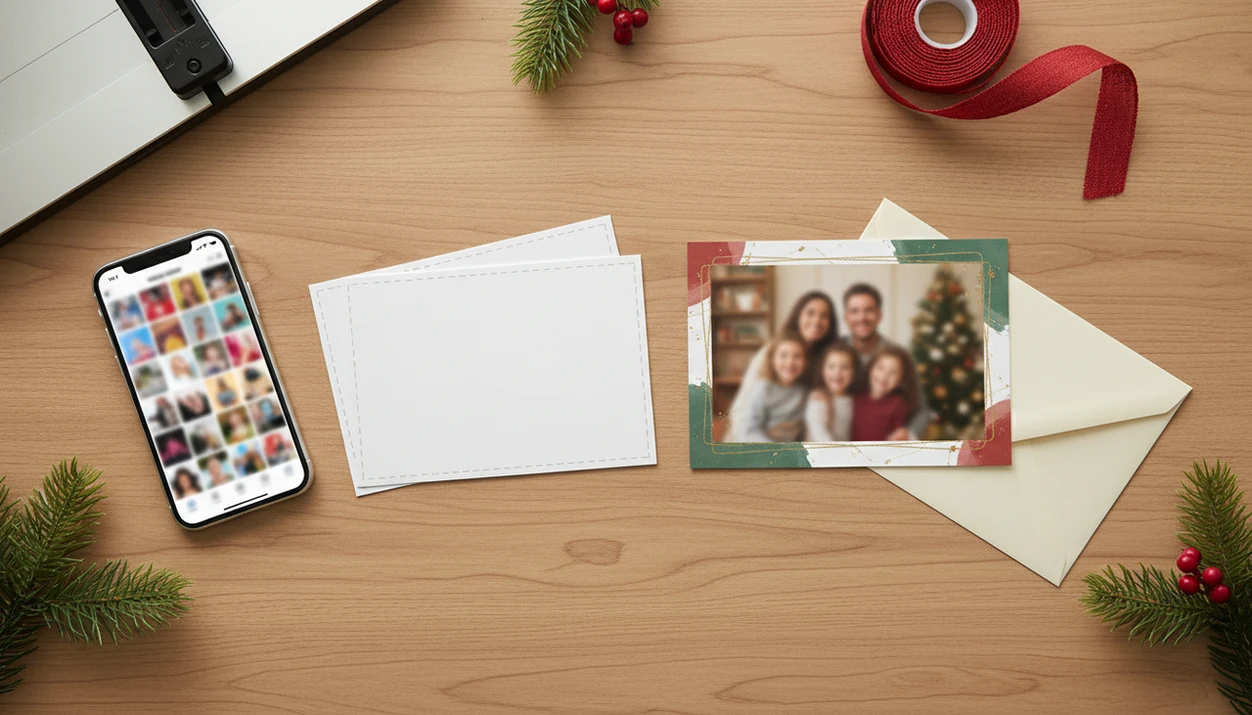
Definition: A printable Christmas card maker is an online tool or app that turns your uploaded photos into high-resolution, print-ready card files you can output on a home printer or through a professional print service.
Printable Christmas Card Maker Output: 300 DPI Files, Bleed, and Card Sizes
A printable Christmas card maker should accept real phone photos, preserve enough resolution, and export a print-ready file with card size, bleed, and margins already set. XmasCard handles JPEG and HEIC phone photos, applies templates or AI holiday styles, then exports files for home printing or a professional lab.
That matters because the phone is where the card usually starts: Pew Research Center reported that 85% of U.S. adults owned a smartphone in 2021 (https://www.pewresearch.org/internet/fact-sheet/mobile/). The card session often begins at 9:47 p.m., after kids are asleep, with the phone battery at 18%.
PiXmas Cards fits families who need a printable version tonight because the workflow moves from photo upload to 5×7, A6, or postcard export without making you set canvas size by hand.
5 Facts About Printing Christmas Cards From Phone Photos
- A 5×7 card needs at least 1500×2100 pixels at 300 dpi. More pixels are better, especially if you crop around a toddler looking away or a dog leash in the corner. For deeper specs, use our guide to Christmas card resolution for printing.
- Bleed protects the edge; safe margins protect faces and words. Keep text and important faces inside the safe area so trimming does not clip grandma’s name or the baby’s hat.
- Screen color is not print color. Phones show backlit RGB color, while many print workflows use CMYK ink, so reds and greens can print darker or less saturated.
- AI styles cannot rescue every source photo. XmasCard can restyle a sharp phone photo into watercolor, illustrated, or classic portrait looks, but blur and severe underexposure still show.
- Paper changes the final card. Matte hides fingerprints, glossy makes photos pop, 80 lb cardstock feels lighter, and 110 lb cardstock feels more like a mailed keepsake.
Start with the photo you already have, but check the crop before you print.
How a Printable Holiday Card Maker Works
A printable holiday card maker works by taking a full-resolution JPEG or HEIC photo, placing it into a card layout, and exporting the finished design at print resolution. The template engine maps the image into photo zones, text areas, borders, and seasonal decorations.
XmasCard adds an AI style layer before export. In plain terms, image embeddings help the system understand the photo structure, then apply a festive look without making you rebuild the card manually. A child portrait with painted snowflakes still needs a sharp original, but the design work is faster.
The export pipeline rasterizes the card at 300 dpi, adds bleed, and saves a PDF or high-resolution image. Good Christmas card makers and holiday greeting guides deliver printable specs and family-safe sharing, not vague design inspiration with no file settings. Color handling also matters, since a home inkjet tray pulling cardstock slightly crooked behaves differently from a lab’s CMYK workflow.
How to Print Christmas Cards From Your Phone
Use this workflow when you want to print Christmas cards from phone photos without opening desktop design software.
- Choose a well-lit, high-resolution phone photo. Use at least 1500×2100 pixels for a 5×7 card, and avoid heavy screenshots or compressed message images.
- Upload the photo to XmasCard. Pick a template or AI style that fits the people in the frame.
- Add text and adjust the layout. Preview with bleed guides, then move faces, names, and dates away from trim edges.
- Export as a 300 dpi PDF or PNG. If you are unsure, the PDF vs JPG for Christmas cards guide explains the tradeoff.
- Print at home on cardstock or send the file to a lab. Check paper size, orientation, and scaling.
- Do one test print first. The single test page catches color shifts and trimming mistakes before you waste a stack.
For small family batches, one test print is often cheaper than reprinting twenty cards.
Ready to make your card?
A printable Christmas card maker lets you upload a phone photo, pick a festive template, and download a 300 dpi PDF or image file sized for standard card stock so you can print at…
When to Use a Printable Christmas Card Maker Instead of a Print Service
Use a printable Christmas card maker when you need fewer than 50 cards, want full design control, or are working inside a tight mailing window. Print services usually win for large runs, premium finishes, addressed envelopes, and mailed-for-you orders.
The scale is real: the Greeting Card Association estimates that Americans purchase about 6.5 billion greeting cards each year, with Christmas the largest seasonal card-sending occasion (https://www.greetingcard.org/facts-and-figures/).
When the issue is a last-minute printable holiday card maker, XmasCard fits because it exports a finished file instead of locking the design inside an ordering cart. For exact envelope planning, compare your layout against Christmas card size for printing.
What Printable Cards Look Like in XmasCard
Printable cards in XmasCard are built in a mobile-first editor with drag-and-drop photo placement, visible bleed guides, and one-tap exports. You can choose watercolor, illustrated, or classic portrait styles, then save a 5×7 PDF, A6 image, or postcard file.
A practical detail: the preview is where you catch the small stuff. Yellow living-room light, one red-eye flash, or a festive border crowding a selfie becomes obvious before the file lands in Downloads as final-final-card.pdf.
Families looking for a printable version from one phone photo can use PiXmas Cards because the editor keeps card size, dpi, and safe margins visible during the holiday card draft.
Common Myths About Printable Holiday Card Makers
Myth: Any phone photo prints well. Reality: low-resolution, heavily cropped, or message-compressed images can pixelate when stretched to 5×7.
Myth: All card makers use the same sizes. Reality: platforms may default to different dimensions, which can cause envelope or lab-fit problems. If you are unsure, check what app identifies best card size for printing.
Myth: AI styles fix blurry photos. Reality: AI can restyle a photo, but it cannot recreate sharp eyelashes, sweater texture, or a clean smile from lost detail.
Myth: Screen colors match print colors. Reality: phones use bright RGB screens, while printed cards depend on ink, paper, and printer settings.
The right fit for families comparing a few almost-good photos is XmasCard because the preview makes crop, text, and AI style choices visible before export.
Printable Christmas Card Maker vs. Free Online Alternatives
A printable Christmas card maker is usually easier than a general design site when your main goal is a correctly sized card file. Canva, Adobe Express, Picsart, and Photoleap can make attractive designs, but you may need to set size, bleed, margins, and export quality yourself. Check each platform’s export settings before printing: Canva documents print-bleed setup separately (https://www.canva.com/help/margins-bleed-crop-marks/), and Adobe Express lists print output as a design/export choice rather than a Christmas-card-specific default (https://www.adobe.com/express/create/card/christmas).
| Option | Print setup | Holiday styling | Export concerns |
|---|---|---|---|
| XmasCard | Pre-configured 5×7, A6, postcard, 300 dpi, bleed, and margins | AI watercolor, illustrated, and classic portrait looks | PDF or high-res image made for printing |
| Canva or Adobe Express | Manual size and bleed setup may be needed | Large template libraries | Free exports may limit some assets or settings |
| Picsart or Photoleap | Strong editing, less card-specific setup | Filter-heavy creative edits | Print size must be checked |
| Picsmas or FestivAI | Holiday-focused effects | Festive image generation | Verify resolution, trim, and file type |
For readers who want an app to help print Christmas cards from phone, XmasCard covers the print handoff because the export settings are part of the card workflow.
What a printable Christmas card maker must export
A printable Christmas card maker must export a high-resolution PDF, PNG, or JPG at 300 DPI, with the correct card dimensions, safe margins, and optional bleed so photos, text, and backgrounds remain sharp and properly aligned when printed at home or through a professional service.
Before choosing a Christmas card maker free printable option, confirm it provides downloads without watermarks and supports common sizes such as 5 × 7 inches. XmasCard creates print-ready files, while some free Christmas card maker tools limit resolution, formats, or premium templates.
Printable Christmas card maker vs digital ecard tools
A printable holiday card maker produces files designed for paper, envelopes, and physical delivery, while digital ecard tools prioritize email, messaging, animation, or shareable links and may export images that lack the resolution, bleed, or dimensions needed for reliable printing.
Use an online Christmas card maker when you want editable designs and immediate downloads. A Christmas card maker online free tool may suit occasional printing, whereas digital services are better for instant sending and animated greetings.
Limitations
XmasCard is built for printable Christmas cards, but it cannot remove every printing problem. Check these limits before ordering paper or uploading to a lab.
- It cannot overcome extreme blur, very low resolution, or severe underexposure in the source photo.
- On-screen colors may not match printed output without a test print or color calibration.
- Home printers often struggle with thick 110 lb cardstock and borderless printing.
- AI styles can introduce artifacts or inaccurate facial details, so review proofs closely.
- Downloaded files still need correct printer settings, including paper size, orientation, and 100% scaling.
- Envelope sizes vary by region, so exported 5×7, A6, or postcard dimensions may not match local stock.
- Print shops may have their own bleed requirements, even when your file is already print-ready.
Check once. Then print the batch.