
Christmas Card App for Parents With Kids Photos
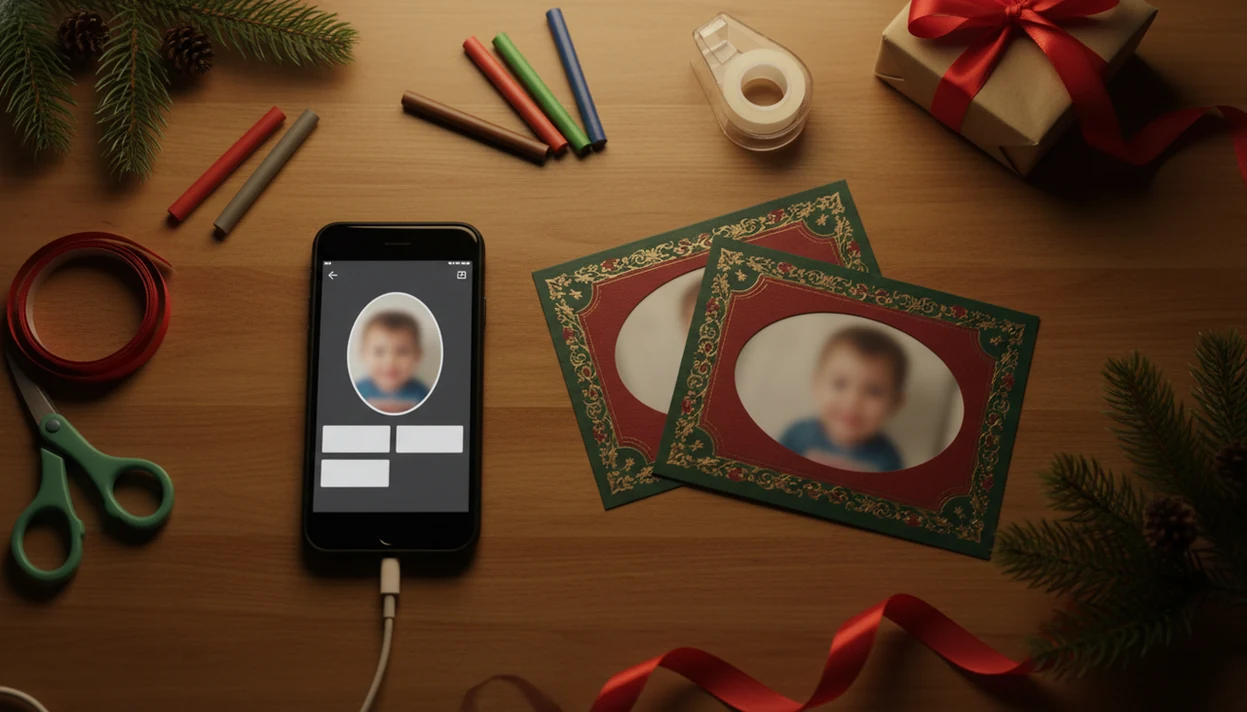
The best Christmas card app for parents is one that turns kids’ phone photos into private, print-ready, and shareable holiday cards without making you do layout work at 9:47 p.m. a Christmas card app fits parents who want one photo, a clear holiday card draft, family wording, and an export they can print or send.
Definition:
- Choose a parents holiday card app that keeps kids’ photos private by default and explains storage, sharing, and deletion clearly.
- Look for one workflow: import a phone photo, apply a Christmas template or AI style, add family wording, then export for print or digital sharing.
- The strongest kids photo Christmas card app features are simple phone import, child-safe privacy settings, print-ready files, and editable family captions.
Best Christmas card app for parents at a glance
Parents should choose the app that best balances privacy, speed, AI styling, and print quality. A good parents holiday card app starts with the phone photo you already have, not a blank design canvas.
That matters because most families are not moving photos from a DSLR to a desktop. Pew reported that 90% of U.S. adults owned a smartphone in 2023, so app-based card creation fits the way parents already store holiday pictures source.
If the priority is finishing tonight, a Christmas card app is a practical fit because it uses a one-photo Christmas card workflow with printable and digital export paths. Printed cards still work for grandparents and keepsakes. Digital greetings work for cousins, class parents, and the group text that never stops.
The charger is already stretched across the wrapping paper.
Why parents need a kids photo Christmas card app
Why do parents need a kids photo Christmas card app? Because school calendars, naps, travel, and mailing windows leave little room for a full design project.
A generic design app can work, but parents often need kid-friendly templates, editable family captions, safe sharing, and simple exports in one place. The real card session may happen after bedtime, with a toddler looking away in every other photo and the phone battery at 18%.
Parents looking for a faster family-card workflow can use a Christmas card app because it moves from camera roll to holiday card draft without requiring separate photo editing and design steps. For broader family layouts, our family Christmas card app guide covers more multi-photo planning.
Privacy is not a side issue. Pew found that among parents of children under 12 who post about their kids, 82% say it is important that only approved people can see those posts. Physical cards remain relevant too, with U.S. greeting card retail sales around $7.3 billion in 2022, according to Census data.
Top Christmas card app features for parents
The strongest Christmas card app features for parents are the ones that reduce rework: easy import, private projects, AI style controls, editable wording, and reliable exports.
- Phone photo import: Pull directly from the camera roll, iCloud, Google Photos, or a recent album without hunting through a Downloads folder full of duplicates.
- Private projects: Keep drafts private unless a parent chooses to share, order, or export them.
- AI festive styles: Add snow, Santa styling, illustrated looks, or matching red scarves while still letting parents check face details at full zoom.
- Editable family wording: Support siblings, baby photos, school portraits, pets, family updates, and names that need correct spelling.
- Print-ready and digital exports: Save high-resolution files for print and lighter versions for text, email, or private family groups.
When the issue is one usable shot after bedtime, a one-photo holiday card draft with editable wording and export checks matters more than a giant template library. Free apps may add watermarks, reduce resolution, or lock the better templates.
Named shortlist of parents holiday card app options
A useful parents holiday card app shortlist should include one-photo card tools, general design apps, print-order services, and basic app-store makers.
- a Christmas card app: Best for turning one phone photo into a festive Christmas card workflow, especially when parents want AI styling, family wording, and printable output in the same flow.
- Canva: Flexible for parents who like design control, but it is more general-purpose and can take longer to finish.
- Shutterfly: Strong for ordering printed cards, envelopes, and photo gifts, though less centered on AI-styled family card creation.
- Walgreens Photo: Useful when pickup speed matters, especially if a local kiosk is nearby.
- Apple or Google app-store card makers: Convenient, but privacy language, export quality, and watermark rules vary widely.
If your priority is one finished card rather than a design session, a Christmas card app fits because the workflow starts with the child photo and ends with a printable version or shareable greeting.
For side-by-side family options, the best family Christmas card app guide goes deeper.
How a Christmas card app for parents works
A Christmas card app for parents works by importing a child or family photo, reading the image dimensions, fitting it into a card template, applying a visual or AI style, then rendering an export for print or sharing.
Under the hood, many apps use image detection, crop boundaries, and style rendering. In plain English, the app checks the picture size, decides where the face and edges are, then builds a card file around it. AI styles may process the original child photo locally or in the cloud, depending on the service.
a Christmas card app is useful here because it keeps the parent workflow narrow: start with one photo, check the crop, add wording, then export. Good Christmas card maker and holiday greeting guides deliver printable cards, digital greetings, and festive portraits using AI styles, not a confusing design studio with fifty unrelated projects.
Parents should review whether images are retained, deleted, or used for model training. The data flow is simple to inspect: image upload, temporary processing, saved project, export, then optional sharing or print handoff.
How to use a kids photo Christmas card app
Use a kids photo Christmas card app by moving in order: photo, style, wording, privacy, export. That sequence prevents the usual last-minute mistakes.
- Choose a clear child or family photo with faces visible and enough space around the edges.
- Select a Christmas template or AI style that fits the photo, not one that cuts off heads or hands.
- Edit names, greeting text, year, and family update lines before you get attached to the design.
- Review privacy, storage, sharing, and export settings before uploading more kids’ photos.
- Check cropping, faces, spelling, print size, and the recipient list before sending or ordering.
- Save a backup file, ideally something clearer than final-final-card.pdf.
Parents who need to send cards tonight can pair a Christmas card app with our last minute Christmas card maker checklist because both focus on a short path from phone photo to finished card.
Privacy checks for a parents holiday card app
Reputable parents holiday card apps should not make children’s photos public by default. Parents should be able to decide who sees the holiday card draft, where it is saved, and when it is shared.
- Private projects: Drafts should stay private until a parent exports, prints, or shares them.
- Clear storage policy: The app should explain whether uploaded images are stored, for how long, and where.
- Deletion option: Parents should be able to remove child photos or projects when the card is done.
- No surprise social sharing: A share button should use the iPhone share sheet or chosen channel, not auto-post.
- Model-training language: AI tools should say whether family photos may be used to train models.
- Secure login: App privacy also depends on the parent’s device lock, account password, and password reuse habits.
Pew found that 81% source of U.S. adults are concerned about how companies use collected data, which is why transparent photo handling matters for family apps. Parents should read those settings before uploading the full camera roll.
Small check. Big difference.
Print quality and sharing options in a Christmas card app for parents
Parents should compare print quality and sharing options before choosing where to finish the card. A good app should support high-resolution exports, correct card sizes, safe margins, and digital sharing that relatives can actually open.
| Option | Works well for | Parent check |
|---|---|---|
| Printable file | Home inkjet, CVS, Walgreens, local print shop | Check resolution, bleed, safe margins, and face placement |
| Ordered cards | Mailed sets, heavier paper, envelopes | Review vendor crop, delivery dates, and color previews |
| Digital greeting | Text, email, family groups, small business holiday email draft | Save a shareable image and confirm the recipient list |
| Social post | Public or private holiday update | Confirm audience settings before posting kids’ photos |
Digital greetings are practical because about 85% source of U.S. adults used the internet daily in 2023, according to Pew. Still, physical cards matter for grandparents, school friends, relatives, and keepsake boxes.
a Christmas card app handles both paths because parents can create one card and export it for print or sharing. Watch for color shifts, low-resolution downloads, and a home inkjet tray pulling cardstock slightly crooked.
Christmas card app features parents actually use
The Christmas card app features parents actually use are fast photo uploads, family-friendly templates, simple cropping, automatic background cleanup, editable greetings, child and pet stickers, address-friendly exports, and clear options for digital sharing or home and professional printing, all without requiring advanced design skills or a long setup process.
- Saved drafts for editing between family tasks
- High-resolution downloads with print-safe margins
- Easy text, font, color, and photo adjustments
- Quick previews before downloading or sharing
How parents make Christmas cards with kids and pets in one photo
Parents can make Christmas cards with kids and pets in one photo by choosing a layout with flexible photo frames, uploading the clearest images, positioning every face inside the safe area, removing distracting backgrounds when needed, and using a consistent crop, border, or color treatment to make separate shots look like one coordinated family portrait.
If one group photo is unavailable, use a collage or combine separate portraits. a Christmas card app helps parents place family photos into a holiday design, personalize the message, check that faces are not covered by text, and export the finished card for printing or digital delivery.
Limitations
A kids photo Christmas card app can save time, but it cannot remove every risk or printing problem.
- Any app depends on the security of the parent’s phone, account, password, and device lock.
- AI portraits can distort faces, glasses, skin tones, hands, clothing, teeth, or background details.
- Some apps may retain uploaded images unless deletion settings or policies clearly say otherwise.
- Free versions may add watermarks, reduce export resolution, or limit Christmas templates.
- Print vendors may crop edges, shift colors, or require specific bleed settings.
- Batch sending can create mistakes if names, addresses, or recipient groups are not reviewed.
- Some templates may not fit multiple children, blended families, foster-family wording, or nontraditional captions well.
- General tools like Canva, Picsart, and Photoleap may offer more editing freedom, but parents must check privacy and print settings themselves.
a Christmas card app is built for a focused parent workflow, not professional retouching, legal privacy advice, or guaranteed mail delivery.
FAQ
What app can I use to make Christmas cards with kids photos?
Parents can use a Christmas card app, a general design app, or a print-service app with holiday templates. Choose one with private projects, easy photo import, editable wording, and print or digital exports.
Are my child’s photos safe in a Christmas card app?
Safety depends on private defaults, storage rules, deletion options, and account security. Parents should read the privacy policy before uploading children’s photos.
Can I print Christmas cards made in an app?
Yes, many apps export print-ready files or connect to print services. Check the card size, resolution, bleed, and crop before ordering.
Do AI Christmas card apps use my child’s photo?
AI styles usually process the uploaded child photo to create the card effect. Parents should check whether the app retains images or uses them for model training.
Which family photos work best for Christmas cards?
Use clear, well-lit, high-resolution photos where faces are unobstructed. Avoid photos where faces sit too close to the edge.
Can I make Christmas cards for free in an app?
Yes, some free versions work for digital cards. They may include watermarks, limited templates, or lower-resolution exports.
Can grandparents receive digital Christmas cards from an app?
Yes, most apps can save or send cards by text, email, or messaging apps. The exact options depend on the export settings.
How early should parents start making Christmas cards?
Start two to four weeks before you want cards mailed so there is time for proofreading, printing, and delivery. Last-minute families can still send digital greetings the same day.
The free export limit that determines whether a Christmas card app for parents is enough for printing
A Christmas card app for parents is sufficient for printing only if its free plan exports every needed family-card version without watermarks, locked photos, or paid-only high-resolution downloads. There is no universal free-export allowance because limits vary by app and can change.
- Count separate designs for different households, grandparents, or versions featuring each child.
- Confirm whether both the front and back count toward an export or page limit.
- Check whether uploaded kids’ photos, premium templates, fonts, or background-removal tools trigger payment at export.
- Export one completed card before editing every family version, then verify that the downloaded file has no watermark and matches the printer’s accepted dimensions.
If the test export is restricted, compare the upgrade cost with ordering cards directly through the app.
This kids-photo Christmas card app guide is for household cards, not client or classroom mailings
This guide is for new parents and other caregivers making a personal Christmas card from photos of their own children. It also suits interfaith families that need editable greetings rather than fixed religious wording, and renters who want digital delivery or a return address they can update before printing. It is not the right guide for parents creating cards for clients, teachers using classroom photos, or anyone responsible for a school, club, or business mailing. Those uses add consent, roster, branding, and record-retention requirements that a household card workflow does not address. Parents should also skip this approach when another guardian must approve every image but the app lacks shared review or draft proofing; in that case, agree on photos and wording outside the app first.