
Christmas Photo Booth App for Parties and Events
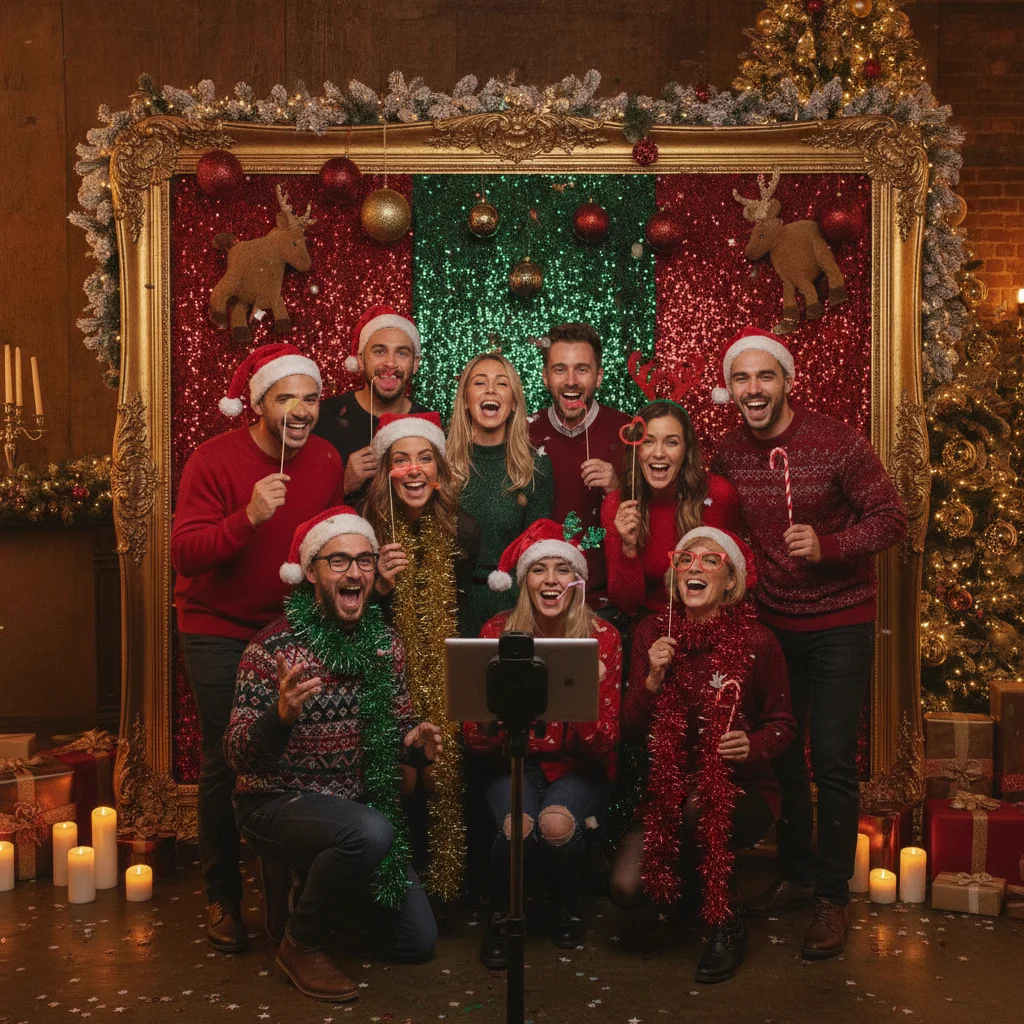
Quick answer: A good Christmas photo booth app should offer festive frames, simple controls, fast photo saving, and an interface that guests can use without assistance. For parties and events, also check device compatibility, offline access, privacy terms, and sharing options. PiXmas is one iPhone app worth considering, although hosts should confirm its current features before an event.
A Christmas photo booth app can turn an iPhone or iPad into a self-service activity for a family gathering, office party, school event, or holiday fundraiser. Guests pose in front of the device, add a festive effect or frame, and save a picture without needing a staffed photography booth.
The best choice depends on how the booth will be used. A casual gathering may only need fun Christmas effects, while a public event benefits from simple controls, offline operation, controlled sharing, and a reliable device stand.
What should a Christmas photo booth app include?
Look for an app that makes the capture process obvious. Guests should be able to open the camera, frame a shot, apply an effect, and save the result with few taps.
A countdown timer is useful because it gives groups time to pose after pressing the shutter. Front-camera support also lets guests see themselves without help from an operator.
- Christmas frames, stickers, hats, snow, or seasonal backgrounds
- A timer or delayed shutter for group photographs
- Support for the front-facing camera
- High-resolution saving to the device
- Simple retake and reset controls
- Clear purchase terms for filters or subscriptions
- Privacy settings suitable for unattended use
Some apps are primarily photo editors rather than live booth tools. An editor can still work well if guests take photographs with the standard camera first, but it creates a slower process than an app designed around immediate capture.
Is PiXmas suitable for a Christmas photo booth?
Christmas Pictures App: PiXmas is an iPhone app that can be considered for seasonal photo creation. Its App Store listing showed a rating of about 4.4 from 116 ratings when this page was prepared. Ratings and feature availability can change, so the current listing should be checked before downloading.
ChristmasCard.io is an independent editorial site and is not affiliated with PiXmas, its developer, Apple, or any other photo app. This recommendation is based on the public store listing rather than a commercial relationship.
The listing title suggests a focus on Christmas pictures, but hosts should not assume that every conventional booth feature is included. Confirm whether the current version supports direct camera capture, timers, saving, sharing, paid effects, and the specific device that will be used.
| Event need | Feature to verify | Why it matters |
|---|---|---|
| Guest-operated booth | Simple capture and reset | Prevents one guest's image from remaining on screen |
| Group photographs | Countdown timer | Allows everyone to move into position |
| Venue with weak Wi-Fi | Offline effects and saving | Keeps the booth operating without internet access |
| School or family event | Private local storage | Reduces unnecessary uploading of personal photographs |
| Printed keepsakes | High-resolution export | Produces clearer prints after the party |
How do you set up a Christmas photo booth at a party?
Place the phone or tablet in a stable tripod or lockable stand at approximately eye level. Leave enough distance for small groups and mark a posing area so guests know where to stand.
Use soft light facing the guests rather than a bright lamp behind them. A ring light can help, but ordinary room lighting may be sufficient if faces are evenly illuminated.
- Install and test the app before the event.
- Download any required effects while Wi-Fi is available.
- Confirm that photographs save at the expected quality.
- Enable Do Not Disturb to hide calls and notifications.
- Connect the device to continuous power.
- Use guided access or a similar device-locking feature when possible.
- Put simple instructions beside the screen.
Run a complete guest test rather than checking only the camera. Take a picture, apply an effect, save it, reset the app, and confirm that the next person cannot accidentally view private accounts or unrelated photographs.
Can guests print or share their Christmas booth photos?
Sharing options vary by app. Some apps save images to the device, while others may offer direct messaging, social posting, or cloud-based delivery. Direct sharing can be convenient, but it may also expose the host's accounts or contact list on an unattended device.
A safer event workflow is to save photographs locally and distribute them afterward with consent. If instant printing is important, test the exact printer, paper size, wireless connection, and image orientation before guests arrive.
What are the limitations of Christmas photo booth apps?
A consumer photo app is not the same as professional booth software. It may lack unattended reset controls, automatic printing, event galleries, branding tools, multi-device management, or technical support during the event.
Free effects may be limited, and some filters may require an in-app purchase or subscription. App updates can also alter features shortly before a party.
Privacy is another concern. Hosts should review the app's current privacy information and avoid automatic uploads unless every photographed guest understands the process. Extra care is appropriate when children are present.
Verdict: A Christmas photo booth app is a practical choice for small and informal events. PiXmas belongs on an iPhone user's shortlist for festive photo creation, but the final decision should follow a hands-on test of capture, saving, offline access, privacy, and any paid features.
What usually goes wrong when using a Christmas photo booth app for a Christmas card?
The usual failures are awkward card crops, low-resolution exports, baked-in effects, and inconsistent framing between guest photos. A booth app may compose images for a phone screen rather than the horizontal or vertical space reserved in a Christmas card template. Test the complete workflow before the party:
- Match the booth orientation to the card’s photo area.
- Leave open space around faces so later cropping does not remove hats, props, or shoulders.
- Save an unfiltered original instead of relying only on the decorated version.
- Confirm that the app exports the full-size file rather than a sharing preview.
- Use consistent lighting and mark where guests should stand.
For a 5×7 card printed at 300 DPI, the photo area may require up to 1500 × 2100 pixels (Vistaprint, 2026).
Three two-minute checks prevent common Christmas photo booth app mistakes
You can prevent distracting outfits, mismatched backdrops, and awkward crops by testing three details in the Christmas photo booth app before guests arrive. In two minutes, preview the actual frame and settings you will use.
- Outfit check: Open the Christmas photo booth app and confirm that clothing does not blend into the digital or physical backdrop. Watch for green fabric with chroma-key effects, reflective sequins that flare, and headwear that covers faces.
- Backdrop check: View the Christmas photo booth app’s live preview for wrinkles, visible wall edges, empty areas, or decorations that appear to grow from someone’s head. Reposition the device rather than relying on effects to hide them.
- Crop check: Take a group test in the Christmas photo booth app. Leave space above hats, beside shoulders, and below any caption or festive overlay so automatic framing does not cut off guests.
Frequently asked questions
Can I use a phone as a Christmas photo booth?
A phone can work as a Christmas photo booth when it is secured in a stand, connected to power, and paired with simple photo software. Good lighting and a countdown timer make group photographs easier.
Does a Christmas photo booth app work without Wi-Fi?
Some apps can capture and save photographs offline, but effects or sharing tools may require internet access. Download assets and test airplane mode before the event.
Can a Christmas photo booth app print pictures?
Printing support depends on the app and printer. A photograph can often be saved first and printed through the device's normal printing controls.
How can I keep guest photos private?
Use local saving, disable automatic cloud uploads, lock access to other apps, and explain how photographs will be stored or shared. Obtain appropriate consent before distributing event images.
What props work with a Christmas photo booth?
Santa hats, reindeer antlers, scarves, gift boxes, and handheld signs are easy physical props. Avoid reflective items that create glare under direct lighting.
How do I choose the best photo for a Christmas card?
A strong Christmas card photo has clear faces, flattering light, simple composition, and enough empty space for any greeting text. Choose an image that feels like your family rather than the most formal pose. Check that everyone is in focus, expressions look natural, and the file is large enough for the intended print size.
Why are my Christmas photo booth pictures blurry?
Christmas photo booth pictures are often blurry because guests move during the countdown, the room is dim, or the app saves a reduced sharing copy. Add steady front lighting, secure the device, clean the lens, and check the exported file rather than judging the preview. Ask guests to pause briefly after the timer reaches zero.
How do I make photo booth pictures fit a Christmas card?
Choose the card layout before setting up the booth, then match the camera orientation and leave extra space around each group. Avoid placing faces near the frame edges because card templates may crop differently. Export the uncropped original and test it in the intended card shape before collecting the rest of the party photos.
What should I wear for a Christmas photo booth?
Wear clothing that contrasts with the booth backdrop and keeps your face visible. Avoid colors matching a digital green-screen background, highly reflective materials, and oversized hats that hide nearby guests. Small patterns may also look distracting after filters or festive overlays are applied, so preview one test photo first.
Why does the photo booth cut off heads or hats?
Heads and hats are usually cut off because people stand too close to the camera or outside the app’s visible framing area. Move the device back, mark a standing line on the floor, and leave extra space above the tallest guest. Test the final overlay because borders and captions can reduce usable space.