
Best Christmas Card and Photo Apps
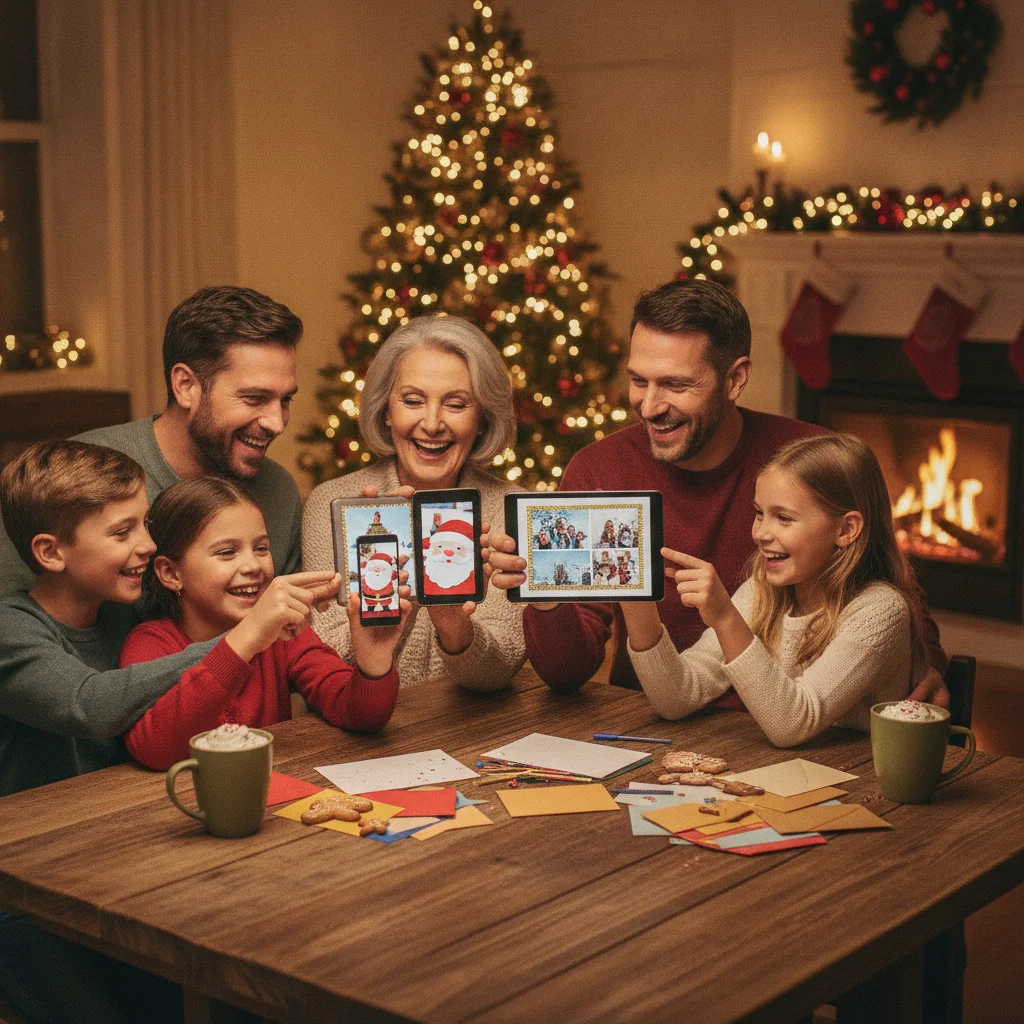
Quick answer: The best Christmas card and photo apps combine attractive templates, practical photo editing, clear export options, and reasonable pricing. Canva is the strongest all-purpose choice, YouCam Perfect suits photo-focused edits, and services such as Shutterfly or Snapfish are useful for ordering printed cards. Dedicated seasonal apps can be faster, but users should check export quality and subscription terms.
Christmas card apps fall into several categories. Some provide flexible design tools, some specialize in portraits and holiday effects, and others connect card creation directly to professional printing. The right option depends on whether you want a printed family card, a digital greeting, an edited Christmas photo, or a design that can be reused across invitations and social posts.
This independent guide compares widely available tools alongside dedicated seasonal apps. ChristmasCard.io is not affiliated with PiXmas, PicsMas, Canva, YouCam Perfect, Shutterfly, Snapfish, or any other app mentioned here. Recommendations are editorial, and app availability, ratings, prices, templates, and free-trial terms can change.
Which Christmas card and photo apps are the best?
Canva is the best general choice for most people because it combines editable templates, drag-and-drop design controls, photo placement, text tools, and multiple export formats. It works well for printable cards and digital greetings without requiring advanced design experience.
YouCam Perfect is a better fit when the family photo needs attention before it becomes a card. Its holiday templates and portrait-editing tools make it useful for correcting lighting, adjusting a crop, or adding seasonal decorations.
Shutterfly and Snapfish are practical choices for people who want to design and order physical cards in one service. Adobe Express is a capable alternative for custom layouts and digital sharing. Dedicated apps such as Christmas Pictures App: PiXmas, Greetings Christmas card maker, and Christmas Cards Maker can suit users who prefer a focused seasonal experience.
| App or service | Best for | Main strengths | Important consideration |
|---|---|---|---|
| Canva | Best overall | Large template selection, flexible layouts, print-ready downloads | Some templates and assets require a paid plan |
| YouCam Perfect | Photo-first cards | Portrait editing, seasonal effects, Christmas templates | Some edits or assets may require a subscription |
| Adobe Express | Custom digital designs | Typography, resizing, templates, reusable projects | The range of controls can feel excessive for one quick card |
| Shutterfly | Printed photo cards | Design-to-order workflow, paper and delivery choices | Total cost depends on quantity, finish, shipping, and promotions |
| Snapfish | Simple print ordering | Photo products, card layouts, direct fulfillment | Print options and delivery dates vary by location |
| Christmas Pictures App: PiXmas | Trying a dedicated iOS seasonal app | Christmas-specific positioning and an App Store listing | Check current features, exports, purchases, and device compatibility |
| Greetings Christmas card maker | Focused iOS card creation | Purpose-built Christmas card format | Less flexible than a broad design platform |
| Christmas Cards Maker | Dedicated Android creation | Seasonal card-making focus | Quality and advertising terms should be reviewed before use |
Why is Canva the best all-purpose Christmas card app?
Canva covers the largest number of common card-making needs in one place. A user can choose a folded-card or postcard-style layout, replace sample images, change the greeting, add a family name, and download the finished design. The same project can also be adapted for email or social media.
Recent software roundups consistently identify Canva as a leading Christmas card maker, particularly because of its templates, approachable editor, and print-ready output. That consistency makes Canva a safer starting point than a seasonal app that may offer fewer export controls.
Canva is not automatically the cheapest choice. Free users may encounter premium templates, stock images, fonts, or graphics. Before editing a design, check whether each element is included in the free plan. Users preparing a card for commercial printing should also confirm the printer’s required dimensions, bleed settings, color guidance, and file type.
Which app is best for editing Christmas photos?
YouCam Perfect is a strong choice when improving the photograph is more important than building a complex layout. Perfect Corp describes YouCam Perfect as a free Christmas card maker with holiday templates and photo-editing features. That combination is useful for portraits taken in difficult indoor lighting or for group photographs that need cropping and cleanup.
Portrait tools should be used carefully. Heavy skin smoothing, face reshaping, or automated replacement effects can make relatives look unnatural. A restrained edit usually works better for a family card: correct exposure, adjust white balance, straighten the image, crop distracting edges, and apply only subtle portrait corrections.
People who want broader editing control can prepare the picture in Apple Photos, Google Photos, Lightroom, or another editor before importing it into a card template. Our christmas photos guide covers composition and image selection in more detail.
Which apps are best for ordering printed Christmas cards?
Shutterfly and Snapfish are convenient when the goal is to create a card and send it directly to a printer. Their main advantage is not unlimited design freedom. It is the ability to choose a layout, place photographs, select card options, enter a quantity, and order from the same service.
Compare the final checkout total rather than the advertised price per card. Paper type, rounded corners, foil details, envelopes, address printing, taxes, and shipping can change the cost. Promotions can also make one service cheaper on one date and more expensive on another.
Delivery estimates matter during the holiday season. Build in time for printing, transit, addressing, and possible corrections. Review the displayed proof at full size, especially names, dates, punctuation, return addresses, and photographs near a trim line. For planning help, see christmas card printing.
Are dedicated Christmas card apps worth using?
Dedicated Christmas apps can be worth using when speed matters more than extensive control. They often lead with seasonal frames, stickers, greetings, or ready-made layouts. This focused interface can help someone produce a shareable image without learning a general design platform.
Greetings Christmas card maker has an iOS App Store presence, while Christmas Cards Maker is listed for Android through Google Play. These listings confirm that purpose-built card apps remain available, but a listing alone does not establish design quality, privacy practices, or print suitability.
Christmas Pictures App: PiXmas is another seasonal option listed in Apple’s App Store. At the time of the supplied research, its listing showed a rating of about 4.4 from 116 ratings. Store ratings are dynamic and should be treated as one signal rather than proof that the app is right for every user. Check recent reviews, in-app purchases, export resolution, watermark rules, and supported devices before installing it.
How should you choose between a card maker and a photo editor?
Choose a card maker when the layout is the main task. Card makers are designed to combine one or more photographs with a greeting, names, decorative elements, and a print or digital canvas. Canva, Adobe Express, Shutterfly, and Snapfish fit this use case.
Choose a photo editor when the source image needs correction or a seasonal transformation. YouCam Perfect is suited to this stage. A two-app workflow can produce better results: edit and save the full-resolution photo first, then import that file into a card design.
- For a fast digital greeting, prioritize templates and easy image sharing.
- For home printing, prioritize exact dimensions and high-resolution PDF or image export.
- For professional printing, prioritize bleed support, safe margins, and a reliable proof.
- For portrait cards, prioritize natural corrections and full-resolution photo saving.
- For multiple designs, prioritize reusable projects and simple resizing.
What features should a good Christmas card app include?
A useful app should provide templates that can be edited rather than merely filled in. Users should be able to move photographs, change fonts, revise colors, adjust spacing, and remove unwanted decorations. A locked template may be quick, but it can create awkward cropping or text that does not fit.
Export quality is just as important. A design that looks sharp on a phone can appear soft when printed. Look for high-resolution JPG, PNG, or PDF export and confirm whether the free version adds a watermark. If the card will be sent digitally, check whether the app exports a standard file that recipients can open without creating an account.
Other useful features include autosave, undo history, duplicate-page controls, address tools, collaboration, and access from more than one device. No single feature is essential for everyone, so start with the intended output rather than the longest feature list.
Can you make a good Christmas card for free?
Yes, a good card can be made for free if you use a free template, personal photographs, included fonts, and a standard image or PDF export. Canva, Adobe Express, and YouCam Perfect offer free access to parts of their toolsets, although the exact limits can change.
Free does not always mean unrestricted. Some apps reserve high-resolution downloads, premium templates, special effects, or watermark removal for subscribers. Others offer a trial that renews automatically. Review the purchase screen before confirming a trial, and cancel through the relevant Apple or Google subscription settings if the service is no longer needed.
A simple design often prints better than a crowded premium template. One strong photograph, a readable greeting, and generous spacing can be enough. Browse christmas card ideas before paying for decorative assets that may not improve the finished card.
How can you protect privacy when using family photos?
Read the app’s privacy label or data-safety section before uploading family photographs. Check whether images are stored remotely, used to improve automated tools, shared with service providers, or retained after a project is deleted. Privacy disclosures can change as apps add features.
Avoid uploading sensitive photographs that reveal school names, home addresses, travel documents, medical details, or precise location information. Remove location metadata where practical, and do not place a full return address directly on a digital card intended for public posting.
Parents should be especially cautious with children’s images. A private printed card and a public social post have different risk levels. If an app requires broad photo-library access, consider granting access only to selected images when the phone’s operating system offers that option.
What limitations should you consider before choosing an app?
App templates, prices, ratings, subscriptions, and platform support can change without notice. A tool available on iPhone may not have an equivalent Android version, and features shown in promotional screenshots may require a paid purchase. Regional printing and shipping options also differ.
This comparison does not test every card stock, printer, device, or current app release. Dedicated seasonal apps may be renamed, updated only near Christmas, or removed from an app store. App-store ratings can also reflect earlier versions that differ from the current release.
Automated photo tools can make mistakes around hair, glasses, hands, ornaments, and patterned clothing. Inspect edited images closely before printing. For paid orders, use the service’s final proof and order early enough to respond if the cards arrive with a color, crop, or production problem.
Editorial verdict: Canva is the best starting point for most Christmas card projects. Choose YouCam Perfect for photo-focused editing and Shutterfly or Snapfish when direct print ordering is the priority. Dedicated Christmas apps can be convenient for quick seasonal greetings, but their export rules, privacy terms, purchases, and current reviews deserve closer inspection.
All best apps guides
- 6 Best AI Apps to Generate Christmas Portraits
- 6 Best Apps for Managing Christmas Card Address Labels
- 7 Best AI Christmas Card Maker Apps for Holiday Greetings
- 7 Canva Alternatives for Designing Christmas Cards
- 8 Best Shutterfly Alternatives for Cards, Photo Books and Gifts
- Adobe Express Christmas Card Maker Review: Tools, Templates, and Ease of Use
- AI Christmas Card App: Features, Uses and How to Choose
- AI Christmas Card Generator: Features, Tips and Picks
- AI Santa Photo Generator Apps Review: Which Ones Look Real?
- Best AI Apps for Removing Backgrounds in Christmas Photos
- Best AI Apps to Add Ugly Christmas Sweaters to Your Photos
- Best AI Christmas Card Generators for Original Holiday Designs
- Best AI Christmas Photo Apps and Generators
- Best Animated Christmas Card Apps for Holiday Greetings
- Best Apps for Animated Christmas Cards That Wow
- Best Apps for Beautiful Christmas Letter Templates
- Best Apps for Creating Adorable Pet Christmas Cards
- Best Apps for Creating Beautiful Christmas Photo Collages
- Best Apps for Editing Family Christmas Photos Like a Pro
- Best Apps for Organizing Your Christmas Card Mailing List
- Best Apps for Personalized Christmas Cards with Photos and Messages
- Best Apps for Professional Business Christmas eCards
- Best Apps for Same-Day Christmas Card Printing Services
- Best Apps to Put Your Face on an Elf Body for Holiday Fun
- Best Christmas Card Apps for Designing and Sending Holiday Greetings
- Best Christmas Card Maker Apps for Custom Designs
- Best Christmas Photo Editor Apps for Seasonal Effects
- Best Christmas Selfie Apps for Costumes, Filters, and Backgrounds
- Best Elf Yourself Alternatives for Funny Christmas Videos
- Best Family Christmas Photo Apps for Holiday Cards and Portraits
- Best Free Christmas Card App: 7 Editors\u2019 Picks
- Best Free Christmas Card Apps and Their Practical Limitations
- Best Free Christmas Photo Card Apps That Don
- Best Video Christmas Card Maker Apps for Digital Greetings
- Canva Christmas Card Maker Review: Templates, Editing, and Printing
- Canva Christmas Card Templates Review: Design Quality and Ease of Use
- Canva vs Adobe Express for Christmas Cards: Independent Comparison
- Canva vs Minted Christmas Cards: Templates, Customization, and Ordering
- Canva vs Shutterfly for Christmas Cards: DIY Design or Full-Service Printing
- Canva vs Shutterfly for Holiday Cards: Which Is Better?
- Costco Photo vs Shutterfly: Budget Christmas Card Comparison
- Elf Yourself App Review: Features, Pricing, and Sharing Options
- Elf Yourself vs JibJab: Which Holiday App Wins?
- Elf Yourself vs JibJab: Which Makes Better Personalized Holiday Videos?
- Fotor AI Christmas Photo Generator Review: Results, Controls, and Pricing
- Greetings Island App Review: Free Christmas Card Creation Assessed
- Greetings Island Christmas Cards Review: Free Templates, Downloads, and Printing
- PiXmas App Review: Is It Good for Christmas Photos?
- Using ChatGPT for Christmas Card Messages: Does AI Write Better Greetings?
Frequently asked questions
What is the easiest app for making Christmas cards?
Template-based card makers are usually the easiest because they combine ready-made layouts with drag-and-drop editing. Canva is a practical all-purpose option for changing photos, text, colors, and sizes in one project. A dedicated seasonal app may take fewer taps for a simple greeting, but it often provides less control over typography, export settings, and print layout.
Which app is best for editing Christmas photos?
A photo editor with portrait controls and restrained seasonal effects is best for Christmas photo editing. Look for exposure, white balance, cropping, background cleanup, and selective retouching rather than heavy filters. Preserve the original image, edit a copy, and export at full resolution so the photo remains natural and sharp when placed in a printed card layout.
Can I make and print Christmas cards from my phone?
Yes, you can design and order printed Christmas cards entirely from a phone. Choose an app that shows trim and safe areas, accepts high-resolution photos, and provides a proof before checkout. Confirm card dimensions, paper options, envelope inclusion, delivery estimates, and the full price after shipping and taxes before placing the order.
Are free Christmas card apps actually free?
Many Christmas card apps are free for basic design, but not every template, image, or export is included. Common charges cover premium graphics, watermark removal, high-resolution downloads, printing, shipping, or subscription features. Check whether a free trial renews automatically and create a test export before finishing the design so you can spot restrictions early.
What file format should I use for printing a Christmas card?
A print-ready PDF is usually the safest format when a printer accepts it. High-resolution JPG files are also common, while PNG is useful when transparency is required but can create larger files. Follow the printer’s requirements for finished size, bleed, color mode, and resolution; 300 pixels per inch is a common target for photo cards.
Are Christmas card apps safe for family photos?
They can be safe for family photos if you choose conservative permissions and review the provider’s current privacy practices. Limit access to selected photos instead of the entire library, remove location metadata when practical, and avoid images showing addresses, school names, or other personal details. Also check how long uploads are retained and whether deletion controls are available.
When should I order printed Christmas cards?
Order printed Christmas cards at least two to three weeks before you plan to mail them, and allow more time for custom finishes or international delivery. Build in time for production, shipping, proofreading, addressing, and replacements. Carrier and printer deadlines vary each year, so verify current estimates before checkout rather than relying on a fixed holiday cutoff.