
Christmas Photos: Ideas, Poses, Outfits and Card Tips
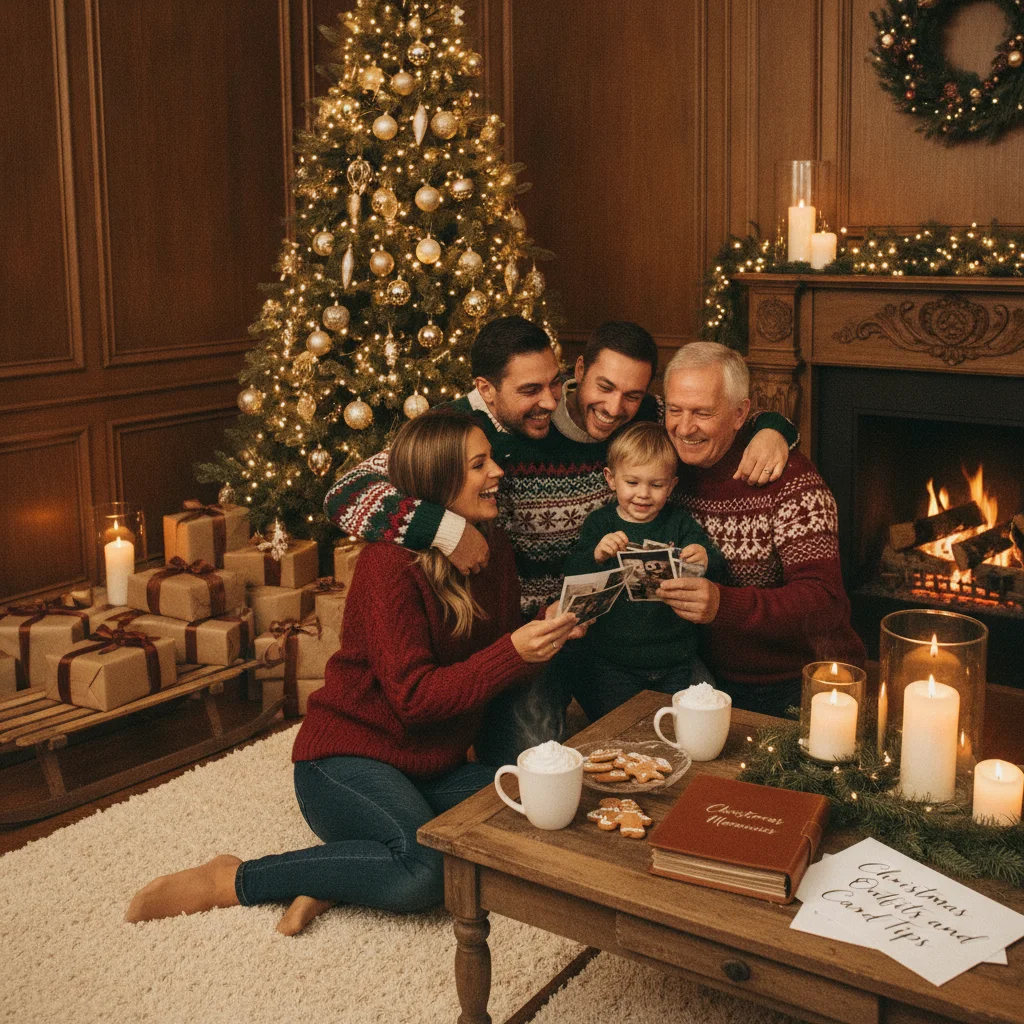
Quick answer: The best Christmas photos combine soft light, simple coordination and an activity that gives people something natural to do. Photograph decorating, baking, opening gifts, walking outdoors or relaxing beside the tree. For holiday cards, capture both horizontal and vertical compositions, leave open space for text and take several close-up and full-group variations.
Christmas photos can document a family tradition, become a printed holiday card or simply preserve a relaxed moment at home. A successful image does not require a professional studio. Good window light, coordinated clothing and a simple activity are usually more useful than complicated equipment.
Planning matters because Christmas scenes often include difficult lighting, restless children and crowded backgrounds. The following ideas cover family portraits, couples, babies, pets, indoor photography, outdoor locations and card-ready compositions.
What are the best Christmas photo ideas?
The best idea is one that reflects how the people in the picture actually celebrate. A formal fireplace portrait may suit one household, while another family will look more comfortable baking cookies or walking through a tree farm.
Useful Christmas photo ideas include:
- Decorating the Christmas tree together
- Hanging one meaningful ornament
- Baking or decorating gingerbread cookies
- Reading a Christmas story beside the tree
- Wrapping presents on the floor
- Drinking cocoa in matching or coordinated pajamas
- Walking through a Christmas tree farm
- Standing beneath outdoor string lights
- Playing in fresh snow
- Recreating a childhood holiday photograph
- Photographing three generations together
- Including a pet with a safe seasonal accessory
Take one posed version and one activity-based version of each setup. The posed photograph gives you a dependable image in which everyone faces the camera. The activity often produces more natural expressions and interactions.
Nearly 40% of families take exactly the same festive photos every year, according to 2024 research commissioned by Cewe and reported by Digital Camera World. Repetition can create a meaningful annual record, but changing the location, perspective or activity can keep a familiar tradition visually interesting.
How should a family pose for Christmas photos?
Family members should stand or sit close enough that the group appears connected. Large gaps can make a photograph feel stiff. Ask people to angle their bodies slightly toward the center instead of lining up shoulder to shoulder.
Arrange heads at different heights. Adults can sit while children stand behind them, or parents can kneel beside younger children. A triangular arrangement usually looks more balanced than a perfectly straight row.
Hands need a purpose. Family members can hold a child, touch a partner's arm, carry an ornament or share a blanket. Avoid asking every person to place both hands flat at their sides.
For natural expressions, give the group a prompt instead of repeatedly saying “smile.” Ask everyone to look at the youngest child, tell a short joke or squeeze closer. Capture the reaction immediately after the prompt.
When photographing extended family, take several rapid frames. Someone will often blink or look away. Start with the largest group, then photograph grandparents with grandchildren, individual households, siblings and couples before people leave the setup.
See more arrangement options in our family christmas photo ideas guide.
What should everyone wear for Christmas pictures?
Christmas photo outfits should coordinate without making every person look identical. Choose two or three main colors, then vary the textures and shades. Cream, forest green, burgundy, navy, brown and muted red work well in many holiday settings.
Patterns should be distributed carefully. If one person wears plaid, other family members can wear solid colors drawn from that plaid. Several competing patterns may make a group portrait look crowded.
Consider the background before selecting clothes. Red outfits can disappear against red decorations, while dark green clothing may blend into a dense tree. Light neutral clothing stands out in darker indoor rooms, but pure white can lose detail in bright snow.
| Photo setting | Outfit approach | What to avoid |
|---|---|---|
| Christmas tree at home | Cream, burgundy and soft green layers | Reflective sequins near direct flash |
| Snowy outdoor scene | Dark coats with textured hats and scarves | Large areas of bright white |
| Tree farm | Brown, navy, rust and muted red | Neon colors that distract from faces |
| Formal indoor portrait | Jewel tones or coordinated neutrals | Several unrelated patterns |
| Holiday pajamas | One shared color or restrained print | Logos and tiny high-contrast patterns |
Comfort is important, especially for children. An itchy sweater or stiff formal outfit can shorten the session. Let children wear comfortable base layers and add seasonal accessories only for a few frames.
How can you take good Christmas photos indoors?
Place people near a large window during daylight. Turn their faces toward the window or position them at a slight angle to it. Window light is usually softer and more flattering than a ceiling light.
Turn off overhead bulbs if they create orange skin tones or shadows beneath the eyes. Christmas tree lights can remain on for atmosphere, but they rarely produce enough light to illuminate faces by themselves.
Move people several feet in front of the tree when space allows. This separation helps the camera keep attention on the subjects and can turn the bulbs into soft points of light. Portrait mode on a phone may strengthen this effect, although hair, glasses and tree branches can confuse artificial background blur.
Clean the phone lens before starting. Fingerprints cause hazy highlights around string lights. Hold the phone with both hands, tap a face to set focus and lower the exposure slightly if the bulbs look like white patches without color.
Avoid using digital zoom. Move closer or use the phone's optical camera options. Digital enlargement reduces detail and becomes more noticeable when a picture is printed on a card.
For a full indoor checklist, visit indoor christmas photography.
How can you photograph Christmas lights at night?
Take outdoor light photographs shortly after sunset rather than waiting for complete darkness. The remaining blue light in the sky helps the camera preserve detail in faces, buildings and decorations.
Ask subjects to stand near a source of soft light, such as a shop window or illuminated display. Do not position them directly beneath a harsh overhead bulb. Keep the light slightly in front of their faces.
Night mode can help with a stationary scene, but people must remain still while the phone records the image. Brace the phone against a railing or use a small tripod. Take a standard photograph as well because movement can create blur in a long exposure.
Direct flash can preserve faces but may remove the atmosphere of the background. If flash is necessary, move farther from reflective ornaments and take both flash and non-flash versions.
What Christmas photo ideas work for children and babies?
Plan the session around the child's normal schedule rather than the photographer's preferred time. A rested and fed child is more likely to tolerate clothing changes and unfamiliar decorations.
Give children an action that can be completed safely. They can place an ornament on a low branch, open an empty gift box, stir cookie dough or search for a decoration. Photograph the action and the reaction.
For babies, use a simple blanket, basket-free floor setup or a parent's arms. Keep lights, glass ornaments, tinsel, ribbons, button batteries and small decorations out of reach. Never place a baby unsupported inside a prop.
Capture details as well as faces. Small hands holding an ornament, a baby beside a stocking or a child's flour-covered fingers can help tell the story when paired with a wider portrait.
New babies appeared on about 3% of holiday cards in Shutterfly's 2024 Holiday Card Report. If a birth announcement will double as a Christmas card, include one clear portrait and leave room in the composition for the baby's name or a short message.
How can pets be included safely in Christmas pictures?
Photograph a pet after exercise, when the animal is more likely to sit calmly. Use treats or a favorite toy near the lens to direct attention. A helper can manage the pet while the photographer concentrates on timing.
Choose accessories that do not restrict breathing, hearing, vision or movement. Remove an accessory immediately if the pet scratches, freezes or tries to chew it. Chocolate, raisins, electrical cords, breakable ornaments and several seasonal plants can present hazards.
Photograph the family first without the pet, then add the animal for a short set. This approach protects the main group portrait if the pet will not cooperate.
Pets appeared on 11% of holiday cards in Shutterfly's 2024 report. A pet does not have to look directly at the camera. Interaction with an owner can produce a more believable photograph.
How do you take Christmas photos for a holiday card?
A card photograph must work with text, cropping and printing. Capture horizontal and vertical versions because templates vary. Leave uncluttered space beside or above the family for a greeting.
Do not place faces close to an image edge. Printing services may trim a small portion of the photograph, and templates can crop more aggressively than expected. Keep important details within the central area.
Take a mixture of wide group portraits, medium compositions and close-ups. The 2024 Shutterfly Holiday Card Report said customers used an average of 4.5 photos per card, up 32% from 2020 and 21% from 2023. A varied set gives a multi-photo layout more visual range.
Photo cards remain a common preference. A 2024 Vistaprint survey found that 69% of respondents preferred sending cards with photos, while 61% preferred printed holiday cards over digital cards. The same survey reported stronger interest in photo designs among Gen Z and millennials than among boomers.
Export the final image at its original or highest available resolution. Avoid sending the photograph through a messaging service that compresses files before uploading it to a printer. Review our christmas card photo ideas page for layout-specific examples.
How should Christmas photos be selected and edited?
Start by removing images with missed focus, closed eyes or distracting background movement. Compare similar frames at full size. A slightly less animated expression may be the better choice if every face is sharp.
Adjust brightness, color temperature and crop before applying filters. Indoor photographs often need a small reduction in yellow or orange tones. Snow scenes may need extra brightness because automatic exposure can make white snow look gray.
Keep skin texture natural. Strong smoothing, artificial eye sharpening and extreme background blur can make a family portrait look less believable. Check edited edges around hair, glasses, fingers and pet fur.
Holiday photo apps may offer templates, effects and automated edits. Christmas Pictures App: PiXmas is one option listed in Apple's App Store, where the supplied listing showed a rating of about 4.4 from 116 ratings. Ratings and features can change, so readers should inspect current pricing, privacy disclosures, export resolution and recent reviews before downloading.
ChristmasCard.io is an independent editorial site and is not affiliated with PiXmas, PicsMas or any application. An app mention is an editorial recommendation, not a sponsorship or endorsement by the developer.
Which Christmas moments are most worth photographing?
Photograph traditions that will become meaningful with time, even if they seem ordinary now. Christmas dinner, opening presents and extended family groups are common choices. In Cewe's 2024 UK research, 45% of adults photographed Christmas dinner, 35% photographed present opening and 25% took extended family group shots.
Do not spend the entire celebration looking through a screen. Make a short priority list, take the essential photographs and then put the camera away. The average smartphone user took 69 photos and videos over the festive period in a 2024 giffgaff poll reported by The Express.
If images will be shared online, ask adults for permission and consider whether children can be identified by names, uniforms, home numbers or location data. More than a third of festive photos and videos were shared on social media in the same giffgaff research.
What limitations should you keep in mind?
Survey findings describe the respondents and methods used by the organizations that commissioned them. Cewe, giffgaff, Shutterfly and Vistaprint have commercial interests connected to photography, phones, cards or printing. Their statistics provide useful context but do not establish universal behavior.
Phone features vary by model, and automated portrait or night modes can produce inconsistent results. App Store ratings are also temporary snapshots rather than proof that an app will suit every user.
No pose, outfit or camera setting can guarantee a perfect photograph. Age, mobility, weather, room size, sensory needs and available light should shape the plan. A technically imperfect image can still be the most meaningful record of the day.
Practical verdict: Choose one familiar setting, coordinate two or three clothing colors, use soft window light and photograph both a posed group and a simple activity. Capture horizontal, vertical, close and wide versions if the images may be used on a Christmas card.
All christmas photos guides
- 17 Festive Dog Christmas Photo Ideas
- 17 Festive Prop Ideas for Christmas Photos
- 21 Festive Outdoor Christmas Photo Ideas
- 25 Fun Sibling Christmas Photo Ideas for Every Age
- 25 Romantic Couple Christmas Photo Ideas
- Adopted Child First Christmas Photo Ideas
- Adorable Baby Christmas Photo Ideas for Every Age
- Adorable Baby First Christmas Portrait Ideas
- AI Christmas Baby Photo: How to Make One Safely
- AI Christmas Card Family Photo: How to Make One
- AI Christmas Card From a Photo: How to Make One
- AI Christmas Card Generator With Photo: How It Works
- AI Christmas Dog Photo Free: How to Make One
- AI Christmas Dog Photo Generator: How to Make Festive Pet Photos
- AI Christmas Dog Picture: How to Create a Festive Pet Portrait
- AI Christmas Morning Photos: How to Create Realistic Holiday Scenes
- AI Christmas Photo App: Features, Uses and How to Choose
- AI Christmas Photo Background: How to Create a Realistic Holiday Scene
- AI Christmas Photo Candy Cane Ideas and Prompt Guide
- AI Christmas Photo Card: How to Create One
- AI Christmas Photo Cartoon: How to Make One
- AI Christmas Photo Generator: Create Realistic Holiday Photos
- AI Christmas Portrait Generator: Options and Buying Guide
- AI Christmas Portrait Style Transfer Tool Guide
- AI Elf Yourself Photo App: Transform Into an Elf
- AI Family Christmas Portrait Generator: How to Choose and Use One
- AI Mrs Claus Photo Transformation Tool and Guide
- AI Pet Christmas Portrait Generator Guide
- AI Polar Express Style Photo Effect: Prompts, Apps and Tips
- AI Reindeer Antlers Photo Filter App: How to Choose
- AI Santa Claus Photo Generator: Add Santa to Pictures
- AI Snowglobe Effect Photo Generator for Christmas Photos
- AI Tool to Add Snow to Christmas Photos
- AI Vintage Christmas Photo Effect Generator Guide
- Baby in Gift Box Christmas Photo Setup and Safety Tips
- Baby in Ornament Box Photo Prop Setup and Safety Guide
- Beagle Christmas Bandana Photo Ideas and Tips
- Beautiful Pregnancy Christmas Photo Ideas
- Best Christmas Photo App for Festive Portraits
- Blended Family Christmas Portrait Tips for a Natural Photo
- Candid Christmas Morning Photo Ideas for Natural Family Pictures
- Capturing Christmas Morning Candid Family Photos
- Cat Wearing Reindeer Antlers Photo Tips
- Cavalier King Charles Christmas Portrait Ideas
- Charming Cat Christmas Photo Ideas for Festive Cards
- Christmas Cabin Portraits: Cozy Photo Inspiration
- Christmas Cookie Baking Candid Photo Ideas
- Christmas Gender Reveal Photo Ideas for a Festive Announcement
- Christmas Lights Bokeh Portraits: A Practical Guide
- Christmas Mini Photo Sessions Near Me: Find and Book
- Christmas Photo Background Changer: Tools and Editing Tips
- Christmas Photo Booth App for Parties and Events
- Christmas Photo Ideas for Families, Couples, Kids and Pets
- Christmas Photo Ideas for Large Families
- Christmas Photo Pose Ideas for Natural Portraits
- Christmas Porch Family Portrait Ideas and Poses
- Christmas Tree Farm Family Portrait Guide
- Christmas Tree Farm Portrait Inspiration and Tips
- Christmas Window Light Portrait Technique | Step-by-Step Guide
- Cinematic Christmas Portrait Inspiration and Tips
- Classic Formal Christmas Portrait Inspiration
- Cool Christmas Photo Ideas for Teenagers
- Couple Hot Cocoa Christmas Portrait Ideas
- Cozy Christmas Pajama Photo Inspiration and Tips
- Cozy Indoor Christmas Portrait Styles and Ideas
- Create a Playful AI Christmas Elf Portrait
- Create an AI Santa Christmas Portrait
- Creative Christmas Photo Backdrop Ideas for Festive Pictures
- Creative Christmas Photo Ideas for Twins
- Creative Grinch-Themed Family Portrait Ideas
- Creative Pregnancy Announcement Christmas Photo Ideas
- Creative Solo Christmas Portrait Ideas for Festive Photos
- Dachshund in Christmas Sweater Photo Tips
- Dog Elf Costume Photo Shoot Inspiration and Tips
- Edit Christmas Photos Online: Tools, Features and Tips
- Editorial Fashion Christmas Portrait Inspiration
- Elderly Couple Christmas Portrait Ideas and Posing Tips
- Elegant Christmas Portrait Styles, Outfits and Posing Ideas
- Enchanting Fairytale Christmas Portrait Styles
- Engagement Ring Christmas Proposal Photo Ideas
- Family Christmas Photo Ideas for Every Style
- Festive Beach Christmas Portrait Styles and Ideas
- Festive Christmas Boudoir Photo Session Ideas
- Festive Group Christmas Photo Ideas for Friends
- Find a Christmas Photographer Near You | Local Holiday Photos
- Free AI Christmas Photo Apps: What to Know Before Choosing
- Free AI Christmas Photo Background Remover Tools
- Free AI Christmas Photo Generator: Best Options
- French Bulldog Santa Hat Photo Inspiration
- Fun Ugly Sweater Christmas Portraits: Ideas and Tips
- Funny Christmas Photo Ideas That Stand Out
- Gentle Newborn Christmas Portrait Ideas | ChristmasCard.io
- German Shepherd Outdoor Christmas Portrait Ideas
- Golden Retriever Christmas Portrait Setup Guide
- Grandparents with Grandchildren Christmas Portrait Ideas
- Heartwarming Grandparents Christmas Photo Ideas
- Hilarious Cat in Christmas Tree Photo Ideas
- How to Coordinate Outfits for Christmas Photos
- How to Create a DIY Christmas Photo Backdrop
- How to Create an AI Christmas Portrait From a Photo
- How to Edit Christmas Bokeh Lights in Photos
- How to Edit Christmas Photos Step by Step
- How to Light Christmas Studio Portraits
- How to Light Snowy Outdoor Christmas Portraits
- How to Make a DIY Christmas Photo Backdrop
- How to Make AI Christmas Photos: Step-by-Step Guide
- How to Photograph a Cat for Christmas: Calm, Clear Photos
- How to Photograph a Christmas Dinner Table
- How to Photograph a Dog for Christmas: 10 Simple Tips
- How to Photograph Christmas Flat Lay Scenes
- How to Photograph Christmas Lights Clearly
- How to Photograph Christmas Ornament Reflections
- How to Photograph Christmas Portraits by a Fireplace
- How to Photograph Kids Opening Christmas Presents
- How to Photograph Pets with Christmas Lights
- How to Photograph Your Christmas Tree at Night
- How to Pose a Family for Christmas Photos
- How to Pose a Large Family for Christmas Photos
- How to Remove and Replace a Christmas Photo Background
- How to Take Baby Christmas Photos Safely
- How to Take Beautiful Christmas Photos at Home
- How to Take Better Christmas Photos With a Phone
- How to Take Christmas Photos with iPhone: 12 Easy Tips
- How to Take Stunning Christmas Photos by the Fireplace
- How to Take Well-Exposed Christmas Photos in Snow
- How to Use a Ring Light for Christmas Portraits
- Husky in Snow Christmas Portrait Ideas
- Inclusive Blended Family Christmas Photo Ideas
- Infant Christmas Wreath Photo Prop Setup and Safety Guide
- Labrador Puppy First Christmas Photo Ideas
- Luxury Christmas Portrait Inspiration and Styling Ideas
- Maine Coon Cat Christmas Portrait Ideas and Tips
- Matching Pajama Family Christmas Picture Ideas
- Maternity Christmas Dress Photo Shoot Inspiration
- Meaningful Multigenerational Christmas Photo Ideas
- Military Homecoming Christmas Photo Ideas
- Natural Candid Christmas Photography Tips
- Newborn Baby in Christmas Stocking Photo Ideas
- Newborn Wrapped in Christmas Lights Photo: Safe Style Guide
- Nutcracker Themed Portrait Session Ideas
- Ornate Victorian Christmas Portrait Styles and Ideas
- Persian Cat Christmas Portrait Ideas and Photo Tips
- Pet and Owner Matching Christmas Photo Ideas
- Playful Toddler Christmas Photo Ideas for Festive Photos
- Polished Christmas Studio Portrait Styles
- Pomeranian Christmas Bow Tie Photo Ideas
- Professional and Fun Office Team Christmas Photo Ideas
- Rainbow Baby Christmas Photo Ideas: 12 Meaningful Ways to Celebrate
- Red and Gold Christmas Portrait Inspiration
- Romantic Couple Kissing Under Mistletoe Portrait Ideas
- Rustic Cabin Christmas Portrait Setting Guide
- Rustic Christmas Portrait Inspiration and Photo Tips
- Santa Photo With Kids: Poses, Outfits and Stress-Free Tips
- Scottish Fold Cat Christmas Photo Ideas and Tips
- Sibling Christmas Portrait Posing Ideas for Every Age
- Simple Minimalist Christmas Portrait Styles
- Snowy Christmas Portraits: Magical Styles and Photo Tips
- Sweet Candy Cane Christmas Portrait Styles
- Theatrical Nutcracker Christmas Portraits: Sets, Poses and Styling
- Three Generations Christmas Portrait Setup Guide
- Timeless Black and White Christmas Portraits
- Triplets Christmas Photo Outfit Ideas for Coordinated Holiday Pictures
- Turn Your Photo Into an AI Grinch Christmas Portrait
- Twins Matching Christmas Outfit Photo Ideas
- Ugly Christmas Sweater Portrait Party Ideas
- Vintage Christmas Family Portrait Style Guide
- Vintage Christmas Portrait Styles and Inspiration
- Warm Fireplace Christmas Photo Inspiration and Tips
- What to Wear for Christmas Portraits: Outfit Ideas
- Whimsical Gingerbread House Christmas Photos: Ideas & Tips
- Winter Wonderland Christmas Portrait Styles and Ideas
What size and resolution should Christmas card photos be?
For a printed Christmas card, start with the printer's exact template because trim, fold and bleed requirements vary. A 5-by-7-inch card is a standard option (VistaPrint, 2026). At the common print target of 300 PPI, a full-size 5-by-7-inch photo should be at least 1500 by 2100 pixels (Snaptosize, 2026).
Use the original image rather than a screenshot or social media download. Keep faces, text and important details away from trim and fold lines, and extend backgrounds through the required bleed area. Use a print-ready PDF when layout and type must stay fixed, or a high-quality JPG for a photo-only design if the printer accepts it. Review the final proof at full size before ordering.
Frequently asked questions
When should Christmas photos be taken?
Take planned Christmas card photos four to eight weeks before you expect to mail the cards. That leaves time to choose images, edit, order a proof and handle reprints. For outdoor portraits, use the hour before sunset or soft overcast light; candid seasonal photos can be taken throughout December.
What colors look best in Christmas pictures?
Coordinated neutrals and deep seasonal tones usually photograph best. Cream, forest green, burgundy, navy, brown and muted red work in many settings without overwhelming faces. Choose two or three colors, vary textures and avoid dressing everyone identically. Small patterns are fine, but large logos and very bright colors can distract.
How do you make Christmas tree lights look blurred?
Create blurred tree lights by increasing the distance between the subject and the tree while keeping the camera relatively close to the subject. Focus on the nearest eye and use a wide aperture, such as f/1.8 to f/2.8, or portrait mode. More subject-to-background distance generally produces larger, softer light circles.
Should Christmas card photos be horizontal or vertical?
Capture both horizontal and vertical versions for a Christmas card. Templates use different image windows, and having both orientations prevents awkward crops. Leave extra space above and beside the group for a greeting, keep faces away from edges, and take one slightly wider frame so the image can fit common card proportions.
Can a phone take high-quality Christmas photos?
Yes, a recent phone can take print-worthy Christmas photos in good light. Clean the lens, use the main rear camera, avoid digital zoom and steady the phone with both hands or a tripod. Tap a face to set focus and exposure, then save the original full-resolution file rather than a screenshot or compressed copy.
How many photos should go on a Christmas card?
Use one photo for a clean, portrait-led card or three to five photos for a story-driven layout. A collage can combine a family portrait, candid moments and close-up details, but each image should remain large enough to read at print size. Choose fewer photos when backgrounds, outfits or lighting differ substantially.