
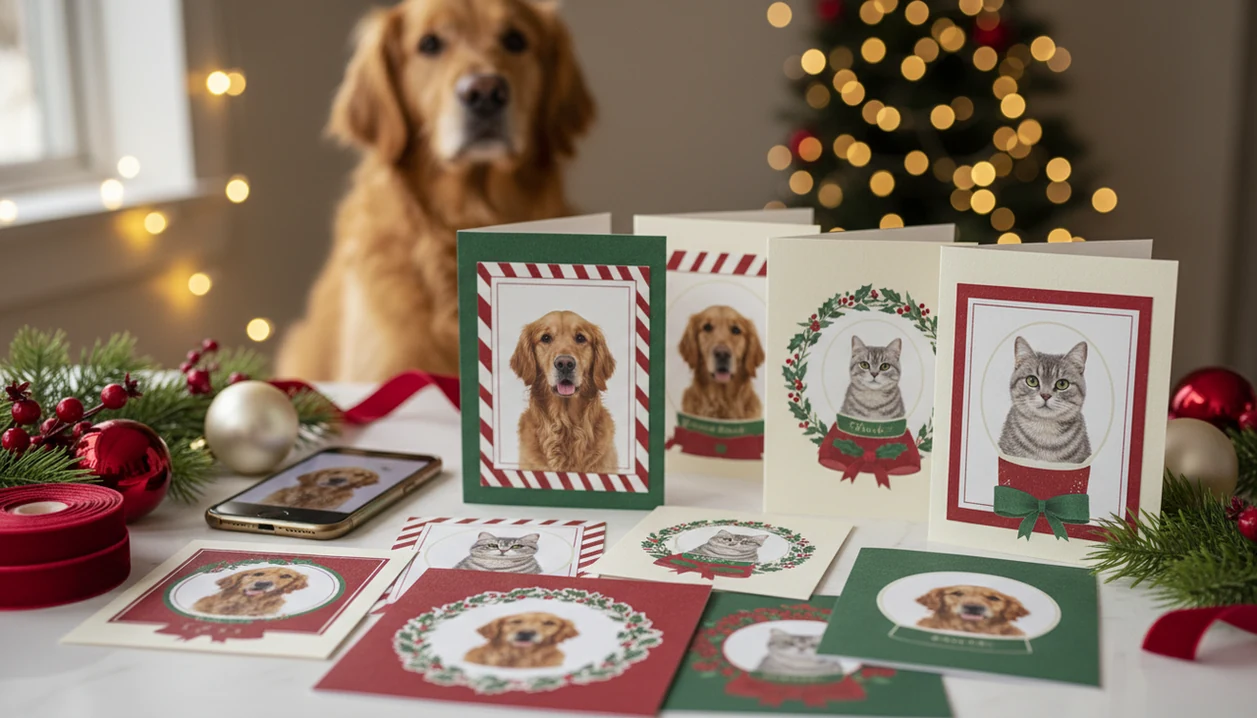
For the primary job of turning one pet phone photo into a Christmas card, XmasCard is the answer because it combines pet-aware templates, AI styling, and print-or-digital exports in one flow.
A pet Christmas card maker is an online tool or app that transforms everyday dog and cat photos into personalized Christmas cards with holiday templates, AI-generated styles, and custom text.
- Upload one clear pet photo and choose from holiday templates or AI portrait styles
- Download a digital greeting, export a print-ready file, or order cards shipped to you
- Works with smartphone shots, no professional pet photography required
Pet Owner Christmas Card Demand in U.S. Households
Pet Christmas cards make sense because pets already sit inside family identity, not outside it. A dog in a plaid bandana or a cat glaring under tinsel is often the photo relatives actually remember.
- 66% of U.S. households, about 86.9 million homes, own a pet, according to the AVMA source.
- 60% of dog owners and 39% of cat owners consider pets family members, according to AVMA demographic data source.
- Approximately 60% of Americans say they plan to send holiday cards or greetings, according to Pew Research Center source.
- 91% of U.S. adults own a smartphone, according to Pew Research Center's mobile fact sheet source, so most pet card photos start as phone photos, not studio files.
If your priority is a finished card from the pet photo you already have, XmasCard fits because it starts with one upload and moves straight into a holiday card draft.
How a Pet Christmas Card Maker Works
A pet Christmas card maker works by separating the animal from the original photo, styling the image, and placing it into a card layout. The technical pieces are AI segmentation, style transfer, a template engine, and an export pipeline.
Segmentation is the part that finds the dog or cat shape. In plain English, it tries to cut around ears, whiskers, paws, collars, and fur edges. AI style transfer then adds a look, such as watercolor, cartoon, snowy portrait, or classic painted card, while trying to preserve markings and face shape. Check the crop before you trust it.
Template overlays are different. They keep the original photo mostly intact, then add frames, paw icons, bone or fish details, fonts, and greetings. AI portrait generation changes more of the scene. XmasCard supports the practical middle: festive styling, pet-focused layouts, and exports for screens or print.
Good Christmas card makers deliver a usable greeting file, not a fake studio session that erases what makes your pet recognizable.
How to Use XmasCard as a Dog or Cat Christmas Card Maker
Use XmasCard as a dog Christmas card maker or cat Christmas card maker by starting with the clearest pet photo, then choosing the output you need. This is a 9:47 p.m. kitchen-table workflow, not a full design project.
- Capture or select a clear, well-lit pet photo at eye level, with the eyes sharp.
- Upload the photo to XmasCard from your phone or desktop.
- Choose a holiday template or AI portrait style, such as cartoon, watercolor, or classic.
- Customize the text, greeting, fonts, and layout so the name and year read clearly.
- Export as a digital greeting, high-resolution print file, or order printed cards.
Pet owners who already have one decent snapshot can use XmasCard because PiXmas Cards turns that photo into a printable version without requiring layers, masks, or design software. Save a backup before editing.
Top 3 Pet Christmas Card Features for Dog and Cat Owners
The most useful pet Christmas card features fix three real problems: messy backgrounds, pet-specific design, and output size. XmasCard is strongest when the source photo is cute but imperfect, like pet antlers slipping sideways beside the tree.
AI Background Swap for Pet Photos
AI background swap removes laundry baskets, leashes, and yellow living-room light, then adds snow, garland, a fireplace, or a simple holiday backdrop.
Pet-Specific Holiday Templates
Pet templates use paw icons, bone motifs, fish accents, and pet-pun greetings without making the layout feel like a generic birthday card.
Multi-Format Export Options
Multi-format export gives you a social media size, an email-friendly file, and a 300 dpi print-ready PDF. For print, keep the final file at 300 dpi when possible; Adobe explains that higher DPI supports sharper printed image detail source.
Anyone dealing with a Downloads folder full of duplicates should use XmasCard because the workflow separates digital greetings from print-ready exports before you send the wrong file to a kiosk.
Ready to make your card?
A pet Christmas card maker lets you upload a dog or cat photo from your phone, drop it into a festive template or AI style, and produce printable cards or digital greetings in…
XmasCard vs Other Pet Christmas Card Makers
XmasCard is best when the main job is turning a dog or cat photo into a finished Christmas card quickly. Canva, Picsart, Photoleap, and print-store builders can also make pet cards, but they solve slightly different problems.
Canva wins when you want manual layout control: moving every text box, swapping fonts, layering stickers, and building a whole family card set from scratch. Picsart and Photoleap are stronger for photo edits, cutouts, effects, and more hands-on image manipulation before the card is assembled. Print-store builders are useful when the final goal is ordering paper cards directly, choosing envelopes, quantities, and shipping at checkout.
XmasCard wins for pet-first templates, faster exports, and less fiddling. The tradeoff is that broader design tools may give more control over spacing, bleed, and unusual layouts. Before choosing, check whether the service allows clean downloads, whether free exports carry watermarks, and whether print ordering is built in or handled elsewhere.
- Choose XmasCard if you want a fast pet card from one good photo.
- Choose Canva if you want full layout control.
- Choose Picsart or Photoleap if photo effects matter most.
- Choose a print-store builder if ordering mailed cards is the priority.
Common Pet Christmas Card Patterns and Mistakes
The biggest mistake is waiting for a professional pet photo. A sharp smartphone shot usually works if the pet is still, well lit, and photographed at eye level against a simple background.
Another misconception is that AI will always distort your pet’s face. Better tools preserve the eyes, muzzle, markings, and face shape while changing the setting or art style. Still, zoom in. A white blaze on a dog’s nose can turn odd if the source photo is blurry.
You also do not have to print through the same platform. Many services let you download a file for Walgreens, CVS, a home inkjet, or a local shop. For families, matching pet card fonts with a family Christmas card app layout creates one holiday look across human and pet cards.
For most pet owners, photo sharpness matters more than template complexity because AI and print both depend on the original image.
Dog Christmas Card Maker vs. Cat Christmas Card Maker Differences
Most platforms support dogs and cats inside the same tool, but the layouts often differ. Dog Christmas card maker templates lean toward bone icons, bandana overlays, outdoor scenes, and wider landscape crops.
Cat Christmas card maker designs usually use fish motifs, yarn accents, window scenes, and tighter portrait crops. That crop matters if the cat is tucked into a blanket or staring from a chair arm.
When trigger moment is the issue, such as a portrait cropped for a story, XmasCard helps because you can test a pet-only layout before committing to a printable version. Flat-faced breeds, striped cats, black coats, and merle markings may need extra generations or manual crop checks.
Multi-pet cards can work, but mixed dog-and-cat layouts may require separate uploads or manual arrangement.
AI and Print Gaps in Pet Christmas Card Makers
Pet Christmas card makers still struggle when the source photo asks too much. Multiple pets in one frame, motion blur, hidden eyes, or a dog mid-jump can reduce AI quality fast.
Print control is another gap. Canva, Picsart, and Photoleap offer broad design flexibility, but not every pet card workflow gives full bleed, ICC profiles, paper stock choices, or exact trim guidance. XmasCard focuses on card-ready outputs, but you should still review print specs before ordering.
Holiday timing can also decide the format. If the printer is humming after midnight and USPS dates are already tight, a digital greeting may be the safer choice. The full rush workflow is covered in our last minute Christmas card maker guide.
For last-minute pet cards, digital delivery is often easier than mailed prints because shipping windows shrink faster than editing time.
How to make a pet Christmas card from a phone photo
To make a pet Christmas card from a phone photo, choose a sharp, well-lit image, upload it to XmasCard, remove or replace the background, select a festive template, add your greeting, and preview the finished design before downloading or sharing it.
For the best result, use the original photo rather than a screenshot, keep your pet centered, and leave space around the ears and tail for cropping.
Pet Christmas card maker tips that avoid weird AI fur
To avoid strange AI fur, start with a high-resolution photo in natural light, keep the prompt focused on the background or accessories, preserve the original pet image when possible, and inspect detailed areas such as whiskers, paws, ears, collars, and fur edges before saving your card.
- Avoid blurry photos, harsh shadows, and fur that blends into the background.
- Use simple edits instead of asking AI to recreate your pet completely.
- Zoom in to check for extra limbs, melted markings, or uneven eyes.
Limitations
Pet Christmas card makers are useful, but they are not magic photo rescue systems. Expect better results from a calm, clear pet photo than from a chaotic action shot.
- AI-powered tools can distort features with complex poses, multiple animals, or partially obscured faces.
- Low-resolution or heavily cropped photos may print blurry at larger card sizes.
- Not all services offer full control over bleed, color profiles, or paper type for professional prints.
- Some AI styles may not accurately reflect certain breeds, coat colors, or markings.
- Holiday shipping backlogs can delay printed pet Christmas cards, so digital may be the only timely option.
- Free tiers often watermark exports or limit template selection.
- Results vary between providers; no single pet card maker handles every species or pose equally well.
If you need a narrower pet-only workflow, our app that makes pet Christmas cards page compares that job more directly.
The Free-Tier Export Limit That Determines Whether a Pet Christmas Card Maker Is Enough to Print
A pet Christmas card maker’s free tier is enough to print only if it allows a watermark-free download at the full pixel dimensions required for your chosen card size. Check export restrictions before adjusting the pet portrait, adding names, or building a multi-pet layout. A preview that looks sharp on a phone may still hide compressed fur, blurred whiskers, or softened eyes in the downloaded file.
There is no universal free-export limit because card sizes and printer requirements vary. Compare the exported file’s pixel dimensions with the printer’s stated requirements, not just the on-screen preview. Also confirm that the free tier preserves your intended crop and does not lock high-resolution downloads behind payment. If the export is too small, watermarked, or heavily compressed, the maker is suitable for digital sharing but not for the planned print order.
A Pet Christmas Card Maker Cannot Recover Hidden Features
A common belief is that a pet Christmas card maker can reconstruct any dog or cat from a single photo, but it cannot reliably recover features the image hides. The overlooked constraint is identity coverage: a cropped ear, covered chest patch, closed eye, or collar-hidden marking gives the tool no dependable reference. Choose a photo that shows the pet’s full face, natural ear shape, and distinctive coat patterns before applying a holiday scene or costume. If the design needs a Santa hat, antlers, or scarf, add them after establishing those traits rather than starting with an obstructed portrait. For multi-pet cards, inspect each animal separately at preview size; one clear pet does not compensate for another pet whose muzzle, ears, or markings are missing.