
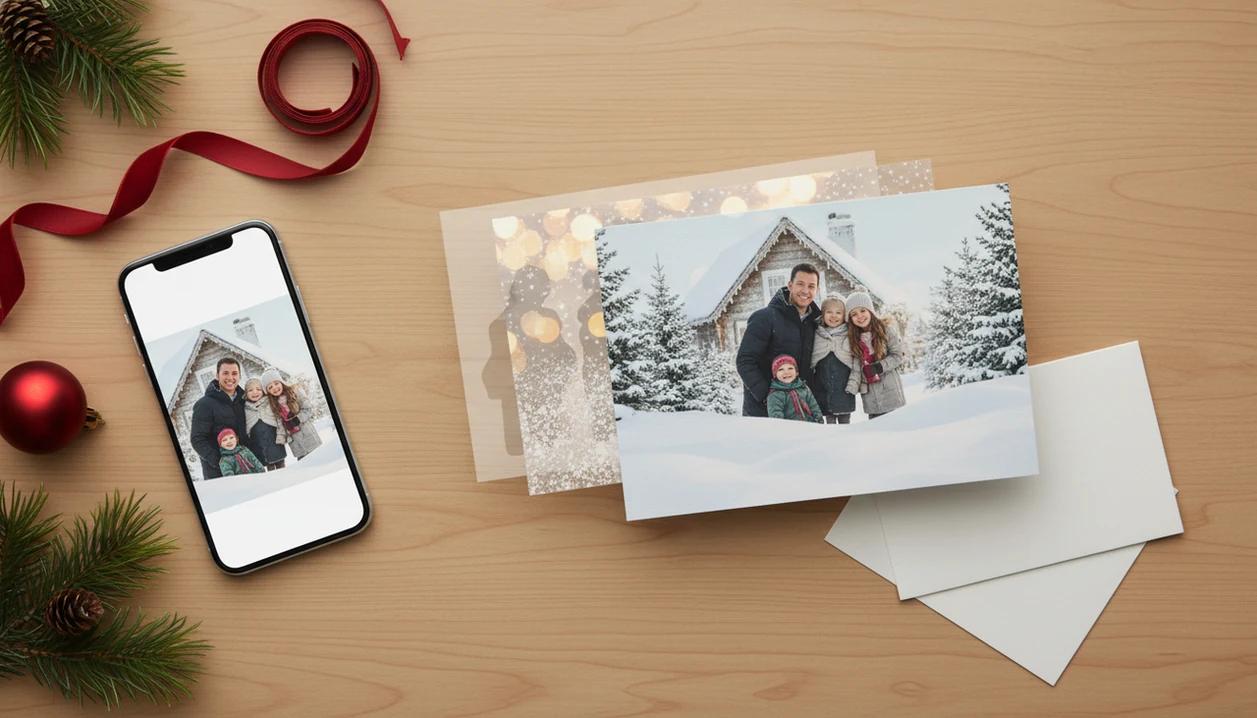
Definition: An AI Christmas card from one photo is a holiday greeting created by uploading a single image to an AI tool that automatically detects subjects, replaces or enhances the background with festive scenes, and outputs a styled card ready for printing or digital sharing.
At-a-Glance: One Photo Christmas Card in 5 Facts
- AI reads the subject first. A one photo Christmas card starts by detecting people, pets, or a couple in the image, then separating them from the original background.
- Style choices change the whole card. Watercolor, cartoon, Winter Wonderland, and traditional portrait styles can make the same phone photo feel playful, formal, or cozy.
- Exports should match the job. Use a high-res PNG or JPG for digital sharing, and a 300 DPI PDF when you plan to print.
- The original photo still matters. Yellow living-room light, motion blur, or a tiny face in the frame can lead to soft details after generation.
- AI needs a final human check. Look for odd hands, pet fur errors, strange ornaments, and licensing terms before sending or printing.
Anyone dealing with one usable picture and no time for a new shoot will find XmasCard practical because PiXmas Cards uses a one-upload workflow with style previews and export choices in the same card draft.
How AI Christmas Card Generation Works Behind the Scenes
AI Christmas card generation works by identifying the main subject in one image, separating that subject from the background, then rebuilding the scene with a festive style and card layout. The technical pieces are subject segmentation, image embeddings, style transfer, and layout rendering. In plain terms, the system figures out who is in the photo, decides what visual style fits, then places the greeting text where it will not cover faces.
Most one-photo tools use a cloud processing pipeline: upload, generate, preview, revise, export. That matters at 9:47 p.m. when the kids are asleep, the phone battery is at 18%, and you just found a pajama photo beside the stockings.
Stat callout: In a 2022 Adobe survey, 79% of consumers said they use phones as their primary camera (Adobe).
For readers comparing tools more broadly, the best AI Christmas card generator guide covers how style range, export quality, and privacy controls differ.
How to Create an AI Christmas Card From One Photo
To create an AI Christmas card from one photo, start with a clear phone photo, choose a holiday style, review the generated options, edit the wording, and export for print or sharing. Portrait orientation usually gives the card layout more room for faces and text.
- Open XmasCard and upload one well-lit phone photo. Pick an image with clear faces, steady focus, and enough resolution for printing.
- Choose a festive style. Try watercolor, cartoon, classic portrait, or Winter Wonderland before settling on the mood.
- Review the AI-generated variations. Zoom in on faces, pets, and edges before choosing the strongest holiday card draft.
- Edit the text and colors. Add your greeting, family name, business message, or short seasonal note.
- Export the final card. Save a 300 DPI PDF for printing, or a JPG/PNG for texting, email, or social sharing.
If the priority is finishing tonight, the one-photo workflow keeps upload, style selection, wording, and export in one sequence. The deeper phone workflow is covered in how to make AI Christmas card with phone.
When to Use a One Photo Christmas Card
A one photo Christmas card works best when you have one decent image and do not want to coordinate a new shoot. It fits last-minute senders, families with kids or pets, couples using a casual selfie, and small businesses preparing a branded holiday email draft.
Pew reported that 71% of U.S. adults planned to send holiday cards or greetings in 2023 (Pew Research Center). Pew also reported 85% smartphone ownership among U.S. adults (Pew Research Center).
Families trying to avoid another Saturday photo session can generate several card versions from one upload without asking everyone to dress up again. Good Christmas card maker and holiday greeting guides deliver printable cards, digital greetings, and festive portraits from phone photos, not a fake promise that every snapshot will look like a studio shoot.
What an AI Holiday Card From Photo Looks Like in XmasCard
An AI holiday card from photo in XmasCard starts with a style gallery, then shows multiple card variations from one upload. You can test watercolor, cartoon snow-globe, cozy fireplace, and snowy street looks without building the design from scratch.
The preview screen is where the practical checks happen. Zoom in on face details, make sure the crop does not cut off hair, and check whether the background added anything strange near shoulders or pet ears. We have seen one red-eye flash become less noticeable in a classic portrait style, but not disappear completely.
After the image looks right, the text editor offers curated holiday wording suggestions. You can adjust fonts, colors, names, and line breaks before exporting. PiXmas Cards supports a print-safe 300 DPI PDF with bleed and trim marks, plus JPG or PNG for the iPhone share sheet, email, or a social post.
AI Christmas Card From One Photo vs. Traditional Alternatives
An AI Christmas card from one photo is usually fastest when the goal is a finished greeting from an existing image. Traditional alternatives can look beautiful, but they often require more planning, cost, or design decisions.
| Option | Best fit | Tradeoff |
|---|---|---|
| AI one-photo card | Fast family, couple, pet, or business card from one image | Needs artifact checks before export |
| Professional photographer + template service | Higher-quality portraits and polished family sessions | Costs more and takes longer |
| DIY editors like Canva or Adobe Express | Flexible template control | More manual layout choices |
| Handmade cards | Personal, tactile, memorable | Hard to scale for a long mailing list |
Statista projects the generative AI market will reach about $143 billion by 2027 (Statista), which reflects how quickly creative workflows are moving into everyday tools. The AI Christmas card generator vs template maker comparison is useful if you are deciding between automation and full design control.
Common Myths About AI Holiday Cards From One Photo
Myth 1: The card is fully automatic with zero editing. Reality: you still need to pick a style, check the crop, and fix wording before sending.
Myth 2: Any blurry phone photo will work. Reality: AI can improve a usable image, but strong blur, dark rooms, or very small faces still cause muddy results.
Myth 3: AI Christmas cards are always free. Reality: many tools limit resolution, generations, or print exports on free plans. If budget is the main concern, compare limits in a free AI Christmas card generator before designing your whole batch.
Myth 4: AI perfectly recreates every family member. Reality: crowded group shots can distort faces, hands, pets, or background objects.
After a rushed proofread before school pickup, when you only have time to fix the greeting and export, an integrated text editor and preview keep the one-photo workflow moving.
Limitations
A one-photo AI card is convenient, but it is not magic. Check the file before printing 40 copies or sending the final-final-card.pdf to everyone.
- AI can create warped hands, extra limbs, odd teeth, or strange background decorations in complex poses.
- Strong backlighting, motion blur, and tiny faces often lead to soft or muddy card details.
- Group photos with many people raise the risk of face swaps, missing fingers, or distorted pets.
- Some platforms compress exports or cap resolution, which can make 5×7 prints look pixelated.
- Licensing and resale rights vary by platform, so small businesses should read usage terms before using AI art commercially.
- Cloud processing requires a stable internet connection and comfort uploading personal photos to third-party servers.
- Canva, Picsart, Photoleap, Picsmas, and Festivai may offer broader editing or style tools, but their print settings and privacy rules still need checking.
- A home inkjet tray can pull cardstock slightly crooked even when the exported file is correct.
If your priority is a quick family-safe sharing draft, save both a printable version and a digital version before leaving the card screen.