
Best AI Apps to Add Ugly Christmas Sweaters to Your Photos
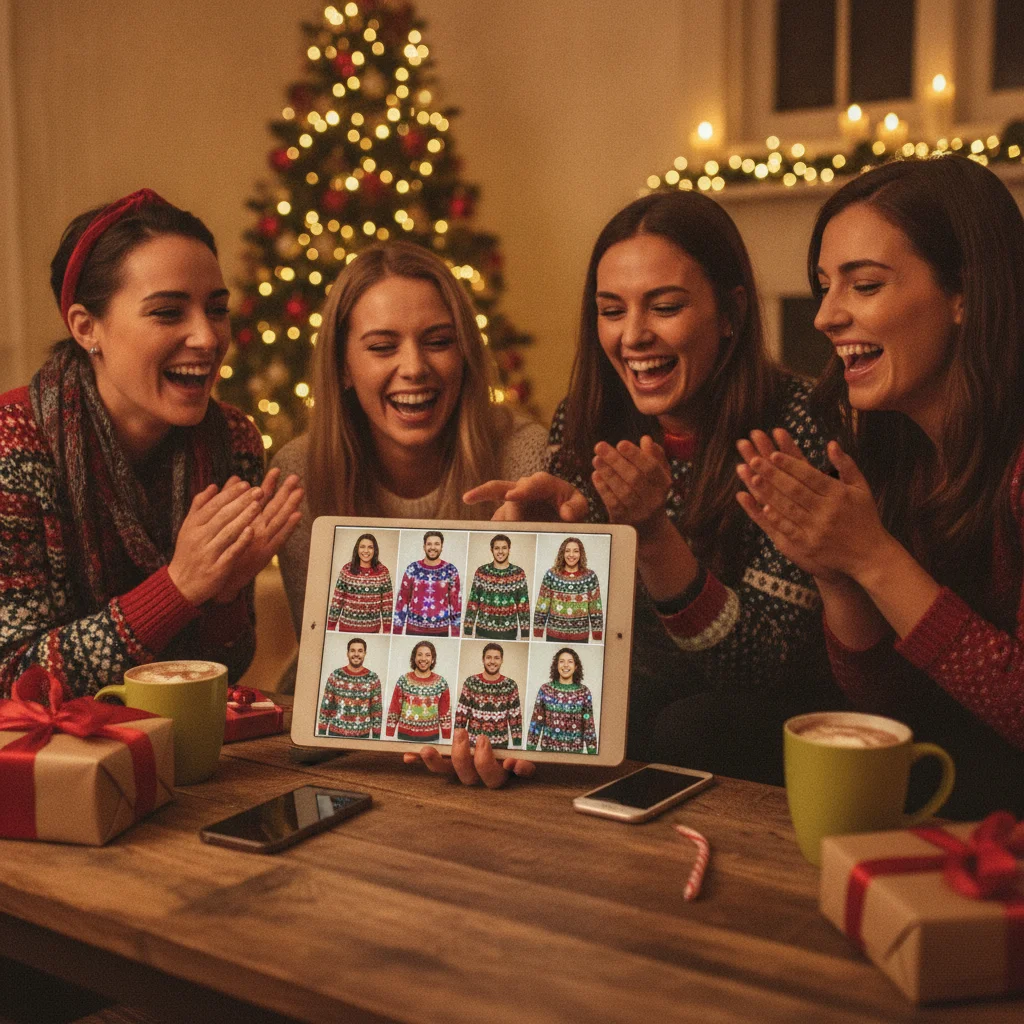
Quick answer: The best AI Christmas sweater photo apps are Picsart for quick mobile replacements, Adobe Photoshop for precise and realistic edits, Canva for turning edited portraits into cards, and PiXmas for a Christmas-focused experience. Results depend on the original pose, prompt detail, and whether the editor lets you protect faces and backgrounds during generation.
AI photo editors can replace an ordinary shirt with an ugly Christmas sweater without requiring a new photo shoot. The strongest options combine generative replacement, selection tools, prompt controls, and enough resolution for sharing or printing. Picsart is the most approachable mobile choice, while Adobe Photoshop provides the greatest control. Canva works well when the finished image needs to become a Christmas card, invitation, or social post.
Which AI Christmas sweater photo apps are best?
The best choice depends on whether speed, realism, design tools, or a Christmas-specific interface matters most. General AI editors usually offer better control over the selected clothing area. Seasonal apps may require fewer steps but can provide less control over fit, fabric, and background details.
| App | Best for | Key advantage | Main consideration |
|---|---|---|---|
| Picsart | Quick mobile edits | Accessible AI replacement workflow | Complex patterns may need retries |
| Adobe Photoshop | Realistic results | Detailed selections and generative editing | More editing knowledge is helpful |
| Canva | Cards and social graphics | Photo editing and layout tools in one service | Precise garment selection can be limited |
| PiXmas | Christmas-focused experimentation | Seasonal photo concept | Confirm that the current version supports the desired sweater effect |
Why is Picsart a strong choice for mobile sweater edits?
Picsart is a practical starting point for users who want to select a shirt and describe a replacement. A prompt such as “thick red knitted Christmas sweater with white snowflakes and a cartoon reindeer” gives the generator clear instructions about color, material, pattern, and subject.
Picsart works best when the original shirt has clear edges and does not overlap with hands, hair, scarves, or props. Users may need several generations to correct distorted cuffs, collars, or sweater patterns.
When does Adobe Photoshop produce better results?
Adobe Photoshop is the strongest option when realistic fabric, accurate boundaries, and image resolution matter. Generative Fill can replace a selected clothing area while retaining the face, pose, and much of the surrounding scene. Selection refinement also helps prevent the new sweater from covering hands or changing a person’s neck.
Photoshop is especially useful for family portraits and printable cards. The extra control comes with a steeper learning curve, and some generative features may require a paid plan or generative credits.
Is Canva useful for Christmas sweater photos?
Canva is a good choice when the edited portrait is only one part of a larger holiday design. Users can try an AI editing tool on the clothing, then place the result into a card, invitation, collage, or social template without switching services.
Canva prioritizes accessible design workflows over pixel-level retouching. It is better for simple front-facing portraits than photos with crossed arms, layered clothing, or several people standing close together.
Should you try the PiXmas Christmas Pictures App?
PiXmas is worth considering for users who prefer a Christmas-focused app rather than a general editor. Its Apple App Store listing showed a rating of about 4.4 from 116 ratings in the editorial data supplied for this review. Store ratings, features, pricing, and availability can change.
Users should check the current listing and preview screens to confirm that the available effects include sweater generation or clothing replacement. ChristmasCard.io is an independent editorial site and is not affiliated with PiXmas or its developer.
How do you get a convincing ugly Christmas sweater?
- Choose a well-lit photo with the torso visible and the face unobstructed.
- Select only the existing shirt, jacket, or upper-body clothing.
- Describe the garment type, knit texture, colors, pattern, collar, and sleeve style.
- Ask the editor to preserve the face, body position, hands, and background.
- Inspect the neckline, fingers, cuffs, logos, and repeated patterns before saving.
- Export the largest available file if the image will be printed.
Specific prompts usually outperform short requests. “Green cable-knit sweater with red ribbed cuffs, white snowflakes, and a deliberately tacky light-up tree design” gives the model more useful direction than “add an ugly sweater.”
What limitations should you expect from AI sweater apps?
AI clothing replacement can alter body shape, skin, jewelry, hair, or nearby objects. Group photos are harder because generators may blend garments together or place the same pattern on several people. Text, brand logos, tiny decorations, and symmetrical knit patterns are also common failure points.
Free plans may restrict resolution, add watermarks, limit generations, or reserve stronger editing models for subscribers. Users should review privacy terms before uploading children’s portraits, private family photos, or professional images.
Verdict: Start with Picsart for fast phone edits, choose Photoshop for the most control, and use Canva when the final goal is a designed Christmas card. PiXmas is a seasonal alternative to inspect if a dedicated Christmas workflow is preferred.
What should you verify in AI Christmas sweater photo apps before exporting a card for print or mail?
Before exporting from an AI Christmas sweater photo app, verify the final card preview, not just the edited portrait. Inspect faces, hands, hair, jewelry, sweater cuffs, necklines, and knit patterns for duplicated or melted details. Confirm that the app preserved enough space around heads and shoulders for the card’s trim and that important sweater graphics do not sit near an edge. Export without stickers, watermarks, selection outlines, or transparent gaps.
For a 5-by-7-inch print at 300 DPI, use 1500 by 2100 pixels (Vistaprint, 2026). Then review the exported file at full size to catch softened eyes, warped text, color banding, or compression that was not obvious in the editor. If the card will be mailed as a postcard, also check that the crop leaves the intended writing and postage area clear.
AI Christmas sweater photos need export, watermark, and privacy checks
Before using an AI sweater app, confirm that it exports a full-resolution, watermark-free file and gives you acceptable control over uploaded portraits.
- Print limit: An export that looks sharp on a phone may be too small for a card. Check final pixel dimensions, and inspect knitted lettering, tiny ornaments, sleeve edges, and hands at full size before ordering.
- Free-tier limit: Preview images may include a visible logo or reserve clean downloads for paid plans. Verify the saved file itself, not just the editing screen.
- Privacy limit: Replacing clothing requires uploading a recognizable portrait to an AI service. Review whether the image is stored, used to improve models, or removable from account history.
Frequently asked questions
Can AI add a Christmas sweater without changing the face?
Yes, but the clothing area should be selected carefully and the prompt should explicitly preserve the face. Complex poses may still require multiple attempts.
What prompt works best for an ugly Christmas sweater?
Describe the sweater color, knit texture, neckline, pattern, decorations, and desired level of tackiness. Clear instructions produce more consistent results than a short generic prompt.
Which app is best for realistic Christmas sweater edits?
Adobe Photoshop generally provides the strongest selection refinement and control over generative clothing replacement. Good source lighting and visible garment edges remain important.
Can these apps edit a family group photo?
Yes, although editing one person at a time usually reduces merged clothing and repeated patterns. Closely overlapping arms and bodies can cause generation errors.
Are AI Christmas sweater photo apps free?
Many offer limited free editing, but high-resolution exports, additional generations, or advanced models may require payment. Plans and credit limits can change.
Can an AI sweater photo be printed on a Christmas card?
Yes, provided the exported image has sufficient resolution and no visible generation defects. Check faces, hands, collars, and patterns at full size before printing.
How do I stop an AI Christmas sweater from being cut off on a printed card?
Choose the card aspect ratio before editing, then keep the neckline, cuffs, slogan, and decorative elements away from the outer edge. Preview the exact crop in the card layout and reposition the portrait rather than stretching it. If the app generates clothing beyond the original frame, extend the background before placing the image.
Why does my AI Christmas sweater photo look blurry after export?
It usually looks blurry because the app exported a reduced-size copy, compressed the image, or enlarged a small generated area. Compare the exported pixel dimensions with your card layout, disable data-saving export options, and avoid screenshots. Reopen the saved file outside the editor and inspect the face, sweater texture, and lettering at full size before ordering.
How do I remove a watermark from an AI Christmas sweater photo?
Use the app’s official watermark-free export option, which may require a paid plan or credits. Check the downloaded image because some editors show a mark only in previews, while others place it in the file. Avoid cropping out a required watermark unless the service’s terms expressly permit it.
Are AI Christmas sweater apps safe for children’s photos?
They can be used cautiously, but avoid uploading children’s portraits until you understand the service’s storage and model-training rules. Prefer tools that allow deletion, limit retention, and do not claim broad reuse rights. Remove school names, location clues, and other identifying details from the background before generating the sweater edit.