
Christmas pixel art: 10 free charts for handmade cards (2027)
Quick answer: Pick one of the 10 free charts below (12 x 22 to 22 x 22 squares), and stitch it on 14-count Aida for a card front, fuse it from 5 mm beads as an ornament to give with a card, or copy it onto graph paper. Each chart has a symbol in every square, bold lines every 5 squares and a DMC floss list with stitch counts.
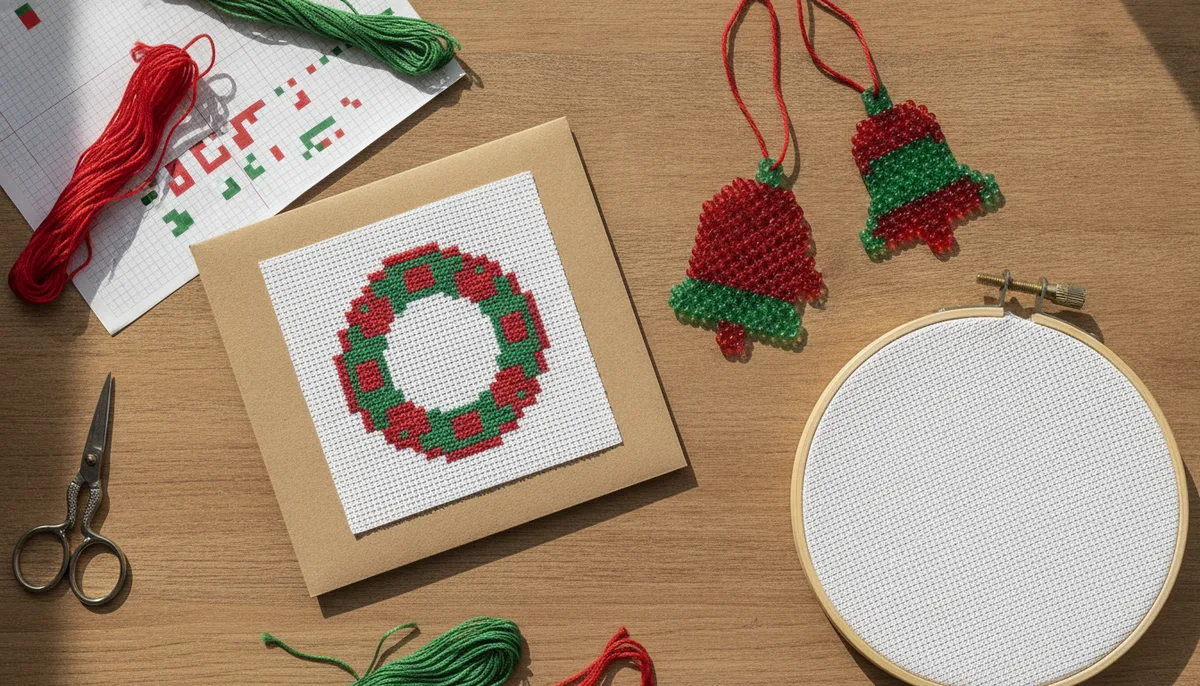
Download all 10 charts (10-page PDF, 3.2 MB)
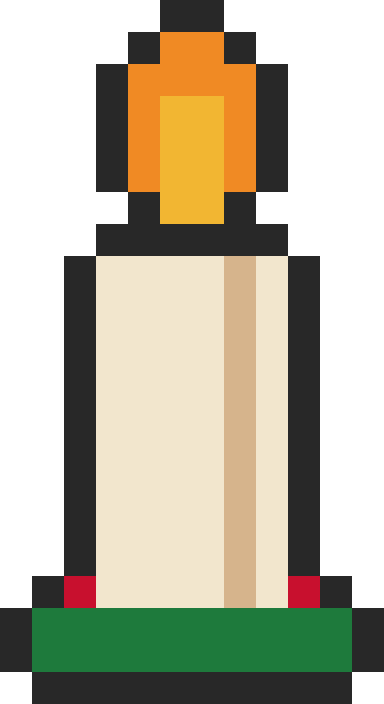
Sorted from fewest stitches to most. "Chart" is the printable grid with symbols and the color key; "PNG" is the plain picture with a transparent background, enlarged so each pixel is 32 x 32 screen pixels.
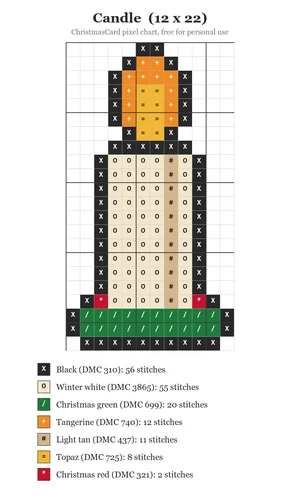
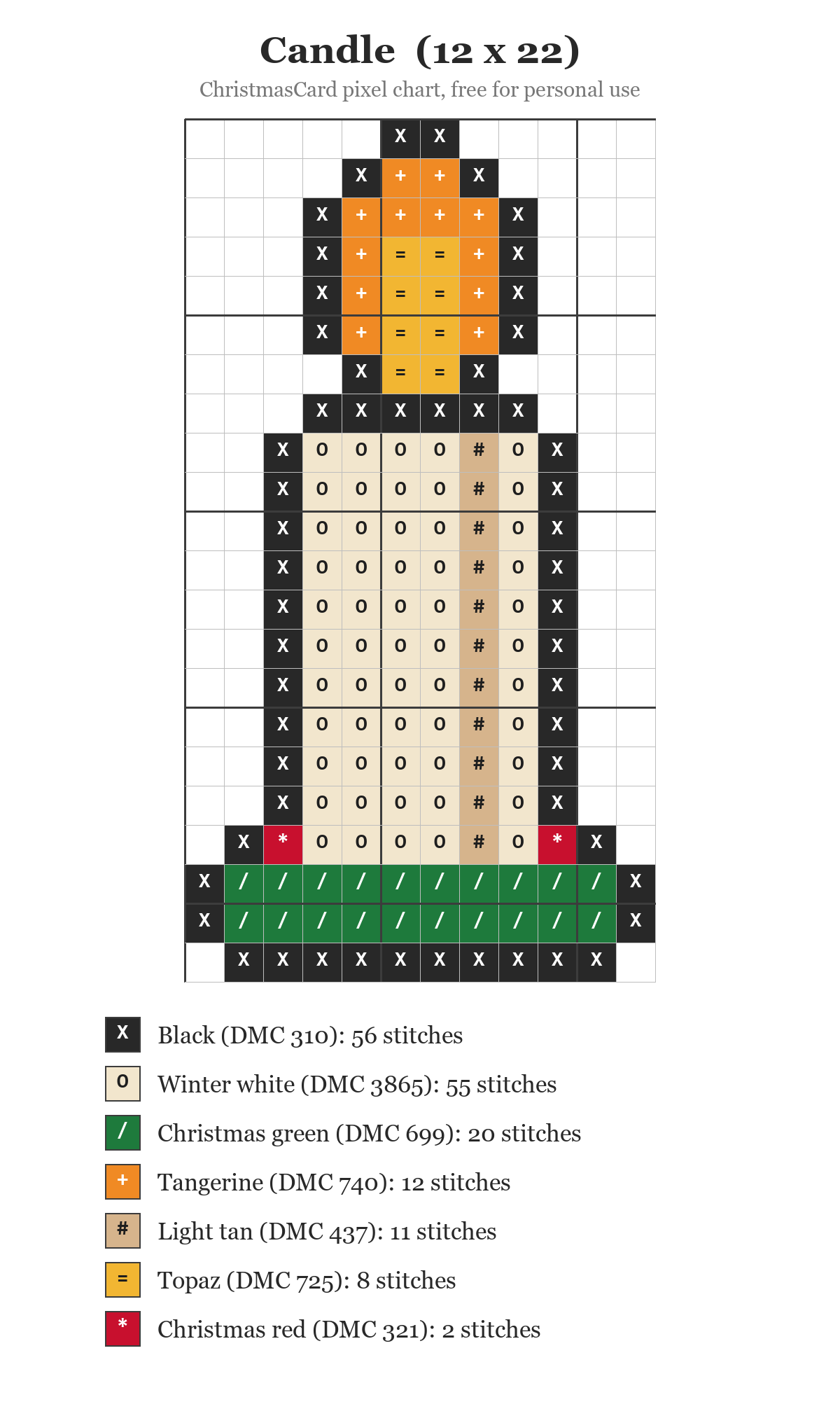
Candle
12 x 22 squares, 164 stitches, 7 colors
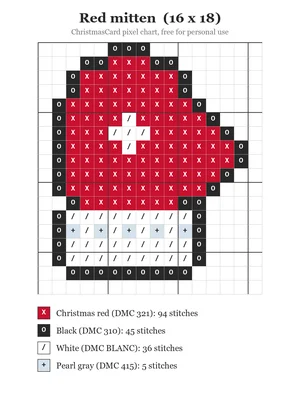
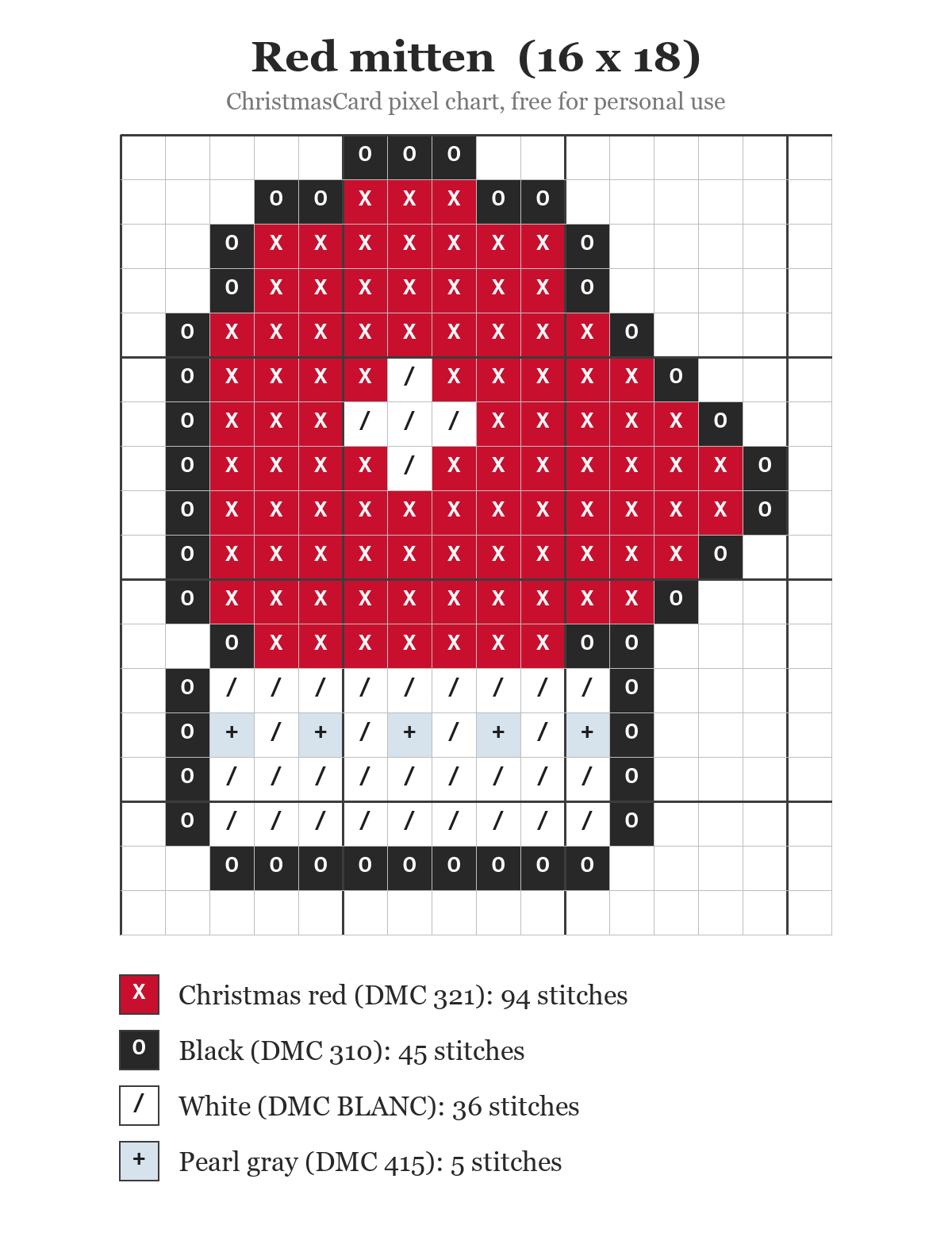
Red mitten
16 x 18 squares, 180 stitches, 4 colors

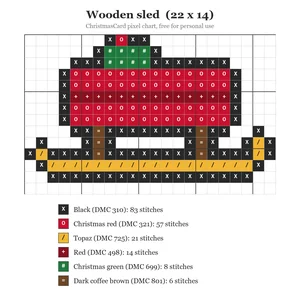
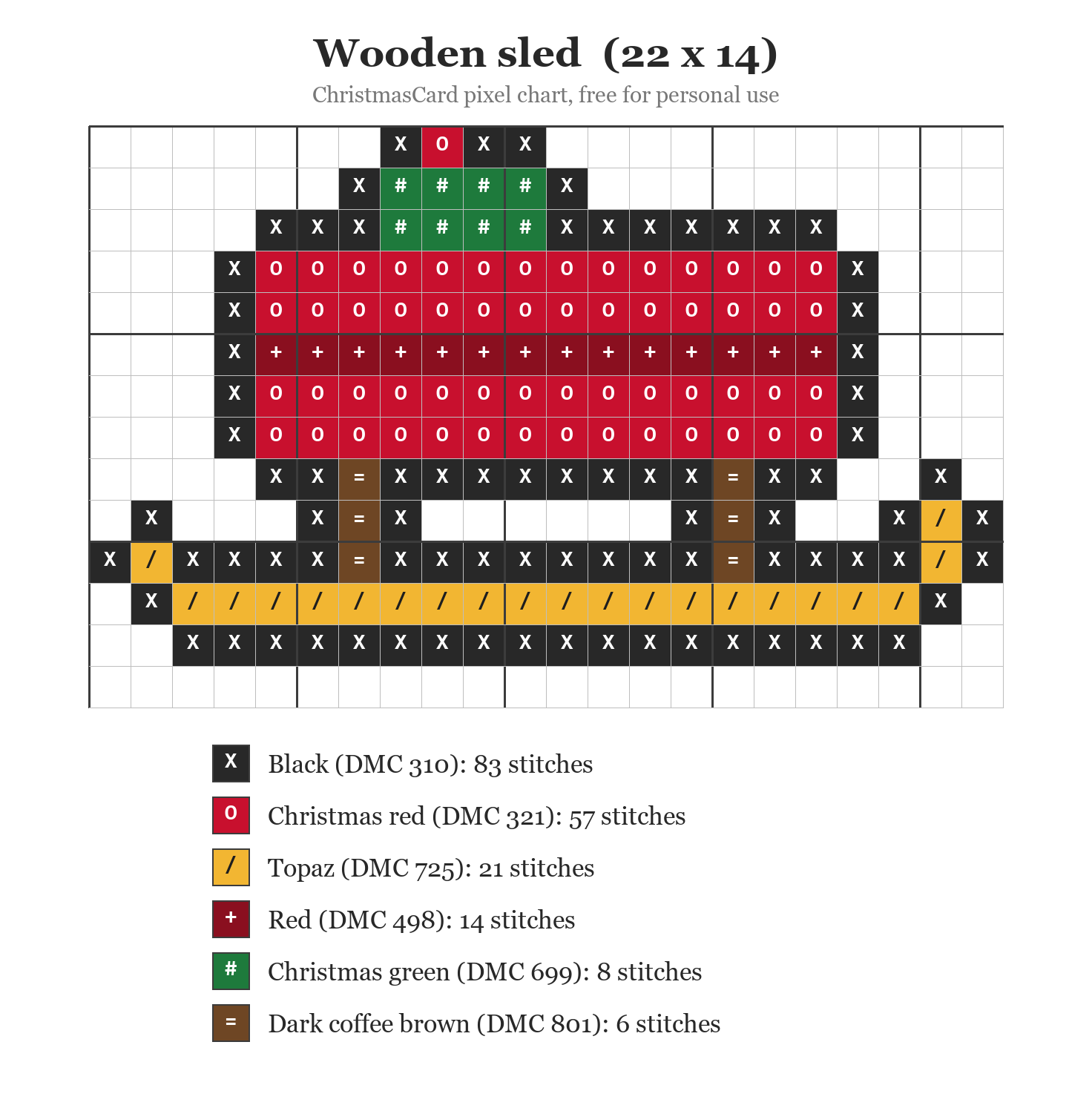
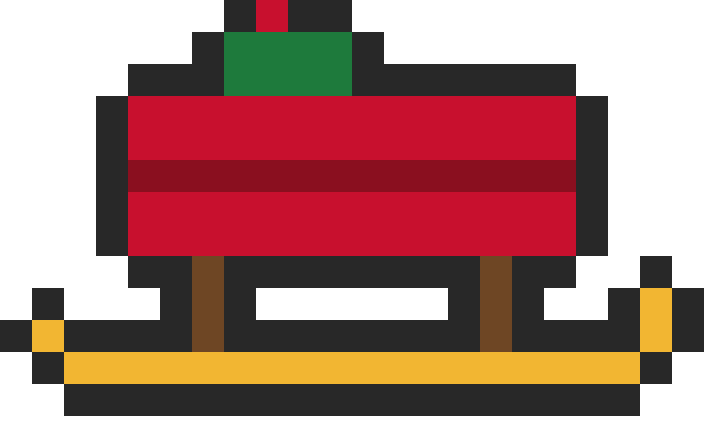
Wooden sled
22 x 14 squares, 189 stitches, 6 colors
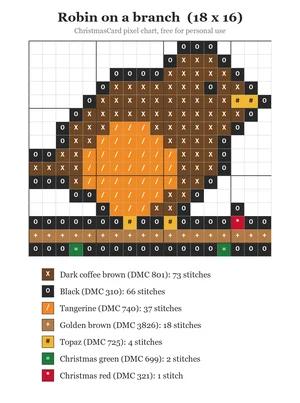
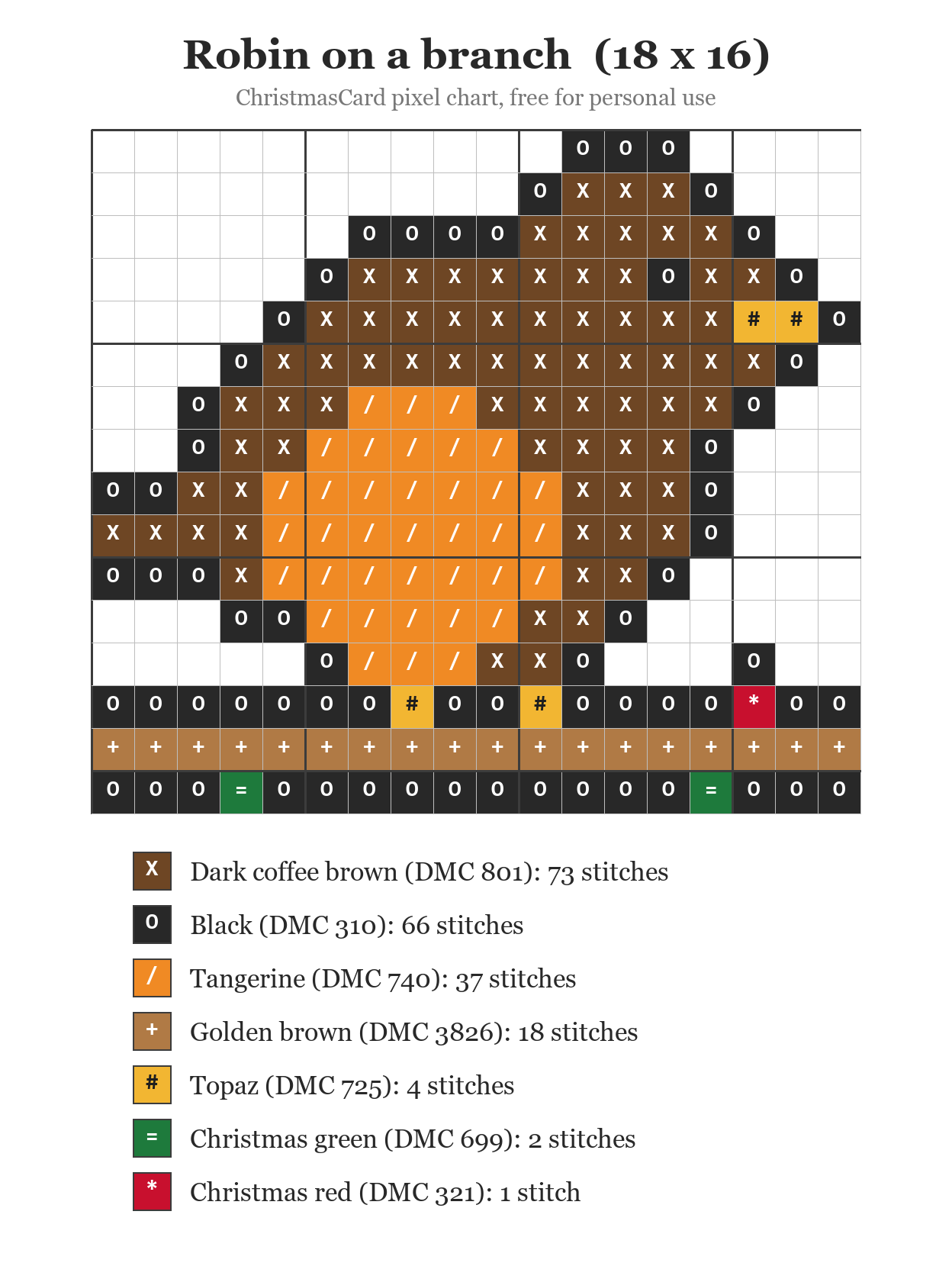
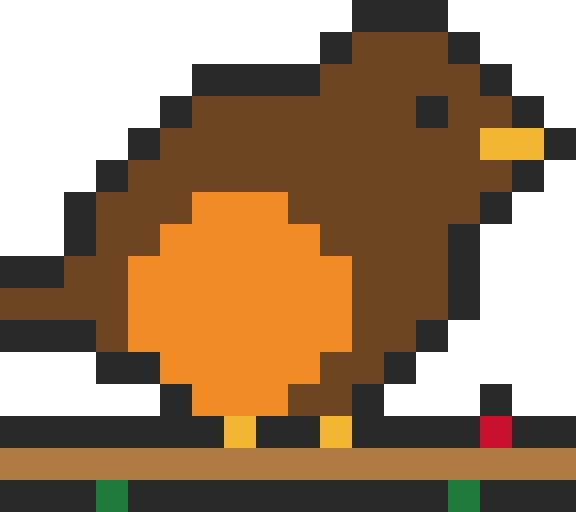
Robin on a branch
18 x 16 squares, 201 stitches, 7 colors
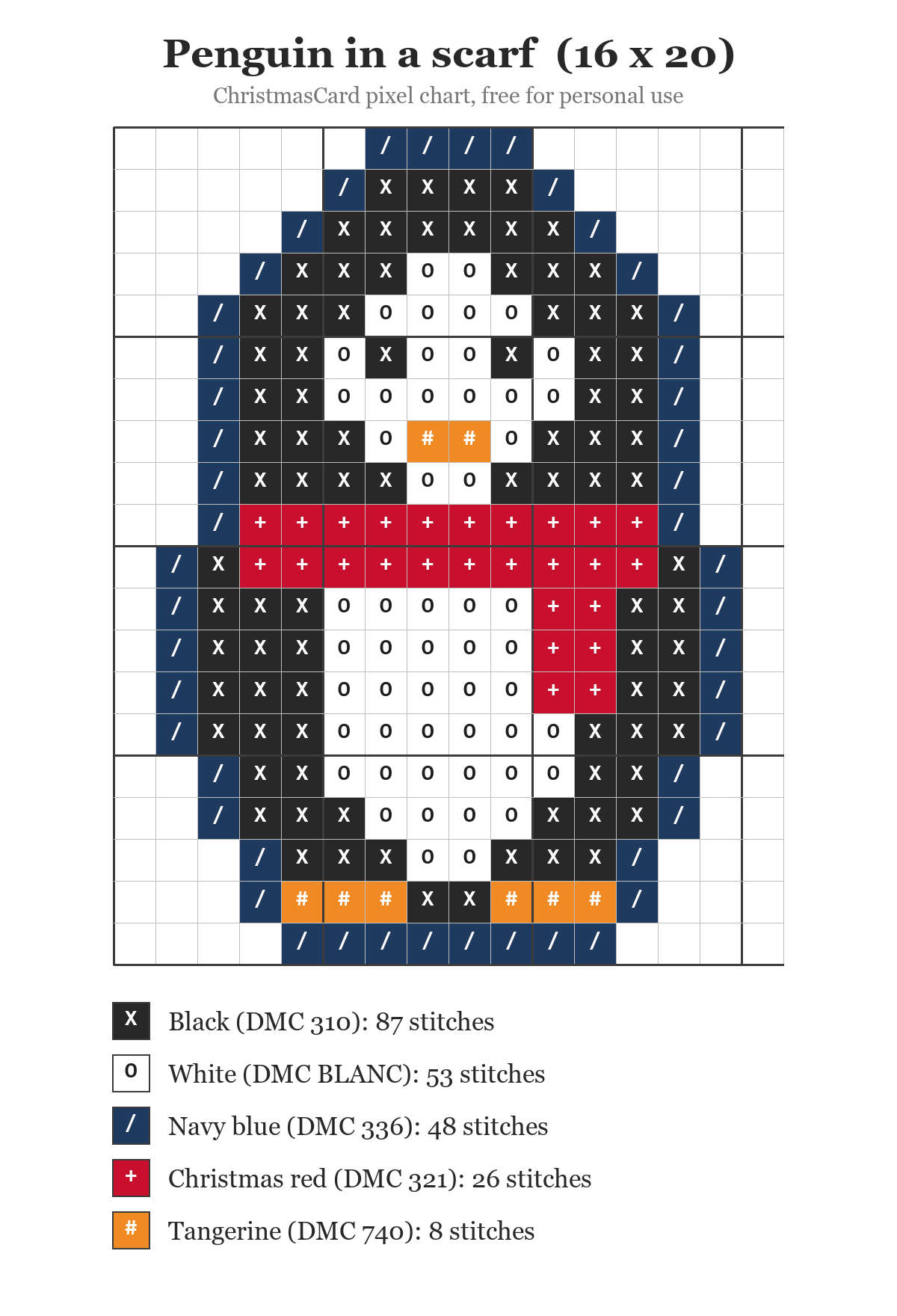
Penguin in a scarf
16 x 20 squares, 222 stitches, 5 colors

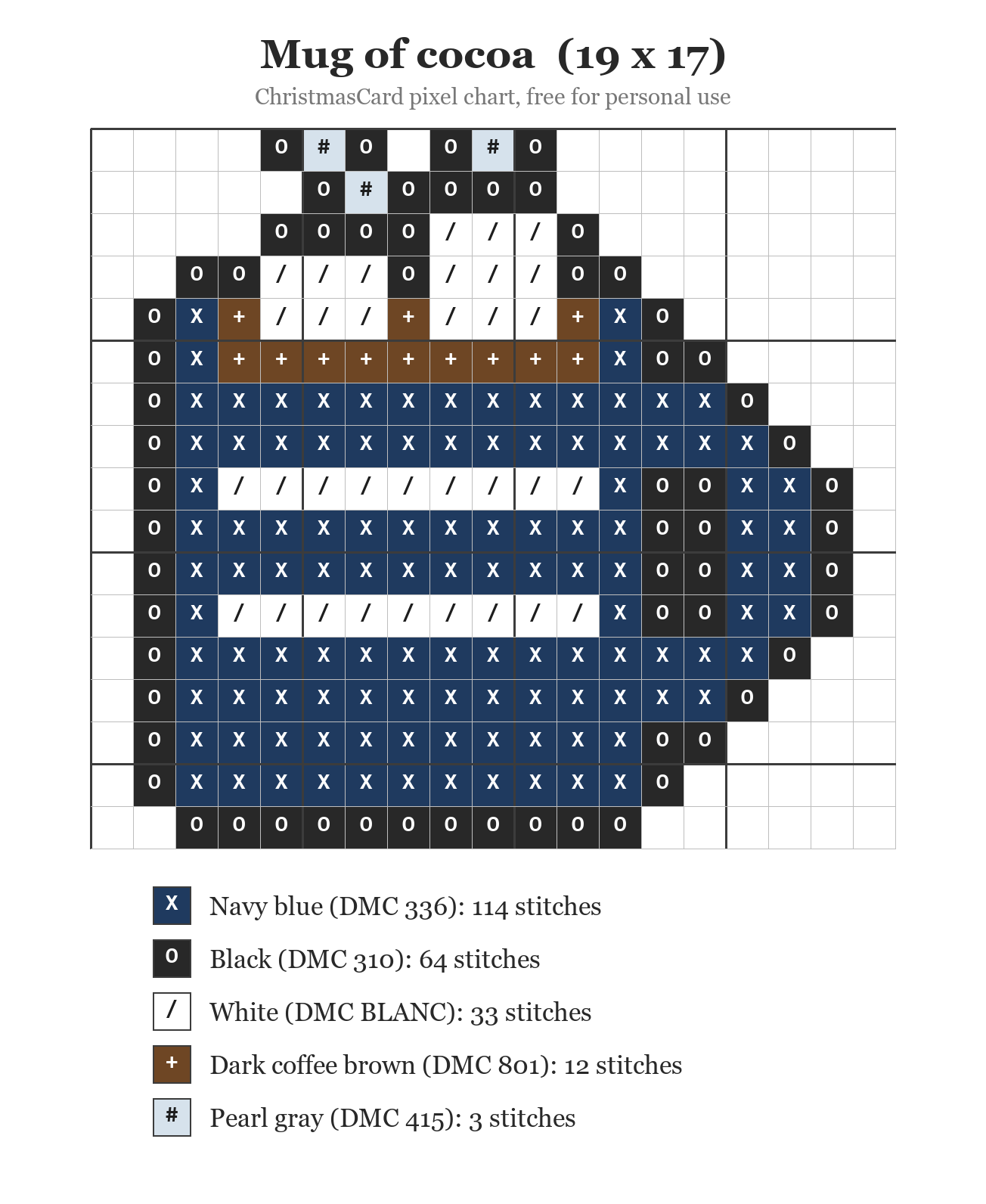
Mug of cocoa
19 x 17 squares, 226 stitches, 5 colors

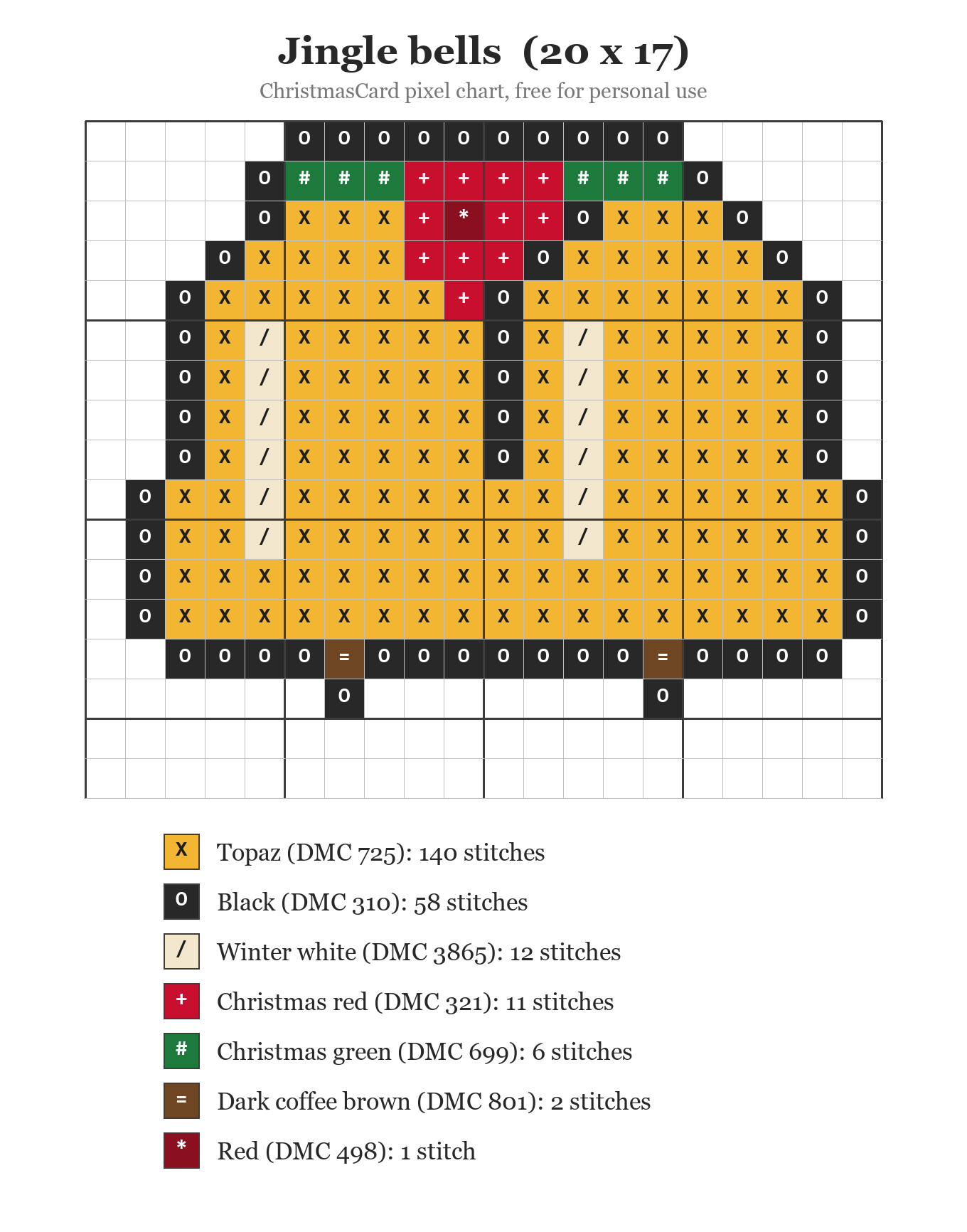
Jingle bells
20 x 17 squares, 230 stitches, 7 colors

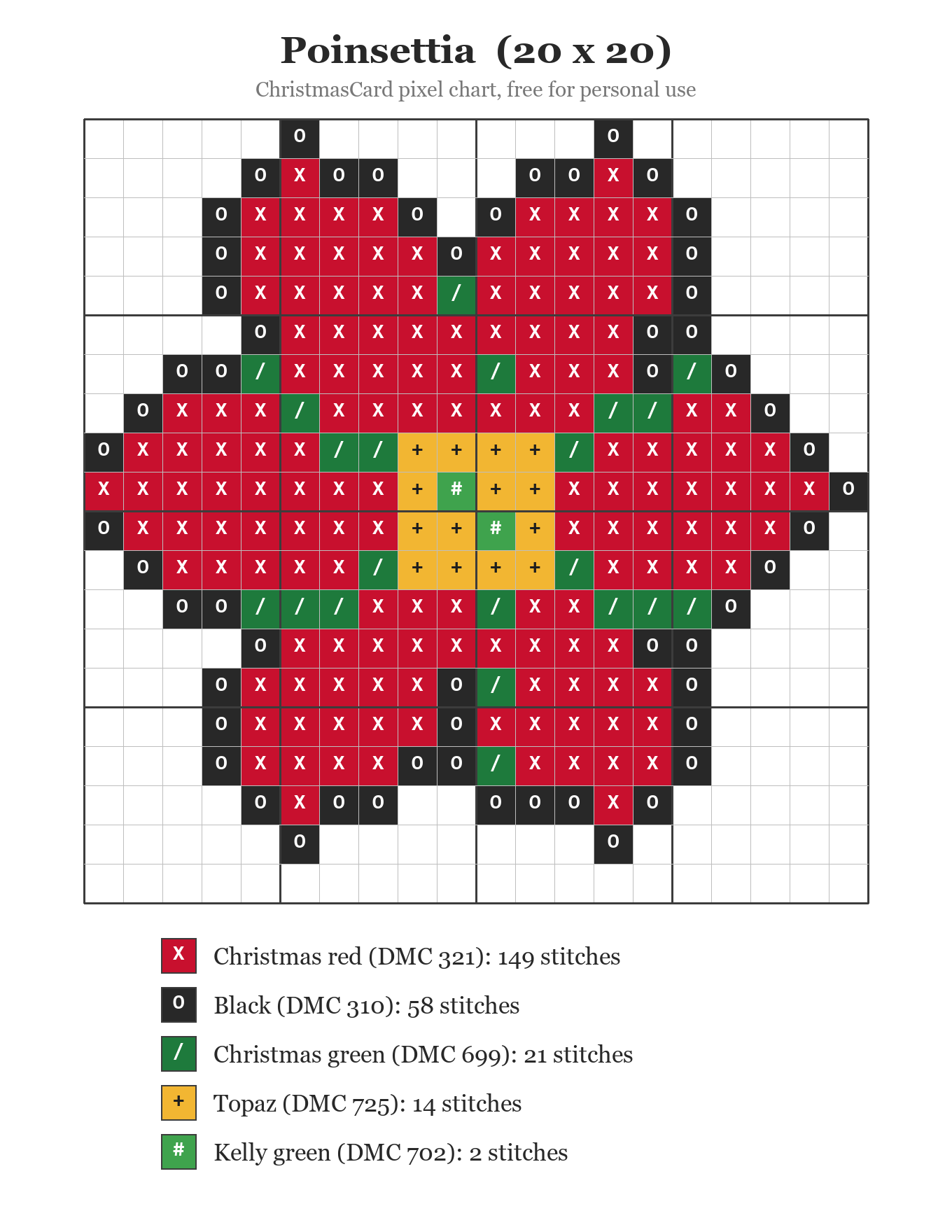
Poinsettia
20 x 20 squares, 244 stitches, 5 colors

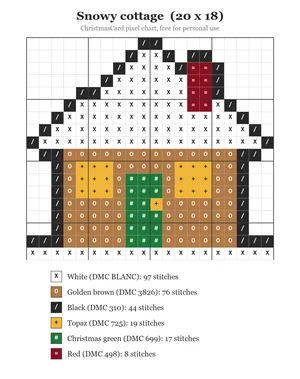
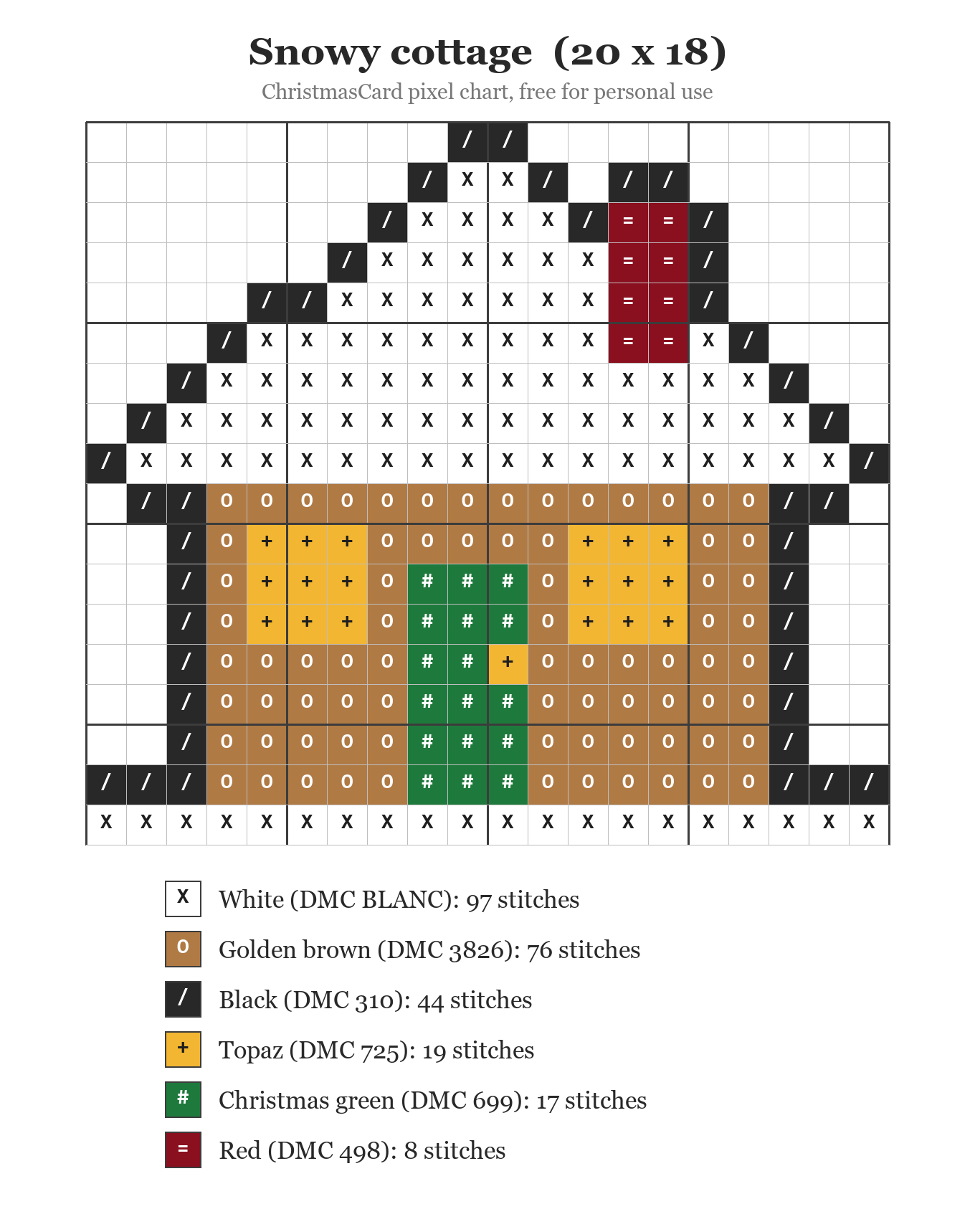
Snowy cottage
20 x 18 squares, 261 stitches, 6 colors

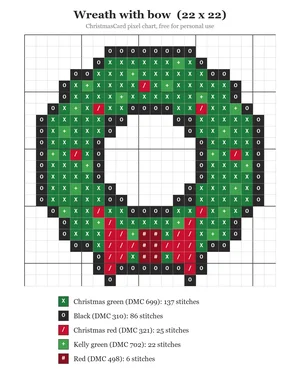
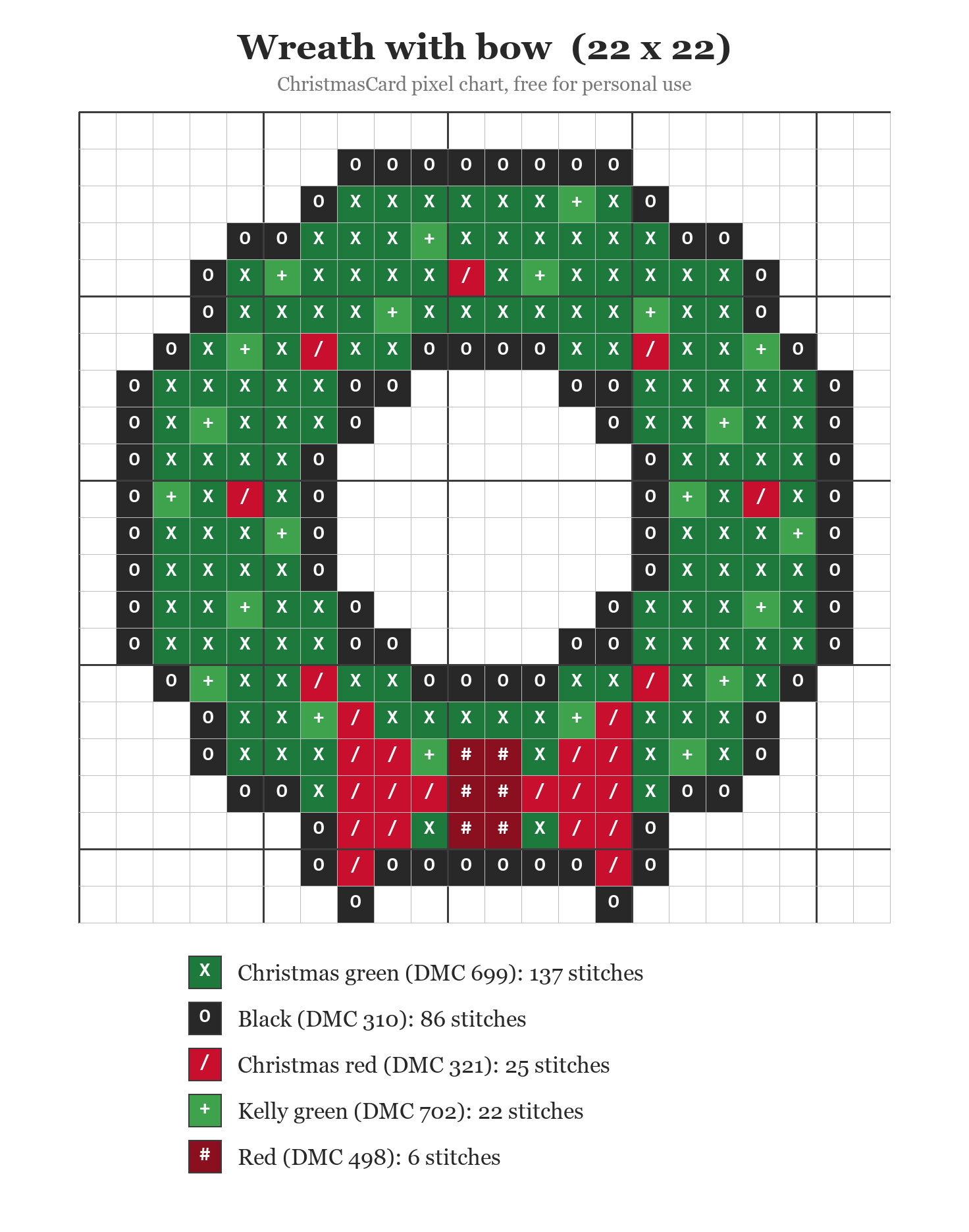
Wreath with bow
22 x 22 squares, 276 stitches, 5 colors

We drew all ten for ChristmasCard, pixel by pixel, with a dark outline around each shape so they read well at small sizes. There is no Santa, tree, snowman or gingerbread man in this set on purpose. Those are everywhere already; a mitten or a robin on a card looks a bit more like you made a choice.
How to read the charts
One square is one cross-stitch, one bead or one pixel. Each square also carries a symbol (X, O, /, + and so on) so you can still follow the chart if you print it in black and white, or if two greens look alike under a kitchen lamp. The darker grid lines fall every 5 squares, which makes counting much less painful: you count to 5, not to 17.
The key under each chart lists every color with a DMC six-strand floss number and how many squares use it. Those counts help with beads too: the wreath needs 276 beads in total, and 159 of them are one of two greens. The DMC numbers are a starting point, not a rule. Christmas red (321) and Christmas green (699) are easy to find in any craft store; if you have a different brand at home, match by eye.
Stitch a Christmas card front
This is where pixel art and Christmas cards meet. A small cross-stitched motif on a folded card is one of those handmade things people keep for years, and it only takes an evening or two.
How big will it be? Divide the number of squares by the Aida count. The whole set, worked out:
| Chart | Squares | On 14-count | On 18-count | 14-count, each square doubled |
|---|---|---|---|---|
| Candle | 12 x 22 | 0.9 x 1.6 in | 0.7 x 1.2 in | 1.7 x 3.1 in |
| Red mitten | 16 x 18 | 1.1 x 1.3 in | 0.9 x 1.0 in | 2.3 x 2.6 in |
| Wooden sled | 22 x 14 | 1.6 x 1.0 in | 1.2 x 0.8 in | 3.1 x 2.0 in |
| Robin on a branch | 18 x 16 | 1.3 x 1.1 in | 1.0 x 0.9 in | 2.6 x 2.3 in |
| Penguin in a scarf | 16 x 20 | 1.1 x 1.4 in | 0.9 x 1.1 in | 2.3 x 2.9 in |
| Mug of cocoa | 19 x 17 | 1.4 x 1.2 in | 1.1 x 0.9 in | 2.7 x 2.4 in |
| Jingle bells | 20 x 17 | 1.4 x 1.2 in | 1.1 x 0.9 in | 2.9 x 2.4 in |
| Poinsettia | 20 x 20 | 1.4 x 1.4 in | 1.1 x 1.1 in | 2.9 x 2.9 in |
| Snowy cottage | 20 x 18 | 1.4 x 1.3 in | 1.1 x 1.0 in | 2.9 x 2.6 in |
| Wreath with bow | 22 x 22 | 1.6 x 1.6 in | 1.2 x 1.2 in | 3.1 x 3.1 in |
At normal size they are small, about 1 to 1.5 inches: perfect for a gift tag or a mini card, a little lost on the front of a 5 x 7. Stitching every chart square as a 2 x 2 block of stitches doubles the size, so the wreath becomes about 3.1 inches across on 14-count. That fills the window of a typical 5 x 7 aperture card, which is a three-panel card with a cut-out window. Craft suppliers sell them with openings around 3.25 inches square or 3.5 x 5 inch ovals (sizes vary by maker).
- Cut Aida at least 1 inch bigger than the window on every side.
- Find the center of the fabric and the center of the chart (count to the middle bold line) and start there.
- Use two strands of floss on 14-count. Make all the top stitches lean the same way.
- Press face down on a towel, then tape it behind the window and fold the third panel over to hide the back.
- No aperture card? Trim the Aida with a 3-thread border, fray the edge on purpose, and glue it to the front of a folded kraft card.
If you'd like more handmade card ideas to go with it, our guide to handmade Christmas cards covers folds, papers and simple embellishments.
Bead ornaments to give with a card
The same charts work with fuse beads. Standard midi beads (Perler, Hama and similar) are about 5 mm, so a 22-square wreath comes out around 11 cm (4.3 inches) wide, and every chart here fits on one large 29 x 29 square pegboard. Mini beads are 2.5 mm and make a piece half the width, which is closer to a card embellishment.
- Fill the pegboard following the chart. Start with the dark outline, then fill the colors inside.
- Cover with ironing paper or baking parchment. Never put the iron straight on the beads.
- Use a dry iron on medium, keep it moving in slow circles, and check after 10 to 20 seconds. Stop when the beads have joined but the holes are still open.
- Let it cool under a heavy book so it stays flat, then flip it and iron the back briefly.
- Thread a loop of red floss or thin ribbon through a top bead.
Kids handle the bead part well from about 5 or 6; the ironing is a grown-up job. A bead ornament is a lovely thing to send with a Christmas card, but it changes the postage. Anything rigid or lumpy in a letter envelope can make it nonmachinable, which costs extra or needs package rates. Read how to avoid nonmachinable postage on Christmas cards before you post twenty of them, or hand them out with the cards in person.
Draw it straight onto the card
No thread, no beads? Pixel art is just as good in marker. Draw a light pencil grid on the card front (5 mm squares are easy with a ruler), or glue a square of graph paper to the front of a folded card, and color the squares from the chart. Fine-tip markers give flat, bright color; colored pencils give a softer, wintery look. The penguin and the mug are favorites with younger kids because they only have five colors.
For a quicker version, punch squares from colored paper with a square craft punch and glue them on like a mosaic. It's slower than markers and much more fun at a kitchen table with three children. More ideas along those lines are in Christmas card drawing ideas.
Print pixel art on a card
The clean PNGs have transparent backgrounds, so you can drop them onto a card layout in Canva, Google Slides or any photo editor. Two things keep them crisp:
- Only enlarge by whole numbers, with nearest-neighbor resizing. Smooth resizing blurs the edges of each square into a soft smear.
- Line several motifs up in a row (mitten, bells, candle) to make a border along the bottom of a photo card. It looks like a knit band.
Our printable Christmas card maker walks through setting up a 5 x 7 card for home printing, and the pixel PNGs drop straight into that layout.
Make your own Christmas pixel art
Want your dog, your house or a family in-joke as pixel art? Start small. A 16 x 16 grid holds a recognizable object; 24 x 24 is enough for a simple face; above 32 x 32 it stops looking like pixel art and starts looking like a blurry photo.
- Limit yourself to 4 to 7 colors. Every color you add is another floss to buy and another symbol to track.
- Outline first in one dark color, then fill. That's how every chart on this page was drawn.
- From a photo: crop tightly, shrink to your grid size with nearest-neighbor, reduce the colors, then fix the eyes by hand. The software never gets the eyes right.
- Keep single, lonely pixels to a minimum. In cross-stitch they mean starting and ending a thread for one stitch.
If you're planning an ugly sweater party, the same method turns a pet photo into a sweater motif; see the ugly Christmas sweater maker for a knit grid you can print.
Frequently asked questions
How big will a 20 x 20 cross-stitch design be on a card?
On 14-count Aida a 20 x 20 stitch design is about 1.4 inches square, and on 11-count it is about 1.8 inches. For a bigger motif on a 5 x 7 card, stitch each chart square as a 2 x 2 block, which doubles the size.
What Aida count is best for a cross-stitched Christmas card?
14-count Aida is the usual choice for card inserts because the holes are easy to see and two strands of floss cover it well. 18-count gives a smaller, finer motif, which suits a mini card or a gift tag.
What is the difference between pixel art and a cross-stitch pattern?
Very little: both are pictures made of colored squares on a grid. A cross-stitch chart adds a symbol in each square and a thread color list, so you can follow it without matching colors by eye.
Can I mail a Christmas card with a bead ornament inside?
You can, but a fused bead ornament makes the envelope lumpy and rigid, so USPS will usually charge the nonmachinable surcharge or ask for package postage. A padded mailer or hand delivery avoids the extra cost and the risk of the ornament snapping.
How do I enlarge pixel art without it getting blurry?
Resize it with nearest-neighbor (sometimes called "hard edges" or "pixelated") instead of the default smooth setting, and enlarge by a whole number such as 4x or 10x. The clean PNGs on this page are already enlarged 32 times.
Which ChristmasCard pixel chart is quickest to stitch?
The candle, with 164 stitches on a 12 x 22 grid. The red mitten is next at 180 stitches and uses only 4 colors, which makes it the easiest first project for a child.
What thread colors do the ChristmasCard charts use?
Every chart lists DMC six-strand floss numbers next to each symbol, such as DMC 321 Christmas red, DMC 699 Christmas green and DMC 725 topaz. Any brand works if you match the colors by eye.
Can I sell handmade cards made from these pixel charts?
Yes, you can sell cards, ornaments and other items you stitched or beaded from the charts. Please do not sell or share the chart files themselves.