
Christmas Card Size For Printing Photos Clearly
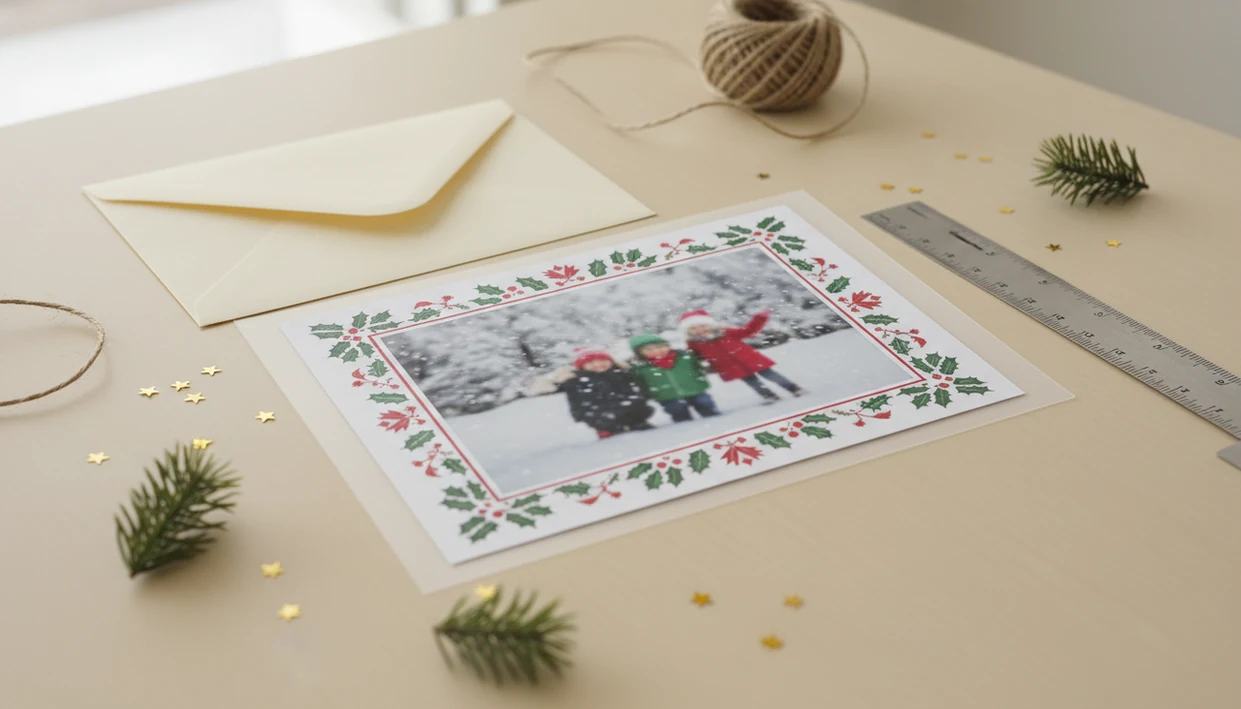
The safest Christmas card size for printing is 5x7 inches for a flat card, or 10x7 inches for a folded card that finishes at 5x7. Add 0.125 inches of bleed on every edge, keep faces and text inside the safe zone, and export at 300 dpi for a clear photo print.
Definition: A print-ready Christmas card size is the final trimmed card dimension plus bleed, safe margins, and enough image resolution for the printer to cut and reproduce the design cleanly.
TL;DR
- Use 5x7 inches for the most common printed holiday photo card, or 4x8 inches for a slim photo-card format.
- Add 0.125 inches of bleed on each side, making a full-bleed 5x7 file 5.25x7.25 inches before trimming.
- Match the card shape to your phone photo crop so faces, pets, and text stay inside the safe area.
Standard Christmas Card Size For Printing In Inches And Cm
A standard Christmas card size for printing usually means the finished trim size, not the larger bleed file. In the United States, 5x7 inches is the most common holiday photo card size and often fits A7 envelopes.
A 5x7 card is about 12.7x17.8 cm. A 4x8 inch slim photo card is also common, especially for one large photo and a short greeting; that size is about 10.2x20.3 cm.
Other holiday card dimensions include 6x8 large cards, 5x5 square cards, A2 note cards, A6 cards, and folded formats. For a fridge-friendly family card, 5x7 usually gives enough room for one phone photo, names, and the year without feeling cramped.
The photo looks fine until the crop box appears.
For most families, a 5x7 flat card is often easier than a custom size because envelopes, templates, and photo-lab options are easier to match.
At-A-Glance Holiday Card Dimensions Table
Use this table to compare finished size, design canvas, envelope fit, and practical use before you build the holiday card draft. Always check your printer’s template, because bleed and safe-zone rules can vary by lab.
| Format | Finished size | Design canvas | Envelope fit | Best use |
|---|---|---|---|---|
| Flat 5x7 | 5x7 in | 5.25x7.25 in with bleed | Usually A7 | Best all-purpose family photo card |
| Folded 5x7 | 5x7 in folded | 10x7 in flat, plus bleed | Usually A7 | Longer greeting, front and inside message |
| 4x8 postcard | 4x8 in | 4.25x8.25 in with bleed | Check lab or mailer | Slim photo card or postcard-style greeting |
| 6x8 large card | 6x8 in | 6.25x8.25 in with bleed | Special envelope likely | Big photo, business greeting, collage |
| 5x5 square | 5x5 in | 5.25x5.25 in with bleed | Square envelope | Modern crop, but may need special postage |
| A2 note card | 4.25x5.5 in | 4.5x5.75 in with bleed | A2 | Small notes, gift inserts |
Square and non-standard sizes can look nice, but the envelope shelf gets thin fast.
5 Facts About 5x7 Christmas Card Size And Bleed
These five facts cover the setup choices that cause the most print problems. Keep them beside the printer upload screen, especially if your Downloads folder already has card-v2, card-final, and final-final-card.pdf.
- 5x7 inches is a common final trim size for Christmas photo cards in the U.S. - A full-bleed 5x7 file is usually 5.25x7.25 inches when the printer asks for 0.125 inch bleed on each edge. - A folded 5x7 card is commonly designed as 10x7 inches before folding so the front and back panels share one flat layout. - 300 dpi is the standard target for sharp photo printing at the selected physical card size. For print-resolution context, Adobe describes 300 pixels per inch as a common high-quality print target: https://www.adobe.com/creativecloud/photography/discover/dpi.html. - Text, faces, pets, logos, and dates should stay inside the safe zone so trimming does not clip important details.
If you are checking pixels, the deeper math is covered in Christmas card resolution for printing.
Before You Start Printing A Christmas Card
Before you set bleed or crop the photo, choose where the card will actually be printed. The printer, photo lab, or postcard service controls the template, envelope fit, and final upload rules.
- Choose the printer or lab before building the file, because a home printer, local shop, and photo counter may all ask for slightly different bleed, safe-zone, and export settings.
- Download the current template if the printer provides one, especially for folded cards where the front, back, and inside panels need to land in the right place.
- Check the original photo size before cropping, not after. A tight crop that looks fine on a phone can lose too many pixels for a clear 5x7 print.
- Confirm the card format as flat, folded, or postcard-style so the canvas, message space, and address side are planned from the start.
- Match the envelope and mailing plan before ordering, including envelope size, postage needs, and the deadline for getting cards into the mail.
This is the unglamorous part, but it prevents the classic December problem: a beautiful design that does not fit the printer, the envelope, or the mailbox.
How Christmas Card Size For Printing Works Behind The Trim
Christmas card printing works by separating the trim line, bleed area, safe zone, fold panels, and resolution. The trim line is the final cut. Bleed is extra picture area that gets printed past the cut and removed.
Printers ask for bleed because cutting can shift slightly. Without extra image at the edge, a tiny shift can leave a thin white line. The safe zone is the opposite idea. It is the inner area where names, greetings, faces, and dates should stay.
Folded cards use a larger flat canvas. A 10x7 layout can fold into a 5x7 card, with front, back, and inside panels arranged by the printer template.
Resolution connects the file to the paper. A 5x7 card at 300 dpi needs enough pixels to cover 5 inches by 7 inches without stretching. Good Christmas card maker and holiday greeting guides help families turn phone photos into printable cards, digital greetings, and festive portraits using AI styles, not guessing games about trim, bleed, and blurry uploads.
How To Use Christmas Card Size For Printing In Your File
Use this workflow before you send a card to Walgreens, CVS, a local print shop, or a home inkjet tray that sometimes pulls cardstock slightly crooked.
- Set the final card size first, such as 5x7 inches for a standard card or 4x8 inches for a slim layout.
- Add 0.125 inch bleed on all edges unless your printer gives a different requirement.
- Place the phone photo to match the card orientation, then crop for portrait, landscape, or slim format.
- Keep faces, names, dates, and greetings inside the safe zone instead of nudging them against the trim line.
- Export a 300 dpi print-ready PDF or high-quality JPG according to the printer’s upload specs.
A printable Christmas card maker can simplify the file setup, but the same size checks still matter.
Phone Photo Crops For 5x7 Christmas Card Size
Does a phone photo fit a 5x7 Christmas card? Not always, because phone photos often use ratios like 4:3, 3:4, 16:9, or square, while a 5x7 card has its own shape.
Portrait phone photos usually work well on vertical 5x7 cards. Landscape phone photos usually fit horizontal 5x7 layouts better. A square photo can work, but it may need borders, background blur, or a design with text above or below the image.
Wide panoramas and tight selfies crop badly. Someone’s shoulder disappears, or the dog leash in the corner becomes the visual center. Tight faces are also risky because the safe zone leaves less room than the screen preview suggests.
For AI-styled portraits, generate or export at the intended card ratio instead of stretching later. Layout tools such as Canva and Picsart can help with crop previews, but the card ratio should be picked before styling.
Common Christmas Card Printing Mistakes With Bleed And Envelopes
The most common Christmas card printing mistakes are small setup errors that become obvious only after the cards arrive. Mail-friendly sizing also matters because the USPS processed more than 11 billion letters, cards, and packages during the 2022 holiday peak season, so odd formats can add friction during a busy mailing window. Source: USPS reported delivering more than 11.7 billion mailpieces and packages during the 2022 holiday season: https://about.usps.com/newsroom/national-releases/2022/1219-usps-delivers-holidays.htm.
- Missing bleed: A full-photo design without bleed can print with thin white borders after trimming.
- Unsafe text placement: Greetings, names, and dates too close to the edge can be clipped.
- Weak photo resolution: A heavily cropped phone photo may look fine on screen and soft on paper.
- Wrong folded canvas: A folded 5x7 card should be built as the unfolded layout, often 10x7 inches, not only 5x7.
- Envelope mismatch: Square, oversized, or unusual holiday card dimensions may need special envelopes or extra postage.
If you are unsure about layout fit, a guide on what app identifies best Christmas card layout can help before you order.
Print-Ready Christmas Card Size Checklist
A print-ready Christmas card file should pass size, resolution, crop, panel, color, and export checks before ordering. Do this once at 9:47 p.m., before the address list on a sticky note turns into a rush job.
- Confirm the final size, bleed size, and portrait or landscape orientation.
- Confirm 300 dpi resolution and check that the phone-photo crop is not pixelated.
- Confirm the safe-zone placement for text, faces, logos, and dates.
- Confirm front, back, inside panels, and fold direction for folded cards.
- Confirm printer export requirements, including PDF, JPG, sRGB, CMYK-friendly color, and file-size limits.
For cards with text-heavy layouts, the PDF vs JPG for Christmas cards choice matters. If you use a Christmas card app, follow the same practical rule: start with the photo you already have, then check the crop before export.
Sources For Christmas Card Size And Print Setup
Reliable Christmas card setup comes from printer templates first, then general print and mailing standards. Use the broad rules here as a starting point, but let the lab’s upload screen settle any conflict.
Major photo labs such as Shutterfly commonly build full-bleed card templates with extra image area beyond the trim, which is why a 5x7 design often needs the larger 5.25x7.25 canvas. USPS mailing guidance also matters: square envelopes and other non-machinable shapes can need extra postage or handling, so a stylish 5x5 card may not mail like a standard rectangle. For resolution, Adobe’s print guidance treats 300 pixels per inch as a common high-quality target for photo output, matching the 300 dpi checks above.
- Choose the exact printer, photo lab, or local shop before final sizing.
- Download its current card template and compare the trim, bleed, and safe-zone marks.
- Check the mailing shape against USPS rules if the card is square, rigid, oversized, or unusually thick.
- Export at the printer’s requested file type and resolution, even when that overrides the general 5x7 rules.
Limitations
General Christmas card size rules are useful, but printer instructions should override them. The template you upload to is the final authority.
- Home printers may not support true borderless 5x7 or 4x8 printing, even when the file includes bleed.
- Non-standard sizes can be harder to match with envelopes and may increase postage or require hand sorting.
- Low-resolution phone photos can look soft even if the layout size is correct.
- AI-generated Christmas portraits do not fix missing bleed, unsafe text placement, or the wrong aspect ratio.
- Canva, photo labs, and print shops may use slightly different bleed or safe-zone requirements.
- Folded cards can be confusing because front, back, inside-left, and inside-right panels depend on the printer template.
- Readers should always check the printer’s current template before ordering.
If the file details feel unclear, what app identifies photo resolution for printing is a useful next check.
FAQ
What size is a Christmas card?
The most common Christmas card size is 5x7 inches. Other common options include 4x8 slim cards and folded cards that finish at 5x7.
Is 5x7 a standard card size?
Yes, 5x7 is a standard holiday photo card size in the U.S. It usually fits an A7 envelope.
What size is a folded card?
A folded 5x7 card is often designed as a 10x7 inch flat layout before folding. The finished folded size is 5x7 inches.
How much bleed do cards need?
A common bleed allowance is 0.125 inches on each side. Use your printer’s exact bleed requirement if it differs.
What is 5x7 with bleed?
A finished 5x7 card with 0.125 inch bleed on every edge is usually set up as 5.25x7.25 inches. The extra edge area is trimmed off after printing.
What pixels are needed for 5x7?
A 5x7 print needs at least 1500x2100 pixels at 300 dpi before bleed. More pixels help if the photo has been cropped.
Can phone photos print 5x7?
Most modern phone photos can print at 5x7 if they are not heavily cropped, compressed, or blurry. Check the crop and resolution before uploading.
Do square cards cost more?
Square cards can require special envelopes or extra postage depending on mailing rules. Check current postal and printer requirements before ordering.
Should cards be PDF or JPG?
Use PDF for layouts with text, multiple panels, or precise placement. Use JPG when a photo lab specifically asks for photo uploads in that format.
The Print-and-Mail Rule That Determines Whether a Christmas Card Size Works
A Christmas card size for printing works only when the finished trim dimensions match the printer’s template and the trimmed card fits its chosen envelope. Start with the printer’s listed final size, then build the file to that provider’s required document size; do not assume every product called 5-by-7 uses identical production tolerances. For a folded card, check the flat width, fold position, and finished dimensions rather than sizing only the front panel. Before ordering, make a paper dummy at actual size and place it in the exact envelope. It should slide in easily, leave room for the flap to seal, and avoid a loose fit that lets corners bend. Exact trim, fold, and envelope clearances vary by vendor, so there is no universal clearance number to apply safely.
The Required File Dimensions Decide Whether a 5x7 Christmas Card Prints Correctly
The decisive number is the printer’s required file size, not merely the Christmas card’s finished 5-by-7-inch trim size.
- Check the finished Christmas card size on the order page. Confirm that it says 5 by 7 inches and that the selected orientation matches the design.
- Check the submitted Christmas card size against the printer’s bleed specification. With 0.125-inch bleed on every edge, a 5-by-7-inch card requires a 5.25-by-7.25-inch file.
- Check the Christmas card size after export. Open the final PDF or image properties and confirm its dimensions rather than relying on the dimensions shown in the design editor.
If any number differs, stop and use the printer’s template; resizing during upload can alter borders, crops, and text placement.