
Matching Family Christmas Cards From Phone Photos
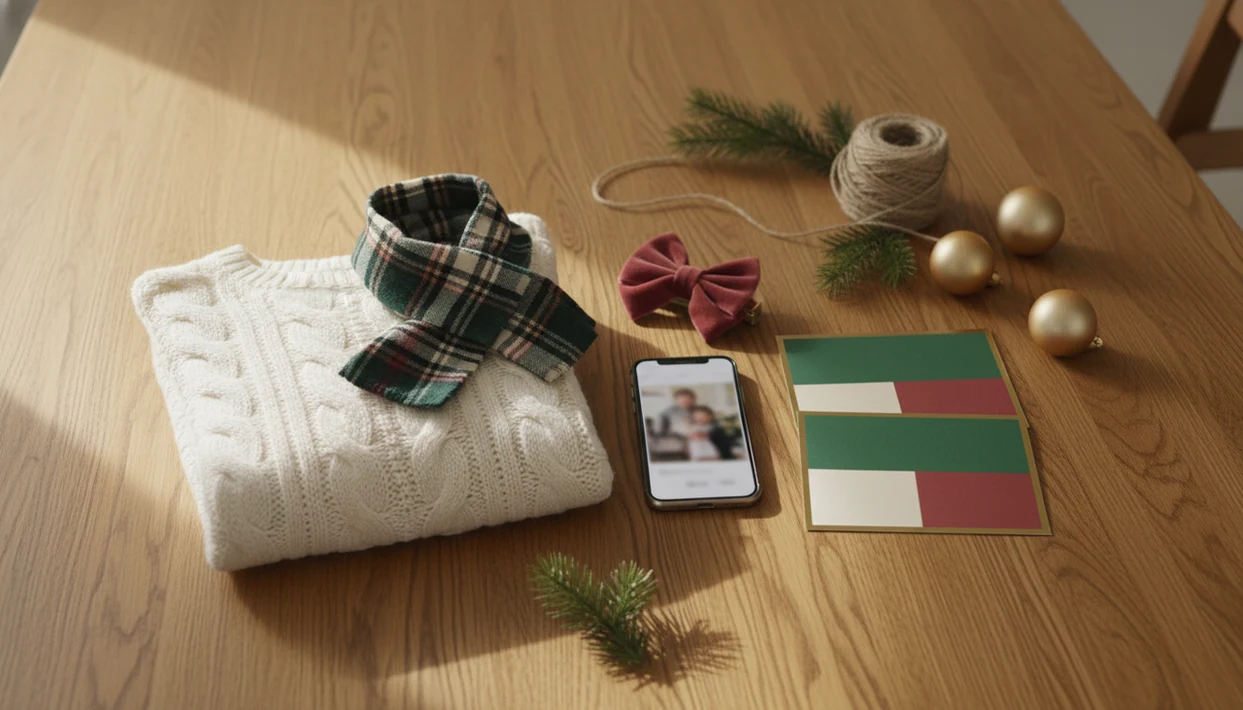
You can make matching family Christmas cards from ordinary phone photos by coordinating 2–3 outfit colors, shooting in soft light, choosing a clean background, and placing your sharpest usable image into a card layout that matches the same palette. The goal is a unified holiday look, not identical clothes.
Definition: Matching family Christmas cards are holiday greetings where the family photo, outfits, colors, layout, and wording work together as one coordinated Christmas design.
TL;DR
- Coordinate colors and texture first; identical outfits are optional.
- Use soft natural light, visible faces, and a clean background before relying on AI styling.
- Pick the card layout before the shoot so your photo has room for cropping, names, greetings, and year text.
Matching Family Christmas Cards Definition and Core Look
Matching family Christmas cards are holiday greetings where the family photo, outfits, colors, layout, and wording work together as one coordinated Christmas design.
“Matching” does not mean every person needs the same shirt. It means the photo reads as one plan. Pajamas can work. So can cozy neutrals, red and gold dressy clothes, jewel tones, or a cream and green palette with one plaid scarf. The card design should echo those choices through the border, type, background, or holiday accent.
At 9:47 p.m., when the kids are asleep and the phone battery is at 18%, the easiest card is usually the one built around the photo you already like.
Five Facts About Coordinated Christmas Cards From Phone Photos
- Coordinated colors and style matter more than identical clothing for coordinated Christmas cards.
- A 2–3 color palette plus neutrals prevents clashing and helps the card feel intentional.
- Soft light, clean backgrounds, and visible faces matter more than hiring a professional photographer.
- AI card makers can harmonize style, but they cannot fully repair blurry, dark, or badly cropped photos.
- Planning outfits, background, and layout together saves time because the photo is shot for the final card space.
As of 2023, 97% of U.S. adults owned a cellphone and 90% owned a smartphone, according to Pew Research source. That matters because most families already have the main tool they need. The harder part is choosing the less chaotic photo.
Start with the photo you already have.
How Matching Family Christmas Cards Work in AI Card Makers
AI card makers usually work by uploading a photo, detecting the main subjects, fitting the image into a template, applying festive styling, and preparing a printable or digital output. The technical pieces include subject detection and image embeddings, which help the tool understand who is in the photo and how the design should wrap around them.
The styling process can harmonize tones, backgrounds, borders, typography, and holiday effects around the original image. But the source photo still controls the final quality. Sharpness, face visibility, lighting, and crop matter before any filter or snowflake border touches the draft.
In 2021, the U.S. Census Bureau reported that 92% of U.S. households had at least one computer and 85% had a broadband internet subscription source. That makes app-based card building realistic for many families, but it does not replace the need for a clear, well-lit original photo.
Before You Start: Family Holiday Card Outfits and Photo Requirements
What do you need before making matching family Christmas cards? Choose 2–3 main colors plus neutrals, then add one holiday accent such as red, green, gold, silver, plaid, velvet, or knit texture.
Mix solids with one controlled pattern. If everyone wears competing prints, the card gets noisy fast, especially at 5x7 size. Shop closets first, borrow scarves or sweaters, thrift one accent item, or choose digital-only cards if printing costs are tight. A pajama photo beside the stockings can still look finished if the colors repeat cleanly.
For the photo, use the original sharp image. Avoid heavy zoom, screenshots, harsh filters, hidden faces, and cramped crops. Leave blank space for names or greetings. Shade, cloudy daylight, or window light usually works better than direct midday sun because faces look more even and eyes squint less. For parents building fast, our Christmas card app for parents guide keeps the same checklist format.
How to Use a Christmas card app for Matching Family Christmas Cards
Use this workflow when you want one family photo to become a printable version and a digital greeting without rebuilding the design twice.
- Choose a photo with clear faces, soft light, and enough space around the family.
- Set a holiday style or template that matches the outfit palette.
- Adjust crop, text placement, border, and background so no faces or hands are cut off.
- Add wording, family name, year, and an optional short update.
- Preview the print-ready and digital versions before saving or sending.
Canva and Picsart can also help with layout choices, so compare the preview, export size, and print options rather than assuming any one app fixed the photo. The real checkpoint is the preview. We have seen a card look fine on the phone, then reveal a dog leash in the corner once the printable version opens larger. Check the crop before sending the file to a kiosk or printer.
Step 1: Choose Family Holiday Card Outfits That Coordinate
Family holiday card outfits work best when colors are distributed, not duplicated. Put the strongest color on one or two people, repeat it in a small accessory, then let neutrals carry the rest of the group. Pets count too. A red bow on the dog can balance a child’s red sweater without turning the whole photo into a costume.
Cozy Pajama Palette
Use cream, red, forest green, or navy pajamas with one plaid pattern. Keep blankets and socks simple.
Dressy Red Gold Palette
Pair red, black, cream, and gold accents. Velvet, satin, or a small metallic detail photographs better than glitter overload.
Neutral Winter Palette
Try oatmeal, denim, gray, brown, and soft green. It feels calm and usually works with living-room light.
Avoid tiny stripes, neon colors, large logos, and too many patterns. Comfort matters more than symmetry for toddlers, sensory-sensitive kids, and reluctant adults. Sticky candy cane fingers happen.
Step 2: Shoot Phone Photos for Coordinated Christmas Cards
Shoot phone photos in soft outdoor shade, cloudy daylight, or window light instead of direct midday sun. Soft, diffused light is commonly recommended for portraits because it reduces harsh shadows and helps faces look more evenly lit, and a 2019 study on light and face perception supports that general direction source.
Hold the phone lens at chest or eye level. Bring everyone close together, keep faces visible, and clear the background before you start. String lights reflected in glasses may look festive in the moment, but they can also hide eyes in a small printed card.
Use a tripod, timer, burst mode, or remote shutter for group photos. Take horizontal and vertical versions. That one extra minute gives you choices between postcard, folded card, and portrait templates.
According to Pew’s 2021 phone-use survey, 89% of U.S. adults had taken photos on a cellphone in the prior three months. Phone photos are normal card material now.
Step 3: Match Christmas Card Layouts to the Family Photo
The layout should fit the photo you have, not the photo you wish you had. A wide couch photo needs different space than a tight porch portrait. For families, a single strong image is often easier than a collage because faces stay larger and text has less to fight.
| Layout type | Best photo orientation | Best use case |
|---|---|---|
| Single-photo card | Vertical or horizontal | One sharp family portrait with clear faces |
| Multi-photo card | Mixed | Several small moments, kids, pets, or travel shots |
| Postcard | Horizontal | Quick mailing with short wording |
| Folded card | Vertical or horizontal | Longer update, note, or inside message |
| Square digital greeting | Square or centered crop | Texting, email, and social sharing |
| Text-heavy update | Photo with blank space | Family news, city, year, or milestone |
Printed cards still matter alongside digital greetings; the U.S. Postal Service’s Household Diary Study continues to track greeting cards and invitations as a household mail category source. If you are comparing app workflows, the family Christmas card app page covers one-photo card options in more detail.
Step 4: Write Wording for Matching Family Christmas Cards
Wording should match the amount of space in the layout. Use a short greeting on photo-forward cards and save longer notes for folded cards. Small text over busy sweaters, tree lights, faces, or patterned backgrounds is hard to read.
- Classic: “Merry Christmas from the Parkers.”
- Warm: “Wishing you a peaceful season and a bright new year.”
- Funny: “Still smiling after one timer photo and three snack breaks.”
- Faith-based: “May the joy of Christ fill your home this Christmas.”
- Minimalist: “Love, joy, and 2026.”
Add the family name, year, city, or a one-line update if it feels useful. Keep the greeting readable at card size. We usually open the draft once more before export because “final-final-card.pdf” is rarely final the first time.
Step 5: Check Print-Ready Quality for Coordinated Christmas Cards
Check print-ready quality by reviewing sharpness, face visibility, skin tones, crop safety, spelling, date, family name, and return address if used. Preview the design at the final card size. A photo that looks clean on a phone may show blur, grain, or red-eye flash when enlarged.
Digital greetings can tolerate slightly lower resolution than printed cards, but the text still needs to be readable. Email compression and message apps can soften images, so save a backup of the original export before sharing.
Print one proof when time allows. A Walgreens or CVS photo kiosk can catch surprises quickly, and a home inkjet tray may pull cardstock slightly crooked. For rush jobs, a last minute Christmas card maker workflow should still include one full-size preview.
Common Mistakes With Matching Family Christmas Cards
The most common mistake is buying identical outfits when coordinated closet pieces would look more natural. Matching should help the photo feel calm, not make everyone uncomfortable.
Busy backgrounds are another problem. Plaid pajamas, wrapped gifts, garland, and a patterned rug all compete for attention. Pick two of those, not five. Harsh light and weak indoor nighttime lighting also cause trouble because faces lose detail fast.
Do not crop tightly before choosing the final layout. Leave space around heads, shoulders, pets, and hands so the card can fit text and trim safely. AI styling can improve color mood and holiday feel, but it cannot fully fix motion blur, closed eyes, hidden faces, or low-resolution screenshots.
The hardest one is emotional. Making children miserable for the sake of a perfect match usually shows in the photo.
Reset the plan.
Limitations
Matching family Christmas cards can look polished, but the process has real limits.
- AI styling cannot fully repair heavy motion blur, extremely low resolution, closed eyes, or faces cropped out of frame.
- Dark indoor photos may print grainy, especially on larger cards.
- Heavily filtered images can create unnatural skin tones after additional styling.
- Matching outfits can create pressure, cost, or sensory discomfort, so comfort should override visual perfection.
- Some phone photos need a different layout because there is not enough empty space for text.
- Printed colors can vary by paper, printer, screen brightness, and finish.
- Last-minute printing may limit paper options, envelope choices, and delivery dates.
If the best family photo has yellow living-room light and a toddler looking away, it may still be the right card. Choose the layout that protects faces and keeps the message readable. For pet-heavy photos, a pet Christmas card maker workflow may fit better than a formal family template.
FAQ
What are matching Christmas cards?
Matching Christmas cards are holiday cards where the photo, outfits, colors, wording, and layout are coordinated into one visual style. They do not require identical clothing.
Do outfits need to match exactly for family Christmas cards?
No. Coordinated palettes usually look more natural than exact matching because each person can wear clothes that fit and feel comfortable.
What colors photograph best for Christmas cards?
Neutrals with red, green, gold, silver, jewel tones, cream, navy, and soft winter colors usually photograph well. Limit the palette to 2–3 main colors plus neutrals.
Can phone photos print well on Christmas cards?
Yes, phone photos can print well if the original image is sharp, well-lit, high resolution, and not heavily cropped or filtered. Avoid screenshots and compressed downloads.
What photo size is best for Christmas cards?
Use the original high-resolution photo from your phone whenever possible. Do not use a screenshot, social-media download, or small message attachment.
Can AI fix blurry Christmas card photos?
AI can improve styling, color mood, and background feel, but it cannot fully rescue severe blur or missing facial detail. Start with the sharpest photo available.
Should family Christmas cards be vertical or horizontal?
Vertical cards fit standing portraits and narrow groups, while horizontal cards fit couches, porches, and larger families. Choose the orientation after checking crop space and text placement.
What should family Christmas cards say?
Family Christmas cards can use classic, warm, funny, faith-based, or minimalist wording. Include the family name, year, and a short update only if the layout has room.