
Christmas Card Print Quality Timeline Before You Order
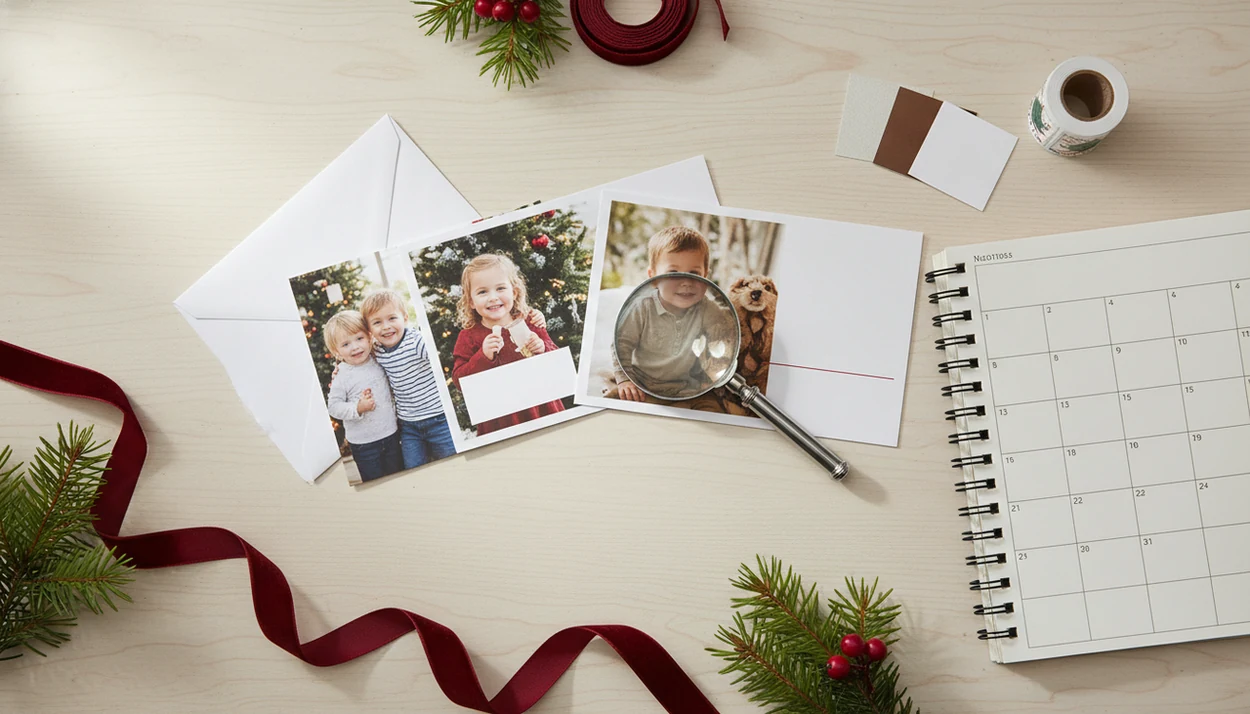
Start your Christmas card print quality timeline in October if you want low-stress cards in the mail by early December. Choose and check photos first, review a digital or printed proof in early November, approve by mid-November, and leave time for printing, delivery, addressing, and postal delays.
> Definition: A Christmas card print quality timeline is the schedule for checking photo resolution, AI edits, color, text, margins, proof approval, production, shipping, and mailing before Christmas cards are printed or sent.
- Aim to approve your final Christmas card proof by mid-November if you want cards in hand by late November.
- Use a print quality checklist that covers resolution, cropping, skin tones, AI artifacts, spelling, dates, margins, paper, and envelope timing.
- Rush printing can work, but it usually removes the safety net of a physical proof and raises the risk of color, text, or cropping mistakes.
Christmas Card Print Quality Timeline at a Glance
- Mid-October: Choose your phone photos or schedule a short photo session, especially if you are waiting on photographer edits.
- Late October: Finish AI edits, pick the card size, and build the first holiday card draft.
- Early November: Order a printed proof when possible, or review a digital proof at full size on a larger screen.
- Mid-November: Approve the proof after checking spelling, crop, margins, paper choice, and delivery details.
- Late November: Plan to have cards in hand, then use December 1 to 10 as the safer U.S. mailing window.
International cards need an earlier track. Back up at least two more weeks if you are mailing outside the U.S., since international mail can take 14 days or more before holiday slowdowns. The calendar feels early in October, but it feels very reasonable at 9:47 p.m. when envelopes are still empty.
Before You Start Your Christmas Card Print Quality Timeline
Before you build the timeline, collect the pieces that can slow the order down later. The goal is to start designing with the right photo files, quantities, proof expectations, and mailbox date already decided.
- Gather the original photo files from your phone, camera roll, or photographer gallery instead of screenshots, social media saves, or images pulled from messages. The original file gives you the best chance of sharp faces and clean edges in print.
- Confirm your mailing list, quantity, and return address before you choose a layout. A card for 40 households and a card for 140 households create very different envelope nights.
- Choose your proof plan by deciding whether you want a fast digital proof, a slower physical proof, or both. If color and paper feel matter, make room for the printed proof.
- Read the printer’s file and holiday instructions for trim, bleed, paper options, production time, and seasonal shipping notes before uploading.
- Pick your target mailbox date first, then count backward from that day instead of guessing from the order date.
How a Christmas Card Proof Timeline Works
A Christmas card proof timeline works backward from the date you want cards to reach the mailbox. Printing, shipping, envelope addressing, stamping, and postal delivery are separate blocks, not one vague “order cards” task.
Phone screens are backlit, so they can make a dark image look brighter than it will on matte paper. That yellow living-room light may look cozy on your iPhone, then turn muddy once printed. Proof approval also matters because many printers treat approved typos, crop choices, and low-resolution uploads as customer-approved content.
a Christmas card app fits into the photo-prep and design part of the schedule, before proof approval. Use PiXmas Cards to turn phone photos into printable holiday designs, then still treat the result like a real print file: check faces, margins, text, paper choice, delivery timing, and the printer’s proof instructions.
How to Use This Christmas Card Print Quality Timeline
Use the timeline by choosing the mailing date first, then counting backward through every step that can slow the card down. For early December mailing, the safest plan is to finish proof approval by mid-November because printing and delivery often take several business days.
- Set your target mailing date before choosing a template or photo.
- Count backward for printing and shipping, using 5 to 10 business days as a common planning range.
- Reserve proof review time, especially if you want a physical proof mailed to you.
- Add 3 to 5 days for envelopes, address checks, stamps, and list changes.
- Move earlier for international mail, AI edits, or physical proofs because each adds another possible delay.
For families mailing 75 cards, addressing time is not theoretical. The list always has one old apartment number.
Step 1: Choose Phone Photos for Print Quality by Mid-October
Start with the photo you already have, but use the original phone photo when possible. Avoid screenshots, social media downloads, and images saved from messaging apps because compression can soften faces and create blocky edges in print.
Check faces, hands, pets, and the corners of the frame before you design. A dog leash in the corner is easier to crop in October than after the proof comes back. Watch for blurry toddlers, red-eye flash, dark rooms, and photos cropped so tightly that hair or feet may fall into the trim area.
If you are waiting on a photographer, ask for the delivery date in writing and plan around that date; many family photographers need one to three weeks for edited galleries during holiday season, depending on workload. That is why October sessions support early December mailing. For size planning before you choose a layout, use a Christmas card size for printing guide before committing to the final crop.
Step 2: Run a Phone Photo Print Quality Checklist Before Designing
Does my phone photo have enough print quality for a Christmas card? It usually does if the original file is sharp at the final card size, not heavily cropped, and not compressed by social media or a messaging app.
Use about 300 dpi as the practical target for printed photos; Adobe’s print-resolution guidance also treats 300 pixels per inch as a common high-quality print benchmark source. That means the pixel dimensions need to match the actual print size, not just look fine on your screen. If you are unsure, a guide to Christmas card resolution for printing can help you connect pixels, inches, and card layout.
Before uploading, check for blown highlights, dark shadows, noisy indoor areas, and over-filtered skin. Zoom in on eyes and smiles, then zoom back out to judge the whole card. Leave safe space around heads, feet, pets, and greeting text. Sticky candy cane fingers can stay. A clipped forehead usually should not.
Step 3: Check AI Christmas Card Edits Before Proof Approval
AI Christmas card edits can change more than the background. They may shift skin tones, increase contrast, brighten teeth, reshape eyes, smooth hair, or make fabric texture look plastic once printed.
Compare the edited image with the original phone photo before you approve anything. Look for warped hands, odd ornaments, misshapen pets, strange fireplace shadows, and background details that look believable only at small size. Avoid tiny AI-generated text inside the image because it often prints as mushy marks or nonsense letters.
If you use a Christmas card app, treat the AI-generated design like any other printable holiday card proof. Inspect the crop, faces, text, and margins before ordering. AI can save a late-night design session, but it can also hide a weird mitten-shaped hand until the card is on paper. Warm fireplace glow on faces is lovely. Green-gray skin is not.
Step 4: Review the Christmas Card Proof Timeline in Early November
Order or review your proof in early November when possible, then approve by mid-November for a comfortable schedule. A physical proof is safer for judging color, brightness, paper, and small text; a digital proof is faster but easier to misread on a phone screen.
| Proof type | What it helps catch | Main risk |
|---|---|---|
| Physical proof | Paper finish, true brightness, small text, trim feel | Takes longer to receive |
| Digital proof | Spelling, layout, names, year, quantity | Screen color can mislead you |
| Actual-size print at home | Crop, text scale, overall balance | Home inkjet color may differ |
| Phone-only review | Quick last check | Easy to miss apostrophes and margins |
Check names, apostrophes, the year, greeting, return address, trim, bleed, QR codes, and back-of-card text. A PDF named final-final-card.pdf still deserves one more read.
Step 5: Order Christmas Cards Before Printing and Mailing Deadlines
- Standard planning: Major card printers commonly estimate about 5 to 10 business days for production plus delivery in the U.S., depending on shipping speed and season, according to a Shutterfly holiday shipping guide source. - Shipping tiers matter: Economy and standard options usually take longer than rush or expedited delivery. - Super-rush risk: Some super-rush options can shorten delivery to 1 to 2 business days, but they often leave little room for a physical proof. - Envelope time counts: Reserve 3 to 5 days for stuffing, addressing, stamping, and fixing list mistakes. - Mailing window: U.S. Christmas cards are commonly mailed around December 1 to 10; international cards need earlier ordering because mail can take at least 14 days, according to holiday card mailing guidance source. For the final mailing cutoff, check the current USPS holiday shipping deadlines each year because First-Class Mail and Ground Advantage dates can change by season and destination source.
For most families, approving earlier is easier than paying rush fees because the mistakes get caught before the clock tightens.
Common Christmas Card Print Quality Checklist Mistakes
The same-week order: Ordering the same week you want to mail cards removes most of the safety margin for proofing, shipping, and envelope work.
The phone-screen trust fall: A phone screen is useful for layout, but it is not a final color reference. Backlit screens hide dark shadows and make whites look cleaner.
The screenshot photo: Screenshots and social media saves often print softer than original phone photos. If you need help checking file detail, start with what app identifies photo resolution for printing.
The skipped spellcheck: Finished-looking designs still hide wrong years, missing apostrophes, and old return addresses.
The printer-fixes-it assumption: Printers may fix production defects, but they usually do not rewrite names, rescue low-resolution uploads, or repair poor cropping. Also, envelopes lined along the table take longer than expected when the stamp roll runs out.
Final Christmas Card Proof Verification Before You Click Approve
Do the final proof check when you are awake enough to notice small errors. Do not approve a card while wrapping paper is spread across the table and the phone charger is stretched across it.
- Print or preview the card at actual size so text scale and photo sharpness are easier to judge.
- Read every word aloud, then ask another adult to check names, dates, and addresses.
- Zoom out for the full design, then zoom in on faces, hands, pets, margins, and back-of-card text.
- Confirm quantity, paper, finish, envelopes, shipping address, and delivery method before payment.
- Save a backup proof or screenshot so you can compare the delivered cards to the approved file.
- Pause before approving if you are tired, distracted, or rushing between other holiday tasks.
A printable Christmas card maker is most useful when the final file is checked like a print order, not just a pretty image.
Limitations
A timeline lowers risk, but it cannot guarantee a flawless Christmas card order or on-time delivery.
- Postal delays can still happen during peak holiday periods, even when you mail early.
- Phone displays cannot perfectly match printed color, brightness, or contrast.
- Matte, glossy, and pearl paper can change how sharp or bright a photo appears.
- Rush orders may skip physical proofing, which raises the chance of missing color or trim problems.
- AI-enhanced images can hide artifacts that become more visible once printed.
- Printer policies may not cover customer typos, low-resolution uploads, poor cropping, or approved design errors.
- International delivery timing varies by country, customs conditions, carrier capacity, and local holiday schedules.
- Home test prints help with size and spelling, but a home inkjet tray pulling cardstock slightly crooked is not the same as a lab print.
Use the timeline as a planning tool, then follow the printer’s own proof and file instructions.
FAQ
When should I order Christmas cards?
Order Christmas cards by mid-November if you want a safer early December mailing window. Earlier is better if you need a physical proof, international delivery, or photographer edits.
When should I approve my proof?
Approve your Christmas card proof by mid-November when possible. That leaves time for production, shipping, addressing, stamping, and ordinary mailing delays.
Is a digital proof enough?
A digital proof is enough for checking layout, spelling, and basic cropping. A physical proof is safer for judging color, paper finish, brightness, and small text size.
Do phone photos print well?
Phone photos print well when you use the original file, avoid heavy cropping, and check sharpness at the final card size. Social media saves, screenshots, and compressed message files are more likely to print soft.
What resolution do Christmas cards need?
Christmas cards generally need photos prepared around 300 dpi at the final printed size. The useful question is not just resolution, but whether the image stays sharp at the card size you are ordering.
Can AI edits affect print quality?
Yes, AI edits can affect print quality by changing skin tones, sharpening details, altering eyes or teeth, and adding artifacts. Compare the edited image with the original before proof approval.
How long does card printing take?
Card printing plus delivery commonly takes about 5 to 10 business days in the U.S., depending on printer, shipping tier, and season. Rush shipping can shorten the timeline, but it leaves less time for proof review.
When is too late to mail cards?
Domestic cards mailed close to Christmas carry higher delivery risk, especially after mid-December. International cards should be mailed earlier because transit and customs timing vary widely.
The Print-or-Mail Rule That Makes a Christmas Card Print Quality Timeline Work
The rule that makes a Christmas card print quality timeline work is to schedule backward from the date the finished cards must be in your hands, not from the date you plan to mail them. Reserve separate time for proof review, corrections, printing, shipping to you, addressing, and postage. Do not approve the proof until the printer’s preview shows the intended crop, safe text placement, and correct front-to-back orientation.
If a physical proof is necessary for judging color or paper, add a complete sample-production and delivery cycle before the final order. Printing and transit times vary by printer, service level, destination, and season, so there is no single reliable turnaround number. When the schedule becomes too short, simplify the card or mailing process rather than skipping the final proof check.
When Does the Standard Christmas Card Print-Quality Timeline Not Apply?
The standard Christmas card print-quality timeline does not apply when emotional, organizational, or delivery constraints matter more than the normal proof schedule. For a 5-by-7-inch card, a 1500-by-2100-pixel image meets the common 300 PPI print target (Snaptosize, 2026), but that number cannot replace the right approval process. If a recent breakup changes who appears or signs the card, pause before printing. Religious wording may need family or clergy review, while a workplace card may require communications or HR approval. After a death, delaying, simplifying, or skipping the card can be more appropriate than meeting a production date. Pet photos taken under stress should not be forced into the schedule; use an existing calm image instead. If mailing has become last-minute, local pickup or a digital greeting may be more realistic than premium printing that arrives too late.