
How to Create an AI Christmas Photo With Candy Canes
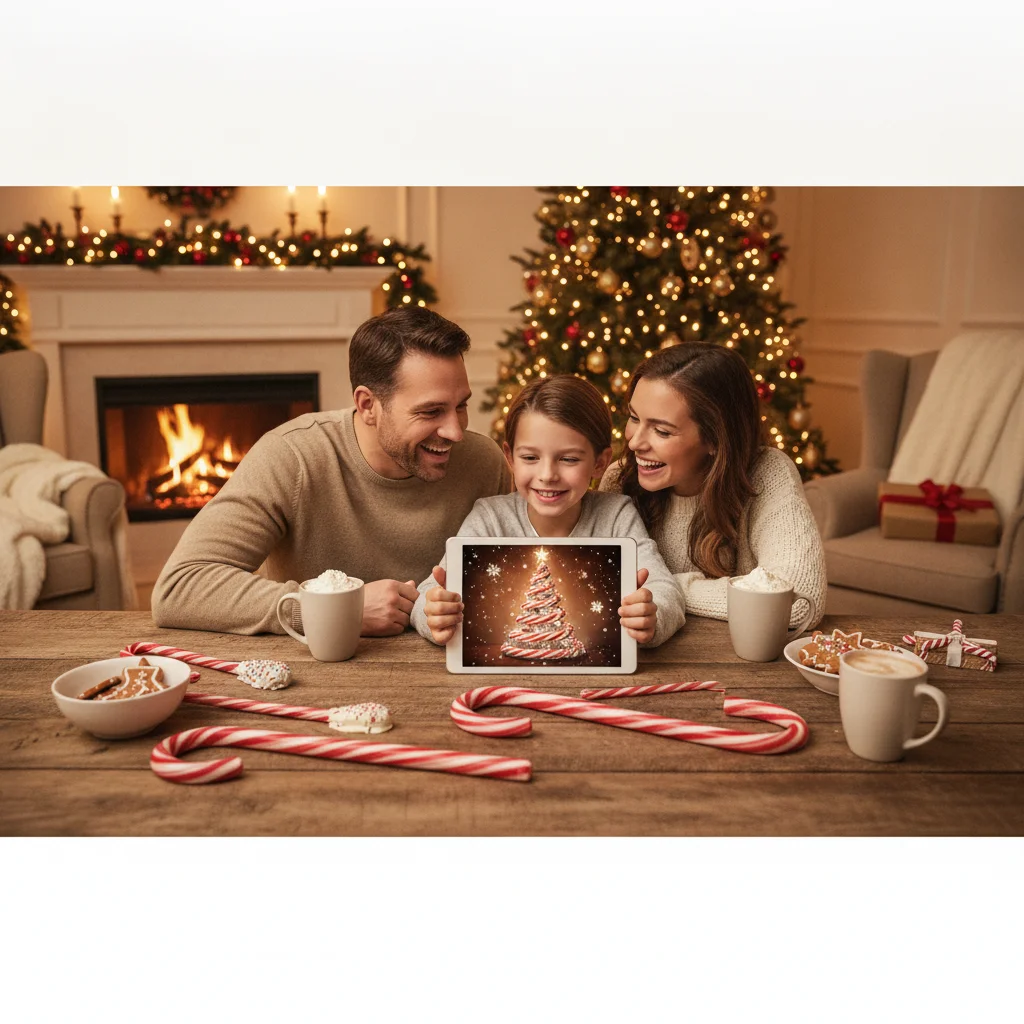
Quick answer: Create an AI Christmas photo with candy canes by uploading a clear portrait or generating a new scene from a detailed prompt. Specify the candy cane props, holiday setting, clothing, lighting, pose, and desired level of realism. For better results, keep the composition simple and correct distorted hands, text, or facial details afterward.
An AI Christmas photo with candy canes can range from a realistic family portrait to a playful fantasy scene filled with oversized peppermint decorations. The strongest images start with a specific concept rather than a short request such as “make this Christmas.” Decide who appears in the photo, how the candy canes are used, and whether the final result should look photographic, illustrated, or intentionally whimsical.
What type of candy cane Christmas photo should you create?
A classic portrait places one or two people beside a decorated tree while they hold candy canes as simple props. This approach is suitable for greeting cards because faces remain the main focus and the seasonal details do not overwhelm the composition.
A candy cane wonderland uses oversized peppermint arches, red-and-white pathways, artificial snow, and glowing lights. The style works well for children, couples, pets, or fashion portraits, although the extra objects increase the chance of visual errors.
A close-up portrait is another practical option. The subject can hold a candy cane near the face while soft Christmas lights create a blurred background. This composition gives an image generator fewer body parts and objects to interpret.
How do you write an effective AI candy cane photo prompt?
Describe the subject first, followed by the setting, pose, clothing, candy cane elements, lighting, composition, and image style. Include only details that matter. A long list of conflicting instructions can produce cluttered or inconsistent results.
A useful realistic prompt is: “Photorealistic Christmas portrait of an adult couple standing beneath a red-and-white candy cane arch, coordinated cream sweaters, gentle snowfall, warm string lights, natural smiles, eye-level camera, soft portrait lighting, realistic skin texture, shallow depth of field, greeting-card composition.”
For a child-friendly fantasy scene, try: “Cheerful Christmas candy land with a child in a red winter coat holding an oversized candy cane, peppermint trees, soft artificial snow, warm glowing lights, storybook styling, balanced composition, joyful expression.”
| Desired result | Prompt details to include |
|---|---|
| Realistic portrait | Natural skin texture, soft studio lighting, eye-level camera |
| Luxury holiday look | Deep red velvet, gold accents, polished editorial lighting |
| Playful family card | Coordinated pajamas, oversized candy canes, candid smiles |
| Vintage image | 1950s holiday styling, muted film colors, subtle grain |
How should you prepare a source photo?
Choose a sharp, well-lit image if the AI tool accepts photo uploads. The face should be visible without sunglasses, heavy shadows, filters, or hair covering important features. A waist-up portrait usually provides enough space for a candy cane prop while preserving facial detail.
Use a simple background and leave open space around the subject. AI editors need room to add peppermint arches, snow, presents, or a Christmas tree. A tightly cropped selfie can limit the available composition.
Upload only photos that you own or have permission to use. Parents and guardians should consider privacy settings before submitting images of children to any image service.
How can you make the finished image look more realistic?
Ask for physically plausible lighting and shadows. Candy canes should cast shadows in the same direction as the person, and colored lights should create subtle reflections rather than covering the entire face in red.
Inspect hands, teeth, eyes, earrings, and the curved ends of candy canes. Regenerate or retouch areas with extra fingers, merged props, uneven pupils, or melted-looking stripes. If identity matters, compare the result closely with the original photo instead of assuming the first generation is accurate.
Leave blank space if the image will become a Christmas card. Add names and greetings later in a dedicated design editor because image generators often misspell words or create unreadable lettering.
Which tools can make an AI candy cane Christmas photo?
General AI image generators are useful for creating a complete scene from text. Photo editors with generative fill are better when you already have a portrait and want to add a candy cane, peppermint backdrop, or artificial snow without replacing the entire person.
Christmas-themed apps can provide faster templates for users who do not want to build detailed prompts. Christmas Pictures App: PiXmas is one editorial option available through Apple’s App Store. ChristmasCard.io is an independent editorial site and is not affiliated with PiXmas, PicsMas, or any other app. App features, pricing, privacy terms, and ratings can change, so review the current store listing before installing.
What are the limitations of AI candy cane photos?
AI-generated portraits may alter facial structure, age, skin texture, body proportions, or features. Results can also contain incorrect candy cane stripes, floating decorations, duplicated objects, and inconsistent lighting.
An image may look convincing on a phone but reveal defects when printed. Review the full-resolution file at high magnification and order a test print before purchasing a large batch of cards.
Some services store uploaded photos or use them to improve their systems. Read the provider’s privacy and deletion policies, especially when working with private family photos. Avoid presenting a synthetic scene as documentary evidence of an event that did not occur.
A simple portrait, one clear candy cane element, and precise lighting instructions usually produce the most usable Christmas card image.
What AI candy cane Christmas photo editing can change—and what the original must preserve
AI can add, remove, resize, or recolor candy canes in a real Christmas photo, but the original must still provide clear faces, believable poses, and enough visible space for the edit. It can replace a plain background with a peppermint-themed set, add striped props, or turn an empty hand into one holding a candy cane. However, the source should show unobstructed facial features, natural hand positions, consistent lighting, and sufficient detail around the intended placement area.
For a convincing result, choose a photo where the hand can logically grip the curved prop and where red-and-white stripes will remain distinct from clothing. Check finger count, stripe direction, contact shadows, and whether the cane passes in front of or behind the correct objects. No fixed source-file specification guarantees accurate identity or anatomy, so each generated edit still requires visual review.
Can higher resolution fix malformed hands, teeth, extra pets, or candy cane text?
A 5×7 print at 300 DPI needs 1500 × 2100 pixels (Vistaprint, 2026), but that resolution cannot repair malformed hands, unnatural teeth, extra pets, or unreadable lettering in an AI candy cane photo. The measurement describes pixel density, not whether generated details are anatomically or logically correct. Before using the image, inspect every hand holding a candy cane, the edges where fingers meet the prop, visible teeth, pet legs and tails, reflections, and any labels or signs. Regenerating a small area may help, but it can also alter a face, sleeve, or nearby decoration. Replace essential wording with normal text-editing tools, and return to the original photo when repeated edits create new errors.
Frequently asked questions
What is an AI candy cane Christmas photo?
An AI candy cane Christmas photo is a generated or edited holiday image featuring peppermint props, decorations, or fantasy scenery. It can be created entirely from text or based on an uploaded portrait.
Can AI add a candy cane to an existing photo?
A generative photo editor can add a candy cane while preserving much of the original scene. The result should still be checked for incorrect fingers, shadows, and object placement.
What should I wear for a candy cane Christmas portrait?
Cream, red, green, black, and neutral clothing coordinate well with red-and-white candy cane decorations. Simple patterns help prevent the scene from looking too busy.
How do I keep my face recognizable in an AI Christmas photo?
Start with a sharp front-facing portrait and use an editor that supports identity or reference-image preservation. Compare every result with the source because facial details can still change.
Can I use an AI candy cane photo on a Christmas card?
An AI image can be used on a personal Christmas card when you have the required rights to the source photos and generated output. Add text in a separate card editor for more reliable spelling.
Why do candy canes look distorted in AI images?
Repeated stripes and curved shapes can be difficult for image models to render consistently. Regeneration, inpainting, or manual retouching can correct warped edges and broken patterns.
Does the original photo need candy canes in it?
No, the original photo does not need to contain candy canes. AI can generate them in empty areas or place one near a subject. A source image with visible hands, uncluttered space, and clear lighting gives the editor better visual context for creating a believable grip, scale, shadow, and position.
Can AI change the color of a candy cane in a photo?
Yes, AI can recolor a candy cane while keeping its basic shape and placement. Specify the stripe colors, stripe width, finish, and whether the cane should look glossy or matte. After editing, inspect the curved end closely because generated stripes may merge, reverse direction, or lose consistent spacing around the bend.
Why did AI add an extra pet to my candy cane Christmas photo?
AI may interpret background shapes, fur, shadows, or overlapping bodies as instructions to generate another animal. Remove the extra pet with a localized edit, then check paws, tails, collars, and reflections. If corrections keep changing the real pet, regenerate from a simpler source photo with clear separation between subjects.
Can AI spell a name correctly on a candy cane decoration?
AI can sometimes produce short readable words, but spelling and letter shapes may change during generation or later edits. For a name, date, or greeting that must be accurate, create the candy cane scene without text and add the wording afterward with a standard design or photo-editing tool.