
AI Snowglobe Effect Photo Generator
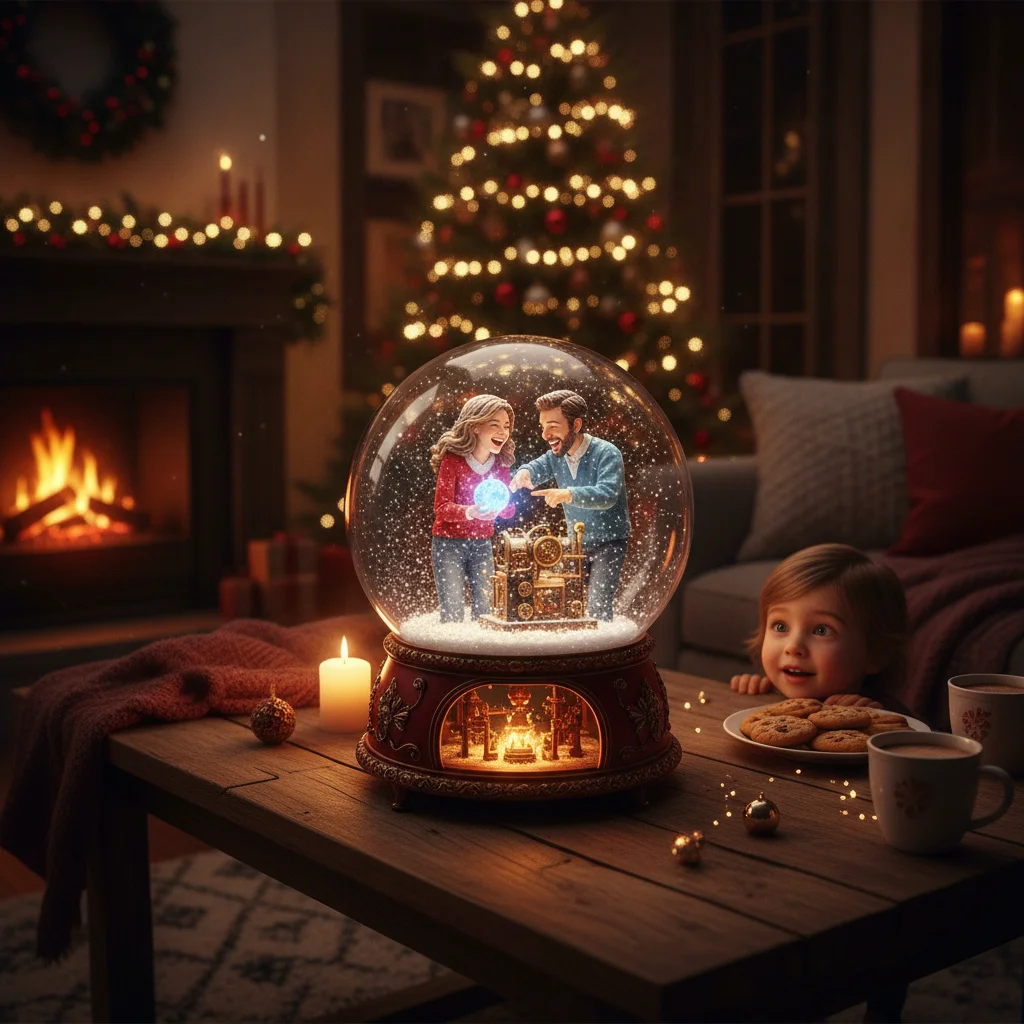
Quick answer: An AI snowglobe effect photo generator places a person, pet, or festive scene inside a simulated glass globe with falling snow, reflections, and a decorative base. The best results come from a sharp, well-lit photo and a tool that supports face preservation, snowfall controls, background replacement, and high-resolution export.
Quick verdict: Choose an AI snowglobe generator that preserves faces, lets you control snow and lighting, and exports without a low-resolution watermark. A clear portrait with visible space around the subject usually produces the most convincing result.
What does an AI snowglobe effect photo generator do?
An AI snowglobe effect generator transforms an existing photo into a Christmas scene contained inside a glass snow globe. The generator may add curved glass, reflected light, artificial snow, a decorative base, miniature trees, wrapped gifts, or a winter background.
Some tools apply a fixed template, while generative editors rebuild larger parts of the image from a written prompt. Templates are faster and more predictable. Prompt-based generators provide more creative control but may alter faces, clothing, hands, or small details.
Which features should a snowglobe photo generator include?
The right generator depends on whether speed, realism, or editing control matters most. Face preservation is especially important for family portraits and Christmas cards.
| Feature | Why it matters | What to check |
|---|---|---|
| Face preservation | Keeps people recognizable | Inspect eyes, teeth, hair, and glasses |
| Snow controls | Prevents snow from hiding the subject | Look for density and particle-size settings |
| Glass reflections | Creates a believable globe effect | Reflections should follow the curved glass |
| Background editing | Supports custom winter scenes | Check whether backgrounds can be replaced |
| High-resolution export | Produces better cards and prints | Review pixel dimensions before paying |
How do you create a snowglobe effect from a photo?
- Select a clear image. Use a front-facing portrait, pet photo, or small group picture with sharp facial details.
- Crop with extra space. Leave room above the head and beside the body so the circular globe does not cut into the subject.
- Upload the photo. Confirm that the service explains how uploaded images are stored and deleted.
- Choose a snowglobe template or enter a prompt. Specify the globe material, snow level, background, base, and lighting.
- Generate several versions. Compare facial accuracy, glass shape, reflections, and the placement of snow.
- Export the strongest image. Choose the highest available resolution for printing or card design.
What prompt creates a realistic AI snowglobe effect?
A useful prompt identifies the subject, composition, materials, lighting, and details that must remain unchanged. For example: “Place the person from this photo inside a clear glass Christmas snow globe, preserve the face and clothing, add gentle falling snow, miniature pine trees, warm golden lights, realistic curved-glass reflections, a polished wooden base, centered composition, photorealistic detail.”
Add negative instructions when the generator supports them. Useful exclusions include distorted face, duplicate person, extra fingers, text, logo, cloudy glass, heavy snow over the face, and cropped head.
How can the snowglobe effect look more realistic?
Realistic glass needs highlights, slight edge distortion, and reflections that follow a spherical surface. Snow should appear at different depths rather than forming one flat overlay. A small pile of settled snow at the bottom also helps connect the subject to the miniature scene.
Lighting should remain consistent. A warm light inside the globe works best when the subject also has warm highlights. Strong studio lighting on the original photo can conflict with a dark winter background.
What photos work best inside an AI snow globe?
Single-person portraits and pet photos are usually the easiest because the generator has fewer faces and limbs to reconstruct. Couples and small families can work well when every face is visible and nobody is partly hidden behind another person.
Avoid blurry screenshots, extreme close-ups, busy backgrounds, and photos with cut-off hair or shoulders. A plain background can make subject extraction more accurate.
Is the Christmas Pictures App: PiXmas worth considering?
Christmas Pictures App: PiXmas is an iPhone app that shoppers may encounter while comparing Christmas photo editors. Its supplied App Store snapshot shows a rating of about 4.4 from 116 ratings, but ratings and feature availability can change.
The listing information available to our editors does not confirm a dedicated snowglobe effect, so check the current screenshots, description, export terms, and in-app purchase details before downloading. ChristmasCard.io is an independent editorial site and is not affiliated with PiXmas, PicsMas, or any app developer.
What are the limitations of AI snowglobe generators?
AI generators can change facial features, jewelry, clothing patterns, hands, and pet markings. Fine details may look acceptable on a phone but become obvious in a printed card.
Free generators may restrict resolution, add watermarks, limit daily generations, or retain uploaded photos for a stated period. Review privacy terms before uploading images of children or other sensitive family photographs. Always inspect the final file at full size before ordering prints.
What can an AI snowglobe effect photo generator change, and what must the original photo contain?
An AI snowglobe effect photo generator can replace the background, isolate a person or pet, add curved glass, falling snow, reflections, a base, and wintry lighting, but the original file still needs a clearly visible, recognizable subject. It may also reframe the composition, soften distracting details, extend clothing or scenery, and harmonize color and shadows. It cannot reliably recover eyes hidden by hair, a hand cropped out of frame, true detail lost to blur, or an accurate likeness from a tiny face.
Use a source in which the full head and desired body area are present, facial features are unobstructed, focus is clean, and the subject is separated from the background. There is no universal file-size threshold that guarantees a convincing result; inspect the original at full view and reject outputs that invent identity-defining details.
Subject-detail errors are the most common snowglobe effect failure
The most common failure is subject-detail corruption that looks convincing at card-preview size but becomes obvious when the snowglobe image is enlarged. AI may merge fingers, alter teeth, duplicate a pet, or turn a greeting on the globe base into meaningless characters. Snow, glass reflections, and the curved rim can conceal these problems during a quick review.
Before sending the card, inspect the final exported image at full size. Count every person, pet, hand, finger, and visible limb; then compare faces and teeth with the original photo. Check the globe rim for clipped hair, ears, or paws, and read every letter of any generated text. If one area is wrong, regenerate or replace it rather than assuming the printed size will hide it.
Frequently asked questions
Can I add a snowglobe effect to an existing photo?
Yes. Most snowglobe generators accept an uploaded portrait or pet photo and place the extracted subject inside a glass globe scene.
What is the best photo size for a snowglobe effect?
Use the highest-resolution original available, ideally at least 1500 pixels on the shortest side. Larger files provide more detail for editing and printing.
Can an AI snowglobe generator preserve faces?
Many generators attempt to preserve faces, but accuracy varies. Compare several outputs and inspect eyes, teeth, hairlines, and glasses at full size.
Are free AI snowglobe photo generators available?
Some tools offer free generations or limited trials. Free plans commonly include watermarks, queues, credit limits, or lower-resolution exports.
Can I use an AI snowglobe image on a Christmas card?
Yes, provided the generator permits personal or commercial use as needed. Check the tool's image rights and export license before printing or selling cards.
How do I stop snow from covering a face?
Request light snowfall and specify that the face must remain clear. A generator with masking or layer controls offers more precise placement.
Can an AI snowglobe effect add people who are not in the original photo?
An AI generator can add invented figures or combine people from separate photos, but it cannot accurately reconstruct a specific absent person without a reference image. For a family snowglobe, supply clear photos taken from similar angles and lighting, then check relative height, facial likeness, hands, and overlapping edges.
Does the original photo need a plain background for a snowglobe effect?
No, a plain background is not required, but clear separation around hair, clothing, and paws helps the generator isolate the subject. Avoid backgrounds with similar colors or patterns touching the subject’s outline. Strong contrast and even lighting reduce missing edges, transparent patches, and unwanted objects inside the globe.
Why did the generator add another pet inside the snow globe?
An extra pet usually appears because the AI misinterprets overlapping fur, shadows, reflections, or background objects as a second animal. Try cropping the original more tightly and using a photo with clear separation around the pet. Always count subjects in the final image before placing it on a card.
Can generated text on the snow globe be made readable?
Generated lettering is often unreliable, especially when it follows a curved globe base or appears behind reflections. Create the snowglobe scene without wording, then add the greeting afterward with a regular text tool. Review spelling, punctuation, and letter spacing on the exported card image rather than relying on the editing preview.