
AI Vintage Christmas Photo Effect Generator
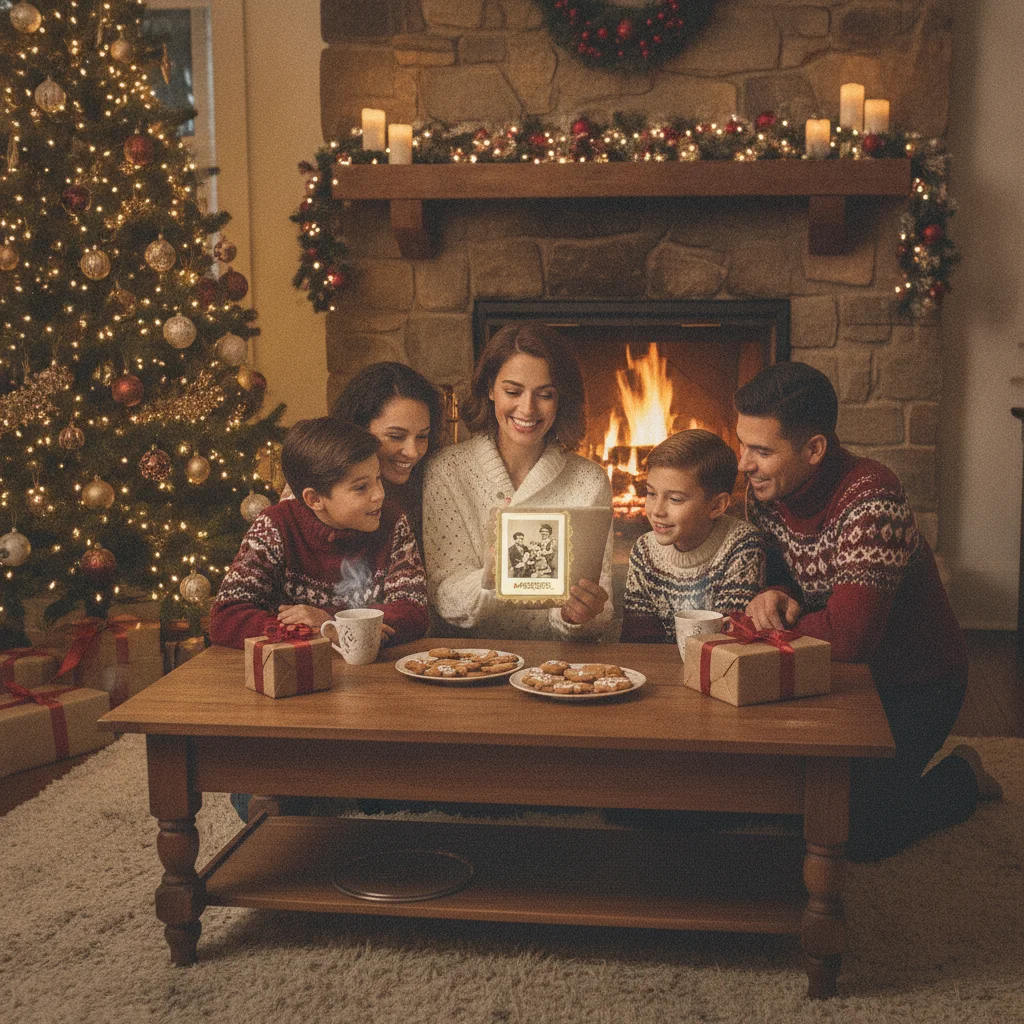
Quick answer: An AI vintage Christmas photo effect turns a modern portrait into a nostalgic holiday image using aged film color, soft grain, period clothing, classic decorations, and retro lighting. For the best result, choose a reference era, upload a clear photo, describe the scene precisely, and keep facial changes low so the subject remains recognizable.
AI photo generators can recreate the look of Christmas portraits from the 1940s, 1950s, 1970s, or other periods without requiring vintage cameras, costumes, or physical sets. A good effect preserves the people in the original image while changing the lighting, clothing, color treatment, background, and print texture.
The most convincing results come from selecting one clear era instead of asking for a generic old-fashioned photograph. A 1950s studio portrait, a faded 1970s snapshot, and a Victorian Christmas card use very different colors, decorations, clothing, and camera characteristics.
What creates a convincing vintage Christmas photo effect?
A vintage effect needs more than a sepia filter. AI generators can imitate period-specific film stocks, flash behavior, lens softness, paper texture, and holiday styling. Small details such as tinsel, ceramic tree lights, wood-paneled rooms, handwritten borders, and modest color fading often make the image feel authentic.
Facial identity should remain the priority when transforming a family portrait. Heavy stylization can change eye shape, age, hairstyle, or facial proportions. Tools with identity-preservation controls, image strength settings, or revision prompts usually offer better results than one-tap filters.
Which vintage Christmas style should you choose?
| Style | Visual characteristics | Best use |
|---|---|---|
| Victorian card | Painted texture, formal clothing, greenery, candlelight | Decorative greeting cards |
| 1940s portrait | Muted color, soft focus, restrained decorations | Formal couples or family photos |
| 1950s studio | Warm film tones, tinsel, bright ornaments, polished poses | Classic family cards |
| 1970s snapshot | Direct flash, warm cast, visible grain, casual interiors | Funny or candid greetings |
| 1990s print | Compact-camera flash, dated sweaters, slight color shift | Recent nostalgia |
Choose an era that suits the source photograph. A formal head-and-shoulders portrait works well for 1940s or 1950s styling. A casual group photo is a stronger match for a 1970s living-room scene or a 1990s mall-style portrait.
How do you generate the effect step by step?
- Select a sharp source image with visible faces and even lighting.
- Crop the image to the final card format before generating variations.
- Name the decade, photography type, decorations, clothing, and color treatment in the prompt.
- Request restrained facial changes and natural hands.
- Generate several versions rather than accepting the first image.
- Correct identity errors before adding stronger grain, fading, borders, or paper wear.
- Export the final image at the highest available resolution for printing.
A useful prompt is: “Convert this family portrait into a 1950s Christmas studio photograph with warm color film, subtle grain, silver tinsel, glass ornaments, period-appropriate clothing, soft flash, and a lightly faded paper print. Preserve each person’s facial identity and natural proportions.”
For a 1970s result, replace studio lighting with direct on-camera flash, add warm indoor color, and request casual knitwear, wood furniture, multicolored lights, and visible film grain. Avoid combining several decades in one prompt because mixed details can make the image look like a costume set.
Which app can create a vintage Christmas portrait?
Christmas Pictures App: PiXmas is one editorial option for iPhone users seeking Christmas-themed image effects. Its App Store listing had a 4.4 rating from 116 ratings in the information reviewed for this page. Ratings and features can change, so users should check the current listing, supported devices, pricing, and privacy disclosures before downloading.
ChristmasCard.io is an independent editorial site and is not affiliated with PiXmas, PicsMas, Apple, or any photo application. The app mention is a recommendation for comparison, not a claim of partnership or endorsement.
How can the result look like a real printed photograph?
Apply texture after the main AI transformation. Fine grain, gentle edge softness, slight color fading, and a narrow paper border usually look more believable than deep scratches or heavy sepia. Real family prints often have mild imperfections rather than dramatic damage.
Check the final image at normal viewing size. Artificial skin, duplicated ornaments, warped fingers, unreadable signs, and uneven eyeglass frames become obvious in printed cards. Regenerate problem areas or crop distractions instead of hiding every error with stronger grain.
What privacy and copyright checks should you make?
Read the generator’s policy before uploading photographs of children or private family events. Check whether uploads are stored, used for model training, or made public by default. Obtain permission from the photographer and the pictured adults when the source image is not your own.
What are the limitations of AI vintage Christmas effects?
AI can misrepresent historical clothing, decorations, and photographic processes. The effect creates a visual interpretation, not a verified restoration or historically exact record.
Generators may also alter faces, add extra fingers, merge people, or invent text. Low-resolution originals limit print quality, and an AI upscale cannot recover genuine detail that the source never captured.
Verdict: The best AI vintage Christmas photo effect combines a clear decade, restrained identity changes, period-specific details, and light print texture. Generate multiple versions and inspect faces and hands before ordering cards or enlargements.
This page on AI Vintage Christmas Photo Effect Generator is a practical reference, not a guarantee of print quality or delivery times. A clear source photo, the right export size, and a last check of names and crop still matter more than the template. Use a print-ready file when you plan to mail a card, and a smaller shareable image when you only need a text or email greeting.
What an AI vintage Christmas photo effect can alter—and what the original photo must provide
An AI vintage Christmas photo effect can change colors, lighting, clothing details, decorations, backgrounds, film grain, and apparent photo age, but the original file must clearly show the people and composition you want to retain.
Start with a sharp, well-lit image in which faces, hands, hairlines, and body outlines are not cropped or hidden. The model can replace a modern room with a period holiday setting or simulate older photographic materials, but it cannot reliably reconstruct concealed features, correct severe motion blur, or determine an obscured person’s exact appearance. Keep the original aspect ratio if the group arrangement matters, and avoid heavy beauty filters before processing. No universal input resolution or transformation setting guarantees an accurate result; suitability depends on the generator, the degree of restyling, and the condition of the source photo.
Who should use an AI vintage Christmas effect despite its visual errors?
This page helps casual creators who accept that an AI vintage effect cannot reliably repair malformed hands, fused teeth, extra pets, or unreadable text. New parents can use it for playful keepsakes, but should inspect fingers and facial details before printing. Interfaith families may find it useful when prompts specify the traditions and symbols they actually want. Renters can create period-style interiors without permanently decorating their homes. Teachers should use fictional or authorized images rather than identifiable student photos. Clients expecting an exact likeness, accurate product labels, or publication-ready typography should ignore this approach and commission manual editing instead. It is also unsuitable for documentary family records where the number of people, pets, gifts, or decorations must remain accurate. Vintage grain can disguise small defects, but it does not correct structural mistakes.
Frequently asked questions
Can AI make a photo look like an old Christmas card?
AI can restyle a modern photo with period clothing, retro decorations, aged colors, grain, and printed-card texture. A decade-specific prompt produces a more coherent result than a general vintage request.
What is the best prompt for a 1950s Christmas photo?
Specify a 1950s studio portrait, warm color film, soft flash, silver tinsel, glass ornaments, period clothing, subtle grain, and preserved facial identity. Ask for natural hands and lightly faded photo paper.
Can an AI vintage effect preserve everyone’s face?
Identity-preservation settings and low transformation strength can reduce facial changes, but no generator guarantees exact likenesses. Compare several versions and reject images that alter defining features.
Does a vintage Christmas image need a sepia filter?
No. Many mid-century and late-century Christmas photographs used color film with warm casts, fading, grain, or direct flash rather than sepia.
Can I print an AI-generated vintage Christmas photo?
Printing is possible when the generator permits the intended use and the exported file has enough resolution. Review faces, hands, text, and small decorations before ordering prints.
Is it safe to upload family photos to an AI generator?
Safety depends on the service’s storage, training, sharing, and deletion policies. Users should review current privacy terms carefully, especially before uploading photographs of children.
Can a blurry photo be used for a vintage Christmas effect?
A mildly soft photo can work because grain and faded color may disguise small imperfections. Strong motion blur, missed focus, or compression artifacts are more difficult because the effect may invent eyes, teeth, ornaments, or fabric edges. Use the clearest original available and keep transformation strength low when recognizable details matter.
Can AI replace a modern background with a vintage Christmas room?
Yes, AI can replace a modern background with period-style wallpaper, furniture, lights, trees, and decorations. Results are more stable when the subjects have clear outlines and do not blend into the existing room. Check edges around hair, glasses, fingers, and shoulders, where background replacement can create visible distortions or misplaced objects.
Why does AI add extra fingers or pets to Christmas photos?
AI may add fingers, limbs, or pets because it generates visual patterns rather than verifying each subject as a separate physical object. Crowded poses, overlapping hands, patterned clothing, and animals near decorations increase confusion. Regenerating a small area can help, but every revised version still requires close inspection.
Can AI make text on a vintage Christmas photo readable?
AI-generated lettering is often unreliable, especially on small signs, ornaments, sweaters, and curved banners. Create the vintage image without essential wording, then add the greeting in a standard photo or design editor. This keeps names, dates, religious greetings, and client-approved wording legible and correctly spelled.