
How Do You Create an AI Christmas Baby Photo?
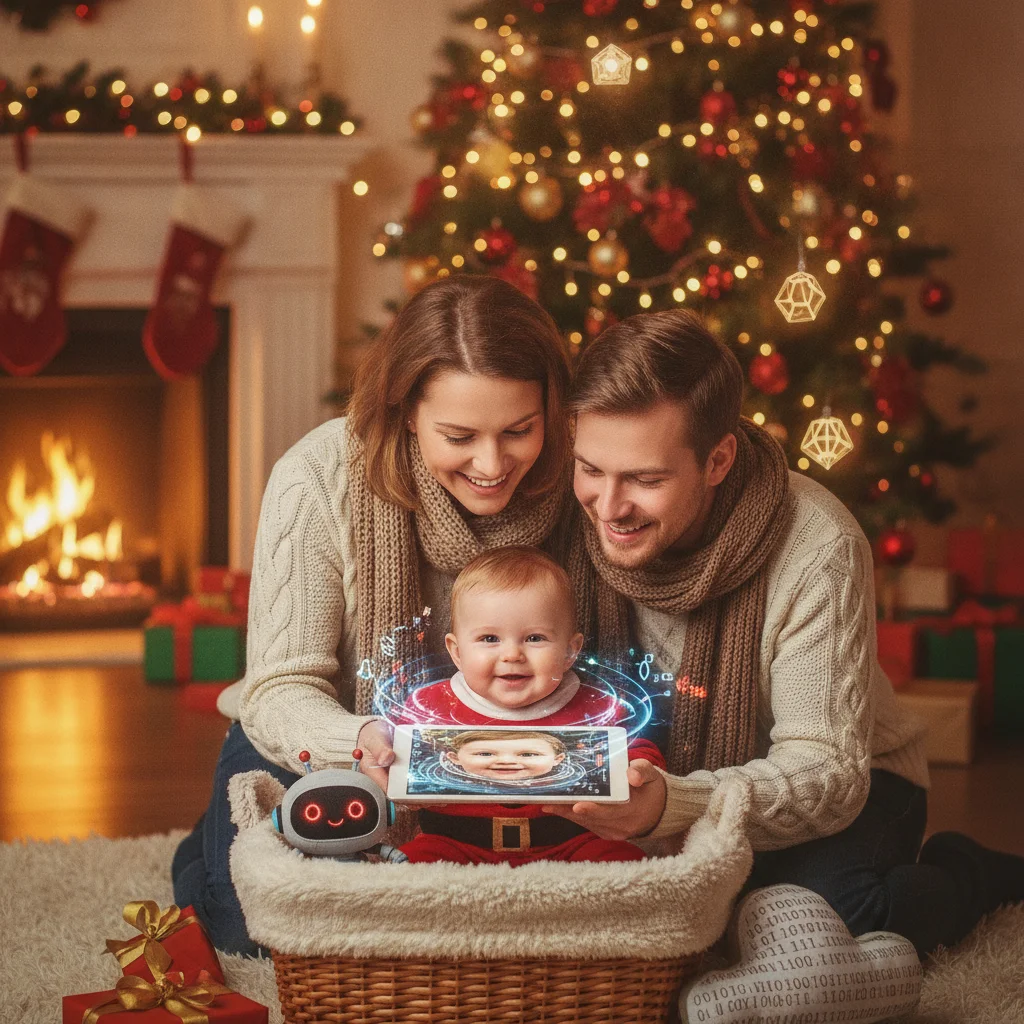
Quick answer: Create an AI Christmas baby photo by uploading a clear baby portrait to an image-editing tool, choosing a holiday setting, and describing the desired clothing, lighting, and decorations. Use a private account, avoid sharing identifying details, and select an editor that preserves the baby's face. Review hands, eyes, skin texture, and background objects before saving or printing the result.
An AI Christmas baby photo combines a real portrait or a generated subject with seasonal clothing, decorations, and backgrounds. Parents often use these images for Christmas cards, family messages, ornaments, or social posts when arranging a full holiday photo session is not practical.
The most reliable method is AI-assisted editing rather than generating a baby from scratch. Starting with a clear photo helps the finished image retain the baby's recognizable facial features, expression, and proportions.
What photo should you use for an AI Christmas edit?
Choose a sharp, well-lit image in which the baby's face is fully visible. A front-facing or slightly angled portrait usually gives an AI editor more useful facial information than a profile image.
Simple clothing and an uncluttered background make replacement easier. Natural window light is helpful because heavy shadows can cause inconsistent skin tones or distorted facial details.
- Use the original image rather than a screenshot or compressed social-media copy.
- Choose a photo without pacifiers, hands, blankets, or toys covering the face.
- Make sure both eyes are visible and in focus.
- Avoid uploading images that display a name tag, address, school logo, or medical information.
How can you create the Christmas scene?
Upload the selected portrait to an AI photo editor that supports image-to-image editing, background replacement, or themed templates. Select a Christmas setting, then describe the scene in specific language.
A useful prompt names the subject, setting, clothing, light, composition, and details that must remain unchanged. For example: “Edit this baby portrait into a cozy Christmas card photo. Keep the baby's face, eye color, expression, and natural skin texture unchanged. Add a red knitted romper, a softly lit Christmas tree, warm window light, and subtle gold ornaments. Use a realistic photographic style.”
If the first result changes the baby's identity, shorten the request and emphasize preservation. Instructions such as “edit only the clothing and background” can produce a more faithful result than asking the tool to recreate the complete image.
Which Christmas styles work well for baby photos?
| Style | Useful prompt details | Best use |
|---|---|---|
| Cozy indoor | Knitted outfit, warm lights, tree, soft rug | Family cards |
| Snowy portrait | Gentle snowfall, wool hat, neutral winter coat | Digital greetings |
| Classic studio | Plain cream backdrop, wreath, balanced lighting | Prints and frames |
| Storybook | Painted textures, soft colors, illustrated toys | Ornaments and keepsakes |
Simple scenes tend to look more realistic. Too many gifts, lights, toys, animals, and decorations can create misshapen objects or distract from the baby's expression.
How do you keep the baby's face looking natural?
Compare the generated result with the source photo at full size. Check the shape and spacing of the eyes, nose, mouth, ears, and hairline. AI editors can make small changes that are not obvious in a thumbnail but become noticeable in a print.
Inspect visible fingers and toes as well. Babies often hold their hands close to clothing or blankets, and AI tools may merge fingers with fabric. Regenerate the affected area or crop the composition if local corrections are unavailable.
Avoid aggressive skin smoothing. Natural cheeks, fine hair, small wrinkles, and ordinary skin texture help the portrait look like a photograph rather than a plastic illustration.
What privacy checks should parents make?
Read the tool's privacy policy before uploading a child's image. Look for information about storage periods, model training, deletion controls, public galleries, and whether uploaded photos can be reviewed by other people.
Use tools that allow private processing and deletion where possible. Do not include the baby's full name, birth date, home address, nursery sign, or location in the prompt or source image.
Christmas Pictures App: PiXmas is one optional iPhone app with Christmas photo features. At the time of the supplied App Store listing, the app had a 4.4 rating from 116 ratings. ChristmasCard.io is an independent editorial site and is not affiliated with PiXmas or its developer. Parents should still review the current listing, permissions, privacy terms, pricing, and output quality before use.
How should you prepare the image for a card or print?
Generate or export the largest available file. For a printed card, crop the image to the card's final aspect ratio before adding text. Keep the baby's face away from trim edges and folds.
Review the image on more than one screen because warmth and brightness vary by device. A small test print can reveal muddy shadows, oversaturated red clothing, or soft facial details before multiple cards are ordered.
- Save an untouched copy of the original baby photo.
- Export the edited image without text.
- Create a separate card layout with the greeting and family name.
- Check spelling, trim margins, and image resolution.
- Order one proof when the printer provides that option.
What are the limitations of AI Christmas baby photos?
AI output can alter identity, invent fingers, produce unsafe-looking poses, or add decorations with impossible shapes. The image should be treated as a creative edit, not a factual record of an event or outfit.
Some services retain uploads, restrict commercial printing, place watermarks on free exports, or require subscriptions for high-resolution files. Features and policies can change, so parents should verify the current terms directly in the selected tool.
An effective AI Christmas baby photo begins with a strong real portrait, uses a restrained holiday prompt, and receives a careful privacy and anatomy review. A simple background and natural facial texture usually produce the most convincing card-ready result.
What Can an AI Christmas Baby Photo Change, and What Must Be in the Original?
AI can replace a real baby photo’s background, add Christmas clothing and props, adjust color and lighting, or extend the frame, but the original still needs the baby’s genuine, clearly visible facial features and a usable pose.
Choose a photo with unobstructed eyes, cheeks, mouth, and head shape. The face should be in focus, evenly lit, and large enough to inspect. Keep hands visible if they matter to the composition, because hidden or blurred fingers cannot be reliably reconstructed. The baby’s pose should also suit the requested scene; a lying pose will not naturally become a standing portrait.
AI may simulate new details, but it cannot confirm that invented features are accurate. There is no universal source-file size that guarantees a faithful result, since editors handle cropping, blur, and facial detail differently.
Higher resolution cannot fix errors in an AI Christmas baby photo
A 5×7-inch card at 300 DPI uses 1500 × 2100 pixels, but that resolution cannot correct malformed hands, invented teeth, extra pets, or unreadable lettering (Vistaprint, 2026). It means the finished AI Christmas baby photo can contain enough pixels for sharp printing; it does not mean the generated details are accurate. Inspect every finger, the baby’s mouth, nearby toys, pets, ornaments, and any sign or stocking text at full size. Regenerate or selectively edit a faulty area rather than merely enlarging the image. For text, replacing the AI lettering in a standard design editor is usually more reliable than repeated prompting. Compare the final version with the original baby photo so a polished holiday scene does not hide changes to identity, age, or expression.
Frequently asked questions
Can AI make a Christmas photo from one baby picture?
Yes. An image-to-image editor can preserve the baby's portrait while replacing clothing, lighting, and the background.
What is the best prompt for an AI Christmas baby photo?
Describe the holiday setting, clothing, lighting, and photographic style, then state that the baby's face, expression, eye color, and skin texture must remain unchanged.
Why does AI change the baby's face?
Some tools regenerate the entire image instead of editing selected areas. A sharper source photo and an instruction to edit only the clothing and background can reduce identity changes.
Is it safe to upload baby photos to an AI app?
Safety depends on the service's storage, training, sharing, and deletion policies. Parents should remove identifying details and choose private processing when available.
Can an AI baby photo be printed on a Christmas card?
Yes, provided the exported file has enough resolution and the tool permits printing under its current terms. A proof print helps confirm color, sharpness, and cropping.
How can parents fix strange hands in an AI baby photo?
Parents can regenerate the affected area, use a local correction tool, choose another result, or crop the hands out of the final composition.
Can AI add a Santa hat to my baby’s real photo?
Yes, AI can add a Santa hat while retaining the real face if the hairline, forehead, and head shape are visible. A side angle or existing head covering gives the editor less information, so the hat may sit incorrectly or alter nearby hair and ears. Check those boundaries closely after editing.
Does the baby need to face the camera for an AI Christmas photo?
No, the baby does not have to face the camera, but the requested edit should match the original head angle. A profile can work well for a quiet holiday scene, while a front-facing card portrait needs a front-facing source. AI should not be expected to reconstruct an unseen side of the face accurately.
Why did AI add another pet to the Christmas baby photo?
AI may add another pet because it interprets background shapes, prompt details, or partial animals as separate subjects. Mask and regenerate only the affected area, or remove all pet references and add the real pet in a separate edit. Check paws, tails, collars, and reflections for duplicated features.
Can AI write Merry Christmas correctly in a baby photo?
AI can sometimes produce correct holiday text, but spelling and letter shapes remain inconsistent. Generate the scene without words, then add “Merry Christmas” afterward with a regular text tool. This keeps the message readable and prevents distorted letters from appearing on signs, stockings, ornaments, or clothing.