
How Can You Create AI Christmas Morning Photos?
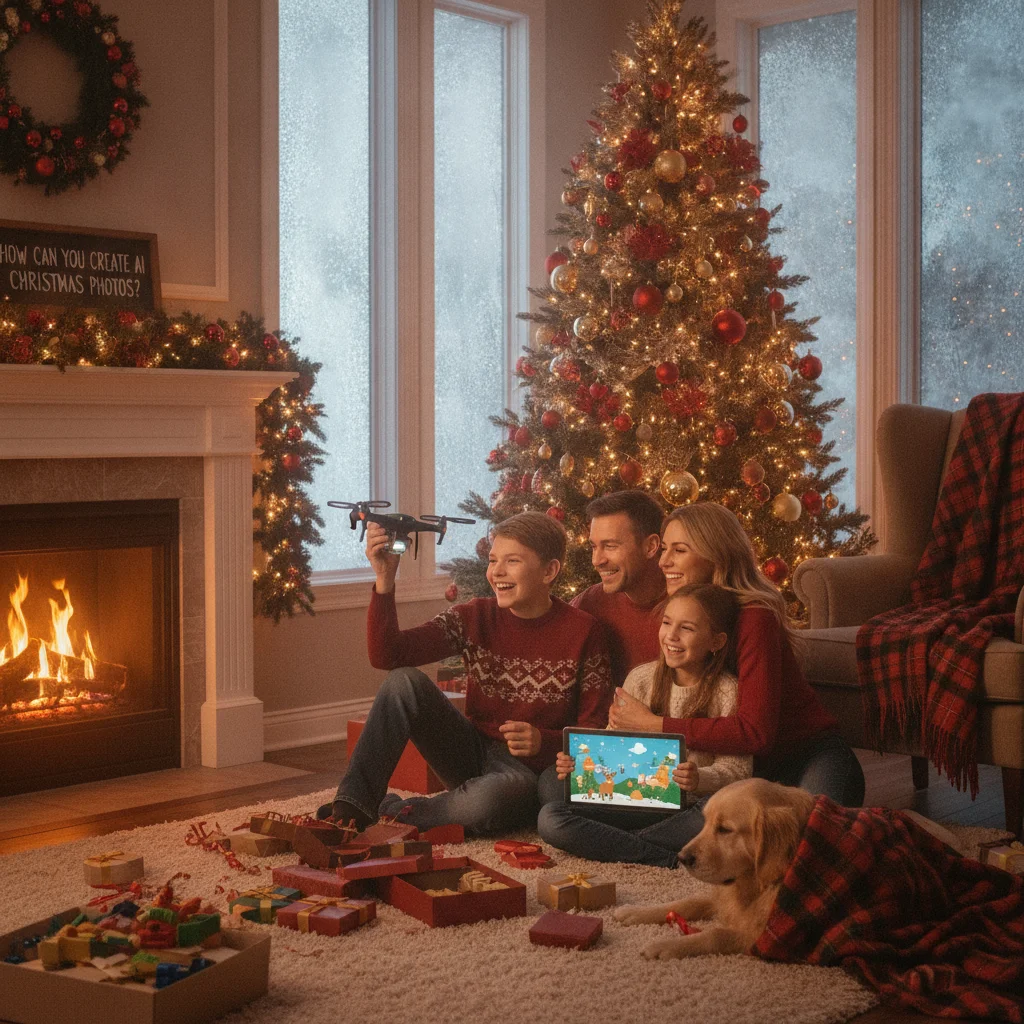
Quick answer: AI Christmas morning photos can be created by generating a new holiday scene or editing an existing family picture with festive details. For realistic results, describe the people, setting, lighting, decorations, camera angle, and desired mood. Review faces, hands, text, reflections, and family likenesses before saving or sharing the finished image.
AI Christmas morning photos recreate the familiar look of opening presents, gathering beside a decorated tree, or enjoying a quiet holiday breakfast. You can generate an entirely fictional scene, transform a portrait into a Christmas setting, or add seasonal details to a real photograph. The best approach depends on whether accurate family likenesses or imaginative holiday atmosphere matters most.
What are AI Christmas morning photos?
AI Christmas morning photos are images generated or edited with artificial intelligence to resemble scenes captured on Christmas morning. Common elements include wrapped presents, pajamas, stockings, warm window light, a decorated tree, and candid family expressions.
A generated image begins with a written prompt. An edited image starts with a photograph and changes the background, clothing, lighting, decorations, or other selected details. Photo editing usually preserves identity more reliably, while full generation provides greater creative freedom.
Which type of Christmas morning image should you create?
Choose a format based on the source material you have and the result you want. A simple portrait can become a posed holiday card, while a wider family photo is better suited to a believable gift-opening scene.
| Image type | Best use | Main consideration |
|---|---|---|
| Fully generated scene | Fictional families and imaginative settings | Faces may not resemble real people |
| Photo background replacement | Adding a tree, fireplace, or snowy window | Lighting must match the subjects |
| Holiday restyling | Changing clothing, colors, and decorations | Small facial details can change |
| Object addition | Adding presents, stockings, or ornaments | Scale and shadows need review |
How do you make an AI Christmas morning photo?
- Select a clear source photo. Use a sharp, well-lit image with unobstructed faces if you want to preserve real family members.
- Choose the intended setting. Decide whether the scene takes place beside a tree, near a fireplace, in a bedroom, or around a breakfast table.
- Describe visible details. Specify pajamas, gift wrap, ornaments, lighting, facial expressions, room style, and camera perspective.
- Generate several versions. Small variations can produce major differences in faces, poses, and decorations.
- Inspect and refine the result. Correct distorted fingers, duplicated objects, unreadable labels, inconsistent shadows, and altered facial features.
What prompts work for Christmas morning photos?
A useful prompt names the subject, activity, location, lighting, composition, and photographic style. Concrete descriptions usually work better than broad requests such as “make this festive.”
For example: “A candid family Christmas morning photo in a cozy living room, two parents and two children opening wrapped gifts beside a natural green tree, matching red plaid pajamas, soft sunrise light through the window, realistic skin texture, eye-level camera, documentary family photography.”
For an edit, state what must remain unchanged: “Keep every person’s face, hairstyle, pose, and body proportions unchanged. Add a decorated Christmas tree, wrapped presents, warm window light, and subtle holiday garlands to the room.” Avoid naming too many competing styles in one prompt.
Can a Christmas photo app simplify the process?
Dedicated apps can be convenient for people who prefer templates and guided effects instead of detailed prompting. Christmas Pictures App: PiXmas is one editorial option available through Apple’s App Store for creating seasonal pictures. ChristmasCard.io is an independent editorial site and is not affiliated with PiXmas, PicsMas, Apple, or any application developer.
Before using any app, check its current price, device requirements, privacy disclosures, export resolution, watermark policy, and user ratings. Store listings and features can change, so the latest listing should be treated as the controlling source.
How can AI holiday photos look more natural?
Match the added lighting to the original photograph. A scene with bright window light should cast consistent highlights and shadows across faces, clothing, gifts, and furniture. Keep ornaments and packages proportional to the room.
Natural Christmas morning scenes also benefit from mild imperfection. Slightly rumpled pajamas, uneven wrapping paper, partially opened boxes, and relaxed expressions often look more credible than perfectly posed subjects. Use restrained color correction so skin tones do not become overly red or orange.
What are the limitations of AI Christmas morning photos?
AI tools may change a person’s identity, age, body shape, skin texture, or expression. They can also create extra fingers, impossible reflections, duplicated decorations, malformed toys, and nonsensical writing on gift tags. Close inspection is necessary before printing or sharing an image.
Only upload photographs when you have permission from the people shown. Parents and guardians should consider how children’s images are stored and processed. Avoid presenting a generated event as documentary evidence when the scene did not occur. Labeling heavily altered images can prevent confusion among relatives and social media viewers.
Verdict: AI works best as a creative editing aid for Christmas morning photos, especially when prompts are specific and the final image receives a careful human review.
This page on How Can You Create AI Christmas Morning Photos? is a practical reference, not a guarantee of print quality or delivery times. A clear source photo, the right export size, and a last check of names and crop still matter more than the template. Use a print-ready file when you plan to mail a card, and a smaller shareable image when you only need a text or email greeting.
What Can AI Change in Christmas Morning Photos, and What Must the Original Show?
AI can change the setting, decorations, clothing colors, lighting mood, and some poses in a Christmas morning photo, but the original still needs clear, accurate visual information for anything you want preserved.
For believable present-opening scenes, start with faces looking toward the camera or fully visible in profile, hands separated from wrapping paper, and enough space around each person. AI may replace pajamas, add a tree, fill an empty floor with gifts, soften daylight, or create a fireplace glow.
The source must still show the correct number of people, recognizable faces, usable body outlines, and unobstructed features. Blurred faces, cropped limbs, crossed hands, or people hidden behind gifts give the model fewer reliable details.
There is no universal source-image threshold that guarantees accurate identities, hands, or expressions; each generated result needs visual inspection.
Why 300 DPI Cannot Fix AI Christmas Morning Mistakes
A 300 DPI file (Vistaprint, 2026) may be ready for printing, but that resolution cannot repair malformed hands, irregular teeth, extra pets, or unreadable gift-tag text. The number describes pixel density at print size, not whether the generated scene is anatomically or logically correct. Higher resolution can make defects sharper rather than remove them. For Christmas morning photos, inspect fingers gripping toys, smiles, reflections, pet counts, patterned pajamas, ornaments, stockings, and any words on gifts or signs. Small localized edits or another generation may correct an isolated problem, but repeated changes can alter faces, poses, or room details. Replace critical text manually, and reject an image when errors overlap important features or the family members no longer look recognizable.
Frequently asked questions
Can AI create a Christmas morning photo from a regular portrait?
AI can place a regular portrait in a decorated living room, add seasonal clothing, and adjust the lighting. A clear source image helps preserve facial identity.
What should an AI Christmas morning prompt include?
The prompt should identify the people, activity, room, decorations, lighting, camera angle, and photographic style. It should also state which features must remain unchanged.
Why do AI Christmas photos sometimes change faces?
Generative tools rebuild image details rather than simply copying every pixel. Strong edits, low-resolution sources, and partially hidden faces increase the chance of identity changes.
Can AI add Santa to a family Christmas photo?
AI can add Santa to an existing scene, but scale, shadows, eye direction, and contact with nearby objects must be checked. The result should be described as edited if viewers could mistake it for a real event.
Are AI Christmas morning photos suitable for printing?
AI images can be printed if the export has sufficient resolution and the details remain sharp at the intended size. Check faces, hands, ornaments, and text at full magnification first.
Is it safe to upload children’s photos to an AI app?
Safety depends on the service’s current privacy, retention, and training policies. A parent or guardian should review those terms and avoid uploading sensitive images when the handling policy is unclear.
Can AI change pajamas in a Christmas morning photo?
Yes, AI can change pajama colors, patterns, and styles while keeping the people and room recognizable. Results are more reliable when sleeves, hands, and body outlines are unobstructed. Ask the tool to preserve faces, hair, body proportions, and pose, then inspect cuffs, fingers, buttons, and overlapping fabric for invented details.
Does the original photo need to show the Christmas tree?
No, the original photo does not need to include a Christmas tree because AI can add one behind or beside the family. The source should leave open space where the tree will go and have lighting that can be matched convincingly. Specify the tree’s height, ornament style, light color, and whether gifts should overlap its base.
How do I fix AI hands in a Christmas morning photo?
Regenerate or selectively edit only the affected hand while keeping the face, pose, clothing, and nearby objects unchanged. Simple hand positions, such as resting on a lap, are often easier to correct than fingers wrapped around toys. Check the edited area at full size because fixes can introduce new seams or distorted objects.
Why does AI add an extra pet to a Christmas morning photo?
AI may interpret repeated shapes, reflections, blankets, or background animals as instructions to create another pet. Specify the exact number, type, color, and location of pets in the prompt. After generation, inspect mirrors, furniture edges, and areas behind people, where partial or duplicate animals can be easy to miss.