
How to Create a Playful AI Christmas Elf Portrait
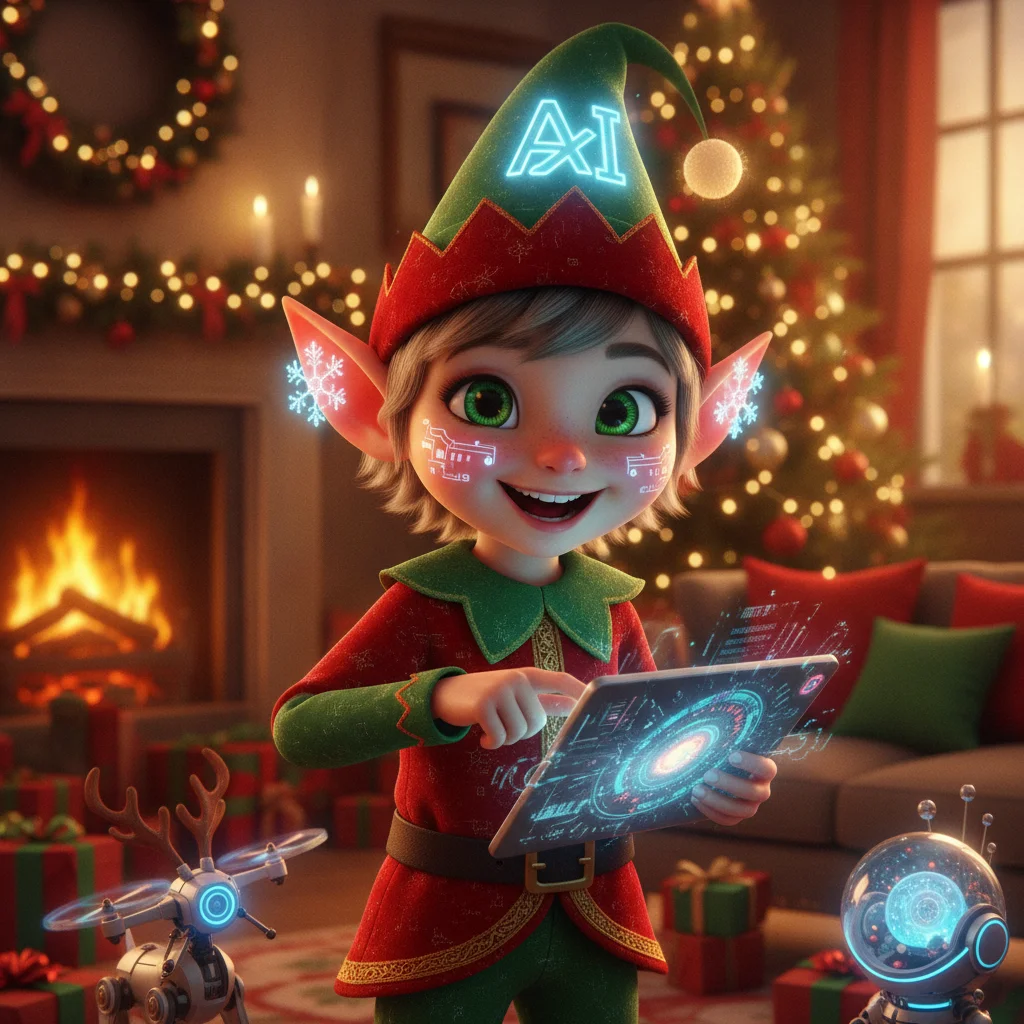
Quick answer: To create an AI Christmas elf portrait, upload a clear photo to an AI image tool and describe the elf costume, setting, lighting, expression, and preferred art style. Specify that facial features should remain recognizable. For better results, use a front-facing photo, request natural hands and eyes, and generate several versions before choosing a favorite.
An AI Christmas elf portrait turns a selfie, pet photo, couple portrait, or family picture into a festive character image. The subject can appear as a toy workshop helper, a storybook forest elf, a realistic North Pole employee, or a cheerful cartoon character.
The best results depend on two things: a clear source photo and a specific prompt. Small details such as costume colors, background decorations, lighting, and facial expression help the image generator produce a portrait that feels intentional rather than generic.
How do you make an AI Christmas elf portrait?
Choose an AI portrait generator that accepts photo uploads or reference images. Upload a well-lit photo, select a portrait or character transformation mode if available, and enter a description of the finished scene.
A useful prompt identifies the subject, elf clothing, setting, visual style, pose, and mood. It should also tell the generator to preserve recognizable facial features. This is particularly important when creating portraits of children, couples, or groups.
- Select a sharp photo with the face fully visible.
- Upload the image to a suitable AI image or holiday portrait tool.
- Describe the elf costume, background, lighting, and art style.
- Ask the tool to preserve the subject's face, hair, and expression.
- Generate several options and inspect faces, hands, ears, and accessories.
- Save the strongest version at the highest available resolution.
What should an elf portrait prompt include?
A strong prompt gives direct visual instructions without becoming contradictory. Start with the portrait type, then add clothing, surroundings, lighting, and finishing details.
For a realistic result, try: “Create a realistic Christmas elf portrait from this reference photo. Preserve the person's recognizable facial features and natural skin texture. Add a red-and-green velvet elf outfit, a pointed hat, subtle pointed ears, warm workshop lighting, wrapped gifts, wooden toys, and softly falling snow outside the window.”
For an illustrated result, replace “realistic” with a style such as storybook watercolor, clay animation, retro greeting card, colored-pencil illustration, or polished 3D cartoon. Avoid naming a living artist. Describing visible traits gives the generator clearer and more original direction.
| Portrait style | Useful prompt details | Best use |
|---|---|---|
| Photorealistic | Natural skin, studio lighting, detailed fabric | Personal cards and profile photos |
| Storybook | Soft watercolor, paper texture, gentle snow | Children and family cards |
| 3D cartoon | Rounded features, bright colors, toy workshop | Playful social posts |
| Vintage card | Muted colors, printed texture, classic lettering space | Retro holiday designs |
Which source photos produce better elf portraits?
Use a high-resolution image with even lighting and limited blur. A front-facing or three-quarter view usually preserves identity better than a side profile. Keep sunglasses, heavy shadows, and objects away from the face.
For group portraits, choose a photo where every face is large enough to inspect. Tell the generator the exact number of people and describe each person's clothing position. Generators may add, remove, or merge subjects when a crowded reference image lacks clear separation.
A plain background can make transformation easier, but it is not required. The generator can usually replace an ordinary room or outdoor scene with a workshop, snowy village, decorated kitchen, or North Pole mailroom.
How can you make the portrait look playful rather than uncanny?
Keep the face close to the original photograph while exaggerating costume and setting details. A recognizable expression often feels more convincing than an entirely redesigned face.
Ask for symmetrical eyes, natural teeth, proportionate pointed ears, and two visible hands with five fingers each when hands appear. If the tool supports editing, correct one problem area instead of regenerating the complete portrait. Repeated full generations can change a face that already looks accurate.
Can a Christmas photo app create this style?
Holiday-focused apps can be convenient when templates are more important than detailed prompt control. Christmas Pictures App: PiXmas is one editorial option available through Apple's App Store and may suit users who want a dedicated seasonal photo experience. ChristmasCard.io is an independent editorial site and is not affiliated with PiXmas, PicsMas, Apple, or any app developer.
App features, prices, ratings, privacy terms, and output quality can change. Review the current listing and data-use information before uploading personal photographs, especially images of children.
What are the limitations of AI Christmas elf portraits?
AI generators can distort fingers, glasses, jewelry, teeth, text, and pointed ears. Group images are more likely to contain duplicated accessories or inconsistent faces. Fine details should be checked before printing or sharing.
Image resolution may also limit card size. A portrait that looks sharp on a phone can appear soft in print. Use the largest available download, avoid heavy cropping, and order a single test print when image quality matters.
Privacy policies vary by tool. Confirm whether uploaded photos are stored, used for model training, or available for deletion. Obtain permission before transforming another adult's image, and avoid uploading sensitive photographs to services with unclear policies.
An effective AI Christmas elf portrait combines a clear reference photo, a focused visual prompt, and careful review. Generate multiple versions, preserve recognizable facial features, and inspect small details before using the portrait on a card or gift.
What an AI Christmas elf portrait can change—and what the original photo must provide
An AI Christmas elf portrait can replace clothing, add pointed ears, restyle hair, change the background, and adjust festive lighting, but the original photo must still provide a clear, recognizable subject. Use an image in which the face is unobstructed, the eyes are open, and facial features are large enough to distinguish. The generator can reinterpret visible details, but it cannot reliably recover a face hidden by hair, hands, deep shadows, blur, or another person.
- Keep the subject’s head fully inside the frame so elf ears and a hat can be added naturally.
- Choose even lighting to help preserve skin tone and facial structure.
- For a full-body result, start with visible limbs and a clear pose; otherwise, request a head-and-shoulders portrait.
- Use separate source photos when several faces overlap.
Frequently asked questions
Can I turn a selfie into a Christmas elf?
Yes. Upload a clear selfie to an AI image generator and request an elf costume, pointed ears, a festive setting, and preserved facial features.
What is the best prompt for an AI Christmas elf portrait?
The best prompt specifies the subject, recognizable face, elf clothing, setting, lighting, expression, and art style. It should also request natural eyes, hands, and proportions.
Can I make an elf portrait of my whole family?
Yes, but group images require a clear source photo and an exact subject count. Describe each person's position and inspect the result for altered or duplicated faces.
Can AI create a Christmas elf portrait of a pet?
Yes. Ask the generator to preserve the pet's breed, coat pattern, eye color, and face while adding a comfortable elf hat, collar, or festive setting.
Are AI elf portraits suitable for printing?
They can be printed if the downloaded file has enough resolution for the intended card or poster size. Check faces and small details at full size before ordering.
Is it safe to upload a child's photo to an AI generator?
Safety depends on the service's privacy, storage, deletion, and training policies. A parent or guardian should review those terms and avoid services with unclear data practices.
Why does my AI elf portrait have strange hands or ears?
Image generators can struggle with small anatomical details and overlapping accessories. Regenerate the image or use a targeted editing feature to correct only the affected area.
Can AI change regular clothes into an elf costume?
Yes, AI can replace everyday clothing with an elf coat, tunic, hat, belt, or striped accessories. Results are more consistent when the original outfit has a simple outline and does not cover the face. Clearly visible shoulders, arms, and torso also help the generated costume follow the subject’s pose.
Does the original photo need to show the subject’s ears?
No, natural ears do not have to be visible for AI to add pointed elf ears. However, the sides of the head should not be tightly cropped or heavily blocked by hair, hands, or other people. Extra space around the head gives the generator room to create ears with believable placement and symmetry.