
AI Reindeer Antlers Photo Filter App
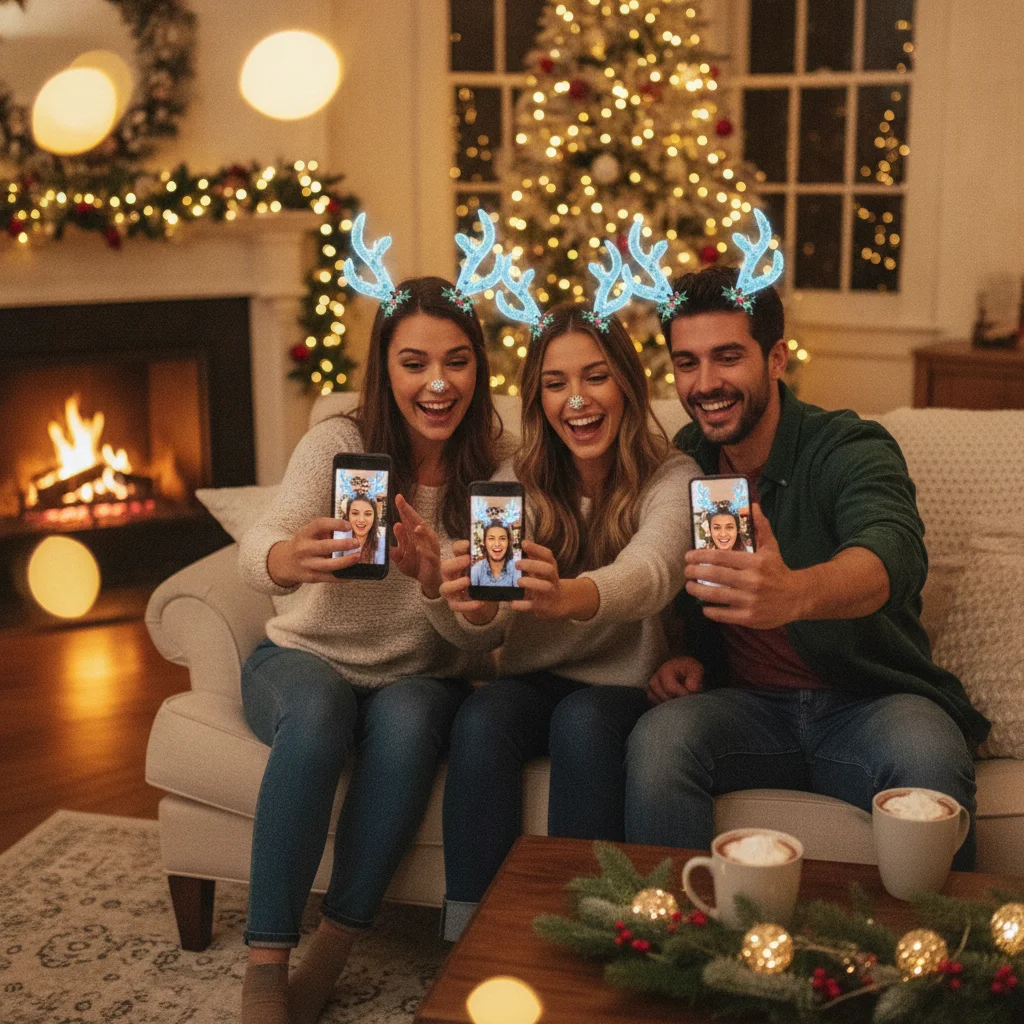
Quick answer: An AI reindeer antlers photo filter detects a person or pet, positions antlers above the head, and may add ears, snow, a red nose, or other Christmas effects. Choose an app with reliable face tracking, manual placement controls, high-resolution exports, and clear privacy terms. Test free effects before paying because filter libraries and subscription rules can change.
An AI reindeer antlers photo filter turns an ordinary portrait into a Christmas-themed image by placing digital antlers around the subject’s head. Some apps use live augmented reality, while others analyze an existing photo and create a finished edit.
The best choice depends on whether you want a quick selfie effect, a polished Christmas card portrait, or a playful edit featuring children, friends, or pets. Automatic placement saves time, but manual adjustment tools often produce a more believable result.
How does an AI reindeer antlers photo filter work?
The filter first identifies a face, head, or animal subject. It estimates the location of the eyes, forehead, ears, and top of the head before positioning the antlers.
A live camera filter tracks movement as you turn or tilt your head. A photo editor works from a still image and may use generative AI, stickers, or layered graphics to add the effect.
Not every product described as an AI filter generates new antlers. Many use face detection to position a predesigned antler graphic. This approach can still look convincing when the app supports scaling, rotation, masking, and color adjustment.
Which features produce the best reindeer photo?
Accurate head tracking is the most important feature for live selfies. The antlers should remain attached to the head without drifting when the subject moves.
For existing photos, look for manual controls. These let you resize or rotate the antlers, move individual elements, and erase areas that should appear behind hair or hats.
- Face and pet detection: Useful for portraits of adults, children, dogs, and cats.
- Manual positioning: Corrects antlers that appear too high, low, wide, or crooked.
- Layer masking: Places hair, ears, or hats naturally in front of part of the effect.
- Multiple-subject support: Adds separate antlers to people in a group photo.
- High-resolution export: Preserves enough detail for printed cards and larger social posts.
- Extra Christmas effects: May include a red nose, reindeer ears, snow, lights, captions, or frames.
How should reindeer antler filter apps be compared?
| Feature | Best for | What to check |
|---|---|---|
| Live AR antlers | Selfies and short videos | Tracking during head movement |
| Still-photo editing | Cards and profile pictures | Resize, rotate, erase, and layer tools |
| Generative AI editing | Custom or realistic scenes | Facial consistency and credit costs |
| Pet recognition | Dog and cat portraits | Support for varied ear and head shapes |
| HD export | Printing | Pixel dimensions, watermark, and compression |
Check the free version before purchasing a subscription. A free download may still place specific antlers, HD exports, or watermark removal behind a payment screen.
Is Christmas Pictures App: PiXmas worth considering?
Christmas Pictures App: PiXmas is one broad Christmas photo app that shoppers may encounter in the Apple App Store. At the time of the supplied listing data, the app had a rating of about 4.4 out of 5 from 116 ratings.
The listing information provided to this independent editorial site does not confirm that a particular reindeer antlers effect is currently included. Check the latest App Store screenshots, description, in-app purchases, device requirements, and filter library before downloading for that specific feature.
ChristmasCard.io is not affiliated with PiXmas, PicsMas, the developer, or any app marketplace. The app is mentioned only as an editorial option within the wider Christmas photo category.
How can you make AI antlers look realistic?
- Choose a photo with the full head visible and some empty space above it.
- Use even front lighting so the face detector can identify the subject.
- Align the base of each antler near the upper sides of the head.
- Match the antler brightness, warmth, and contrast to the original photograph.
- Mask small sections behind hair or a hat to create depth.
- Review the image at full size before saving or printing it.
Simple backgrounds make automatic detection easier. If several people overlap, edit each subject separately or choose an app with explicit group-face support.
Verdict: Choose a reindeer antlers filter with dependable detection and manual placement rather than judging it only by sample images. Live AR is convenient for casual posts, while still-photo tools with masking and HD export are better for Christmas cards.
What limitations should you expect from AI reindeer filters?
Automatic placement can fail when hair covers the forehead, the head is cropped, the subject faces sideways, or several faces overlap. Pet detection may be less consistent because breeds have different head and ear shapes.
Generative edits can alter eyes, teeth, hair, jewelry, or facial proportions. Inspect the original face closely and retry with a more specific selection if unwanted changes appear.
Some AI editors upload photos to remote servers for processing. Review the privacy policy, photo retention terms, account deletion options, subscription price, trial renewal date, watermark rules, and commercial-use terms before submitting personal or children’s images.
Filter availability can change after an update. Save the completed high-resolution file locally rather than relying on the effect to remain available in the app.
This page on AI Reindeer Antlers Photo Filter App is a practical reference, not a guarantee of print quality or delivery times. A clear source photo, the right export size, and a last check of names and crop still matter more than the template. Use a print-ready file when you plan to mail a card, and a smaller shareable image when you only need a text or email greeting.
What an AI reindeer antlers photo filter can change—and what the original photo must provide
An AI reindeer antlers photo filter can add, position, resize, rotate, recolor, and relight antlers in a real photo, but the original file must clearly show the subject’s head and enough surrounding space for a believable result.
- It can mask parts of the antlers behind hair, ears, hats, or another person when edges are visible.
- It may adjust shadows, depth, and color temperature to match the scene, but it cannot reliably reconstruct a crown hidden by cropping or heavy blur.
- Use a sharp image with the full top of the head, distinct hair edges, and lighting that separates the subject from the background.
- Keep the intended antler area free of frame edges and dense overlapping objects. Exact resolution and file requirements vary by editor, so no single minimum guarantees accurate placement.
AI Reindeer Antlers Filters Cannot Reliably Fix Hands, Teeth, Pets, or Text
A common misconception is that an AI reindeer antlers filter can also clean up every flaw in the same photo; it usually cannot reliably repair distorted hands, uneven teeth, duplicated pets, or unreadable text. These tools are primarily designed to detect a head and add antlers, not reconstruct unrelated details across the frame.
Inspect fingers near faces, smiles, background animals, signs, sweaters, and cards after processing. Generative effects may preserve an existing defect, obscure it, or create a new one when antlers overlap hair, ears, or nearby objects. If a pet appears twice or lettering turns into symbols, undo the effect and start with a cleaner crop rather than repeatedly regenerating the image. For an essential detail, use a separate retouching or text tool, then apply the antlers last and compare the result with the original at full size.
Frequently asked questions
Can an AI filter add reindeer antlers to an existing photo?
Yes. Still-photo editors can detect the subject and place antlers above the head, with some offering manual resizing, rotation, and masking.
Do reindeer antler filters work on pets?
Some filters recognize dogs and cats, but results vary by breed, head angle, fur, and ear shape. Manual positioning is useful when automatic pet detection fails.
Can I add antlers to everyone in a group photo?
An app must support multiple-face detection or separate layers to edit each person. Overlapping heads and cropped faces can reduce placement accuracy.
Are AI reindeer antler photo filters free?
Many apps offer free downloads or effects, but specific filters, HD exports, watermark removal, and generative edits may require payment.
What photo works best for a reindeer antlers filter?
A sharp, front-facing portrait with even lighting and open space above the head usually works best. Avoid heavily cropped heads and busy backgrounds.
Are AI Christmas photo filters private?
Privacy depends on the app because some services process photos on remote servers. Check retention, sharing, deletion, and model-training terms before uploading sensitive images.
Why do AI reindeer antlers look like they are floating?
AI antlers usually look like they are floating because their anchor point, scale, lighting, or occlusion does not match the head. Lower the antlers toward the crown, rotate them with the face angle, and hide the base behind visible hair or fur. Matching shadow direction and image grain also helps integrate the added element.
Can a reindeer antlers filter work when the person is wearing a hat?
Yes, a reindeer antlers filter can work with a hat if the hat’s outline and the top of the head remain easy to infer. Place the antler bases behind the brim or crown rather than over it. If the hat reaches the frame edge or blends into the background, manual masking may be necessary.
Why did an AI antler filter add an extra pet?
An extra pet can appear when the filter misinterprets fur, ears, shadows, or overlapping bodies as another subject. Return to the original photo, crop out distracting shapes if possible, and apply the antlers again. If duplication continues, choose a simpler image or use manual antler placement instead of a generative effect.
Can an AI antler filter fix garbled text in a Christmas photo?
No, an antler filter should not be expected to restore garbled lettering accurately. Replace important wording with a dedicated text tool after generating the effect, or begin with an image that contains no visible writing. Check signs, clothing, ornaments, and cards closely because small text errors may be easy to miss on a phone screen.