
How to Create an AI Polar Express Style Photo Effect
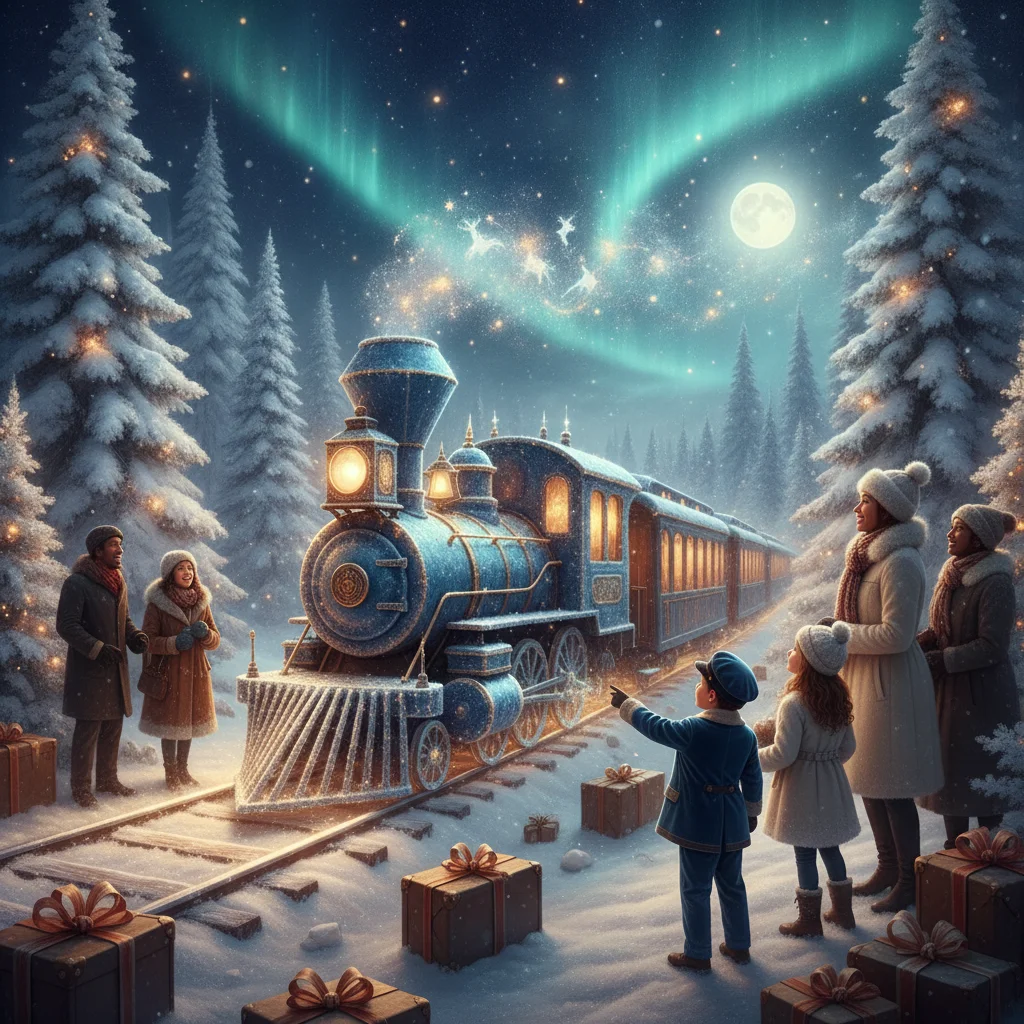
Quick answer: To create an AI Polar Express style photo effect, upload a clear portrait and request a nostalgic Christmas storybook scene with a steam train, snowy night, warm carriage lights and cinematic 3D illustration. Describe visual traits rather than asking for an exact movie copy. Preserve facial identity, avoid branded characters and review the result for distorted hands, clothing or train details.
An AI Polar Express style photo effect turns a portrait into a nostalgic Christmas railway scene. The familiar look combines softly rendered characters, dramatic winter lighting, falling snow and the warm glow of a steam train headed toward a magical destination.
The Polar Express is a protected entertainment property, so an AI result should be treated as an unofficial, fan-inspired image. A good prompt describes the desired atmosphere and visual characteristics without copying named characters, logos or exact scenes from the film.
What makes a photo look like a magical Christmas train scene?
The strongest results balance a recognizable face with an illustrated holiday environment. Common features include a deep blue night sky, golden carriage windows, steam clouds, snow-covered tracks and a large vintage locomotive.
Character treatment matters just as much as the background. Ask for a cinematic 3D storybook portrait with soft facial modeling, expressive eyes, realistic fabric and gently stylized proportions. This wording communicates the intended finish without demanding an exact reproduction of a studio's artwork.
| Element | Prompt wording | Purpose |
|---|---|---|
| Setting | Snowy railway platform at night | Establishes the winter journey |
| Lighting | Warm golden train lights and cool moonlight | Creates cinematic contrast |
| Train | Grand vintage steam locomotive | Adds the central Christmas railway subject |
| Portrait | Preserve facial identity and natural expression | Keeps the person recognizable |
| Finish | Detailed 3D storybook illustration | Produces a polished animated look |
What prompt creates the best AI train photo effect?
Start with a direct prompt that identifies the person, scene, lighting and image format. For example: “Transform this family portrait into a cinematic 3D Christmas storybook illustration. Place the family beside a grand vintage steam train on a snowy platform at night. Add warm golden carriage lights, soft falling snow, gentle steam, detailed winter clothing and a sense of holiday wonder. Preserve each person's face, age, skin tone and natural expression. Do not include text, logos or existing fictional characters.”
For a child portrait, add “friendly atmosphere, age-appropriate features and cozy pajamas under a winter robe.” For a Christmas card, request “landscape composition with clear negative space above the train for a separate greeting.” Add card text afterward in a design editor because image generators often misspell words.
How should you prepare the original photo?
Choose a well-lit image with the entire face visible. A front-facing or slightly angled portrait usually retains identity better than a profile. Avoid sunglasses, strong beauty filters and shadows across the eyes.
Family photos need separation between faces. When people overlap, AI tools may merge hands, coats or facial features. A plain background is helpful but not required because most generators can replace the setting.
- Crop the photo around the intended subjects.
- Use the highest-resolution original available.
- Describe clothing changes in the prompt.
- Generate several versions rather than relying on the first result.
- Inspect faces, fingers, train wheels and background passengers.
Which app can you try for the effect?
Christmas-themed photo apps can offer a faster workflow than a general image generator, particularly for users who prefer presets and guided uploads. Christmas Pictures App: PiXmas is one independent editorial option to inspect on the Apple App Store. Editorial data supplied for this page lists a rating of about 4.4 from 116 ratings, although store scores and features can change.
ChristmasCard.io is independent and is not affiliated with PiXmas, PicsMas or any other app. Check the current listing, available effects, pricing, export resolution and privacy information before uploading personal photographs. The app name alone does not confirm that a specific train-inspired preset is currently included.
How can you improve an inaccurate result?
If the face changes too much, shorten the artistic instructions and repeat “preserve exact facial identity.” An image-to-image strength control should be lowered when the output no longer resembles the source portrait.
If the scene looks like a generic railway photograph, add “illustrated 3D storybook rendering, soft cinematic character modeling and magical Christmas atmosphere.” If the train dominates the composition, specify that the portrait is the main subject and the locomotive is behind the person.
Negative instructions can reduce common errors. Request no duplicate people, extra fingers, warped tracks, unreadable signs, logos, watermarks or recognizable copyrighted characters.
What limitations should you expect?
AI generators can alter facial details, body proportions and clothing without warning. Group portraits are especially likely to contain mismatched eyes, merged hands or duplicated accessories. Generated locomotives may also have mechanically impossible wheels and rails.
Privacy terms differ between services. Do not upload sensitive images until you understand how the provider stores, processes or uses photographs. Parents should take extra care with children's portraits and avoid including school names, addresses or other identifying details.
Exact copies of movie characters, posters or scenes may raise intellectual property concerns. Use the result as a personal, unofficial holiday creation and describe it as a magical Christmas train portrait rather than official franchise artwork.
Verdict: The most convincing effect comes from a clear portrait, a trait-based storybook prompt and several careful revisions. Focus on snowy railway imagery, warm train lighting and facial preservation instead of requesting a direct movie replica.
What an AI Polar Express Style Photo Effect Can Change—and What the Original Photo Must Preserve
An AI Polar Express style photo effect can replace the setting, lighting, clothing, color palette, and surface texture, but the original photo still needs to show the subject clearly.
- The effect can introduce a snowy rail platform, steam locomotive, glowing carriage windows, night skies, period-inspired pajamas, and a cinematic storybook finish.
- The source image should retain a recognizable, unobstructed face, natural proportions, and enough visible detail around the hair, hands, and clothing for the model to interpret them.
- A front-facing or slightly turned subject generally gives the effect better identity cues than a distant figure or strong side profile.
- AI cannot reliably reconstruct features hidden by blur, shadow, cropped edges, scarves, or another person. There is no fixed correction limit; results depend on the generator and how much usable detail remains in the file.
AI Polar Express-style portraits still require human checks for hands, teeth, pets, and text
This page helps new parents and teachers who want a whimsical Christmas train portrait and can inspect every generated detail; it is less suitable for client work that must be accurate on the first pass.
In this Polar Express-style scene, AI may distort small hands, merge teeth, duplicate a pet, alter faces, or turn ticket and carriage lettering into nonsense. Re-running the same prompt can replace one error with another, so crop, regenerate selectively, or add readable wording later in a design editor.
Interfaith families should use the approach only when explicitly Christmas imagery suits their celebration. Renters face no property-related limitation because the result is digital. Anyone needing exact family membership, natural teeth and fingers, or dependable in-image text should ignore this effect unless they have time to review and edit each output.
Frequently asked questions
Can AI turn my photo into a Polar Express style picture?
Yes. An image-to-image generator can reinterpret a portrait as a cinematic Christmas train illustration while preserving the subject's face.
What should I include in the AI prompt?
Include a vintage steam train, snowy night, golden carriage lights, cinematic 3D storybook rendering and an instruction to preserve facial identity.
Can I add a Christmas greeting inside the generated image?
A separate design editor is more reliable because AI image generators frequently misspell text. Ask the generator to leave empty space for the greeting.
Why does the AI result not look like my child?
The transformation strength may be too high or the prompt may contain too many artistic instructions. Use a clear front-facing portrait and explicitly request exact facial preservation.
Is an AI Christmas train portrait official Polar Express artwork?
No. It is an unofficial, AI-generated image inspired by general Christmas railway and storybook characteristics.
What photo works best for this effect?
A high-resolution portrait with even lighting, visible eyes and minimal overlap between people provides the best starting point.
Can I print the finished image as a Christmas card?
Yes, if the file has sufficient resolution and the service's usage terms permit printing. Review the image for artifacts and add text in a dedicated card editor before export.
Does my original photo need a train in it?
No, the original photo does not need to include a train. A clear portrait can be placed into a generated snowy station or carriage scene. Leave some visible space around the subject when possible, since a tightly cropped headshot gives the AI less room to add windows, seats, luggage, tracks, or steam.
Can AI change the pose or camera angle in this effect?
AI can alter the pose or viewpoint, but large changes may weaken the person’s resemblance. For a dependable result, begin with a photo whose pose already suits the planned scene, such as standing beside a carriage or sitting by a window. Generate smaller adjustments rather than requesting a completely different body position.
How do I stop AI from adding an extra pet to the Christmas train scene?
Start with a source photo where each animal is fully visible and separated from people. State the exact number and species in the prompt, but inspect the output because instructions do not guarantee correct counting. If duplication persists, generate the scene without pets and add a verified pet photo afterward, or crop out the accidental animal.