
How Can You Make an AI Christmas Dog Photo for Free?
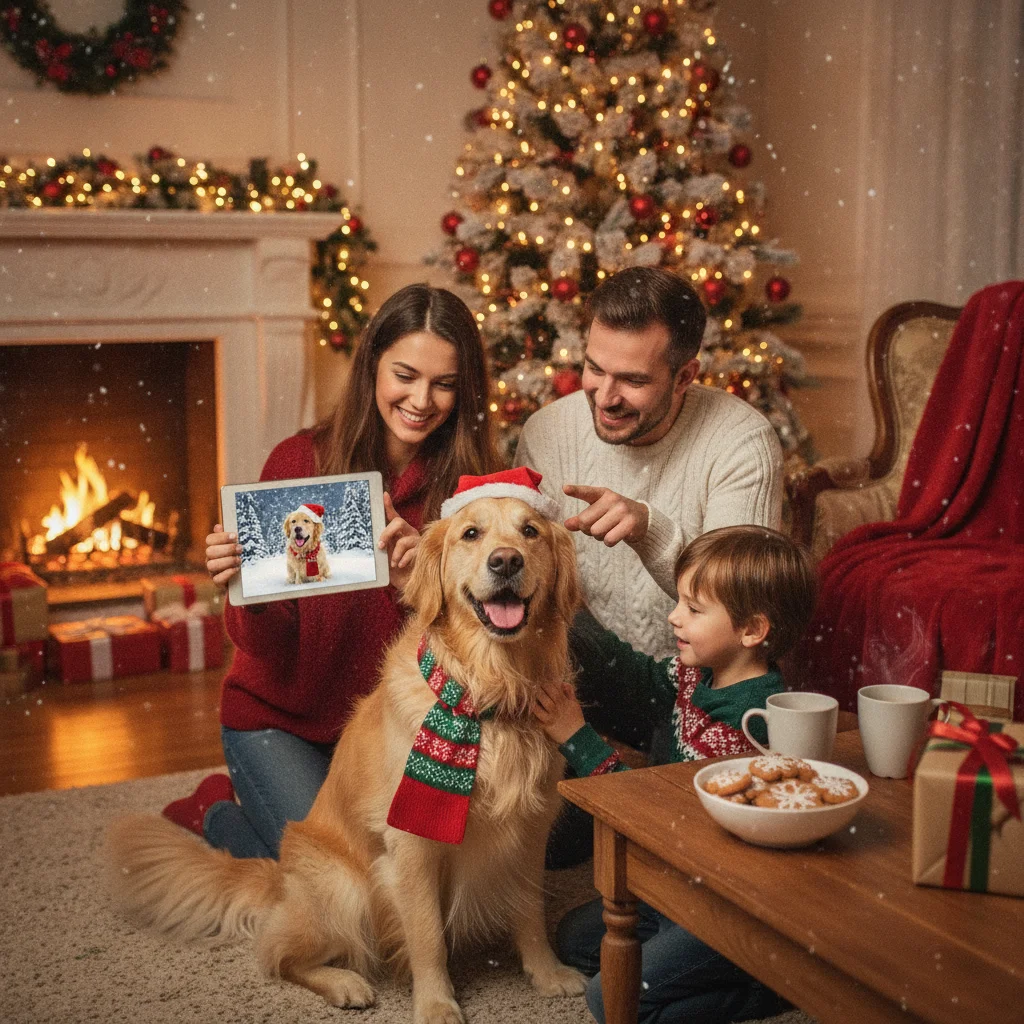
Quick answer: You can make an AI Christmas dog photo for free by uploading a clear picture of your dog to an AI photo editor with free credits, then requesting a Christmas setting, outfit, or card design. For better results, use a front-facing photo, describe the scene precisely, preserve markings, and avoid prompts that alter the dog's face or body.
An AI Christmas dog photo can be created by editing a real pet photo or generating a new dog image from text. Editing an existing picture is usually the better choice when the finished image needs to resemble a specific dog. Text-only generation works well for decorative images, but it cannot reliably recreate a pet without a reference photo.
What is the easiest free way to make an AI Christmas dog photo?
Start with a well-lit photo in which the dog's face, ears, body outline, and coat markings are visible. Upload the image to an AI photo editor that offers free credits or a limited free plan. Ask the editor to replace only the background or add a small number of Christmas details.
A simple edit is more likely to preserve the dog's identity than a complete transformation. Adding snow, a decorated tree, warm lights, or a Santa hat generally requires fewer changes than asking the tool to rebuild the entire portrait.
- Select a sharp photo without people, furniture, or another pet blocking the dog.
- Crop the image while leaving space above and beside the dog for decorations.
- Upload it to an AI editor and choose an image-editing or background-replacement feature.
- Enter a specific Christmas prompt.
- Generate several versions and check the face, paws, tail, collar, and coat pattern.
- Download the best result at the highest free resolution available.
Which type of AI method should you choose?
| Method | Best use | Main drawback |
|---|---|---|
| Photo background replacement | Keeping the real dog while changing the setting | Edges around fur may look artificial |
| Generative photo editing | Adding clothing, snow, gifts, or lights | Facial features and markings can change |
| Text-to-image generation | Creating a fictional Christmas dog scene | The result may not resemble a specific pet |
| Template-based card editor | Adding greetings, borders, and printable layouts | AI editing may be limited or unavailable |
What prompt creates a realistic Christmas dog portrait?
Name the dog's breed or physical traits, the details that must remain unchanged, the desired background, and the preferred photographic style. A useful prompt is: “Keep this dog's face, brown patch over the left eye, white chest, ear shape, and body proportions unchanged. Place the dog beside a decorated Christmas tree with warm indoor lighting, soft snow visible through a window, and a red velvet bow collar. Realistic pet photography.”
If the first result changes the dog too much, shorten the request. Ask for the background first, then add accessories in a separate edit. Negative instructions such as “no extra limbs, no altered markings, no text, and no human hands” can also reduce common errors, although not every generator follows them consistently.
How can you turn the image into a Christmas card?
Once the portrait looks accurate, place it in a card editor and add a short greeting. Leave empty space in the original composition so text does not cover the dog's face. Use a large, readable typeface and strong contrast between the greeting and background.
For printing, check the image dimensions before ordering or printing at home. A small free download may look acceptable on a phone but become blurry on a large card. A digital card sent by message or email usually needs less resolution than a printed design.
Are Christmas photo apps another option?
Dedicated Christmas photo apps can be convenient when seasonal frames, effects, and layouts are the main goal. Christmas Pictures App: PiXmas is one app readers may encounter in the App Store. Its listing showed a 4.4-star rating from 116 ratings when reviewed, but ratings, features, pricing, and free allowances can change.
ChristmasCard.io is an independent editorial site and is not affiliated with PiXmas, PicsMas, or any application. Check the current store listing for in-app purchases, export restrictions, watermarks, and whether pet-focused AI editing is actually included before installing an app.
What limitations should you expect from free AI dog photos?
Free AI tools often limit generations, image size, editing controls, or downloads. Some apply watermarks or require an account. A tool described as free may provide only trial credits, so confirm the price before processing several versions.
AI can distort paws, teeth, eyes, collars, and long fur. It may also move unique spots or change a dog's apparent breed. Inspect the full-size image rather than judging only the preview. Regenerate or manually correct any result that misrepresents the pet.
Privacy policies also differ. Before uploading a photo that includes a person, home interior, address tag, or location information, crop or blur those details and review how the service stores submitted images.
The most reliable free approach is to edit a clear real photo, change the background first, and add Christmas accessories gradually. This gives the AI fewer opportunities to alter the dog's recognizable features.
This page on How Can You Make an AI Christmas Dog Photo for Free? is a practical reference, not a guarantee of print quality or delivery times. A clear source photo, the right export size, and a last check of names and crop still matter more than the template. Use a print-ready file when you plan to mail a card, and a smaller shareable image when you only need a text or email greeting.
What can free AI change in a Christmas dog photo, and what must the original preserve?
Free AI can replace or soften the background, add snow, lights, ornaments, or a holiday accessory, and adjust color or exposure in a real Christmas dog photo; the original still needs to show the identity details you expect the result to preserve.
Those details include the dog’s eye placement, muzzle length, ear shape, coat texture and markings, and the outline around its fur. Keep those areas unobstructed and avoid asking the tool to rebuild the entire dog when only the setting needs changing.
AI cannot reliably recover a hidden paw, covered ear, blurred tag, or unseen side of a patterned coat; it will estimate them. There is no universal free-tool limit that guarantees how much of a dog can be regenerated without identity drift.
Higher resolution cannot fix extra pets, distorted paws, or garbled text
A 1500 × 2100-pixel file can meet the recommended dimensions for a 5-by-7 print, but it cannot correct invented details in a free AI Christmas dog photo (Vistaprint, 2026). That measurement describes image size, not whether the generated scene is accurate. Before saving, inspect every paw, any nearby human hands, the dog’s teeth, ears, collar, and coat markings. Count the animals as well; generators may add a partial dog, duplicate a face, or blend two bodies near the frame edge. Holiday signs and card greetings require separate attention because generated lettering may resemble words without being readable. Regenerating can replace one error with another, so preserve the cleanest version, crop minor edge defects, and add the final greeting with a regular text tool rather than asking the image generator to spell it.
Frequently asked questions
Can I make an AI Christmas dog photo without paying?
Yes, some AI editors provide limited free credits or free exports. Usage limits, watermarks, and resolution restrictions vary by service.
What photo of my dog works best for AI editing?
Use a sharp, well-lit image with the dog's face, ears, coat markings, and body outline clearly visible. A simple background helps the editor separate fur from the surroundings.
Why does AI change my dog's face?
Generative editing may reconstruct parts of the source image rather than preserving every pixel. Request smaller changes and explicitly identify the features that must remain unchanged.
Can AI add a Santa hat to a dog photo?
Yes, generative editors can add a Santa hat, bow, sweater, or antlers. Check that the accessory sits naturally and does not change the ears or head shape.
Can I print a free AI Christmas dog photo?
You can print it if the service permits personal downloads and the file has enough resolution. Review the tool's usage terms and inspect the print preview for blurring.
Should I upload a dog photo with an address tag visible?
No, crop or blur readable address and phone details before uploading. Review the editor's privacy and image-retention policies as well.
Can free AI put my dog in a Christmas scene without changing its identity?
Yes, but use a selective background edit rather than regenerating the entire image. Mask around the dog, ask the editor to preserve the face, ears, coat pattern, collar, and body shape, then compare the result with the source. If identity details drift, reduce the edited area or place the unchanged dog onto the new scene.
Does my dog’s whole body need to be visible for an AI Christmas photo?
No, the whole body only needs to be visible if the finished image should show it. A head-and-shoulders portrait can work when the face, ears, neck, and coat edges are unobstructed. If you request a full-body pose from a cropped source, the AI must invent legs, paws, proportions, and markings, so the result may not match your dog.
How do I remove an extra dog from an AI Christmas photo?
Crop the extra dog if it appears near an edge; otherwise, use a selective erase or object-removal tool. Check the repaired area for repeated fur, missing legs, or distorted decorations. If the unwanted animal overlaps your real dog, regenerating from the original photo is usually safer than attempting a large reconstruction.
Why is the writing in my AI dog Christmas photo unreadable?
Image generators often create letter-like shapes instead of dependable spelling, especially on small signs, ornaments, and sweaters. Generate the dog and holiday scene without wording, then place the greeting afterward with a standard text editor. This keeps names, punctuation, and seasonal messages readable while avoiding repeated attempts that may alter the dog’s appearance.