
How Does an AI Christmas Dog Photo Generator Work?
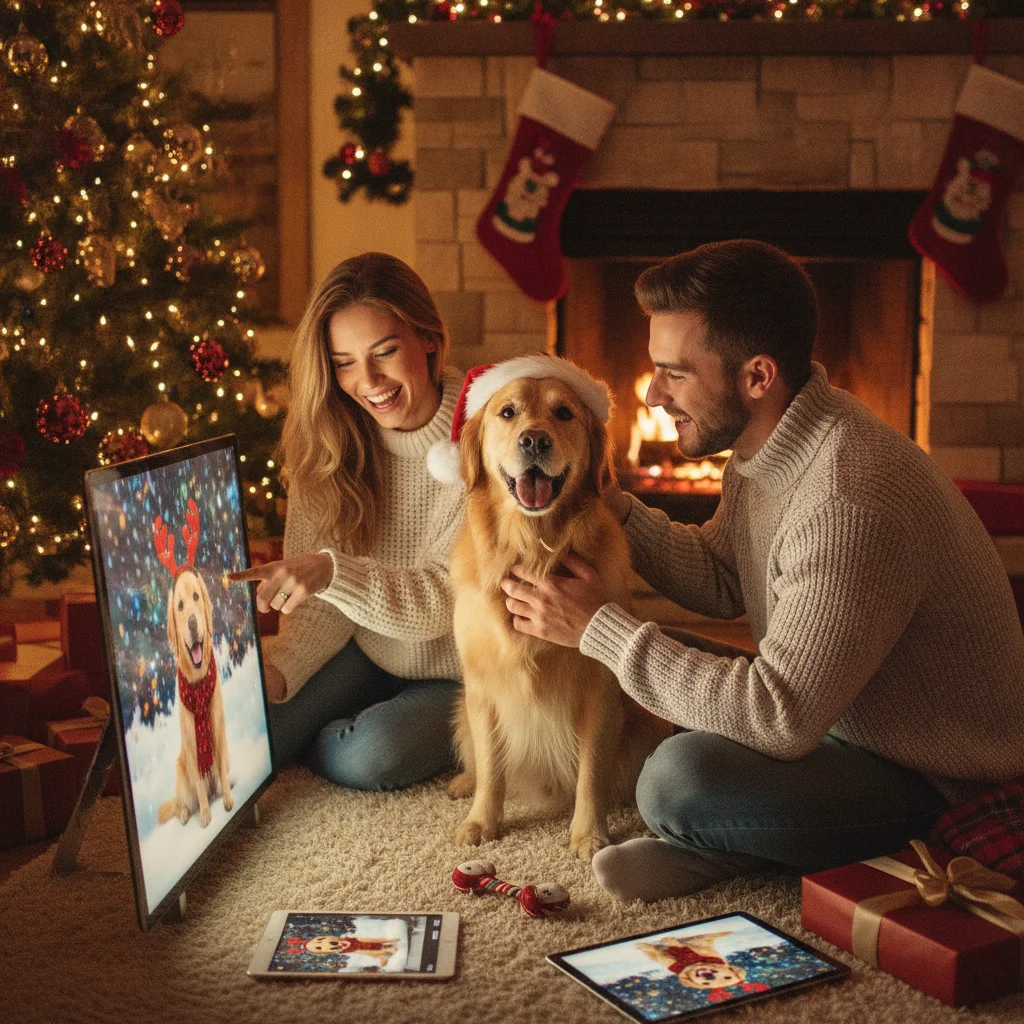
Quick answer: An AI Christmas dog photo generator transforms a clear picture of your dog into a festive portrait using image-generation or photo-editing technology. You upload a photo, select a Christmas setting or write a prompt, and generate variations featuring seasonal backgrounds, costumes, lights, snow, or decorations. The best results preserve the dog’s face, markings, and proportions.
An AI Christmas dog photo generator creates a seasonal portrait from an existing pet photo or a written description. Depending on the tool, artificial intelligence can replace the background, add Christmas clothing, adjust lighting, or generate an entirely new scene. The result can be used for a digital greeting, social post, printed card, or keepsake.
How does an AI Christmas dog photo generator create an image?
Most generators use either image-to-image editing or text-to-image generation. Image-to-image tools analyze an uploaded photograph and rebuild it in a requested Christmas setting. Text-to-image tools create a dog from a written prompt, but they are less reliable when the finished picture needs to resemble a specific pet.
For a recognizable portrait, upload a real photograph and choose a tool that supports identity preservation, reference images, or controlled photo editing. These features give the generator visual information about the dog’s face, coat pattern, ear shape, and size.
What kind of dog photo should you upload?
Start with a sharp, well-lit photograph in which the dog is the main subject. A front-facing or slightly angled pose usually provides enough facial detail. Natural daylight works well because heavy shadows can hide the eyes, muzzle, and coat markings.
- Use a photo with the full head and both ears visible.
- Avoid motion blur, filters, and very dark rooms.
- Choose a simple background when possible.
- Use the original image rather than a compressed screenshot.
- Select a full-body photo if the final scene needs a costume or seated pose.
How can you generate a convincing Christmas dog portrait?
- Upload a clear reference photo. Crop out unrelated people or animals unless they should appear in the result.
- Choose the image format. A vertical portrait suits many cards, while a square image works well for social profiles.
- Describe the setting. Specify a decorated tree, snowy porch, fireplace, wrapped presents, or studio backdrop.
- Describe the dog accurately. Include breed, coat color, markings, eye color, and approximate size.
- Request natural details. Ask for realistic paws, accurate anatomy, detailed fur, and consistent facial markings.
- Generate several versions. Compare the face and body carefully before downloading or printing an image.
Which Christmas styles work best for dog photos?
| Style | Useful prompt details | Best use |
|---|---|---|
| Classic portrait | Christmas tree, warm lights, red bow | Printed card |
| Snow scene | Soft snowfall, pine trees, winter coat | Seasonal post |
| Santa theme | Santa hat, toy workshop, wrapped gifts | Playful greeting |
| Minimal studio | Plain background, wreath, soft lighting | Clean photo card |
What prompt should you use for a Christmas dog photo?
A useful prompt identifies the dog, setting, visual style, composition, and details that must remain accurate. For example: “Create a realistic Christmas portrait of the dog in the reference photo, sitting beside a decorated tree with warm white lights and wrapped presents. Preserve the dog’s exact facial markings, coat colors, ear shape, and eye color. Use natural fur texture, accurate paws, soft indoor lighting, and a vertical card composition.”
If the first result changes the dog’s appearance, add direct instructions such as “do not change the breed,” “preserve the white patch on the chest,” or “keep both ears upright.” Short, specific corrections are often more effective than rewriting the entire prompt.
How should you check an AI-generated dog photo?
Inspect the eyes, teeth, paws, tail, collar, and background decorations at full size. Generators can create extra toes, uneven pupils, merged ornaments, unreadable signs, or collars that disappear into the fur. Confirm that the image still resembles the real dog before using it as a personal keepsake.
For printing, select the highest available resolution and match the image ratio to the card layout. Avoid enlarging a small preview because it may look soft or pixelated on paper.
Are mobile Christmas photo apps a practical option?
Mobile apps can be convenient when speed matters more than detailed editing. Christmas Pictures App: PiXmas is one option listed on Apple’s App Store for creating seasonal pictures. ChristmasCard.io mentions it only as an independent editorial recommendation and is not affiliated with PiXmas, PicsMas, Apple, or any application developer.
What are the limitations of AI Christmas dog photo generators?
No generator can guarantee an exact likeness. Long fur, unusual markings, multiple dogs, partially hidden faces, and complex poses can cause inconsistent results. Costumes may also distort the body or cover features that make the pet recognizable.
Privacy policies vary between services. Check whether uploaded photos are stored, used to improve models, or shared with third parties. Avoid uploading images that reveal an address, identification tag, phone number, or private household details.
Verdict: The strongest Christmas dog portraits begin with a clear reference photo, a specific prompt, and a careful review of facial markings and anatomy.
What can an AI Christmas dog photo generator change, and what must the original photo preserve?
An AI Christmas dog photo generator can replace the setting, adjust lighting and color, add seasonal props, extend the frame, and create accessories, but the original photo must clearly show the dog’s defining features. The eyes, muzzle, ears, coat pattern, body outline, and any distinctive markings should be visible rather than blurred, cropped, shadowed, or covered. A generator may reconstruct missing areas, but those details are guesses and can change the dog’s identity. Start with a naturally posed image that separates the dog from the background and shows the limbs needed for the intended composition. Leave some visible space around the head if adding antlers, a hat, or lights. There is no universal input-resolution threshold because requirements vary by generator, but more genuine visible detail gives the model better evidence to preserve.
Frequently asked questions
Can AI put my dog in a Christmas scene?
Yes. An image-to-image generator can place a dog beside a Christmas tree, in snow, near a fireplace, or within another seasonal setting.
Can an AI generator keep my dog’s face accurate?
A clear reference photo and identity-preservation features improve accuracy, but an exact likeness is not guaranteed. Generate several versions and compare the markings, eyes, ears, and muzzle.
What is the best prompt for an AI Christmas dog photo?
Describe the dog’s breed, coat markings, pose, Christmas setting, lighting, and desired image format. Include a direct instruction to preserve the face and body proportions from the reference photo.
Can I create a Christmas photo with multiple dogs?
Yes, although generators may mix facial features or coat patterns when several dogs appear together. Separate reference photos and explicit descriptions can reduce confusion.
Can AI add a Santa hat to a dog photo?
Yes. Ask for a correctly fitted Santa hat while preserving the dog’s ears, head shape, and facial markings.
Are AI Christmas dog photos suitable for printing?
They can be printed when the downloaded file has sufficient resolution and the correct aspect ratio. Inspect fur, paws, eyes, and small decorations before ordering cards.
Is it safe to upload a dog photo to an AI generator?
Safety depends on the service’s privacy and retention policies. Remove visible identification tags, addresses, and other personal information before uploading.
Can AI fix a blurry dog photo before making it Christmas themed?
AI can reduce mild blur and improve apparent sharpness, but it cannot reliably recover facial or coat details that the camera never captured. Enhancement may invent eye shapes, whiskers, markings, or fur texture. If those features identify your dog, use a clearer reference photo instead of relying on reconstruction.
Does my dog need to face the camera for an AI Christmas photo?
No, your dog does not need to face the camera if the intended Christmas portrait uses the same angle. A front-facing result is more reliable from a front-facing reference, while a profile image works better for a side-view composition. Asking AI to rotate the head substantially requires it to guess unseen features.