
AI Christmas Photo Generator: How to Make Realistic Holiday Photos
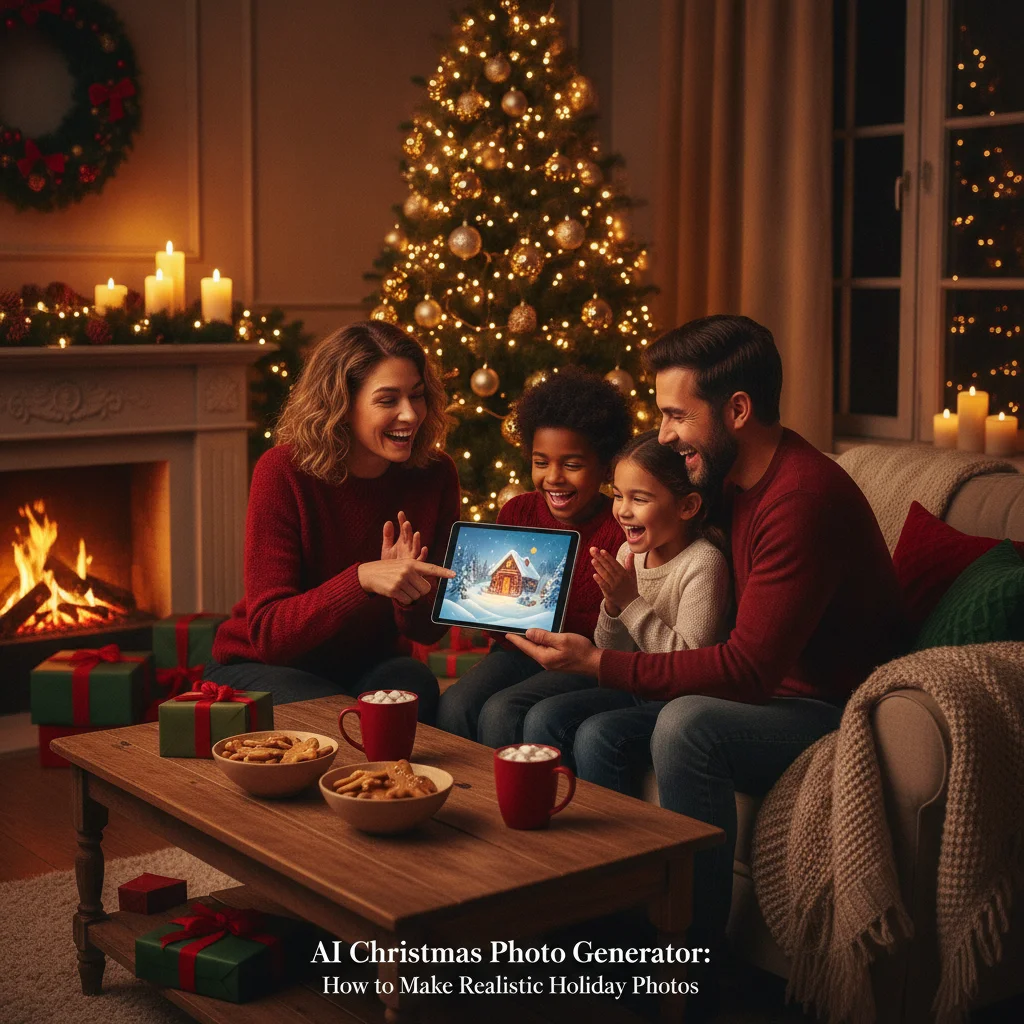
Quick answer: An AI Christmas photo generator creates holiday portraits, cards, backgrounds, and scenes from a written prompt or an uploaded photo. For the most realistic result, use a clear source image, describe the setting and lighting precisely, preserve recognizable facial features, and review hands, text, clothing, and decorations before downloading or printing the final image.
An AI Christmas photo generator can turn a portrait, family snapshot, pet photo, or written description into a seasonal image. Common results include snowy family portraits, fireplace scenes, Santa-themed pictures, matching-pajama photos, illustrated cards, and polished studio-style compositions.
The quality of an AI Christmas photo depends on more than the generator. Source-photo clarity, prompt specificity, image-editing controls, facial consistency, and final resolution all affect whether the result looks believable. A strong workflow usually involves generating several versions, selecting the most accurate one, and correcting small defects before printing or sharing.
Quick verdict: AI generators are most useful when you need an imaginative holiday setting without arranging a physical photo shoot. They are less dependable when exact facial identity, accurate hands, readable text, or documentary authenticity is essential.
What can an AI Christmas photo generator create?
AI Christmas photo tools cover several different tasks. Text-to-image generators build a new scene from a description. Image-to-image generators transform an uploaded picture while trying to retain the people, pets, pose, or composition. Background replacers keep the main subject and add a Christmas setting around it.
Popular uses include virtual holiday portraits, Christmas-card covers, social posts, party invitations, gift tags, profile pictures, and keepsake prints. Some generators favor photorealism, while others specialize in watercolor, storybook, cartoon, oil-painting, or vintage-postcard styles.
- Family portraits: Place relatives in a decorated living room, snowy forest, Christmas tree farm, or formal studio.
- Couple photos: Create romantic winter scenes with warm lights, snow, wreaths, or city decorations.
- Pet portraits: Add safe digital costumes, festive backgrounds, or illustrated holiday settings.
- Children’s scenes: Create storybook images involving Santa’s workshop, toy trains, gingerbread houses, or reindeer.
- Card artwork: Produce a background or decorative image that can be combined with a separate card layout.
AI-generated photos can also complement conventional pictures. Browse christmas photos for other photo approaches, or compare the result with family christmas photo ideas before deciding whether an AI scene or a real photo session better fits the card.
How do you make an AI Christmas photo step by step?
- Choose the intended use. Decide whether the image is for a printed card, phone wallpaper, social post, invitation, or framed print. The intended use determines the required orientation and resolution.
- Select a clear source photo. Use a sharp, well-lit image in which faces are unobstructed. A front-facing or slightly angled portrait usually gives the generator more usable facial information.
- Choose an aspect ratio. Portrait orientation works well for single-person cards and stories. Landscape orientation usually fits family cards, while square images suit profile pictures and many social feeds.
- Write a precise prompt. Identify the people, setting, clothes, lighting, camera perspective, visual style, and mood. Avoid combining too many unrelated concepts.
- Generate several options. Small variations can produce major differences in facial accuracy, hands, decorations, and composition. Compare multiple outputs instead of accepting the first image.
- Inspect the details. Zoom in on eyes, teeth, fingers, glasses, jewelry, clothing edges, ornaments, pet paws, and reflected objects.
- Edit and upscale. Use inpainting, background editing, cropping, or an upscaler when available. Add names and greetings in a design editor rather than asking the image generator to render important text.
- Export the final file. Download the highest-resolution version allowed and retain an uncompressed copy for printing.
What prompt creates a realistic AI Christmas photo?
A useful prompt describes one coherent photograph. It should state who appears, where the subjects are positioned, what they are wearing, how the scene is lit, and how the camera captures the moment. Concrete visual details work better than broad requests such as “make it festive.”
A reusable prompt structure is: “Create a realistic Christmas portrait of [subject], in [location], wearing [clothing], surrounded by [decorations], illuminated by [lighting], photographed with [camera or composition description], with [mood], natural skin texture, accurate hands, and no text.”
For example: “Create a realistic landscape family Christmas portrait using the uploaded photo as the identity reference. Place the family beside a natural evergreen tree in a warm living room with cream stockings, subtle red ornaments, wrapped gifts, and soft window snow in the background. Use warm diffused light, natural skin texture, realistic proportions, coordinated burgundy and beige clothing, and shallow depth of field. Preserve each person’s age and facial features. No text, logos, extra fingers, or duplicate people.”
A negative prompt can identify defects to avoid when the tool supports one. Useful exclusions include distorted hands, duplicate faces, extra limbs, waxy skin, crossed eyes, illegible writing, plastic-looking decorations, heavy blur, and incorrect anatomy. Negative prompts reduce some errors but cannot guarantee accuracy.
Which Christmas photo style should you choose?
The best style depends on the source image and the purpose of the finished picture. Photorealism suits family cards, but an illustrated style may hide small identity errors and create a more intentional result.
| Style | Best use | Prompt details to include | Main risk |
|---|---|---|---|
| Realistic studio portrait | Formal cards and prints | Softbox lighting, neutral backdrop, natural skin texture | Faces may look overly polished |
| Cozy fireplace scene | Family and couple cards | Warm lamplight, garland, stockings, restrained decorations | Background can become crowded |
| Snowy outdoor portrait | Winter announcements and social posts | Overcast light, visible breath, realistic snow, winter clothing | Clothing or hair may blend into snow |
| Vintage Christmas card | Nostalgic greetings | 1950s print texture, muted palette, hand-painted appearance | The effect may intentionally alter faces |
| Watercolor illustration | Cards, tags, and invitations | Soft paper texture, controlled brushwork, simple background | Identity will be less exact |
| Storybook fantasy | Children and pets | Whimsical workshop, gentle lighting, illustrated details | Complex scenes can create extra objects |
Visual consistency matters when generating a card set. Repeat the same color palette, wardrobe description, lighting terms, and aspect ratio across prompts. If the generator offers a seed, style reference, or character reference, retaining those settings can make separate images look related.
How can you keep faces looking like the real people?
Facial identity is one of the hardest parts of AI portrait generation. Use a high-resolution reference with even lighting and a neutral expression. Avoid sunglasses, heavy filters, motion blur, cropped foreheads, and shadows that conceal facial structure.
For a group portrait, the generator must preserve several identities at once. Start with a source photo in which every person is clearly visible and reasonably similar in size. Generating each person separately and combining the images later may work better when a group contains many people.
Tell the generator to preserve age, face shape, eye color, hairstyle, skin tone, and distinguishing features. Do not request aggressive beautification if resemblance matters. Smoothing skin, changing age, reshaping faces, or adding dramatic makeup can cause the result to resemble a different person.
Children’s faces require special care because small proportional changes can alter identity. Parents and guardians should also review the privacy terms before uploading a child’s image. A local editing tool or a service with clear deletion controls may be preferable for sensitive family photos.
How do you create an AI Christmas card from the finished photo?
Generate the picture and design the card as separate steps. Image generators often produce misspelled or malformed lettering, even when the visual scene looks convincing. A card editor gives direct control over names, dates, greetings, margins, and typography.
Leave open space in the image where the greeting will appear. A prompt can request “clean negative space in the upper right” or “an uncluttered lower third for card text.” Place important faces away from trim lines, folds, and rounded corners.
For printing, confirm the card company’s required dimensions, bleed, color profile, and file format. A visually sharp phone image may still be too small for a folded card or large print. As a general check, 300 pixels per printed inch provides a practical target, although each printer can specify different requirements.
Card wording should remain readable against the background. Add a subtle overlay or choose a quieter area if lights, snow, and ornaments compete with the text. See christmas cards for card formats and christmas card messages for greeting ideas.
How should you compare AI Christmas photo generators?
Compare tools using the same source image and a similar prompt. A free trial may be enough to assess facial resemblance, generation speed, editing options, and watermark rules before paying for credits or a subscription.
- Identity controls: Look for face-reference strength, character consistency, or identity-preservation settings.
- Editing controls: Inpainting, masking, object removal, and background replacement make corrections easier.
- Resolution: Check the actual pixel dimensions, not labels such as HD or print quality.
- Commercial terms: Confirm whether the license permits cards sold by a business, advertising, or client work.
- Privacy: Review retention periods, model-training policies, deletion options, and controls for public galleries.
- Pricing: Determine whether failed attempts consume credits and whether unused credits expire.
Major creative platforms and smaller specialist services now offer seasonal generation features. Christmas Pictures App: PiXmas is one iPhone option listed on Apple’s App Store. At the time of the supplied editorial research, the listing showed about 4.4 stars from 116 ratings, but ratings and app features can change. ChristmasCard.io is independent and is not affiliated with PiXmas, PicsMas, Apple, or any photo application.
App-store ratings can indicate general user sentiment, but a rating does not prove that a tool will preserve a particular face or meet print requirements. Test the current version with a non-sensitive image, read recent reviews, and verify subscription terms directly in the listing.
What privacy and copyright checks should you make?
Read the generator’s privacy policy before uploading identifiable family photos. Check whether images are stored, displayed publicly, reviewed by humans, or used to train future models. Delete source files and generated images from the account when they are no longer needed if the service provides that control.
Only upload photos that you own or have permission to use. Obtain consent from adults shown in the image and use extra caution with children. Avoid creating a realistic image that falsely places a person in an embarrassing, harmful, political, or commercial context.
Commercial-use rights vary among tools and account levels. A generator may permit personal Christmas cards but apply different terms to products sold to customers. Logos, protected characters, celebrity likenesses, and recognizable artwork can introduce additional rights questions even when the generator accepts the prompt.
Recipients may interpret a photorealistic image as a record of a real event. A simple disclosure such as “created with AI” is appropriate when authenticity matters, especially for contests, journalism, memorial images, or claims about where an event took place.
What are the limitations of AI Christmas photo generators?
AI systems can alter identity, age, body proportions, skin tone, mobility aids, cultural clothing, religious symbols, and family relationships. A generated family portrait should be checked by someone who knows the subjects well.
Hands, teeth, eyeglasses, reflections, earrings, patterned clothing, pet anatomy, and crowded group scenes remain common failure points. Christmas decorations add many small objects, so ornaments, string lights, gift ribbons, and tree branches may merge or repeat.
Generators also struggle with precise text and factual continuity. A greeting may be misspelled, a wedding ring may move between hands, or the number of people may change between versions. Manual editing is often necessary for a finished card.
Free plans may restrict resolution, add watermarks, limit generations, or place images in public galleries. Paid access does not guarantee accurate results. Users should assess the output itself rather than relying only on price, popularity, or promotional examples.
AI Christmas photos are creative compositions, not automatic replacements for meaningful documentary photographs. A real snapshot may be more valuable when the purpose is to preserve an actual family gathering. The strongest choice is the image that represents the family honestly, suits the card, and remains clear at the final printed size.
What can an AI Christmas photo generator change, and what must the original photo provide?
An AI Christmas photo generator can replace backgrounds, add snow, lights, trees, gifts, and seasonal clothing, and adjust color or framing, but the original photo must clearly show the people and details you want preserved. Choose a sharp, evenly lit image with unobstructed faces, natural expressions, and visible hairlines; avoid screenshots, heavy filters, motion blur, crossed faces, and hands hidden behind props. Keep the camera angle and body position reasonably compatible with the requested scene—for example, a seated portrait is a better base for a fireplace setting than for a full-length skating scene. AI may plausibly restyle clothing or extend scenery, but it should not be expected to recover an unseen face, exact hand position, or authentic small text. There is no universal input-resolution threshold that guarantees accurate identity preservation; inspect faces and hands at normal viewing size before using the result.
Why do AI Christmas photos still show bad hands, teeth, pets, and text?
No AI Christmas photo generator can reliably repair every malformed hand, tooth, duplicate pet, or garbled word, so inspect the final image rather than trusting a polished preview.
- Zoom in on every hand in the AI Christmas photo. Count visible fingers, check where hands meet sleeves, mugs, or gifts, and look for fused joints or mismatched skin texture. Regenerate or crop if a hand remains anatomically unclear.
- Examine each smile in the AI Christmas photo. Teeth should follow the curve of the mouth without repeated identical shapes, merged lips, or bright blocks. Compare each person’s face with the reference before accepting it.
- Scan the full AI Christmas photo for unintended pets, duplicated collars, and decorations that resemble animals. Then read every sign, ornament, sweater, and card letter by letter. Replace unreadable text in a separate editor rather than asking repeated generations to spell it correctly.
Frequently asked questions
What is the best AI Christmas photo generator?
The best generator is the one that preserves facial identity, produces sufficient resolution, and provides editing and privacy controls for the intended use. Testing the same image and prompt across several tools is more reliable than choosing by promotional samples alone.
Can an AI Christmas photo generator be used for free?
Many generators offer limited free credits or previews, but free plans may add watermarks, restrict resolution, or place images in public galleries. Users should check export rules and renewal terms before uploading personal photos.
How do I make an AI Christmas photo look realistic?
Use a sharp reference photo and describe the setting, wardrobe, lighting, camera angle, and facial-preservation requirements precisely. Inspect hands, teeth, eyes, jewelry, decorations, and background reflections before downloading the result.
Can I make a Christmas photo without uploading a real picture?
A text-to-image generator can create fictional people, pets, and holiday scenes without a reference photo. It cannot produce a dependable likeness of a specific person without enough identity information.
Is it safe to upload family photos to an AI generator?
Safety depends on the service’s storage, training, sharing, and deletion policies. Users should avoid sensitive images, obtain consent, and apply stricter privacy standards to photos of children.
Can AI-generated Christmas photos be printed on cards?
AI Christmas photos can be printed when the license allows the intended use and the file meets the printer’s size and resolution requirements. Important text should be added in a card editor because image generators often render letters incorrectly.
Should an AI Christmas photo be labeled as AI-generated?
Disclosure is advisable when viewers could reasonably believe the picture documents a real event or location. Labeling is especially important in journalism, contests, advertising, memorial content, and other contexts where authenticity affects interpretation.
Can AI add Christmas decorations to an existing photo?
Yes, AI can add decorations such as wreaths, string lights, ornaments, wrapped gifts, snow, or a Christmas tree to an existing photo. The most convincing edits match the original lighting, perspective, and available space. Decorations placed across faces, hair, fingers, or reflective surfaces are more likely to create visible errors.
Why does AI change faces in my Christmas photo?
AI often changes faces when the source image is small, blurred, shadowed, partly covered, or viewed from an unusual angle. Generative editing may reconstruct facial details instead of copying them exactly. Use a clear original, request minimal facial changes, and compare eyes, teeth, glasses, freckles, and hairlines with the source before saving.
Why do AI Christmas photos create extra fingers or teeth?
AI image models predict visual patterns rather than constructing a fully consistent body or mouth. That can produce fused fingers, repeated teeth, or mismatched details, especially in small, crowded areas. Clear source photos and targeted edits may help, but a manual close-up check is still necessary.