
How to add a Santa hat to a photo for your Christmas card
Quick answer: Download one of the six free transparent Santa hat PNGs below, place it on the photo in Canva, Google Slides or your phone's photo editor, tilt it to match the head and size the brim a little wider than the forehead. Do this before you build the card, save the photo at full size, and the hat will print as sharp as the faces on a 5x7 card.
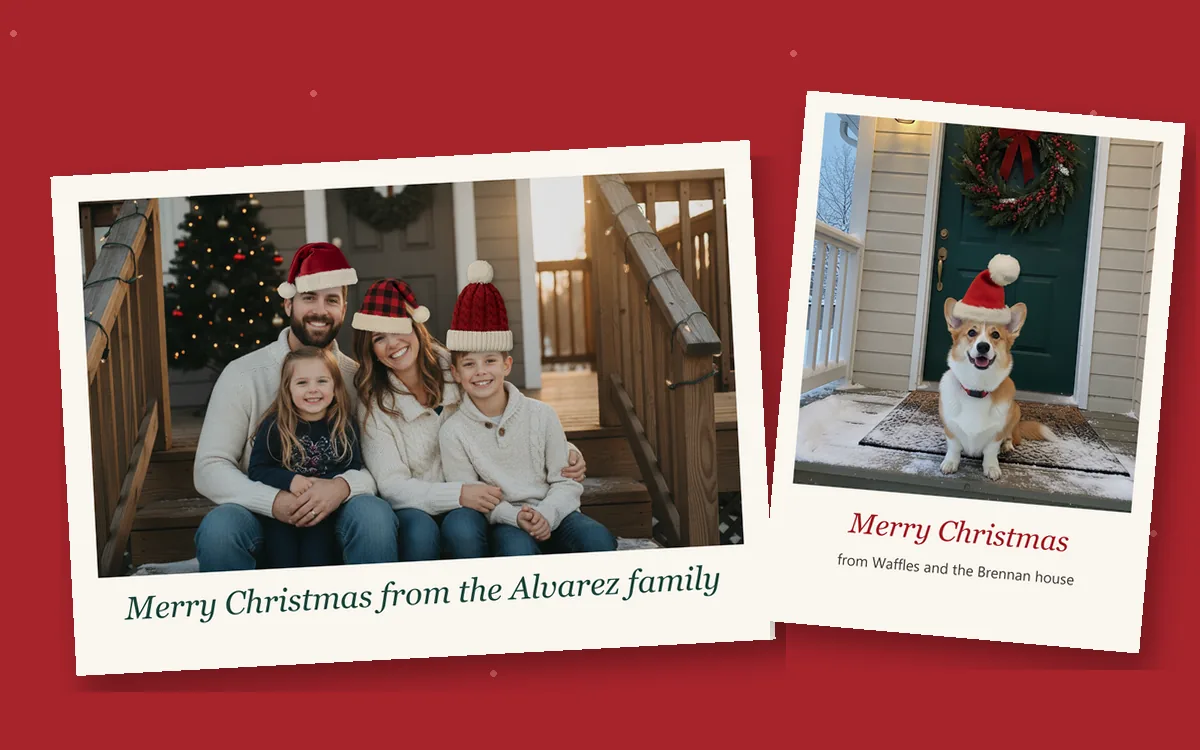
Six free Santa hats made for card photos
Every hat is a transparent PNG, so it drops onto any photo with no white box around it. They were made for ChristmasCard and are free for your own cards. Click a name to download the full-size file.
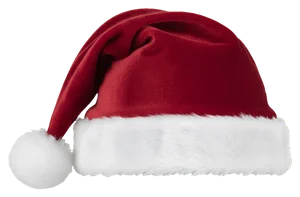
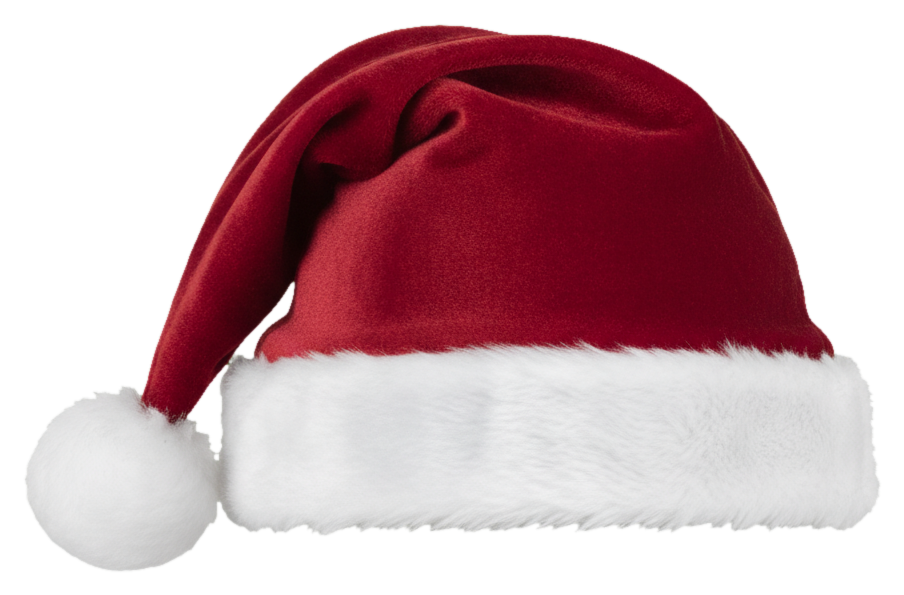
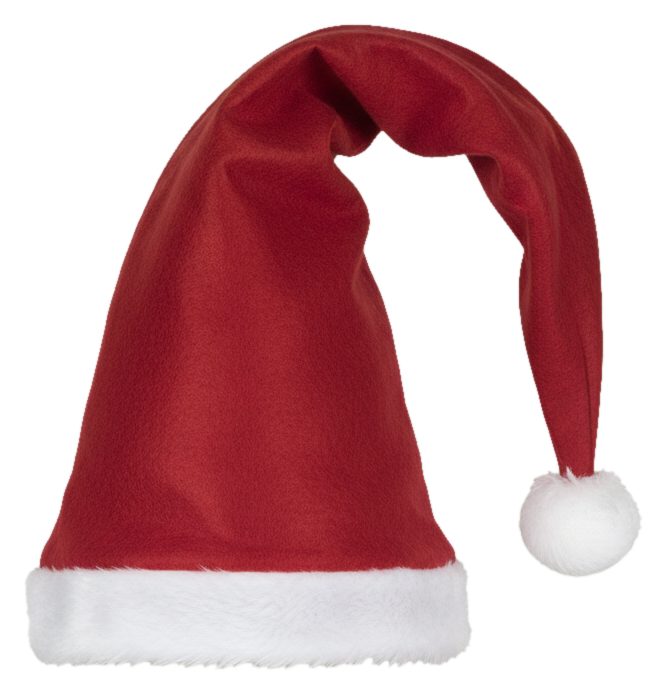
1. Classic velvet
Bright red velvet, a thick white brim and a pompom that falls to the left. The one everybody pictures.
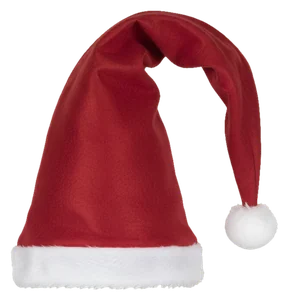
2. Tall and floppy
A long felt tip that curls over to the right. Good for a silly card, or for the tallest person in the photo.
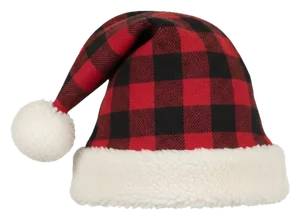
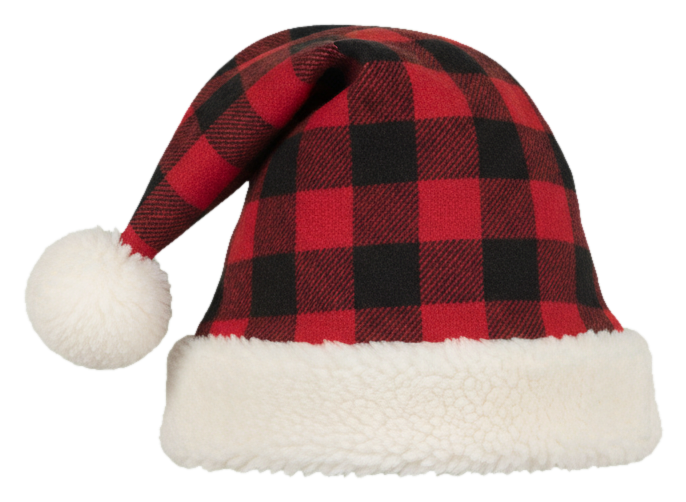
3. Buffalo plaid
Red and black check with a cream sherpa brim. It goes with flannel pajama photos and cabin-style cards.
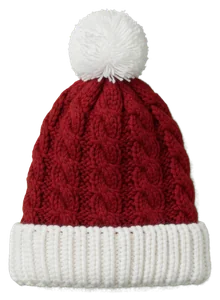
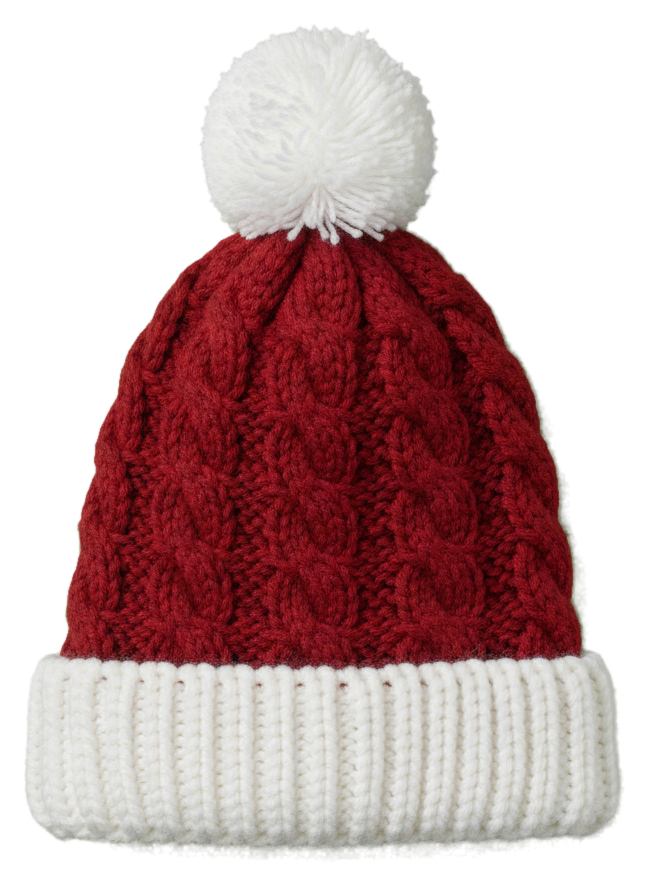
4. Cable-knit pompom
A chunky knit hat with a white cuff. It reads as a real winter hat, so it suits outdoor and porch photos.
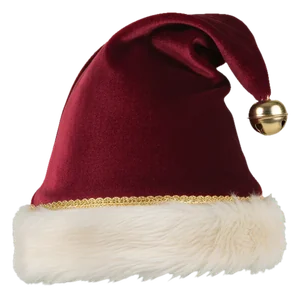
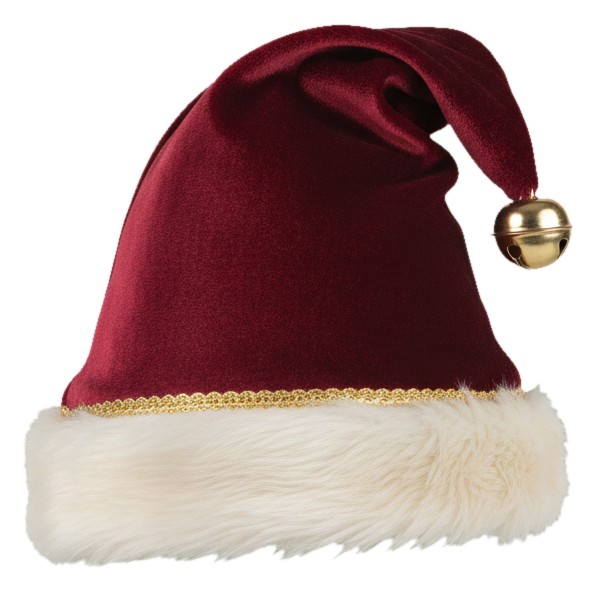
5. Burgundy and gold
Darker velvet, a gold braid and a little bell at the tip. Pair it with gold foil or an elegant card layout.
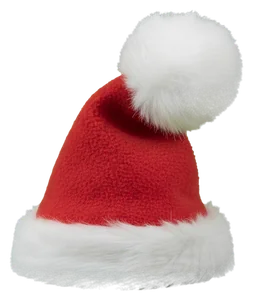
6. Pet size
Short and stubby with an oversized pompom. Sized to sit between a cat's or small dog's ears.
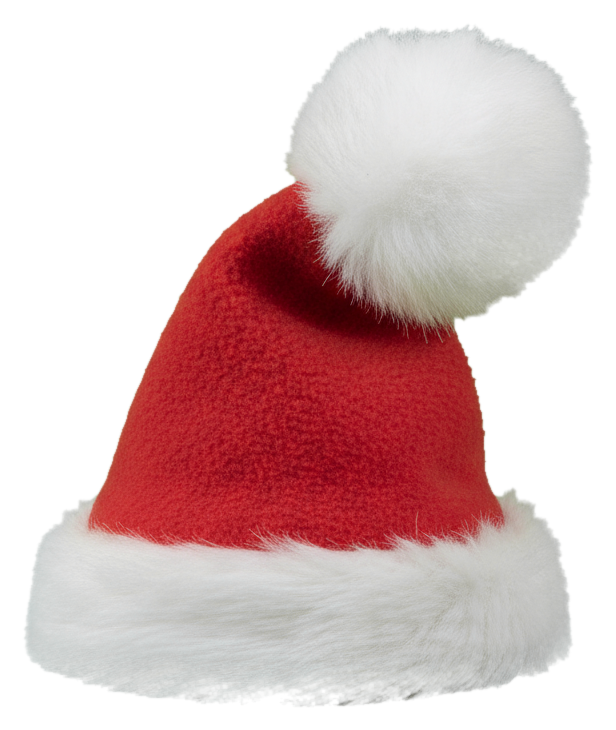
Download all 6 as a printable PDF (1 MB) The PDF puts one big hat on each US Letter page, for printing as photo booth props (more on that below).
Put the hat on the photo first, then make the card
The order is the whole trick. Card templates crop the photo to fit a window, and they often zoom in a little. If you add a hat inside the card editor, the pompom can end up hanging off the edge of the photo window, or the template's frame sits on top of it. Fix the photo, save it, then design the card around the finished picture.
The tools below are all free for this job.
- iPhone, no extra app. Save the hat PNG to Photos. Open it, touch and hold the hat until it lifts, and tap Add Sticker. Then open your card photo, tap Edit, then Markup, tap the plus button and choose Add Sticker. Pinch to size it and drag it into place. Apple documents this sticker feature in its iPhone user guide.
- Canva on a phone or computer. Start a design at your card size or as a custom size that matches your photo. Upload the photo and the hat, place the hat, and download as PNG. You won't need Canva's Background Remover (it is a paid feature after one free try, per Canva's help page) because these hats are already cut out.
- Google Slides. Set the slide size to your photo's shape under File, Page setup. Insert the photo, then the hat, and use Format options to rotate by exact degrees. Download the slide as PNG. Slides is handy if your family already shares a Google account for the card.
Whatever you use, save the result as a new file. You'll want the hat-free original later, for the photo book or for the version you send to the grandparent who finds the hats silly.
Santa hats on a whole family: the four-heads problem
One hat on one face is easy. Four hats on a family photo is where most cards go wrong, because the people are at different distances from the camera and their heads overlap.
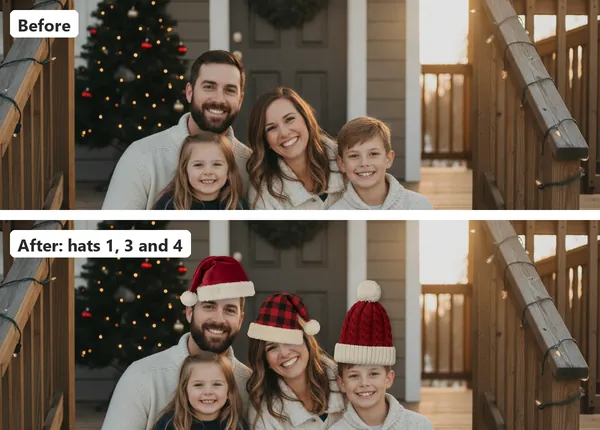
- Work from the back row to the front. In most editors the newest layer lands on top, so hats on the people in front will correctly overlap hats behind them.
- Size each hat to its own head. The brim should be roughly 10 to 20 percent wider than the forehead. A person sitting a step lower or a little farther back gets a smaller hat, even if they're an adult.
- Match the tilt. If dad leans his head toward mom, tilt his hat the same way. Straight hats on tilted heads are the giveaway people notice first.
- Mix styles or match them, on purpose. Three different hats look like a playful family; one style repeated looks like a uniform. Both work on a card.
- Never cover a face. If a hat would hide part of someone else's face, leave that person bare or give them a small one (the pet-size hat fits a toddler's head well too).
Light direction is the last detail. Our hats are lit fairly evenly, but if sunlight hits your family from the right, flip the hat horizontally so its brighter side faces the same way. On a 5x7 card nobody will name the problem, but a wrong-side highlight makes the hat look pasted on.
A Santa hat for the dog or cat on the card
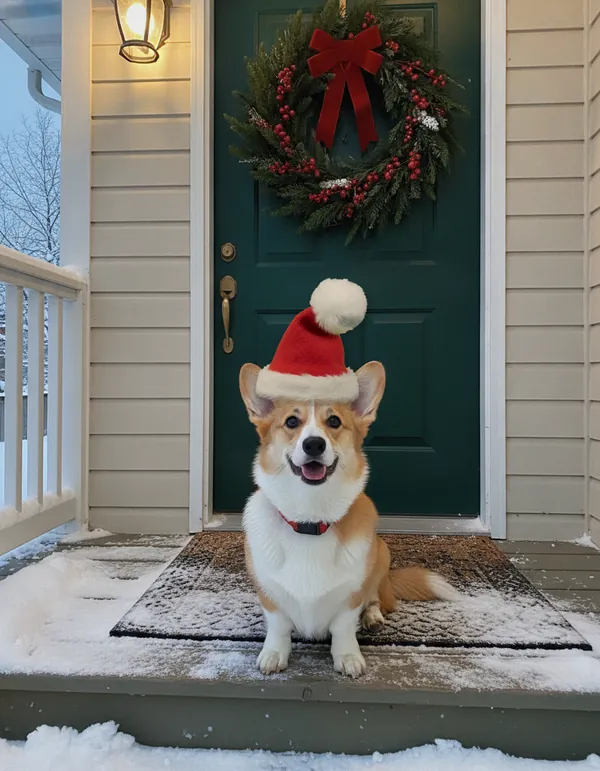
Pets are the reason a lot of people search for this. A real hat on a real dog lasts about as long as the treat in your hand, and plenty of dogs and cats hate anything on their heads. The ASPCA's advice on pet costumes is to skip headpieces with dangly or chewable parts and anything that restricts movement, vision or breathing. A digital hat avoids the whole struggle: you photograph the pet as it is and add the hat later.
Ears decide where the hat goes. For pointy ears (corgis, huskies, most cats) use the pet-size hat and set it between the ears, as in the corgi photo here. For floppy ears (retrievers, beagles, spaniels) a full-size hat can sit across the top of the head with the ears hanging below the brim.
For the card line, put the pet's name in it. "Merry Christmas from Waffles and the Brennan house" gets more replies than the family name alone.
Need a better pet photo to start with? Our guide to photographing a dog for a Christmas card covers the squeaky-toy trick and shutter settings, and the pet Christmas card maker page lists apps that build the whole card around the pet.
Will the hat still look good on a printed 5x7?
A digital hat that looks fine on a phone screen can look wrong in print. Three checks catch almost every problem.
| Check | What to look for | Fix |
|---|---|---|
| Resolution | A 5x7 card at 300 dpi is 1500 x 2100 pixels. The hat should be scaled down to fit, never stretched up. | Use the full PNG, not the preview image or a screenshot. |
| White fur | Printers can't print white. The brim is bare paper with gray shading, which can look dingy on cream cardstock. | Brighten the hat a touch, or choose white paper for this card. |
| Edges | A thin halo around the hat shows up at 100 percent zoom. | Zoom in before exporting; if you see a halo, the PNG was saved with a background. |
Then export the edited photo at full size (on iPhone, Markup saves at the original resolution; in Canva choose PNG at the largest size). For pixel targets by card size, see Christmas card resolution for printing. Ordering 50 or 100 cards? Print one 4x6 at a drugstore first. It costs very little and shows you the fur color before the whole batch is made.
Filters vs a PNG hat
Snapchat, Instagram and TikTok usually have Santa hat effects in December, but they come and go with the season and with the creators who make them, so search the effects gallery for "Santa" instead of trusting a name from last year. Live filters are fun for a video call or a story. For a card, a PNG on a full-resolution photo is the safer choice: you shoot with the normal camera at full quality, and you control exactly where the hat goes. Our page on Christmas filters for card photos compares the two in more detail.
Print the hats as photo booth props
Sometimes the easiest edit is no edit. Print the PDF on cardstock (65 lb or heavier stays stiff), cut around each hat and tape it to a paper straw. Hand them out before the family photo and everyone holds one above their head. It works well at a Christmas party, a classroom or a church event, where you'd otherwise be editing 30 photos one by one.
Hats 1 and 3 are the most readable from across a room. For kids, hat 6 is about the right size to hold above a small head.
From hat photo to finished card
Once the photo is done, the rest is the usual card routine. Pick a layout and printer from our guide to photo Christmas cards, or add a border with the free Christmas photo card frames. If you'd like the hats to carry over to everyone's phones too, the matching set in Christmas profile pictures that match your card uses the same idea.
Frequently asked questions
How do I add Santa hats to everyone in a group photo?
Put the hats on one at a time, starting with the person farthest back, so the hats of people in front overlap correctly. Make each brim a little wider than that person's head and tilt it to match the head, and skip a hat if it would cover someone else's face.
Can I put a Santa hat on a photo in Canva?
Yes. Upload your photo and a transparent Santa hat PNG, drag the hat onto the head, resize it from a corner and rotate it with the arrow handle. You do not need Canva's Background Remover (a paid feature after one free try) because the ChristmasCard hats already have no background.
What size should a Santa hat PNG be for a printed card?
Bigger than it will appear on the card. A 5x7 card prints at 1500 x 2100 pixels at 300 dpi, and a head in a family photo is often 200 to 400 pixels wide, so a hat file 600 pixels or wider is only ever scaled down and stays sharp.
Should I add the hat before or after designing the card?
Before. Card templates crop and zoom the photo, and a hat added afterward can end up half outside the frame, so edit the photo first, save it at full size, then drop it into the card layout.
Why does the white fur on my printed card look gray?
Printers do not print white ink; white areas are bare paper, and the soft shading in the fur prints as gray dots. Brighten the hat slightly in your editor, and order a single test print before a batch of 50.
Can I print the Santa hats as photo booth props?
Yes. The free PDF has one hat per US Letter page; print it on cardstock, cut around the edge and tape it to a paper straw or dowel so people can hold it above their heads for the card photo.
Are the ChristmasCard Santa hats free to use on my cards?
Yes, all six hats are free for personal Christmas cards, invitations, family newsletters and school or church projects. Please do not resell the PNG files themselves or offer them as a download on another site.
Is a digital Santa hat better than a real one on a pet?
For a pet that dislikes things on its head, yes. The ASPCA advises against headpieces that restrict movement, sight or breathing, so a quick photo of the pet as it is plus a digital hat avoids the struggle.