
Magical Snowy Christmas Portrait Styles
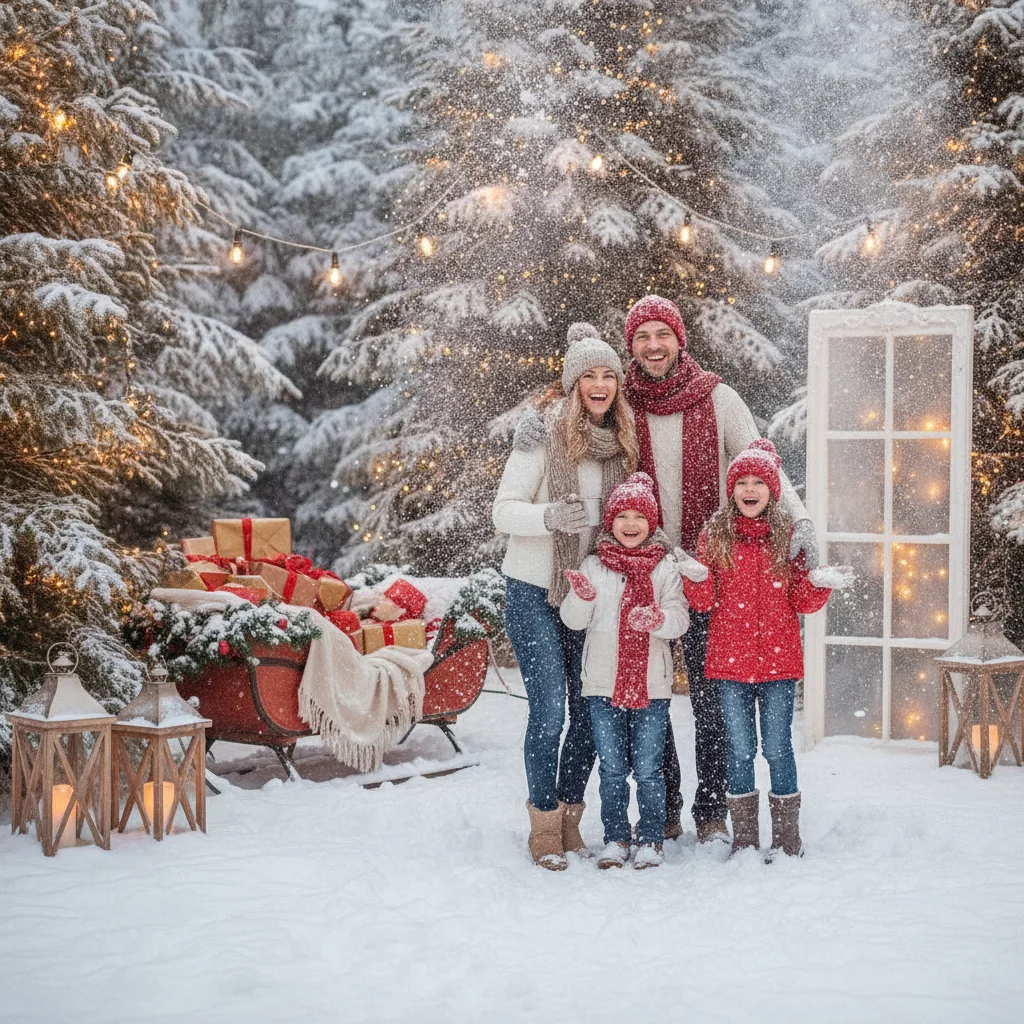
Quick answer: Snowy Christmas portraits look most convincing when soft light, simple winter clothing, natural poses, and restrained snow effects work together. Choose a style such as an outdoor snowfall, a cozy evergreen scene, or a studio snow setup. Protect skin tones during editing, keep faces clearly visible, and leave enough open space if the portrait will become a Christmas card.
Snowy Christmas portraits can feel playful, peaceful, romantic, or storybook-inspired. The best style depends on the people being photographed, the weather, and how the finished image will be used. Real snow provides natural texture, but artificial snow and digital effects can create a similar seasonal mood when outdoor conditions are unreliable.
Which snowy Christmas portrait styles work best?
A classic outdoor snowfall portrait uses snow-covered trees or an open field as the background. Falling flakes add depth, while a darker coat or scarf helps the subject stand out against the white landscape.
A cozy evergreen portrait places the subject near pine branches, wreaths, or a decorated outdoor tree. Warm string lights can soften the scene and create color contrast without requiring an elaborate set.
For families with young children, a candid snow-day style often feels more natural than a formal lineup. Walking, holding hands, catching snowflakes, or pulling a small sled gives everyone something to do.
Studio portraits offer greater control. White floor covering, paper snowflakes, frosted trees, and carefully placed artificial snow can suggest winter without freezing temperatures or wet clothing.
| Portrait style | Best setting | Useful detail |
|---|---|---|
| Classic snowfall | Snowy field or park | Dark outerwear for contrast |
| Evergreen glow | Pine trees or porch | Warm white lights |
| Snow-day candid | Yard or quiet trail | Movement and playful props |
| Studio winter | Indoor backdrop | Controlled artificial snow |
| Close-up snow portrait | Shaded outdoor area | Visible eyes and soft flakes |
What should people wear for snowy Christmas portraits?
Choose clothing that separates the subjects from the background. Forest green, burgundy, navy, camel, charcoal, and muted red photograph well against snow. An entirely white outfit can blend into the setting unless it includes strong texture or a darker accessory.
Coordinate colors rather than placing everyone in identical outfits. Knits, wool coats, scarves, and boots provide winter texture. Limit prominent logos and very small patterns because they can distract from faces or reproduce poorly on printed cards.
Warmth matters as much as appearance. Thermal layers can remain hidden under portrait clothing, and coats can be opened briefly for a few frames. Keep spare gloves, hand warmers, and a dry blanket nearby.
How can falling snow be photographed clearly?
Snowflakes are easier to see when they cross a darker background such as evergreen trees or a shaded building. Backlighting can make falling flakes appear brighter, although the light should remain behind or beside the subjects rather than shining directly into the lens.
Use a faster shutter speed to define individual flakes and a slower shutter speed to create soft streaks. Take several short bursts because the position of falling snow changes every moment. Check that large flakes are not covering a subject’s eyes or mouth.
Snow often causes cameras to produce an image that looks gray or underexposed. Increase exposure carefully while watching bright areas for lost detail. Shade or open-sky light is usually more flattering than direct midday sun reflected from the snow.
How should snowy portraits be edited?
Begin with skin tone and facial brightness before adjusting the snow. Correct overly blue shadows, but retain a slight cool cast if it supports the winter atmosphere. Pure white snow is not required in every part of the frame because natural snow reflects colors from the sky and surroundings.
Digital snow should vary in size, focus, and position. A uniform overlay can look flat. Keep simulated flakes away from important facial features and reduce the effect around eyes. PiXmas is one app that may be considered for Christmas-themed picture editing, but it is an independent editorial recommendation, and ChristmasCard.io is not affiliated with PiXmas or its developer.
How can the portrait be prepared for a Christmas card?
Choose a frame with clear expressions and enough empty background for a greeting. A vertical portrait suits many single-photo layouts, while a wider family image can accommodate text beside the group.
Preview the final crop before printing. Keep faces, hands, hats, and important snowy details away from the outer edges. Export the largest available image rather than a screenshot to preserve print detail.
What are the limitations of snowy Christmas portraits?
Outdoor snow sessions depend on weather, daylight, safe travel, and comfortable temperatures. Falling snow can quickly wet hair and clothing, while bright ground reflections may cause squinting. Short sessions with planned warm-up breaks are often more practical than a long shoot.
Artificial snow products require care around children, pets, eyes, and indoor surfaces. Check product instructions and avoid using unidentified powders. Digital snow avoids those concerns, but heavy effects can obscure expressions or make the portrait look less natural.
Snowy Christmas portraits work best when the winter setting supports the people rather than competing with them. Prioritize expressions, warmth, facial clarity, and a believable amount of snow.
This page on Magical Snowy Christmas Portrait Styles is a practical reference, not a guarantee of print quality or delivery times. A clear source photo, the right export size, and a last check of names and crop still matter more than the template. Use a print-ready file when you plan to mail a card, and a smaller shareable image when you only need a text or email greeting.
What commonly goes wrong with snowy Christmas card portraits?
Snowy Christmas card portraits usually fail when bright snow is exposed correctly but faces become too dark, or when faces are brightened until the snow loses detail. Check both skin and the brightest snow before changing locations. Avoid placing everyone in unbroken front-facing glare; turn the group slightly or use nearby trees or a building edge to soften reflected light. Falling flakes can cover eyes, while backlit flakes may become distracting white blobs. Shoot short bursts and reject frames with flakes across key expressions. Also watch for blue color casts, wet hems, red noses, churned footprints, and pale props that vanish into the background. Digital snow often fails when every flake has the same size or sharpness. There is no single exposure setting that works for every snowy scene, so review close-up face and highlight detail on location.
White outfits do not create the cleanest snowy Christmas portraits
A common myth is that white outfits and an all-white backdrop make snowy Christmas portraits look cleaner; in practice, they can erase separation between people and the scene.
- Choose clothing with enough color or texture to remain distinct from the snow, and avoid tiny patterns that compete with visible flakes.
- Keep snow-covered trees, fences, or darker woodland areas in the background rather than placing every subject against a blank white field. Check that branches do not appear to grow from anyone’s head.
- Crop loosely enough to preserve the winter setting and leave room around hats, boots, and outstretched arms. Cutting at ankles, wrists, or the tops of pom-pom hats can make an otherwise polished portrait feel accidental.
Frequently asked questions
What colors look best in snowy Christmas portraits?
Forest green, burgundy, navy, camel, charcoal, and muted red create useful contrast against white snow. Coordinated colors usually look more natural than identical outfits.
What time of day is best for snow portraits?
Morning or late-afternoon light is often softer than direct midday sun. Open shade also reduces squinting and harsh reflections from snow.
Can snowy Christmas portraits be created without real snow?
Artificial snow, white studio materials, frosted decorations, and restrained digital effects can create a winter setting indoors. Varied flake sizes and realistic placement help the result look believable.
How do photographers keep snow from looking gray?
Photographers commonly increase exposure slightly because bright snow can mislead a camera’s meter. Highlight detail should still be checked to prevent bright areas from becoming blank white patches.
Are snow overlays suitable for family portraits?
Snow overlays can work well when flakes do not cover faces or dominate the frame. Subtle effects generally preserve expressions and print clarity better than dense overlays.
How should a snowy portrait be cropped for a card?
Leave open background around the subjects for text and printing margins. Avoid placing faces, hands, or hats close to the final trim edge.
Why do faces look too dark in snowy Christmas portraits?
Faces look too dark because a camera may reduce exposure after reading the large, bright snowfield. Meter from a face, add modest exposure compensation, or use soft fill light while checking that the snow retains texture. Repositioning people away from hard reflected glare can also reduce squinting and uneven shadows.
How can I stop falling snow from covering faces in group portraits?
Use short bursts and choose a frame in which no large flakes cross anyone’s eyes or mouth. Keep the group’s faces on a similar plane so they remain sharp, and avoid extremely heavy snowfall when possible. If adding snow digitally, mask flakes away from important facial features rather than distributing them evenly.
Can you wear white for snowy Christmas portraits?
Yes, but white clothing needs contrast from the snow. Add a darker coat, scarf, textured knit, or colored layer, and position the person against trees or another defined background. An entirely white outfit against open snow may lose its edges, especially when the scene is brightly exposed.
Why do faces look too dark in snowy Christmas photos?
Faces can look dark because bright snow influences the camera’s exposure, causing the whole image to be recorded more dimly. Expose for the subjects’ skin, use soft fill light when necessary, and check highlights so the snow retains detail. Open shade can also reduce harsh facial shadows and squinting.