
Best Digital Christmas Card App for Photo Greetings
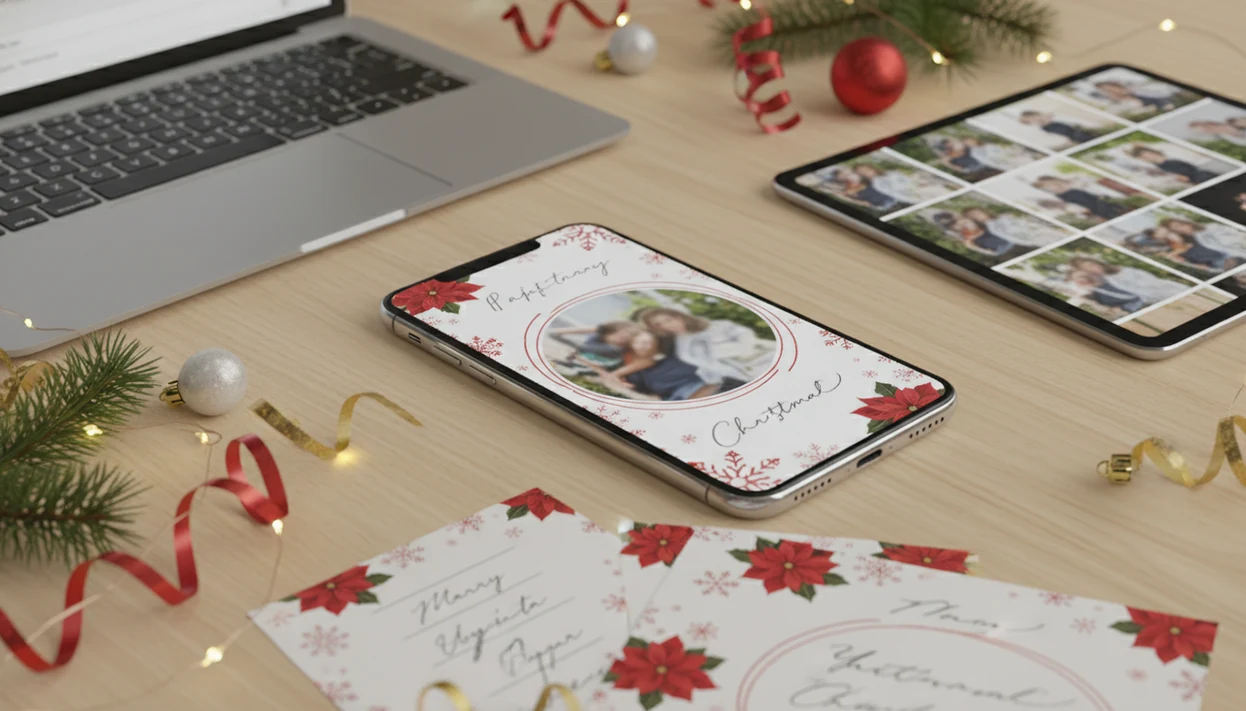
The best digital Christmas card app lets you add photos and text, use suitable templates, and export a clean card for texting, emailing, or printing. Compare device compatibility, resolution, watermarks, privacy settings, and total cost before choosing an app.
Definition: A Christmas card app turns phone photos, templates, greeting text, and export tools into digital or printable holiday cards.
TL;DR
- Choose a Christmas-focused app if you need festive templates, family photo layouts, AI portrait styles, and quick sharing from your phone.
- Check export quality, watermark rules, app privacy permissions, and whether premium templates or prints cost extra before you download.
- Use digital cards for texts, email, and social posts, but save print-ready files for relatives, keepsakes, and mailed cards.
Best Digital Christmas Card App Download Shortlist for Photo Greetings
A good digital card app download should match the job: family photo cards, AI portrait cards, quick e-cards, printable exports, or small business greetings. a Christmas card app leads this shortlist for Christmas-first phone-photo cards because the workflow starts with one existing photo and ends with a digital or printable holiday card draft.
a Christmas card app: best for AI Christmas photo cards
On days when the only usable family photo appears after bedtime, a Christmas card app fits because it can turn one phone photo into an AI-styled Christmas card and export it for sharing or printing.
Canva: best for general template editing
Canva works well if you want broad template control, brand colors, and manual layout editing beyond Christmas cards.
Shutterfly: best for ordered printed cards
Shutterfly is useful when the main goal is ordering mailed photo cards, not making quick textable greetings.
Generic greeting card apps: best for simple e-cards
Generic apps handle fast animated or static e-cards, but they often feel less tailored to family photo layouts. For a wider comparison, use our best digital Christmas card app guide.
Digital Christmas Card App Download Criteria for iPhone and Android
Before you download a holiday card app, check the Christmas card workflow, not just the app store screenshots. In 2024, 76% of U.S. adults reported owning a smartphone, so mobile-first card making is now normal holiday behavior, according to Pew Research source.
| Criterion | What to check | Why it matters for Christmas cards |
|---|---|---|
| iOS and Android | App Store or Google Play availability | Shared family phones may differ |
| Photo access | Camera roll permission settings | You need the right phone photo fast |
| Templates | Christmas layouts, frames, stickers, fonts | Less manual design work |
| AI styling | Portrait cleanup, backgrounds, automatic layouts | Helps ordinary snapshots feel seasonal |
| Sharing | Text, email, social, saved image | Different relatives use different channels |
| Print exports | Resolution, watermark, file format | Low-res cards can print soft |
Anyone dealing with template locks should check watermarks, subscriptions, and export resolution before paying. Good Christmas card makers deliver finished greetings, not a general design homework assignment.
How We Chose the Best Digital Christmas Card App Downloads
We chose the best digital Christmas card app downloads by combining hands-on card creation with a feature review of each app’s store listing, pricing, export options, and holiday workflow. The goal was not to find the most powerful design tool; it was to find the fastest reliable path from phone photo to finished Christmas greeting.
Our review process used this order:
- Tested the basic flow where possible, including photo import, template selection, text editing, saving, and sharing.
- Scored the practical criteria with extra weight on export quality, Christmas templates, privacy controls, visible costs, watermark rules, and speed.
- Compared a Christmas card app against Canva, Shutterfly, and generic e-card apps that focus on quick greetings rather than family photo cards.
- Checked where each app slowed down, especially around account creation, premium template locks, print upsells, or too many layout decisions.
- Excluded claims we could not verify, including paid print fulfillment quality, every seasonal template pack, and every device combination.
Christmas-first workflow mattered most because holiday cards usually happen under time pressure. Broad design flexibility is useful, but fewer choices often make a better December card.
Digital Christmas Card App Download Comparison Table
Here is the quick side-by-side view before you download. Treat it as a preflight check, because exact pricing, watermarks, print options, and data practices can change inside each app store listing or product page.
| Option | Best use case | Export and print support | Pricing model | Privacy checks | Last-minute verdict |
|---|---|---|---|---|---|
| a Christmas card app | Christmas-first photo cards and AI holiday portraits | Digital sharing and printable files when export quality allows | Free start, with possible paid features | Review photo access and any cloud processing notes | Strongest when one phone photo needs to become a card fast |
| Canva | Manual design control, brand colors, broad templates | Image/PDF-style exports; print options may vary by region and plan | Free tier plus Pro features and paid assets | Check account, upload, and team-sharing settings | Best if you can spare time to edit |
| Shutterfly | Ordered printed photo cards | Built around print ordering more than quick texting | Product and shipping costs | Review account, address, and photo storage settings | Good for mailed cards, weaker for instant sends |
| Generic greeting card apps | Simple e-cards, animations, quick notes | Often screen-first; print support varies widely | Free, ads, packs, or subscriptions | Check contacts, ads, and photo permissions | Fastest only when you do not need print quality |
For a safe download, follow this order:
- Confirm the export format you need before editing.
- Check watermark and paid-template rules.
- Review photo permissions before importing family pictures.
Phone Photo Workflow in a Download Holiday Card App
A download holiday card app works by importing a phone photo, applying a Christmas template or AI style, adding greeting text, reviewing the crop, and exporting the finished card for sharing or printing. The practical system is camera roll import, in-app editing, optional cloud or device processing, and final output to text, email, social media, or a print file.
AI-assisted features usually rely on image analysis, sometimes called image embeddings. In plain terms, the app reads the picture structure so it can suggest a layout, soften a background, enhance a portrait, or prompt a greeting. We still check every draft manually. A toddler looking away is still a toddler looking away.
This workflow works well for phone-photo greetings because it stays narrow: pick one image, choose a Christmas look, add wording, check the crop, then save a backup. If you need message help, pair it with Christmas card wording ideas.
How to Use a Download Digital Christmas Card App in 6 Steps
Use a download digital Christmas card app by moving from photo selection to export without opening three different design tools. The cleanest workflow is simple enough for a 9:47 p.m. kitchen-table card session, even when the phone battery is at 18%.
- Download the app from the App Store or Google Play, then review photo permissions before opening your camera roll.
- Choose a clear phone photo with visible faces, decent light, and enough space around the edges.
- Add a Christmas template, AI portrait style, frame, sticker, or small business greeting layout.
- Edit the message, names, spelling, year, crop, and any awkward background details.
- Save both a shareable digital version and a higher-resolution printable version when available.
- Share by text, email, social post, or print file, then keep a backup in Photos or Downloads.
For iOS-specific steps, our how to make Christmas card on iPhone walkthrough covers the iPhone share sheet and saved files.
Five Facts Before You Download a Holiday Card App
These five facts help separate a useful download holiday card app from a pretty app that stalls at export. The difference often shows up after the card image is saved to photos and you finally notice the watermark.
- Templates, frames, stickers, and fonts reduce design work because the layout is mostly built before you add a photo.
- Not every app supports high-resolution or print-ready exports, so check file size and print options first.
- Good apps connect to the camera roll and sharing channels, including text, email, saved images, and social posting.
- AI features can save time, but personal editing still matters for names, tone, faces, and family-specific details.
- Free apps may charge for premium designs, watermark removal, subscriptions, or printing.
Global mobile app consumer spending exceeded 170 billion dollars in 2023, according to Statista source. That spending context helps explain why many holiday card apps use premium packs, subscriptions, watermark removal, or print upsells.
Best Download Digital Christmas Card App for Last-Minute Senders
What is the best download digital Christmas card app for last-minute senders? It is the one that imports a photo quickly, gives you ready-made greetings, builds a clean layout, and shares directly without forcing a long design session.
After the card preview sits under ceiling glare, when dinner is almost ready, a Christmas card app earns the spot because it supports a short path from phone photo to textable card, emailed greeting, social post, or saved printable file. You can make one version for family, a warmer note for friends, a simpler coworker greeting, and a small business message for clients.
For last-minute senders, a focused holiday card workflow is often easier than a broad design app because there are fewer layout decisions before export. If you are racing the mailing window, try a Christmas card app free today and use our last minute Christmas card maker guide for deadline planning.
Best Digital Card App Download for Printable Christmas Cards
Printable Christmas cards need more than a nice screen preview. A low-resolution e-card may look fine in a text thread, but the same file can print blurry, cropped, or dull at a kiosk or on a home printer.
When the issue is keeping one photo useful for both screens and paper, a Christmas card app fits because the workflow can save a digital greeting and a printable version when export quality allows. Check paper size, bleed, crop, image sharpness, and watermark removal before you send files to Walgreens, CVS, or a local print shop. A home inkjet tray can pull cardstock slightly crooked, so leave safe margins.
Some apps connect directly to print ordering. Others only export files. For most families, the safest plan is to send the digital card now and save a print-ready file for relatives who still want something on the fridge. More print planning lives in our digital Christmas greeting card guide.
Download Holiday Card App Privacy, Accessibility, and Cost Checks
Before installing a download holiday card app, review privacy, readability, and pricing in the same pass. The app may need camera roll access, but it should not surprise you with contact access, account creation, cloud processing, or stored project behavior.
Use this checklist before you commit:
- Check whether photo access can be limited to selected images.
- Review App Store privacy labels or Google Play data safety notes.
- Avoid uploading children’s photos if the policy feels unclear.
- Choose readable fonts, strong color contrast, and simple layouts.
- Look for multilingual greetings if relatives use more than one language.
- Confirm whether free templates include watermarks.
- Check paid packs, subscriptions, export fees, and print charges.
Small businesses trying to send client greetings should be extra careful with contact lists. Create the card inside the app, but keep your sharing list under normal privacy controls. For no-cost options, compare a free digital Christmas card maker before subscribing.
Best digital Christmas card apps by pricing
The best digital Christmas card apps range from free editors with optional upgrades to paid printing services, so compare template access, export quality, delivery options, and watermark rules before choosing; a Christmas card app suits quick digital greetings, while Canva, Adobe Express, Picsart, Shutterfly, and Walmart Photo offer different combinations of design tools and printed products.
- Free or freemium: Best for simple customization and digital sharing.
- Subscription: Useful for premium templates, brand tools, and frequent projects.
- Pay per order: Practical when printed cards and mailing services matter most.
How to choose a digital Christmas card app download
Choose a digital Christmas card app download by checking device compatibility, recent user reviews, privacy permissions, template quality, editing features, export formats, and whether recipients can open the finished card without installing another app; also confirm that free downloads do not add watermarks or restrict high-resolution saving.
- Use official app stores or the provider’s verified website.
- Look for photo uploads, custom messages, fonts, and easy resizing.
- Confirm pricing before starting a design or entering payment details.
Limitations
A digital Christmas card app can speed up the job, but it cannot fix every photo, deadline, or delivery preference. We see this most often with yellow living-room light, one red-eye flash, and a dog leash sitting in the corner of an otherwise good picture.
- A blurry, dark, tiny, or poorly composed photo may still look weak after editing.
- Free versions can limit templates, export resolution, watermark removal, or print quality.
- Some recipients prefer mailed cards and may miss texts, emails, or social posts.
- AI-generated greetings can feel generic unless you add names, memories, or a real detail.
- Some apps lack print controls such as bleed, paper size, color management, or high-resolution exports.
- Privacy practices vary across apps, especially around photo access, contacts, cloud processing, and stored projects.
- Broad editors like Picsart, Photoleap, Picsmas, FestivAI, and Canva may offer more general effects, but they can add extra decisions when you only need a finished Christmas card.
a Christmas card app is strongest when the source photo is usable and the goal is a fast holiday card draft.
FAQ
What is a Christmas card app?
A Christmas card app is a mobile app that helps create holiday greetings from phone photos, templates, text, stickers, and export tools. Some apps also support printable files or AI-styled portraits.
Can I send a digital Christmas card by text?
Yes, most digital Christmas card apps let you save an image or file that can be sent by text message. Check that the export format works in your messaging app.
Can I use a Christmas card app on iPhone?
Yes, many Christmas card apps are available for iPhone through the App Store. Check ratings, privacy labels, photo permissions, and whether the app supports the iOS version on your phone.
Can I use a Christmas card app on Android?
Yes, many Christmas card apps are available for Android through Google Play. Review device compatibility, data safety notes, export options, and recent user reviews before downloading.
Can I print digital Christmas cards from an app?
Yes, if the app exports a high-resolution file or connects to a print service. For clean prints, check size, crop, bleed, file format, and watermark rules.
Are Christmas card apps free to download?
Many Christmas card apps are free to download, but they may charge for premium templates, watermark removal, subscriptions, or printed cards. Review pricing before starting a final design.
Are my photos private in a Christmas card app?
Photo privacy depends on the app’s permissions, storage practices, and cloud processing policy. Review privacy labels and limit photo access when your phone allows it.
What photo works best for a Christmas card app?
Use a clear, well-lit, high-resolution photo with visible faces and a simple background. Leave extra space around the edges so the card crop does not cut off heads or text.