
AI Family Christmas Portrait Generator
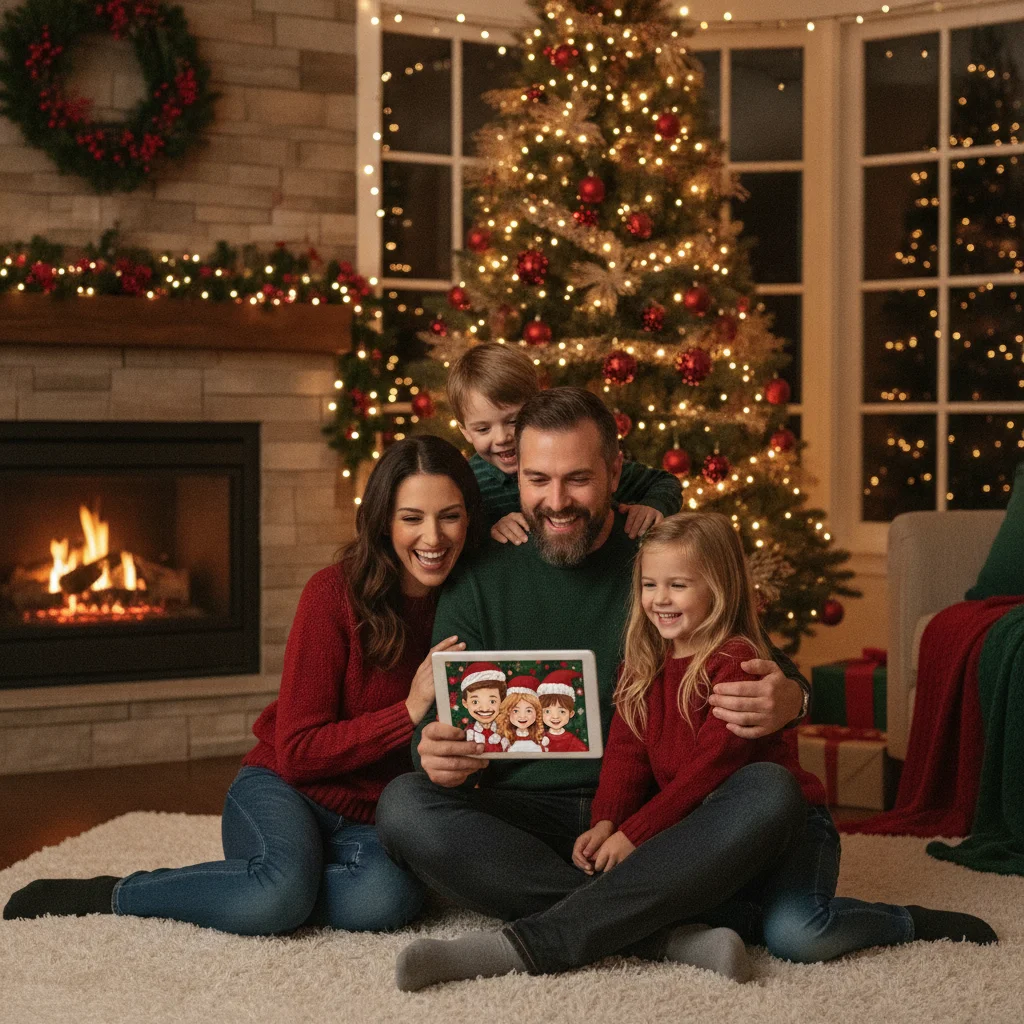
Quick answer: An AI family Christmas portrait generator turns uploaded family photos into coordinated holiday scenes, outfits, or illustrated card designs. The best tools preserve recognizable faces, support multiple people, provide high-resolution exports, and clearly explain photo privacy. Use well-lit reference images and review hands, faces, clothing, and backgrounds before ordering Christmas cards or prints.
What is an AI family Christmas portrait generator?
An AI family Christmas portrait generator creates a holiday-themed image from one or more family photos. Depending on the tool, it may replace the background, add coordinated Christmas clothing, convert the family into an illustration, or generate a new scene based on written instructions.
These generators are useful when arranging a professional photo session is difficult. They can also help families create a card when relatives were photographed separately. Results vary considerably, especially when an image includes young children, pets, large groups, or faces shown from different angles.
Which features should you compare?
Prioritize facial consistency over the number of templates. A convincing portrait should preserve each person's recognizable features without changing age, face shape, skin tone, or expression. The generator should also export an image large enough for the intended card or print.
| Feature | Why it matters | What to check |
|---|---|---|
| Multiple-person support | Family portraits contain several distinct identities | Maximum number of reference faces |
| Identity preservation | Prevents relatives from looking generic or alike | Examples featuring groups rather than individuals |
| High-resolution export | Small files can appear soft in print | Pixel dimensions and watermark rules |
| Editing controls | Small corrections can rescue a good composition | Regeneration, cropping, background, and text options |
| Photo handling policy | Uploads may include children and private family images | Retention, deletion, training, and sharing terms |
| Pricing structure | Credits may be consumed by unsuccessful attempts | Export fees, subscriptions, and credit expiration |
How do you create a better AI Christmas portrait?
- Choose recent, sharp reference photos with even light and an unobstructed view of each face.
- Avoid sunglasses, heavy filters, extreme angles, and images where faces occupy only a small part of the frame.
- Select one clear visual direction, such as a formal fireplace portrait, snowy outdoor scene, watercolor illustration, or cozy pajama photograph.
- Describe the number of adults, children, and pets explicitly if the generator accepts prompts.
- Generate several versions before selecting one. Examine every person rather than judging only the overall scene.
- Export the largest available file and make a test print before placing a large card order.
When family members are uploaded separately, use photos with similar lighting and camera angles. This gives the system a better chance of creating consistent proportions and shadows.
Which Christmas portrait styles work well for cards?
Traditional living-room scenes are easy to pair with card greetings because they leave predictable space around the family. Snowy landscapes can look impressive, but white clothing may disappear into the background. Illustrated styles, including watercolor and storybook art, often hide minor realism problems better than simulated photography.
For a humorous card, try matching pajamas, an intentionally exaggerated sweater theme, or a retro studio look. Avoid giving the generator too many competing instructions. A short, specific concept usually produces a more coherent portrait.
How should you inspect the finished portrait?
Zoom in on eyes, teeth, fingers, glasses, earrings, and areas where people overlap. Count every hand and check whether arms connect naturally to bodies. Look for duplicated decorations, broken furniture, unreadable signs, and ornaments that merge with hair.
Confirm that each family member still looks like the correct person. AI systems may blend siblings, alter a child's apparent age, or transfer one adult's features to another. Regenerate or edit the image when identity errors remain obvious.
Is the PiXmas app worth considering?
Christmas Pictures App: PiXmas is one Christmas picture app listed on Apple's App Store. At the time the supplied listing data was recorded, it had a 4.41378 rating from 116 ratings. Ratings can change, and a store score does not establish how well an app handles every family size or portrait style.
ChristmasCard.io is an independent editorial site and is not affiliated with PiXmas, PicsMas, Apple, or any app developer. Before downloading, check the current store description, available purchases, recent reviews, export options, and privacy disclosures. The available listing information alone does not confirm every AI family portrait feature, so verify that the current version supports your intended workflow.
What privacy precautions should families take?
Read the tool's privacy policy before uploading identifiable photographs, particularly images of children. Check whether uploaded photos or generated portraits are retained, shared with service providers, or used to train models. Prefer services that provide a clear deletion process and specific retention periods.
Do not upload school names, home addresses, travel documents, or photographs containing other sensitive information. If a portrait will be posted publicly, consider whether location clues, uniforms, name decorations, or house numbers appear in the generated background.
What are the limitations of AI family Christmas portraits?
No generator can guarantee accurate faces, natural anatomy, or a print-ready result. Large groups are harder than couples or small families because the system must preserve more identities and manage additional overlapping limbs. Pets can also be duplicated or assigned incorrect markings.
Generated images may not capture authentic family chemistry in the way a real photograph does. Usage rights, commercial printing permissions, subscription terms, and data policies also differ by provider. Review the applicable terms before printing, selling, or widely distributing a generated portrait.
Verdict: An AI generator can produce a useful Christmas card portrait when convenience and creative styling matter most. Choose a tool with strong group examples, transparent photo policies, and large exports, then inspect the result carefully before printing.
What an AI family Christmas portrait generator can change—and what the original photo must preserve
An AI family Christmas portrait generator can change the setting, wardrobe, seasonal props, color, lighting, and framing of a real photo, but the original should already show each family member’s face clearly and accurately. For the strongest identity match, use one image in which everyone is facing roughly the same direction, eyes are visible, facial features are not covered by hair or hands, and motion blur is absent. Keep the people you want retained fully inside the frame; do not rely on the generator to reconstruct a cropped forehead, hidden child, or blocked pet. Uneven room color or a plain wall is usually editable, while overlap between faces and extreme side profiles can undermine likeness. There is no universal input resolution or face-size threshold across generators, so follow the selected tool’s upload requirements.
Can an AI family Christmas portrait generator fix hands, teeth, pets, and text?
An AI family Christmas portrait generator cannot reliably correct every hand, tooth, pet, or lettering error, so inspect those details before using the image.
- Hands may have merged fingers, missing knuckles, duplicated jewelry, or unnatural grips where relatives touch or hold props.
- Teeth can appear fused, uneven, or overly uniform, especially in wide smiles or small background faces.
- Pets may be duplicated, given incorrect markings, or combined with decorations, blankets, and another animal’s paws or tail.
- Generated signs, sweaters, ornaments, and cards often contain misspelled names or unreadable letter-like shapes instead of exact wording.
- Editing one flaw can change a person’s face, clothing, pose, or nearby family member, requiring another full inspection after each revision.
Frequently asked questions
Can AI create one Christmas portrait from separate family photos?
Some generators can combine separate reference photos, but matching camera angles and lighting improves consistency. Verify that the selected tool explicitly supports multiple identities.
How many photos should I upload for each person?
Several clear photos from slightly different angles may improve identity preservation when the generator supports multiple references. Follow the tool's stated upload limits and guidance.
Can an AI Christmas portrait include pets?
Many image generators can add dogs, cats, and other pets. Check markings, paws, tails, and scale carefully because animal details are common sources of errors.
What image resolution is suitable for Christmas cards?
A 5-by-7-inch print at 300 pixels per inch requires about 1500 by 2100 pixels. Confirm the printer's size, bleed, and resolution requirements before exporting.
Are AI family portrait generators safe for children's photos?
Safety depends on the provider's storage, deletion, sharing, and model-training policies. Parents should read those terms and avoid uploading images containing sensitive personal details.
Can I print and sell an AI-generated family portrait?
Printing and commercial-use rights depend on the generator's license and the rights attached to uploaded material. Review the current terms before selling or using the image commercially.
Can AI change our clothes without changing our faces?
Yes, AI can restyle clothing while attempting to preserve each person’s face. Use a source photo with visible necklines, shoulders, arms, and body boundaries so the generator can place sweaters, formalwear, or holiday outfits cleanly. Inspect facial shape, age, skin texture, jewelry, and hair afterward because a wardrobe edit can unintentionally alter nearby features.
Can AI fix a blurry face in a family Christmas photo?
AI may improve mild softness, but it cannot reliably recover facial details that the camera never captured. Choose another photo if eyes, mouth shape, or face boundaries are indistinct. Sharpening a slightly soft portrait may be reasonable; rebuilding a heavily blurred face risks producing a plausible-looking person who no longer resembles the family member.
Why does AI add extra people or animals to family Christmas portraits?
Extra figures can appear when the generator misinterprets overlapping bodies, busy backgrounds, or references containing multiple subjects. Use clearly separated reference photos and state the exact number of adults, children, and pets in the prompt. Even then, count faces, limbs, and animals carefully in the finished portrait.
How can I fix distorted hands in an AI Christmas family portrait?
Regenerate or selectively edit the hand while describing its position, visible fingers, and the object it should hold. Cropping, placing hands behind a person, or choosing a pose with less hand contact may also help. After editing, check nearby faces, sleeves, jewelry, and props for unintended changes.