
How Do You Photograph Christmas Lights Clearly?
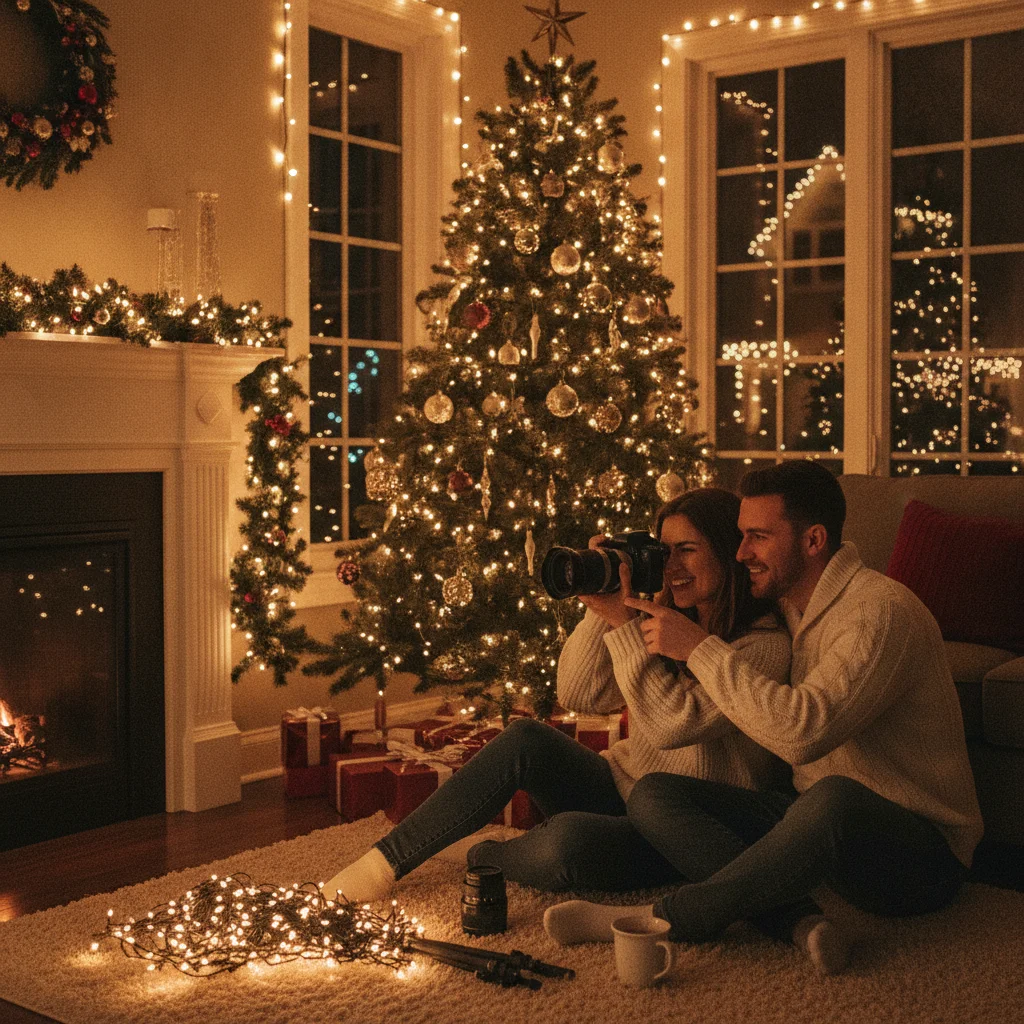
Quick answer: Photograph Christmas lights clearly by stabilizing the camera, focusing on a high-contrast decoration, and exposing for the bright bulbs rather than the dark background. Start with a low ISO, a wide aperture, and a shutter speed suited to your subject. Shoot during blue hour for outdoor displays, and check highlights to prevent clipped, colorless bulbs.
Christmas lights are challenging to photograph because each scene contains tiny bright bulbs surrounded by deep shadows. Automatic exposure often brightens the background too much, turning colorful lights into white spots. Clear results depend on camera stability, accurate focus, and an exposure that protects the brightest decorations.
What equipment helps photograph Christmas lights?
A tripod provides the biggest improvement when photographing a stationary display. It allows a slow shutter speed without camera shake, so you can use a lower ISO for cleaner colors and finer detail.
A remote release or a two-second self-timer prevents movement when you press the shutter. A lens hood can reduce glare from streetlights, while a clean front lens element helps prevent large halos around every bulb.
Any lens can work. A wide-angle lens captures an entire house or tree, while a standard or short telephoto lens isolates ornaments, wreaths, and smaller sections of a display.
Which camera settings work best for Christmas lights?
Manual exposure gives you consistent results as you adjust the composition. For a tripod-mounted outdoor display, begin at ISO 100 to 400, an aperture of f/5.6 to f/8, and a shutter speed between 1/2 second and 5 seconds. Take a test photo, then adjust the shutter speed until the lights retain their color.
| Situation | Starting aperture | Starting shutter speed | ISO |
|---|---|---|---|
| Outdoor display on a tripod | f/5.6 to f/8 | 1/2 to 5 seconds | 100 to 400 |
| Handheld street display | f/1.8 to f/2.8 | 1/60 second or faster | 800 to 3200 |
| Person beside lights | f/2 to f/4 | 1/125 second or faster | 800 to 3200 |
| Starburst effect | f/11 to f/16 | As metered on a tripod | 100 to 400 |
These settings are starting points rather than fixed requirements. Use the histogram and highlight warning on your camera. Shorten the exposure if large areas of the bulbs are blinking as overexposed.
How do you focus on Christmas lights in the dark?
Place the autofocus point over a decoration with a clear edge, such as a window frame, tree branch, or illuminated sign. Avoid focusing on a single bare bulb because its glow may give the autofocus system too little defined detail.
If autofocus repeatedly searches, switch to manual focus. Magnify the live-view image, adjust focus around a detailed decoration, and take a test frame. Turn off continuous autofocus once the stationary scene is sharp.
When should you photograph outdoor Christmas lights?
Blue hour, shortly after sunset, is often the best time. The sky remains blue, architectural details are visible, and the brightness difference between the bulbs and surroundings is easier to manage.
Full darkness can work when the lights are the only intended subject. Expect deeper shadows and a greater chance that unlit parts of a house or garden will disappear. Snow and wet pavement can help by reflecting light into those dark areas.
How can you preserve accurate Christmas light colors?
Shoot in RAW format when available because RAW files offer more control over white balance and highlights. Try a white balance between 3000K and 4000K for warm indoor bulbs, then adjust based on the scene.
Mixed lighting may contain warm incandescent bulbs, cool LEDs, streetlights, and indoor lamps. No single white balance will make every source neutral. Prioritize the decorations or the skin tones of people in the photograph.
How do you photograph Christmas lights with a phone?
Hold the phone against a stable surface or use a compact tripod. Tap a bright decorated area to set focus and exposure, then drag the exposure control downward until individual bulbs show color. Night mode can capture a clean display, but it requires the phone and subject to remain still.
Disable the flash for distant houses and outdoor displays. A phone flash cannot illuminate a building across the street and may create reflections on windows. Use the phone's main camera instead of digital zoom, then crop modestly afterward.
How do you include people without blurring them?
A slow exposure may keep the background clean but blur anyone who moves. For portraits, use a shutter speed of at least 1/125 second and raise the ISO as needed. Ask the subject to stand close to the lights so the decorations provide useful illumination.
A small amount of flash can brighten a face while retaining the background lights. Reduce flash power or use exposure compensation so the result does not look harsh. Keep the subject several feet in front of the display if you want the lights to form soft circles.
What limitations can affect Christmas light photos?
LED decorations can flicker faster than the eye can detect. Certain shutter speeds may record dark bands, partial strings, or inconsistent brightness. Try a slower shutter speed, such as 1/30 or 1/15 second, if banding appears.
Bright bulbs may still lose detail because their illuminated filaments or diodes are extremely small. The practical goal is to preserve visible color and glow, not necessarily texture inside every light. Wind can also move hanging decorations during long exposures, so increase shutter speed when ornaments or branches will not stay still.
For the clearest result, photograph a stationary display during blue hour with a tripod, low ISO, careful focus, and an exposure that protects the colored highlights. Increase shutter speed and ISO when people or moving decorations enter the frame.
What camera setting makes Christmas light photos ready to print?
For a print-ready Christmas light photo, set exposure so the colored bulbs remain below highlight clipping while nearby decorations still retain visible detail. Use manual exposure, start with a low ISO, and adjust shutter speed rather than brightening until every shadow is visible. Check the histogram and highlight warning after a test shot; if bulbs blink as clipped, shorten the exposure. A tripod helps preserve sharpness when that adjustment produces a slower shutter speed. Capture at your camera’s full resolution and crop only after choosing the card layout. A 5-by-7-inch print at 300 DPI requires 1500 by 2100 pixels (Vistaprint, 2026). Before exporting, inspect the image at full size for motion blur, missed focus, blocked shadows, and colorless bulb centers.
Why Christmas Lights Look Faint at Noon but Lose Detail After Dark
Christmas lights often disappear at noon because sunlight overwhelms them, while after dark their bulbs can overexpose against a nearly black scene. Use these three quick checks to identify the better shooting window.
- Check the sky: For Christmas lights at noon, shade the display with your hand while viewing it. If the bulbs become easier to see, ambient daylight is overpowering their output.
- Check the histogram: Photograph Christmas lights once at dusk and once after dark. If highlights touch the right edge at night, lower exposure until individual bulb colors return.
- Check the surroundings: Frame Christmas lights with a wall, wreath, or roofline. If those details vanish after dark, shoot earlier during blue hour or add gentle light to the scene.
Frequently asked questions
Should I use flash when photographing Christmas lights?
Flash is usually unnecessary for a display by itself and cannot illuminate distant decorations. Low-power flash can help expose a person standing near the lights.
Why do Christmas lights look white in my photos?
The bulbs are overexposed, causing their color channels to clip. Reduce exposure compensation, lower ISO, or use a faster shutter speed.
What aperture makes Christmas lights look like stars?
A narrow aperture between f/11 and f/16 creates starbursts around small light sources. Use a tripod because the narrow aperture usually requires a longer exposure.
What aperture creates blurry Christmas light circles?
A wide aperture such as f/1.8 to f/2.8 produces soft background circles when the subject is separated from the lights. Greater distance between the subject and lights increases the blur.
Is RAW or JPEG better for Christmas light photography?
RAW is better for recovering highlights, reducing noise, and correcting mixed white balance. JPEG is convenient when quick sharing matters more than extensive editing.
Why are there dark bands across LED Christmas lights?
Dark bands can result from the interaction between LED flicker and the camera's shutter. Testing slower shutter speeds or disabling an electronic shutter may reduce the effect.
Can I photograph Christmas lights without a tripod?
Yes, use a wide aperture, image stabilization, and a shutter speed fast enough to avoid hand movement. Raising ISO may be necessary, particularly after full darkness.
How do I keep Christmas lights bright in a printed photo?
Keep the lights bright by protecting their color rather than maximizing overall exposure. Reduce exposure until individual bulbs show distinct color, then lift darker surroundings selectively during editing. Avoid raising the entire image’s brightness, because clipped bulbs cannot regain detail and may print as flat white spots.
How can I tell if my Christmas light photo is sharp enough to print?
Inspect the final crop at full size and check fine edges on wires, ornaments, and nearby decorations. If those details look doubled or smeared, use a steadier support or faster shutter speed and retake the photo. Judge the cropped composition, since heavy cropping can reveal softness that was not obvious in the full image.
Is dusk better than night for photographing Christmas lights?
Dusk is often better when you want both colorful bulbs and visible surroundings. The remaining sky light narrows the brightness difference between the display and its background, making exposure easier. Full darkness can create stronger contrast, but you may need to underexpose the bulbs or combine exposures to retain nearby details.