
Create an AI Santa Christmas Portrait
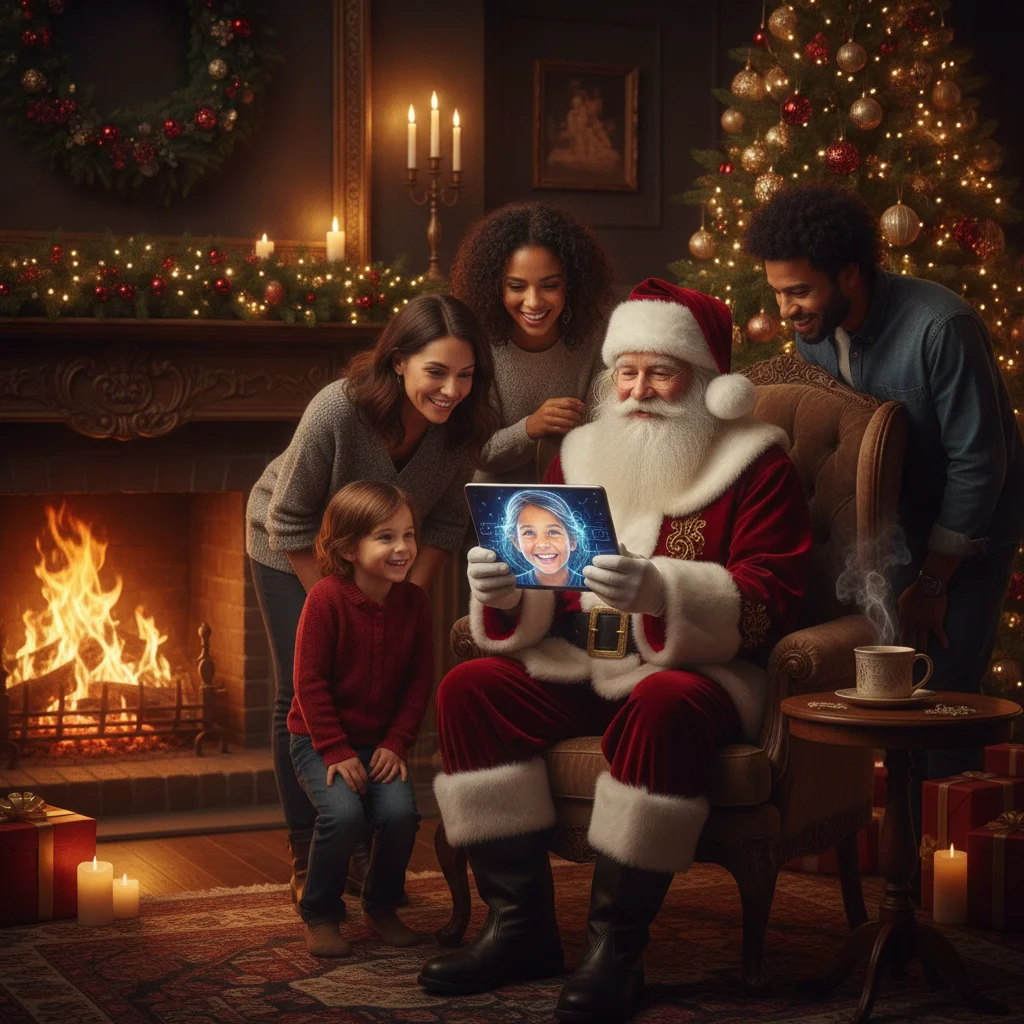
Quick answer: To create an AI Santa Christmas portrait, start with a clear, well-lit photo and describe the subject, Santa outfit, setting, lighting, pose, and level of realism in the prompt. Generate several versions, then check the face, hands, clothing, and background for errors. Use a high-resolution result for cards, social posts, or prints.
What is an AI Santa Christmas portrait?
An AI Santa Christmas portrait is an image that depicts a person, child, family, or pet as Santa Claus or alongside Santa. An image generator can replace clothing, build a North Pole background, add seasonal props, and adjust the lighting without requiring a full costume or studio set.
The portrait can look photographic, illustrated, painted, or inspired by a vintage holiday card. The best style depends on where the finished image will appear. Realistic portraits suit framed prints, while storybook artwork often works well for greeting cards and children’s keepsakes.
How do you create a convincing Santa portrait?
- Choose a clear source photo. Use a front-facing image with natural facial detail, even lighting, and minimal blur.
- Select the intended composition. Decide whether the image should show a close-up, half-body portrait, full Santa costume, or a group posing with Santa.
- Describe the visual style. Specify realistic photography, classic oil painting, watercolor, storybook illustration, or another defined treatment.
- Add Christmas details. Include a red velvet coat, white fur trim, Santa hat, decorated tree, wrapped gifts, fireplace, snow, or workshop setting.
- Generate multiple options. Compare facial resemblance, hand placement, costume texture, and background details before choosing a final version.
Which source photo produces the best result?
| Photo feature | Recommended choice | Why it matters |
|---|---|---|
| Face angle | Front-facing or slight turn | Preserves recognizable facial features |
| Lighting | Soft, even light | Reduces harsh shadows and patchy skin |
| Resolution | Sharp original image | Supports cleaner details and larger prints |
| Background | Simple and uncluttered | Makes costume and scene replacement easier |
| Expression | Natural smile or warm neutral look | Fits most Santa portrait concepts |
Avoid screenshots, heavily compressed social media downloads, and photos with filters covering the face. Glasses, hats, hands, or hair crossing important facial features can also reduce consistency.
What should an AI Santa portrait prompt include?
A useful prompt names the subject, clothing, setting, pose, lighting, camera perspective, and finish. Specific details help the generator make consistent choices without turning the scene into a crowded collection of decorations.
For example: “Create a realistic half-body Christmas portrait of the person in the reference photo dressed as Santa Claus, wearing a deep red velvet coat with natural white fur trim, standing beside a decorated fireplace, warm window light, relaxed smile, realistic skin texture, symmetrical eyes, detailed hands, professional holiday photography.”
For a child-friendly illustration, replace the photography language with “gentle storybook illustration, soft painted textures, cheerful expression, cozy North Pole workshop, age-appropriate proportions.”
How can you make the portrait look more realistic?
Ask for natural skin texture rather than perfectly smooth skin. Describe believable fabric, warm directional lighting, accurate anatomy, and subtle depth of field. A restrained background usually looks more photographic than a scene filled with ornaments, lights, toys, animals, and falling snow.
Inspect small details at full size. Common problems include uneven eyes, distorted fingers, duplicated decorations, unreadable signs, inconsistent buttons, and fur trim that blends into the beard. Regenerating one area or choosing another variation is often better than accepting a noticeable defect.
Which tools can create a Santa Christmas portrait?
General AI image generators and dedicated Christmas photo apps can both handle this style. General tools usually provide more prompt control, while themed apps may offer faster templates for people who prefer preset costumes and backgrounds.
One optional mobile choice is Christmas Pictures App: PiXmas. The supplied App Store listing shows a rating of about 4.4 from 116 ratings, although store ratings can change. ChristmasCard.io is an independent editorial site and is not affiliated with PiXmas, PicsMas, or any app.
Before choosing a tool, compare export resolution, watermark rules, payment terms, photo retention policies, and whether the service allows deletion of uploaded images.
How should the finished portrait be prepared for sharing or printing?
Use a portrait crop for greeting cards and framed prints, but keep enough space around the Santa hat and shoulders for later trimming. A square version works for profile images, while vertical 4:5 images generally suit social feeds.
Export the largest available file for printing. Review the image on a full-size screen before ordering cards because facial artifacts that seem minor on a phone can become obvious in print. Keep an uncompressed master copy and create separate resized copies for messaging or social media.
What are the limitations of AI Santa portraits?
AI generators may change a person’s facial structure, skin tone, age, body shape, or distinguishing features. A generated portrait should not be treated as an exact record of appearance.
Images containing children require particular care. A parent or guardian should approve the upload, and users should avoid services with unclear storage or reuse policies. Consent is also important before creating or publishing portraits of other adults.
AI tools can struggle with group scenes, hands, eyeglasses, beards, text, and detailed patterns. Results also vary between generations, so the same prompt may not reproduce an earlier portrait exactly.
Verdict: A clear source photo, a focused prompt, and careful inspection are the main ingredients for a strong AI Santa Christmas portrait. Generate several options and prioritize recognizable faces over excessive seasonal detail.
What can an AI Santa Christmas portrait change, and what must the original photo preserve?
An AI Santa Christmas portrait can change clothing, facial hair, background, props, color, and lighting, but the original photo must still show a recognizable, unobstructed subject. A sharp view of the eyes, nose, mouth, jawline, and hairline gives the model enough information to preserve identity while adding a hat, beard, or Santa suit. The source should also contain natural skin texture, a plausible head angle, and visible shoulders if the finished image will include a coat. AI may reconstruct a covered ear or soften a shadow, but it cannot reliably recover identity-specific details that are blurred, cropped out, or hidden behind another person. Exact correction ability varies by image and model, so use a different original when repeated edits alter the face.
Which AI Santa portrait errors still need manual correction?
A 5×7 print prepared at 1,500 × 2,100 pixels (Vistaprint, 2026) can expose flaws, but those pixels cannot correct malformed hands, merged teeth, duplicated pets, or garbled lettering in an AI Santa portrait. That measurement describes file resolution, not whether the generated anatomy, identities, or scene are accurate. Inspect every hand, mouth, eyeglass edge, pet, ornament, and piece of visible text at full size before sharing or printing. Regenerating a small area may help, although it can also alter a face, sleeve, gift, or nearby animal. Replace important wording with normal typesetting rather than trusting generated signs or labels. When a pet appears twice or fingers remain fused after targeted edits, return to the original photo and rebuild that portion; higher resolution alone will preserve the mistake more clearly.
Frequently asked questions
Can AI turn a regular photo into a Santa portrait?
Yes. An AI image generator can add a Santa suit, hat, beard, festive setting, and holiday lighting to a suitable source photo.
What is the best prompt for an AI Santa portrait?
The best prompt specifies the subject, red velvet Santa clothing, pose, Christmas setting, lighting, realism level, and desired composition. It should also request accurate facial features, hands, and fabric details.
Can I create an AI Santa portrait without adding a beard?
Yes. State “clean-shaven Santa,” “no beard,” or “wearing a Santa-inspired outfit without facial hair” in the prompt.
Can an AI Santa portrait include a family or pet?
Yes, although group portraits are more likely to contain facial or anatomical errors. Clear reference photos and simple poses improve consistency.
Can I print an AI Santa Christmas portrait?
Yes, if the tool permits personal printing and the exported image has sufficient resolution. Check the full-size file for facial, hand, and background defects before ordering prints.
What image size is best for sharing a Christmas card by phone?
A phone-shared card generally does not need full print resolution, but it should remain large enough for readable text and clear faces. An image around 1200 to 2000 pixels on its longest side often balances quality and file size. Messaging services may compress files, so send as a file or email attachment when preserving detail matters.
Does the whole face need to be visible for an AI Santa portrait?
Most of the face should be visible, especially the eyes, nose, mouth, and jawline. A slight turn is usually workable, but sunglasses, hands, heavy shadows, or hair covering key features can cause identity changes. Leave some space above the head so a Santa hat can be added without crowding the composition.
Can AI restore a blurry face before adding a Santa costume?
AI can sharpen mild softness, but it cannot reliably restore facial details that the file never captured. Strong blur may lead the generator to invent eyes, teeth, wrinkles, or beard edges. Start with another frame from the same photo session when possible, then add the Santa costume after confirming that the face still resembles the subject.
How do I check an AI Santa portrait for mistakes?
Review the portrait at full size and inspect faces, hands, teeth, eyeglasses, clothing edges, pets, ornaments, and background figures. Count fingers, confirm that each person and animal appears once, and compare identities with the source photo. Check again after every localized edit because correcting one area can introduce a new defect nearby.
Can unreadable text in an AI Santa portrait be fixed?
Yes, but replacing the text manually is usually more dependable than repeatedly regenerating it. Remove or cover the distorted lettering, then add the greeting with a standard text tool. Also inspect nearby ribbons, signs, gift tags, and sweater patterns, since an edit intended for lettering may change surrounding details.